Repository navigation
Antialiasing behaviour when same-colour #14288
Description
Activity
Another example (I believe it is somehow related: )
import 'package:flutter/material.dart';

const Color grey = const Color.fromARGB(255, 100, 100, 100);
const Color black = const Color.fromARGB(255, 0, 0, 0);

void main() =>
    runApp(
      new Container(
        color: grey,
        child: new Center(
          child: new Container(
            width: 151.0,
            height: 151.0,
            color: black,
            child: new Container(
              color: grey,
            ),
          ),
        ),
      ),
    );
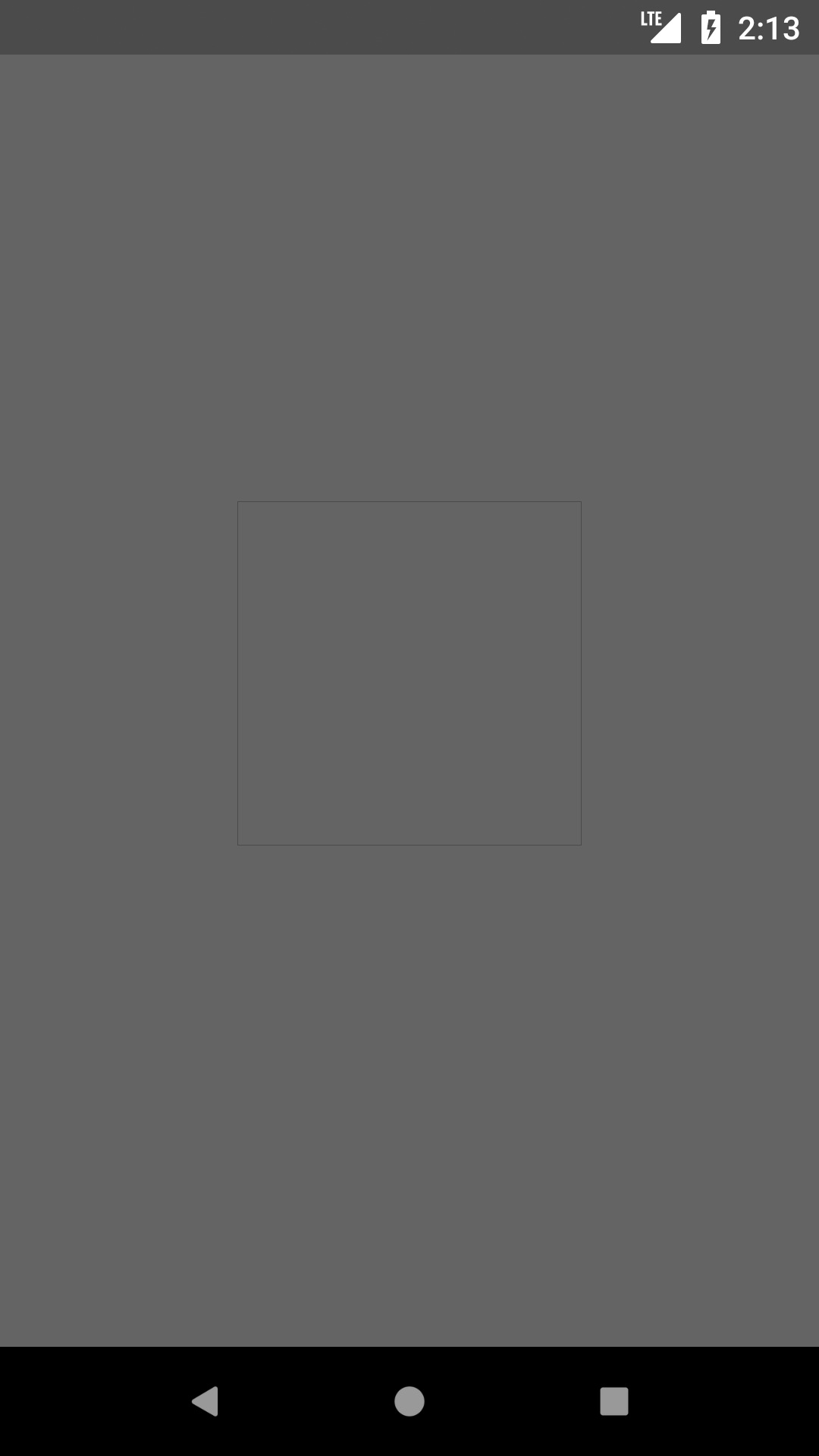
We should not see border here. If widht/height are changed to 150.0, square is gone.
Reacted by Jahyr, Amir Panahandeh, Erlang Parasu and yclThis is normal behaviour. What's happening is that the boxes are not quite aligned with pixel boundaries, so there's some anti-aliasing happening on the boundaries, which involves transparency, which means that for those pixels the two grays are overlapping and looking darker.
As a general rule when doing anti-aliasing you want to avoid putting identically-coloured boxes adjacent or over each other unless you can guarantee physical pixel alignment.
Alternatively, you can use
saveLayer(orRepaintBoundary) to cause a bunch of paint operations to get merged into one and composited as one. Not sure that that would help in these cases specifically but it is a tool that can be useful in this kind of situation.Reacted by Erlang Parasu, Dmitrii Matyunin, 洪龙, Manas Pratap Thakur, Geoffroy, Celeau, Bart Selwesiuk, 🧙♂️ Ulisses, Mage of Flutter 🪄, Modestas Valauskas, Krishna Kokatay and 4 moreReacted by aytunc, Geoffroy, :o:, Krishna Kokatay and sed1kaThis is not boxes overlapping, but rather spare space between boxes, so color of background is popping up. I was changing background to different color and this color was popping out.
Reacted by Bartek Pacia, Renat Shakhmatov, Amar Mujagic, busslina, Manas Pratap Thakur, Geoffroy, :o:, Amit, Luke, Krishna Kokatay and 2 moreRoot cause is that boxes can not be aligned with physical pixels. I would not call it "normal", I would rather call it "expected".
On android similar (semantically) case is handled properly:<?xml version="1.0" encoding="utf-8"?> <LinearLayout xmlns:android="http://schemas.android.com/apk/res/android" xmlns:tools="http://schemas.android.com/tools" android:layout_width="match_parent" android:layout_height="match_parent" android:orientation="horizontal" android:background="#000000" tools:context="com.radzish.android_lines_bug.MainActivity"> <FrameLayout android:layout_width="0dp" android:layout_weight="1" android:background="#646464" android:layout_height="match_parent"/> <FrameLayout android:layout_width="0dp" android:layout_weight="1" android:background="#646464" android:layout_height="match_parent"/> <FrameLayout android:layout_width="0dp" android:layout_weight="1" android:background="#646464" android:layout_height="match_parent"/> <FrameLayout android:layout_width="0dp" android:layout_weight="1" android:background="#646464" android:layout_height="match_parent"/> <FrameLayout android:layout_width="0dp" android:layout_weight="1" android:background="#646464" android:layout_height="match_parent"/> <FrameLayout android:layout_width="0dp" android:layout_weight="1" android:background="#646464" android:layout_height="match_parent"/> <FrameLayout android:layout_width="0dp" android:layout_weight="1" android:background="#646464" android:layout_height="match_parent"/> </LinearLayout>
So I think flutter should improve in this case.
The only workaround I found for me at the moment is sizing children manually like this:int CHILDREN_COUNT = 7; List<Widget> children = new List(CHILDREN_COUNT); MediaQueryData mediaQueryData = MediaQuery.of(context); int physicalWidth = (mediaQueryData.size.width * mediaQueryData.devicePixelRatio).floor(); for (int i = 0, pixelsLeft = physicalWidth; i < CHILDREN_COUNT; i++) { int columnWidth = (pixelsLeft / (CHILDREN_COUNT - i)).floor(); children[i] = new Container( width: columnWidth / mediaQueryData.devicePixelRatio, color: color, ); pixelsLeft -= columnWidth; }Reacted by Koen Van Looveren, jafitz26, Tony, Miguel Beltran, nekocode, markszenteTB, Bartek Pacia, Lukas Klingsbo, ipcjs, Thor Adam and 12 more- changed the title
[-]Expanded elements not taking the whole are of their parent[/-][+]Expanded elements not taking the whole area of their parent[/+]on May 29, 2018 - changed the title
[-]Expanded elements not taking the whole area of their parent[/-][+]Document the issue of antialiasing when same-colour blocks abut, and some workarounds[/+]on May 29, 2018 - added this to the milestone
on May 29, 2018 - changed the title
[-]Document the issue of antialiasing when same-colour blocks abut, and some workarounds[/-][+]Document the issue of antialiasing when same-colour blocks abut, and some workarounds (API docs, FAQ)[/+]on May 29, 2018 There are also
- API docs for Container.color should have a "troubleshooting" section that talks about "mysterious dividers" #15035
- In Container and Canvas documentation, explain why adjacent color blocks that aren't aligned on physical pixel boundaries show a seam #17084
- Circular-shaped decorations are not properly clipped #13675
- BoxDecoration renders color beyond borders. #25429
130 remaining items
Just wanted to share another case with you (#150035). It happens with Impeller on iOS too.
import 'package:flutter/material.dart';

void main() => runApp(const MyApp());

class MyApp extends StatelessWidget {
  const MyApp({super.key});

  @override
  Widget build(BuildContext context) {
    return MaterialApp(
      title: 'Flutter Demo',
      debugShowCheckedModeBanner: false,
      theme: ThemeData(primarySwatch: Colors.blue),
      home: const MyHomePage(),
    );
  }
}

class MyHomePage extends StatelessWidget {
  const MyHomePage({super.key});

  @override
  Widget build(BuildContext context) {
    return Scaffold(
      body: Stack(
        children: [
          Positioned.fill(child: ColoredBox(color: Colors.blue)),
          Center(
            child: SizedBox(
              width: 200,
              height: 200,
              child: Stack(
                children: [
                  Positioned.fill(child: ColoredBox(color: Colors.red)),
                  Positioned.fill(
                    child: ColoredBox(color: Colors.blue),
                  )
                ],
              ),
            ),
          ),
        ],
      ),
    );
  }
}
Reacted by Erlang Parasu and GnarhardIs it a skia or a Flutter issue?
Hello,
I'm dealing with the same problems as mention above, thin white lines between widgets (rows in my case), when rendering to web. It looks like an anti-alias or not-pixel-perfect issue, also as already mentioned above.
Have I understood it correctly that there is no proper/native solution to this, and the best option is to use pixel_snap?
UPDATE: I also tried building/running for Linux desktop, and I get the same white lines. But using a Scaffold with backgroundColor works as a workaround, which happens to be usable in this case.Also you may try space_fixer https://pub.dev/packages/space_fixer
Example:
          Container(
            width: MediaQuery.of(context).size.width,
            height: 50,
            color: Colors.black,
          ),
          SpaceFixerHorizontalLine(
            context: context,
            overflowHeight: 3,
            overflowColor: Colors.black,
          ),
          Container(
            width: MediaQuery.of(context).size.width,
            height: 50,
            color: Colors.black,
          ),
You can use this widget as a divider in the list
thanks to you, I was able to easily solve the problem without much overhead. thank you so much
this stack Overflow answered worked for me
Unbelievable, this issue has existed for a few years?
Any official solution on this?Reacted by koodimetsa, Mateus Felipe C. C. Pinto, zhitunAI, Paradorn Raksakaeo, Krishna Kokatay, Michał Kochmański, peak and Paul DhaliwalReacted by Pham Quoc TrongReacted by Pham Quoc Trong, Geoffroy, Muhammed Basil E, José Luis Cuevas, iamherogg, Ian, desmond206x and NaosanReacted by Pham Quoc Trong, Geoffroy, Elliott Etzkorn, Iurii Dorofeev and NaosanThis issue can be very apparent when you're making games with Flutter (and Flame), and the curious thing is that nowadays the issue is usually worse with Impeller than it is with Skia.
 Reacted by Gnarhard, Rúben Ferreira, Roman Cinis, Ian, Geoffroy, Paradorn Raksakaeo, Derrick, KoheiKanagu, ericshi, Max Weber and 14 more
The same issue is noticed on Flutter Web (3.24.4) for
ListView(mostly while scrolling).Reacted by Iurii Dorofeev, eason, satishs22, Thomas Ferreira, desmond206x and Erlang Parasu+1
Reacted by iamherogg, Thomas Ferreira, desmond206x and Muhammad Anugrah HakikiI have the same problem using
SliverAppBar(I can give the code to reproduce the problem if needed).There are a lot of comments here so I apologize if I'm duplicating another solution. Also, this won't fix the problem for everyone.
There is the option of disabling anti-aliasing:
AliasedBoxDecoration
// Copyright 2014 The Flutter Authors. All rights reserved.
// Use of this source code is governed by a BSD-style license that can be
// found in the LICENSE file.

import 'package:flutter/rendering.dart';

class AliasedBoxDecoration extends BoxDecoration {
  const AliasedBoxDecoration({
    super.color,
    super.image,
    super.border,
    super.borderRadius,
    super.boxShadow,
    super.gradient,
    super.backgroundBlendMode,
    super.shape = BoxShape.rectangle,
  });
  @override
  BoxPainter createBoxPainter([VoidCallback? onChanged]) {
    assert(onChanged != null || image == null);
    return _AliasedBoxDecorationPainter(this, onChanged);
  }
}

class _AliasedBoxDecorationPainter extends BoxPainter {
  _AliasedBoxDecorationPainter(this._decoration, super.onChanged);

  final AliasedBoxDecoration _decoration;

  Paint? _cachedBackgroundPaint;
  Rect? _rectForCachedBackgroundPaint;
  Paint _getBackgroundPaint(Rect rect, TextDirection? textDirection) {
    assert(_decoration.gradient != null || _rectForCachedBackgroundPaint == null);

    if (_cachedBackgroundPaint == null ||
        (_decoration.gradient != null && _rectForCachedBackgroundPaint != rect)) {
      final Paint paint = Paint();
      if (_decoration.backgroundBlendMode != null) {
        paint.blendMode = _decoration.backgroundBlendMode!;
      }
      if (_decoration.color != null) {
        paint.color = _decoration.color!;
      }
      if (_decoration.gradient != null) {
        paint.shader = _decoration.gradient!.createShader(rect, textDirection: textDirection);
        _rectForCachedBackgroundPaint = rect;
      }
      _cachedBackgroundPaint = paint..isAntiAlias = false;
    }

    return _cachedBackgroundPaint!;
  }

  void _paintBox(Canvas canvas, Rect rect, Paint paint, TextDirection? textDirection) {
    switch (_decoration.shape) {
      case BoxShape.circle:
        assert(_decoration.borderRadius == null);
        final Offset center = rect.center;
        final double radius = rect.shortestSide / 2.0;
        canvas.drawCircle(center, radius, paint);
      case BoxShape.rectangle:
        if (_decoration.borderRadius == null || _decoration.borderRadius == BorderRadius.zero) {
          canvas.drawRect(rect, paint);
        } else {
          canvas.drawRRect(_decoration.borderRadius!.resolve(textDirection).toRRect(rect), paint);
        }
    }
  }

  void _paintShadows(Canvas canvas, Rect rect, TextDirection? textDirection) {
    if (_decoration.boxShadow == null) {
      return;
    }
    for (final BoxShadow boxShadow in _decoration.boxShadow!) {
      final Paint paint = boxShadow.toPaint()..isAntiAlias = false;
      final Rect bounds = rect.shift(boxShadow.offset).inflate(boxShadow.spreadRadius);
      assert(() {
        if (debugDisableShadows && boxShadow.blurStyle == BlurStyle.outer) {
          canvas.save();
          canvas.clipRect(bounds);
        }
        return true;
      }());
      _paintBox(canvas, bounds, paint, textDirection);
      assert(() {
        if (debugDisableShadows && boxShadow.blurStyle == BlurStyle.outer) {
          canvas.restore();
        }
        return true;
      }());
    }
  }

  void _paintBackgroundColor(Canvas canvas, Rect rect, TextDirection? textDirection) {
    if (_decoration.color != null || _decoration.gradient != null) {
      // When border is filled, the rect is reduced to avoid anti-aliasing
      // rounding error leaking the background color around the clipped shape.
      final Rect adjustedRect = _adjustedRectOnOutlinedBorder(rect, textDirection);
      _paintBox(canvas, adjustedRect, _getBackgroundPaint(rect, textDirection), textDirection);
    }
  }

  double _calculateAdjustedSide(BorderSide side) {
    if (side.color.alpha == 255 && side.style == BorderStyle.solid) {
      return side.strokeInset;
    }
    return 0;
  }

  Rect _adjustedRectOnOutlinedBorder(Rect rect, TextDirection? textDirection) {
    if (_decoration.border == null) {
      return rect;
    }

    if (_decoration.border is Border) {
      final Border border = _decoration.border! as Border;

      final EdgeInsets insets = EdgeInsets.fromLTRB(
            _calculateAdjustedSide(border.left),
            _calculateAdjustedSide(border.top),
            _calculateAdjustedSide(border.right),
            _calculateAdjustedSide(border.bottom),
          ) /
          2;

      return Rect.fromLTRB(
        rect.left + insets.left,
        rect.top + insets.top,
        rect.right - insets.right,
        rect.bottom - insets.bottom,
      );
    } else if (_decoration.border is BorderDirectional && textDirection != null) {
      final BorderDirectional border = _decoration.border! as BorderDirectional;
      final BorderSide leftSide = textDirection == TextDirection.rtl ? border.end : border.start;
      final BorderSide rightSide = textDirection == TextDirection.rtl ? border.start : border.end;

      final EdgeInsets insets = EdgeInsets.fromLTRB(
            _calculateAdjustedSide(leftSide),
            _calculateAdjustedSide(border.top),
            _calculateAdjustedSide(rightSide),
            _calculateAdjustedSide(border.bottom),
          ) /
          2;

      return Rect.fromLTRB(
        rect.left + insets.left,
        rect.top + insets.top,
        rect.right - insets.right,
        rect.bottom - insets.bottom,
      );
    }
    return rect;
  }

  DecorationImagePainter? _imagePainter;
  void _paintBackgroundImage(Canvas canvas, Rect rect, ImageConfiguration configuration) {
    if (_decoration.image == null) {
      return;
    }
    _imagePainter ??= _decoration.image!.createPainter(onChanged!);
    Path? clipPath;
    switch (_decoration.shape) {
      case BoxShape.circle:
        assert(_decoration.borderRadius == null);
        final Offset center = rect.center;
        final double radius = rect.shortestSide / 2.0;
        final Rect square = Rect.fromCircle(center: center, radius: radius);
        clipPath = Path()..addOval(square);
      case BoxShape.rectangle:
        if (_decoration.borderRadius != null) {
          clipPath = Path()
            ..addRRect(
              _decoration.borderRadius!.resolve(configuration.textDirection).toRRect(rect),
            );
        }
    }
    _imagePainter!.paint(canvas, rect, clipPath, configuration);
  }

  @override
  void dispose() {
    _imagePainter?.dispose();
    super.dispose();
  }

  @override
  void paint(Canvas canvas, Offset offset, ImageConfiguration configuration) {
    assert(configuration.size != null);
    final Rect rect = offset & configuration.size!;
    final TextDirection? textDirection = configuration.textDirection;
    _paintShadows(canvas, rect, textDirection);
    _paintBackgroundColor(canvas, rect, textDirection);
    _paintBackgroundImage(canvas, rect, configuration);
    _decoration.border?.paint(
      canvas,
      rect,
      shape: _decoration.shape,
      borderRadius: _decoration.borderRadius?.resolve(textDirection),
      textDirection: configuration.textDirection,
    );
  }

  @override
  String toString() {
    return 'BoxPainter for $_decoration';
  }
}
Using this solution fixes the original problem. I'm not sure about others.

ColoredBox(
        color: const Color.fromARGB(255, 0, 0, 0),
        child: Row(
          mainAxisAlignment: MainAxisAlignment.end,
          textDirection: TextDirection.ltr,
          children: <Widget>[
            Expanded(
              child: Container(
                decoration: const AliasedBoxDecoration(
                  color: color,
                ),
              ),
            ),
            Expanded(
              child: Container(
                decoration: const AliasedBoxDecoration(
                  color: color,
                ),
              ),
            ),
      ]))
Reacted by Frank PapeOn my Pixel 9 Pro device (with a devicePixelRatio of 2.25), setting the ListView item height to 200.0 results in no gaps appearing between items during scrolling. However, setting the height to 210.0 causes noticeable gaps to appear between items during scrolling.
After reading the previous comments, I understand the cause of this phenomenon: 200 * 2.25 = 450 (an integer number of physical pixels), while 210 * 2.25 = 472.5 (a non-integer number of physical pixels).
As a framework user, however, I don't believe this is something I should need to be concerned about. What I expect is the ability to freely set the item height to any desired value, and for the framework to automatically handle the issue where that height translates to a non-integer number of physical pixels. Whether the framework rounds down (floor), rounds up (ceil), or uses any other appropriate conversion method is acceptable to me—as long as the outcome ensures there are no gaps between items.
After all, the page I'm currently working on is a comic reader page. Seeing gaps appear between visually continuous images is genuinely disruptive to the reading experience.
Here is my demo code:

The resulting behavior:
41fb3ddf502ef46201437cdb54ddea38.mp4
The appearance issue on the comic reader page matches the screenshot shown in a previous comment #14288 (comment).
Reacted by desmond206x, Dominik Roszkowski, Erlang Parasu and NaosanI'm having the same issue now when implementing a HR chart using CustomPaint. Putting two paths with the same color back to back where right x coordinate coincides with left x coordinate results with quite ugly look.
Having to figure out how to snap path to physical pixels in such case is huge annoyance for a developer.

Edit
I was able to workaround this issue with following (inspired by package:pixel_snap)
- Painter needs to be aware of the devicePixelRatio
- Make sure to round all the Offsets and Paths to nearest pixel (see pseudo code below)
- Your Paint needs to skip antialiasing
class MyPainter extends CustomPainter {
  MyPainter({
    required this.devicePixelRatio,
  });

  final double devicePixelRatio;

  @override
  void paint(Canvas canvas, Size size) {
    // painter logic
    points.add(OffsetSnappedF(x, y, devicePixelRatio));
    final path = Path()..addPolygon(points, true);

    final shader = LinearGradient(
      colors: awakeGradientColors,
      begin: Alignment.topCenter,
      end: Alignment.bottomCenter,
    ).createShader(
      Rect.fromLTWH(0, minY, size.width, size.height - minY),
    );

    canvas.drawPath(
      path,
      Paint()
        ..shader = shader
        ..isAntiAlias = false,
    );
  }
}

class OffsetSnappedF extends Offset {
  OffsetSnappedF(this.dx, this.dy, this.devicePixelRatio) : super(dx.snappedF(devicePixelRatio), dy);

  @override
  final double dx;
  @override
  final double dy;
  final double devicePixelRatio;
}

extension on double {
  double snappedF(double devicePixelRatio) {
    return (this * devicePixelRatio - 0.05).round() / devicePixelRatio;
  }
}

extension on Path {
  void moveToSnapped(double x, double y, double devicePixelRatio) {
    moveTo(x.snappedF(devicePixelRatio), y);
  }

  void lineToSnapped(double x, double y, double devicePixelRatio) {
    lineTo(x.snappedF(devicePixelRatio), y);
  }
}
Reacted by Erlang Parasu and Pascal WelschMy workaround on this issue is: #97054 (comment)
I was able to resolve this issue by setting:
resizeToAvoidBottomInset: false,
and add padding to singlechildscrollview
SingleChildScrollView(
padding: EdgeInsets.only(
bottom: MediaQuery.viewInsetsOf(context).bottom + 50,
),then adding scrollPadding to the TextField:
scrollPadding: EdgeInsets.only(
bottom: MediaQuery.viewInsetsOf(context).bottom + 50,
),For context, my layout structure looks like this:
Container
└─ background color: red
└─ Scaffold
├─ backgroundColor: transparent
├─ resizeToAvoidBottomInset: false
└─ body:
└─Single ChildScrollView
padding: EdgeInsets.only(
bottom: MediaQuery.viewInsetsOf(context).bottom + 50,
),
└─ TextField
└─ scrollPadding:
EdgeInsets.only(
bottom: MediaQuery.viewInsetsOf(context).bottom + 50,
)


Latest status update: #14288 (comment); some work around suggestions: #14288 (comment)
Steps to Reproduce
Following source code:
produces following result:
Looks like background of the container is popping out and we see vertical lines. That should not be the case as all children of the row are Expanded and thus should fill the whole area.
If we remove one child lines are gone.
Logs
Flutter Doctor