A modern, team-based API developer swagger UI for Django REST Framework projects with built-in analytics and granular access control.


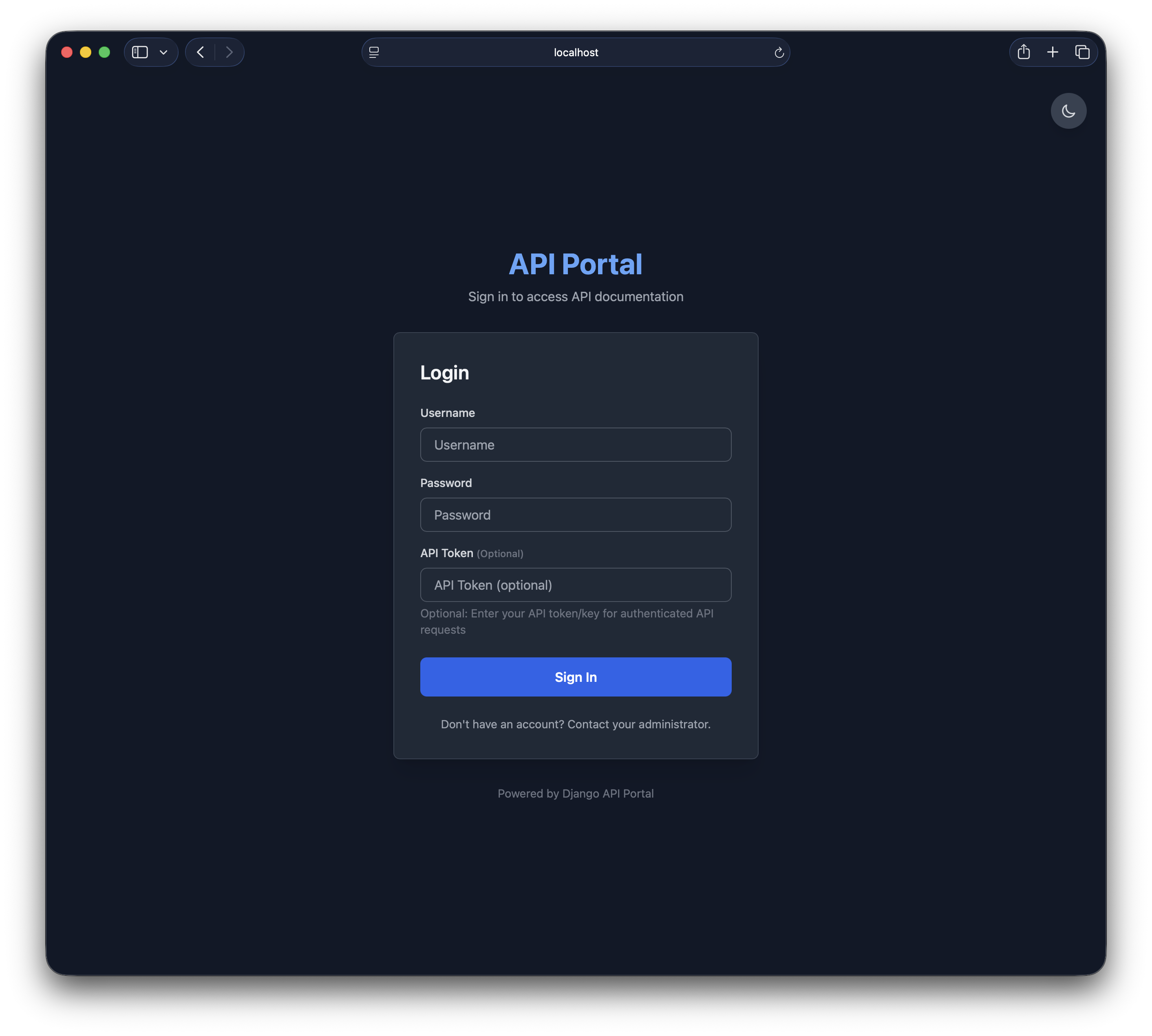
Secure login with dark/light theme support and password visibility toggle
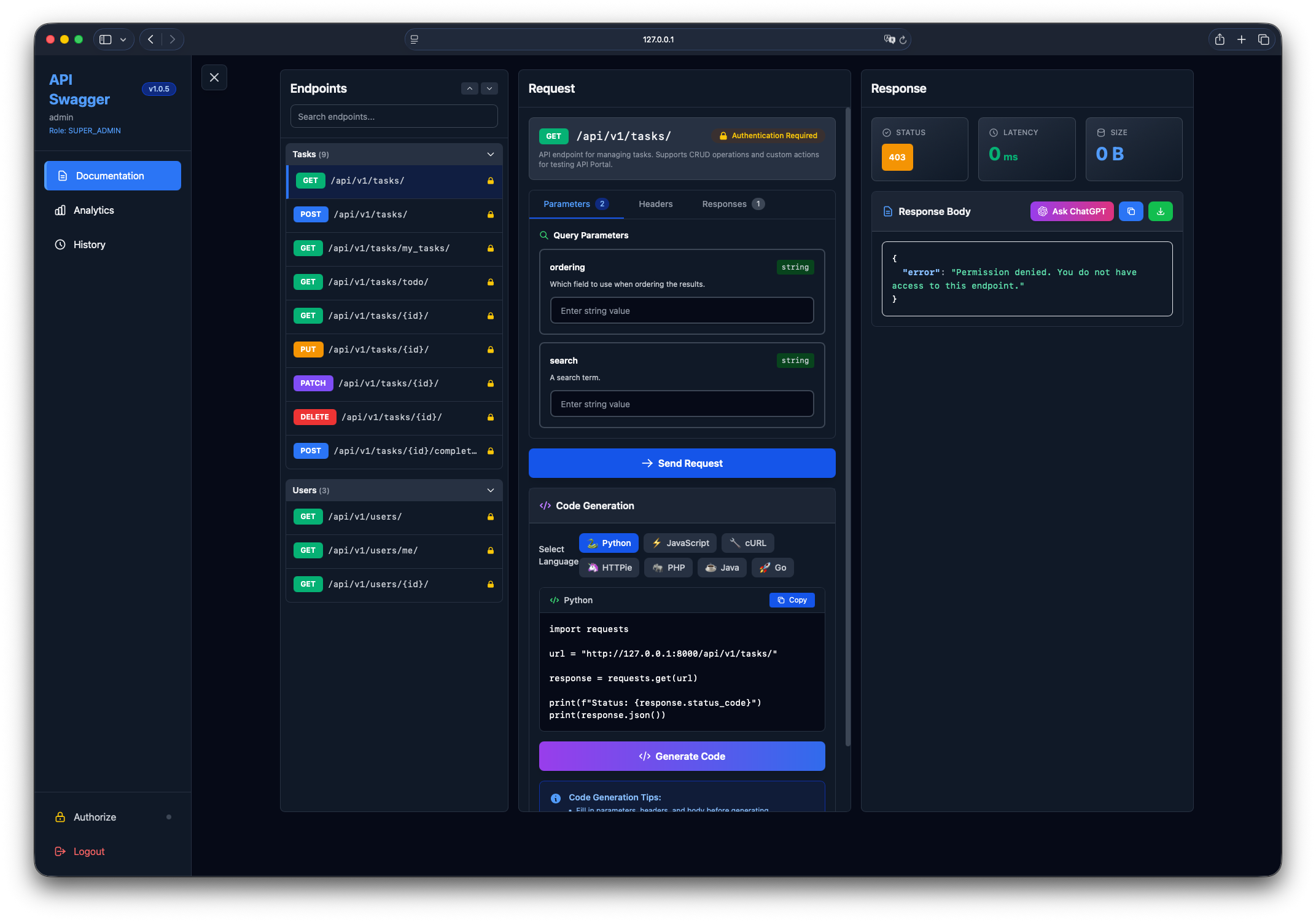
Modern interface for browsing, testing, and exploring your API endpoints
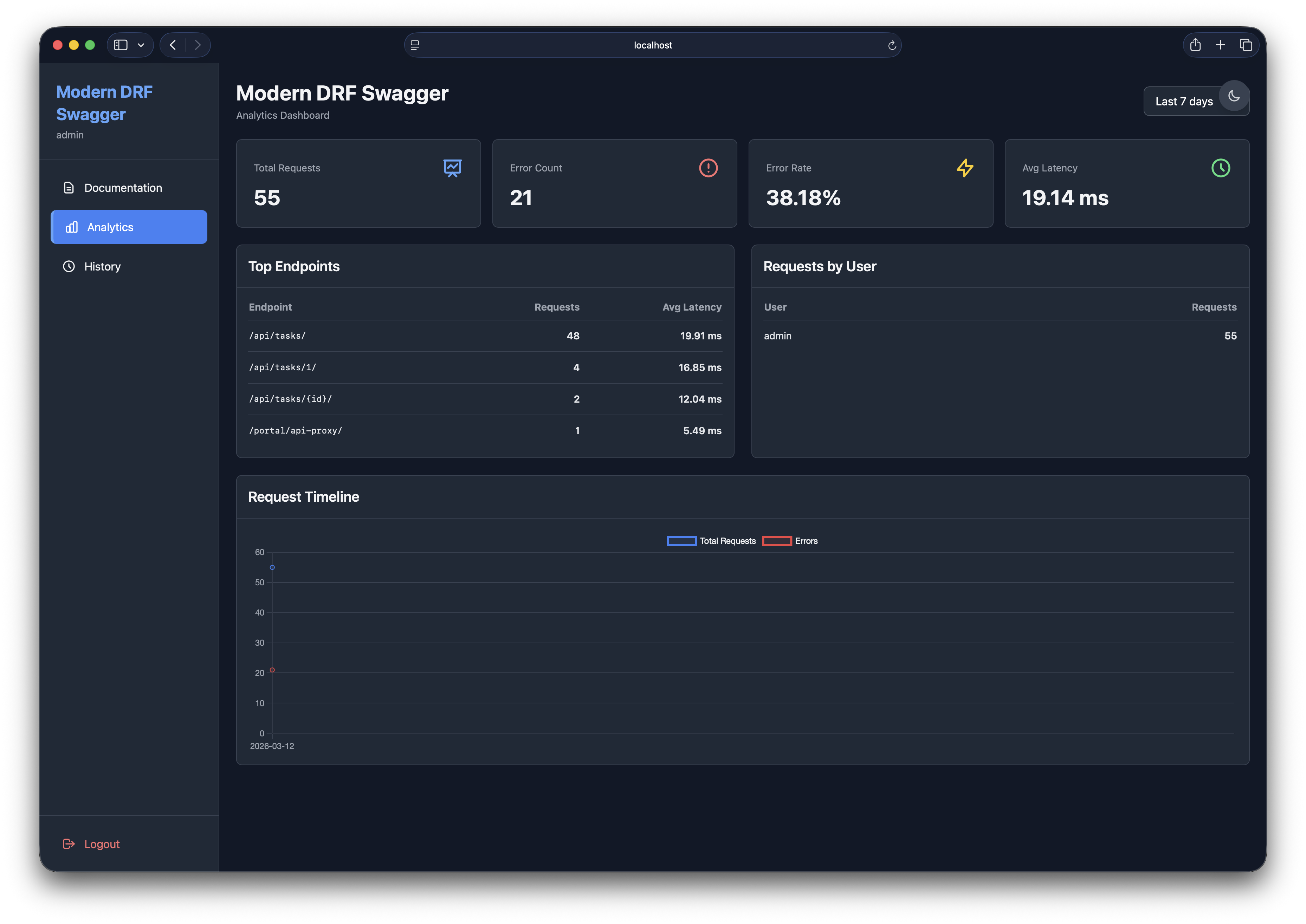
Track API usage, latency, and error rates with beautiful charts
- 🎨 Modern API Explorer: Clean, dark-themed interface for exploring and testing DRF APIs
- 👥 Team Management: Role-based access control (Super Admin, Admin, Developer, Viewer)
- 🔒 Endpoint Permissions: Granular control over which teams can access specific endpoints
- 📊 Analytics Dashboard: Track API usage, latency, and error rates with charts
- 📝 Request History: Personal history with search, filtering, and request replay (auto-cleanup of old logs)
- ⚡ Real Request Proxy: Execute actual HTTP requests with accurate latency measurement
- 🧾 Request Body Modes: Switch between JSON, multipart form-data, URL-encoded, and raw request bodies from the schema-driven editor
- 💻 Code Generation: Generate client code in 7 languages (Python, JavaScript, cURL, HTTPie, PHP, Java, Go)
- ⌨️ Keyboard Shortcuts: Boost productivity with Cmd/Ctrl+Enter to send requests and Cmd/Ctrl+K to search
- 🎨 Syntax Highlighting: JSON responses with color-coded syntax
- 🔍 Search & Filter: Quickly find endpoints and past requests
- 🔖 Bookmarkable Endpoints: URL hash routing preserves selected endpoint on refresh
- 📦 Collapsible Groups: Organize endpoints by tags with collapse/expand controls
- 🔐 Schema-Aware Permissions: Team permissions affect both visible operations in the docs and which requests can be executed
Want detailed step-by-step instructions? Check out the 📖 QUICKSTART.md guide!
Via PyPI (Recommended):
pip install modern-drf-swaggerOr via Git (Development):
git clone https://github.com/firdavsDev/modern-drf-swagger.git
cd modern-drf-swagger
pip install -e .That's it! You only need to add modern_drf_swagger:
# settings.py
INSTALLED_APPS = [
    'django.contrib.admin',
    'django.contrib.auth',
    'django.contrib.contenttypes',
    'django.contrib.sessions',
    'django.contrib.messages',
    'django.contrib.staticfiles',

    # Third-party
    'rest_framework',

    # New swagger UI (auto-configures everything)
    'modern_drf_swagger',

    # Your apps
    'myapp',
]All configuration is done through one dictionary - API Portal handles drf-spectacular internally:
# settings.py
MODERN_DRF_SWAGGER = {
    # Basic Info (automatically configures drf-spectacular)
    'TITLE': 'My Company API Portal',
    'DESCRIPTION': 'Complete API documentation',
    'VERSION': '1.0.9',

    # Features
    'ANALYTICS_ENABLED': True,
    'HISTORY_ENABLED': True,
    'MAX_HISTORY_PER_USER': 100,
    'CODE_GENERATE_ENABLE': True,  # Show/hide Code Generation block in request panel
    'ALLOW_ANONYMOUS': False,

    # Schema Settings
    'SCHEMA_PATH_PREFIX': r'/api/',  # Only show endpoints starting with /api/

    # Authentication (auto-detected from REST_FRAMEWORK['DEFAULT_AUTHENTICATION_CLASSES'])
    # 'DEFAULT_AUTH_METHODS': ['bearer', 'basic'],  # Optional override - only set if auto-detection fails

    # UI Settings
    'ENDPOINTS_COLLAPSIBLE': True,
    'ENDPOINTS_DEFAULT_COLLAPSED': False,

    # Filtering
    'EXCLUDE_PATHS': ['/admin/', '/internal/'],
}
Note: You don't need to configure REST_FRAMEWORK['DEFAULT_SCHEMA_CLASS'] or SPECTACULAR_SETTINGS - API Portal does this automatically!
Authentication is also auto-detected! The package automatically detects authentication methods from your REST_FRAMEWORK['DEFAULT_AUTHENTICATION_CLASSES'] setting. No need to configure DEFAULT_AUTH_METHODS unless you want to override the auto-detection.
Good news! Unlike some API documentation tools, Modern DRF Swagger works at any URL prefix you choose:
# urls.py
from django.contrib import admin
from django.urls import path, include

urlpatterns = [
    path('admin/', admin.site.urls),
    path('api/', include('myapp.urls')),  # Your API

    # Choose ANY URL prefix that works for your project:
    path('api/docs/', include('modern_drf_swagger.urls')),

]
The package automatically detects its mount point and adjusts all internal links!
python manage.py migratepython manage.py createsuperuser
python manage.py runserverVisit http://localhost:8000/admin to:
- Create teams
- Add team members with roles
- Grant endpoint permissions to teams
Use Django admin to connect a team to specific API endpoints:
- Open
Admin -> Teamsand create or open a team. - In
Team Members, add the developers who should use that team. - Set each member role:
SUPER_ADMINorADMIN: full access to all endpoints.DEVELOPER: can send requests only to endpoints granted to the team.VIEWER: can only view the allowed documentation, not send requests.
- In
Endpoint Permissions, add one row per allowed endpoint path. - Enter the real OpenAPI path, for example
/api/v1/tasks/or/api/v1/tasks/{id}/. - Enter methods as
*for all methods, or a comma-separated list likeGET,POST. - Save the team.
Notes:
- Paths are normalized automatically in admin, so
api/v1/tasks/becomes/api/v1/taskswhen saved. - Method values are normalized automatically, so
any,all, or*are stored as*. - Permissions are matched by exact endpoint path, with support for path params like
/api/v1/tasks/{id}/. /api/is not a wildcard for all endpoints. Add each allowed endpoint path explicitly.
Visit http://localhost:8000/api/docs/ and login with your credentials.
- 📖 Complete Quickstart Guide - Detailed step-by-step installation and setup
- 📋 Changelog - Version history and updates
- 📜 License - MIT License
- WebSocket/GraphQL support
- API key authentication
- Request mocking
- Export analytics as CSV
- Custom themes
- OAuth2/SAML integration
- Comprehensive test suite
- Multi language support (i18n)
- OpenAPI spec editor
- Theme switcher (light/dark/auto)
- Request diffing
- API versioning support
- Chat with AI for solving API issues (via OpenAI share button)
- Mobile-friendly responsive design
- Team/User permissions for analytics access
- Generate client code from OpenAPI schema (✅ v1.0.5)
- Keyboard shortcuts - Cmd/Ctrl+K for search (✅ v1.0.5)
- Resizable panels (✅ v1.0.7)
- Different layout modes (split, stacked) (✅ v1.0.7)
- Request body media type switching (✅ v1.0.8)
- Schema-aware endpoint filtering by team permissions (✅ v1.0.8)
- Send request - Cmd/Ctrl+Enter (✅ v1.0.5)
- Smart defaults based on schema (✅ v1.0.6)
Contributions welcome! Please:
- Fork the repository
- Create a feature branch (
git checkout -b feature/amazing-feature) - Commit changes (
git commit -m 'Add amazing feature') - Push to branch (
git push origin feature/amazing-feature) - Open a Pull Request
See .github/copilot-instructions.md for development guidelines and architecture details.
MIT License - see LICENSE file for details.

