


这是一个通用的电视(机顶盒)遥控器卡片, 可以自定义设置额外的按钮
用 js类型安装 remote.js .
resources:
  url: /community_plugin/lovelace-remote/remote-card.js
  type: js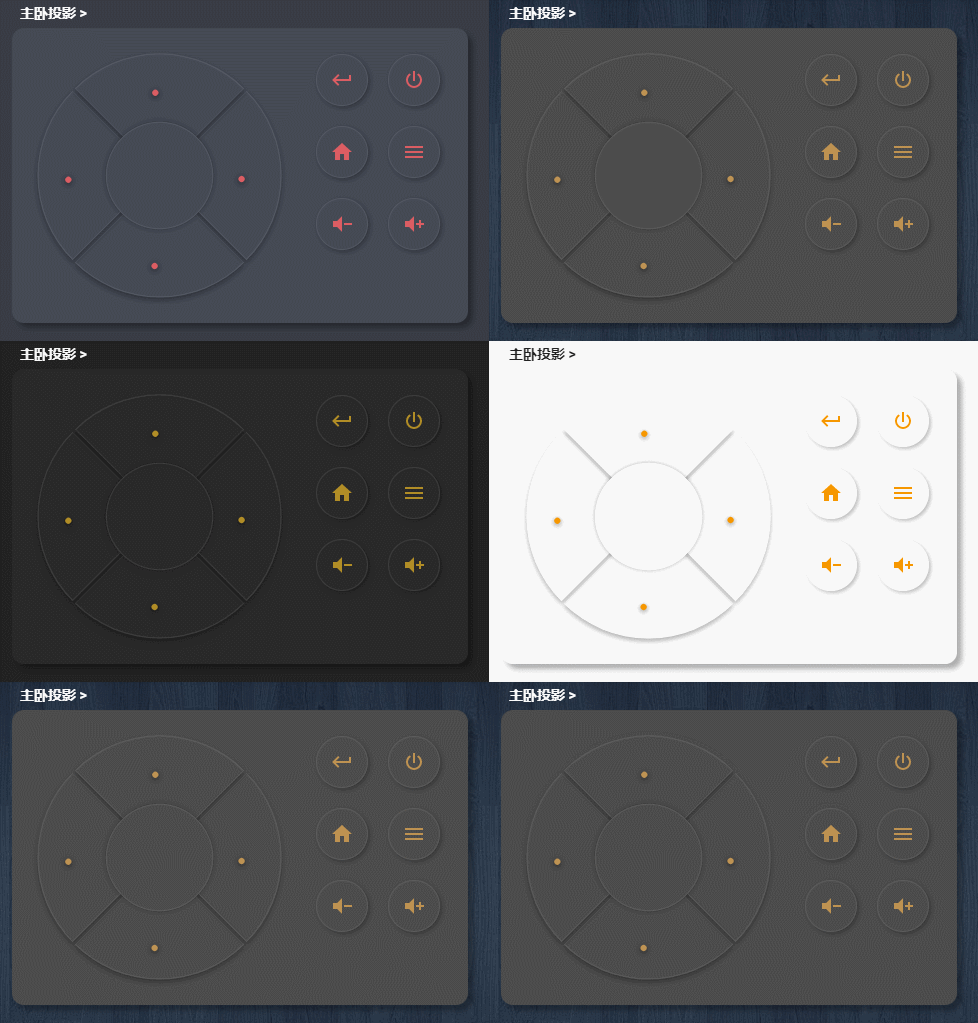
增加这个卡片到你的Yaml或者UI编辑器
                    - type: custom:lovelace-remote-card
                      vibrate: true
                      entity: device_tracker.cc_b8_a8_01_ca_43
                      circle:
                        ok:
                          topic: homeassistant/remote/JMGO
                        up:
                          topic: homeassistant/remote/JMGO
                          payload: up
                        down:
                          topic: homeassistant/remote/JMGO
                          payload: down
                        left:
                          topic: homeassistant/remote/JMGO
                          payload: left
                        right: script.tap
                      left_buttons:
                        - entity: qmtt.retu
                          topic: homeassistant/remote/JMGO
                          payload: retu
                          icon: mdi:keyboard-return
                        - entity: qmtt.on
                          topic: homeassistant/remote/JMGO
                          payload: "on"
                          icon: mdi:power
                        - entity: qmtt.home
                          topic: homeassistant/remote/JMGO
                          payload: home
                          icon: mdi:home
                        - entity: qmtt.menu
                          topic: homeassistant/remote/JMGO
                          payload: "menu"
                          icon: mdi:menu
                        - entity: script.vacuum_office
                          icon: mdi:volume-minus
                        - entity: switch.ban_gong_shi_1
                          server: toggle
icon: mdi:volume-pluscircle可以使用mqtt和script,格式严格按照示例up上down下left左right右ok确认
left_buttons左侧按钮支持mqtt,script和switch可以添加任意数量,但是建议在6或者8个,为的是UI的和谐. 格式严格按照示例vibrate(选项)设置按钮震动反馈是否开启True/Falseentity(选项) 可以指定设备的追踪ID,一般是路由器追踪,判断电视是否在线