Extensions Page
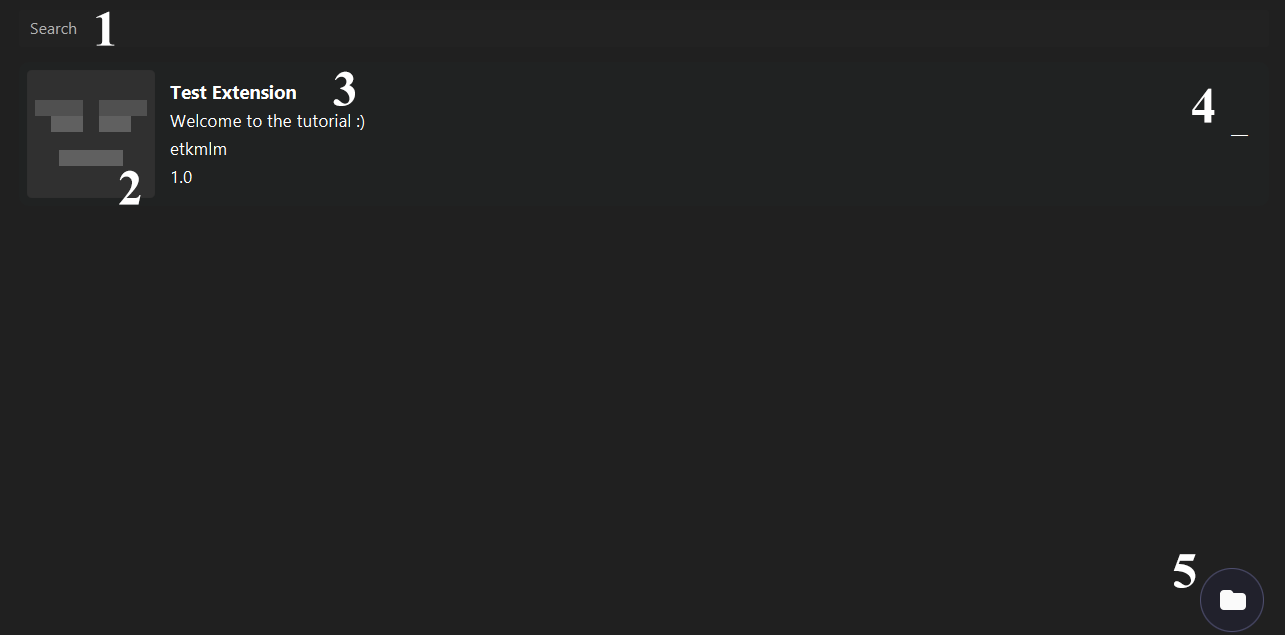
Searches in the extensions by the name.
Icon of the extension. If there is not, the default image will be displayed.
Info from the extension properties.
- Name.
- Description.
- Author.
- Version.
Deletes the extension from the folder and asks for restart.
You need to restart the launcher to apply the effects.
Opens the extensions folder in the launcher executable path.
If the version of the launcher is out of the version limit of the extension, a warning icon will be displayed near the delete button.