
A lightweight, distraction-free alternative to web-based ambient players. Features individual volume control for Rain, Thunder, and Campfire sounds with an alsamixer-style TUI interface.
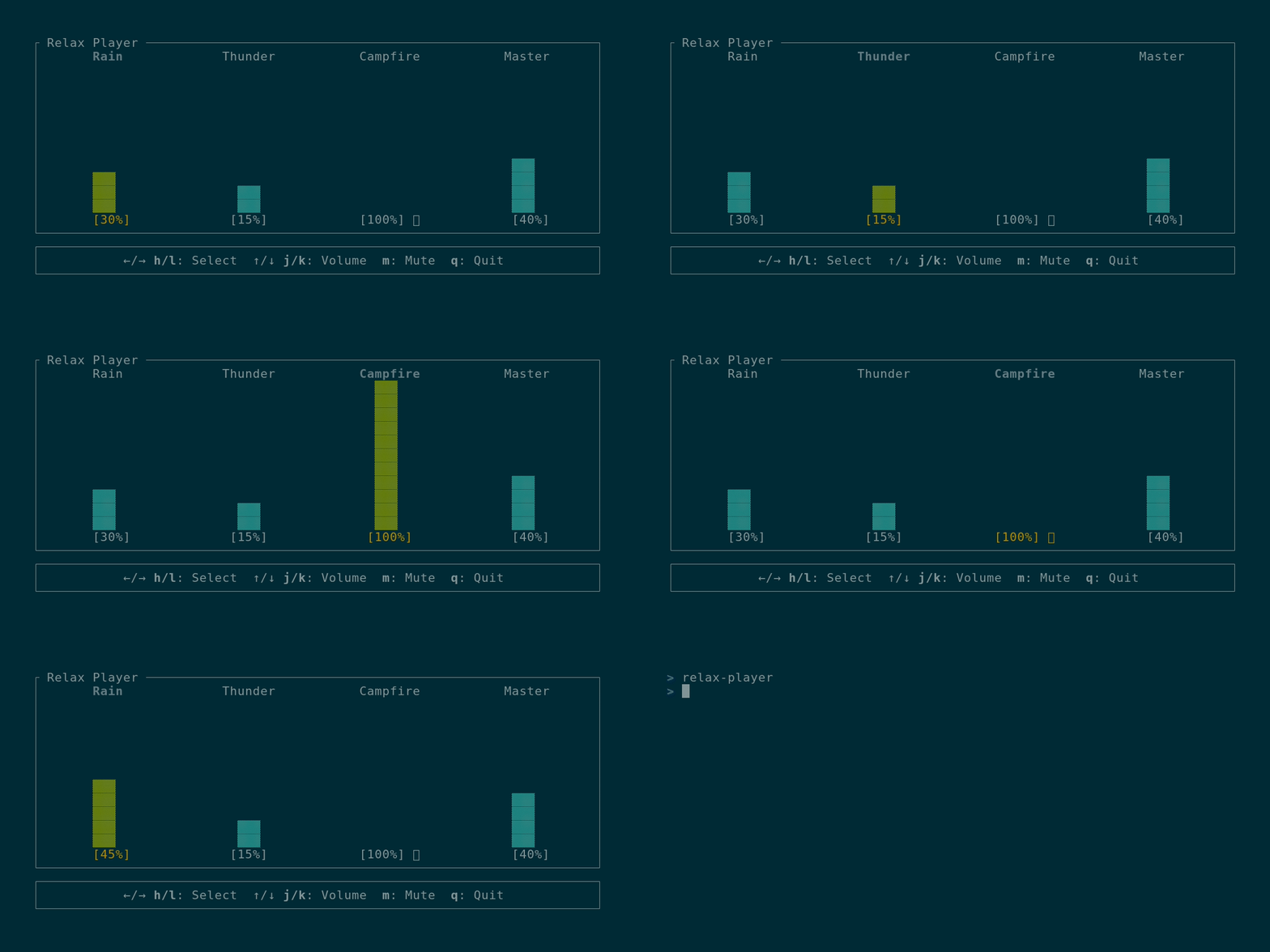
I built this because I wanted a simpler way to manage my focus environment:
- No more YouTube tabs: Tired of manually balancing volumes for different "Rain & Thunder" videos every time.
- Lightweight: Uses minimal CPU/RAM compared to a browser or heavy electron app.
- 100% Offline: Once sounds are downloaded, you don't need an internet connection. No tracking, no ads, just focus.
- Play multiple looping ambient sounds simultaneously
- Individual volume control for each sound (0-100%)
- Master volume control
- Mute/unmute individual sounds
- Alsamixer-style vertical bar UI
- Persistent configuration (volumes and mute states saved automatically)
- Cross-platform (Linux, Windows, macOS)
- Vim-style keybindings
Linux users: ALSA development libraries are required to build the application:
# Debian/Ubuntu
sudo apt-get install libasound2-dev

# Fedora/RHEL
sudo dnf install alsa-lib-devel

# Arch Linux
sudo pacman -S alsa-libcargo install relax-playerparu -S relax-playerOn first run, the application will automatically download the sound files for you.
cargo build --release
./target/release/relax-player
Debug builds check ./sounds/ in the current directory first, making local development easier. If sounds aren't found in CWD, they fall back to downloading from GitHub like release builds.
Release builds: Sound files are automatically downloaded when you first run the application. They are stored in a platform-specific data directory and will be reused between sessions.
- First install: Sounds are automatically downloaded on first run
- Version updates: When you update to a new version, you'll be prompted to download updated sounds
- Storage location:
- Linux:
~/.local/share/relax-player/sounds/ - Windows:
%APPDATA%\relax-player\sounds\ - macOS:
~/Library/Application Support/relax-player/sounds/
- Linux:
←/→orh/l- Select previous/next channel- Channels: Rain → Thunder → Campfire → Master
↑/↓ork/j- Increase/decrease volume (±5%)- Volume range: 0-100%
m- Toggle mute for selected sound (not available for Master)
q- Quit application
Settings are automatically saved to a configuration file when changed:
- Linux:
~/.config/relax-player/config.json - Windows:
%APPDATA%\relax-player\config.json - macOS:
~/Library/Application Support/relax-player/config.json
The config file stores:
- Individual volume levels for each sound
- Mute states
- Master volume
- Downloaded sounds version (for update tracking)
The source code for Relax Player is licensed under the MIT License.
Audio Assets: The ambient sounds (Rain, Thunder, Campfire) are sourced from Pixabay and are subject to the Pixabay License. They are free to use within this application but cannot be redistributed or sold as standalone audio files.
See LICENSE and CREDITS.md for more details.