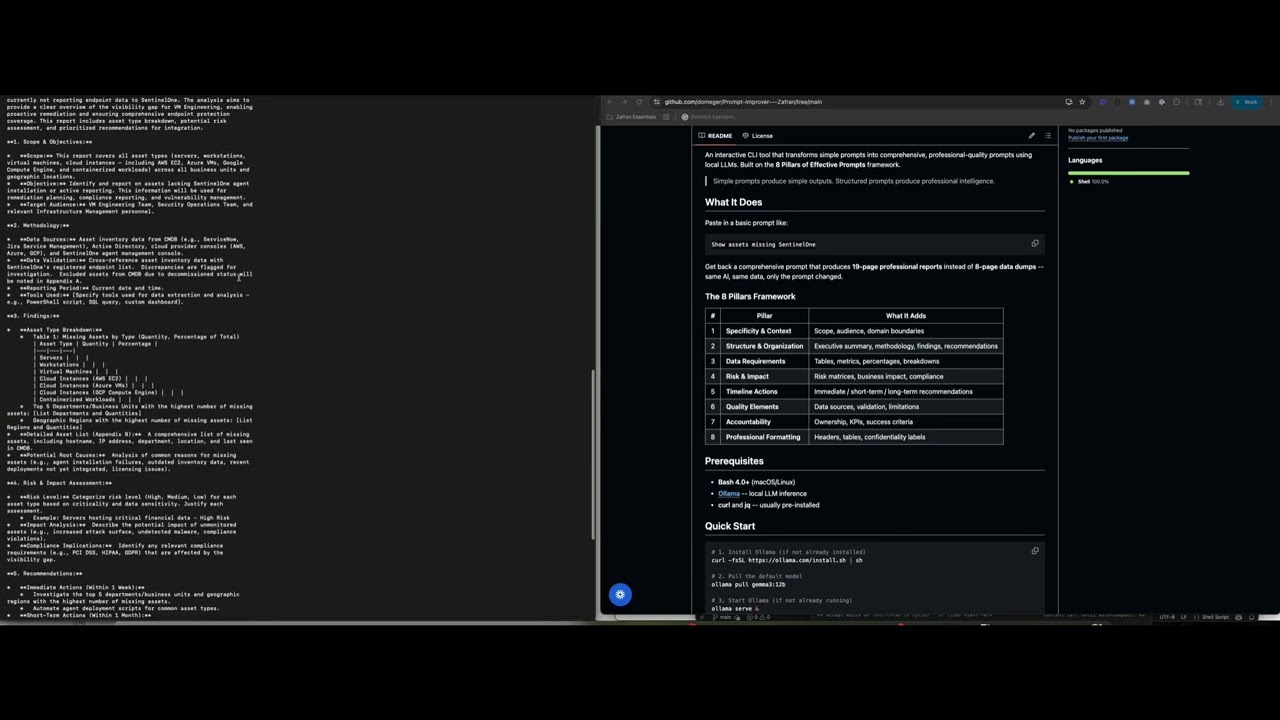
▶ Click to watch the full video
An interactive CLI tool that transforms simple prompts into comprehensive, professional-quality prompts using local LLMs. Built on the 8 Pillars of Effective Prompts framework.
Simple prompts produce simple outputs. Structured prompts produce professional intelligence.
Paste in a basic prompt like:
Show assets missing SentinelOne
Get back a comprehensive prompt that produces 19-page professional reports instead of 8-page data dumps -- same AI, same data, only the prompt changed.
| # | Pillar | What It Adds |
|---|---|---|
| 1 | Specificity & Context | Scope, audience, domain boundaries |
| 2 | Structure & Organization | Executive summary, methodology, findings, recommendations |
| 3 | Data Requirements | Tables, metrics, percentages, breakdowns |
| 4 | Risk & Impact | Risk matrices, business impact, compliance |
| 5 | Timeline Actions | Immediate / short-term / long-term recommendations |
| 6 | Quality Elements | Data sources, validation, limitations |
| 7 | Accountability | Ownership, KPIs, success criteria |
| 8 | Professional Formatting | Headers, tables, confidentiality labels |
- Bash 4.0+ (macOS/Linux)
- Ollama -- local LLM inference
- curl and jq -- usually pre-installed
# 1. Install Ollama (if not already installed)
curl -fsSL https://ollama.com/install.sh | sh

# 2. Pull the default model
ollama pull gemma3:12b

# 3. Start Ollama (if not already running)
ollama serve &

# 4. Clone this repo
git clone https://github.com/YOUR_USERNAME/PromptImprover.git
cd PromptImprover

# 5. Make executable and run
chmod +x improve-prompt.sh
./improve-prompt.sh./improve-prompt.shType prompts at the > prompt. The tool will:
- Analyze intent -- detect if your prompt is vague and ask clarifying questions
- Enhance -- apply the 8 Pillars framework
- Display -- show the improved prompt with word count stats
./improve-prompt.sh "Generate a security report"./improve-prompt.sh -f my-prompt.txt
./improve-prompt.sh -f my-prompt.txt -o enhanced-prompt.txt| Flag | Description |
|---|---|
-h, --help |
Show help |
-f, --file FILE |
Read prompt from file |
-o, --output FILE |
Save enhanced prompt to file |
-m, --model MODEL |
Use a different Ollama model |
--no-intent |
Skip intent analysis (clarifying questions) |
--no-logo |
Skip the startup logo animation |
| Command | Description |
|---|---|
/help |
Show available commands |
/intent |
Toggle intent analysis on/off |
/model |
Switch to a different model |
/history |
Show recent prompt history |
/save |
Save last enhanced prompt to file |
/clear |
Clear the screen |
/quit |
Exit |
Any model available through Ollama works:
# Use a smaller model for faster results
./improve-prompt.sh -m gemma3:4b "List vulnerabilities"

# Use a larger model for better quality
./improve-prompt.sh -m llama3:70b "Generate a compliance report"

# Switch models in interactive mode
/modelBefore (simple prompt):
Generate a report showing assets missing SentinelOne coverage
After (enhanced prompt):
Generate a comprehensive Asset Inventory Gap Analysis for endpoints missing SentinelOne agent coverage, intended for IT Security Management and senior leadership.
Include: Executive Summary (under 200 words), Methodology (data sources, validation, exclusions), Findings (breakdown by OS, criticality, business unit with percentages), Risk Assessment (impact matrix for each category), and Recommendations (immediate 0-30 days, short-term 30-90 days, long-term 90-180 days with assigned ownership).
Format as professional report with tables, clear headers, and confidentiality label. Target length: 15-20 pages.
Result: 19-page professional analysis vs. 8-page basic list.
PromptImprover/
├── improve-prompt.sh        # Main CLI tool
├── zafran-logo.sh           # Animated ASCII logo
├── zafran-logo-static.sh    # Static ASCII logo
├── training/                # Workshop materials
│   ├── TRAINING_OUTLINE.md
│   ├── QUICK_REFERENCE_CARD.md
│   ├── SPEAKER_NOTES.md
│   └── DESIGN_GUIDE.md
├── Short Prompt.pdf         # Example: basic prompt output
├── Long Prompt.pdf          # Example: enhanced prompt output
├── LICENSE
└── README.md
The tool uses sensible defaults but can be customized via environment variables:
# Use a different Ollama endpoint
export OLLAMA_URL="http://localhost:11434/api/generate"

# Skip the logo on startup
export SHOW_LOGO=falseContributions are welcome! Here are some ways to help:
- Report bugs -- open an issue describing the problem
- Suggest enhancements -- ideas for new pillars, better system prompts, or UX improvements
- Add model support -- test and document results with different Ollama models
- Improve training materials -- expand examples, add new use cases, translate to other languages
- Share your results -- before/after comparisons from your own use cases
- Fork the repository
- Create a feature branch (
git checkout -b feature/my-improvement) - Make your changes
- Test with
./improve-prompt.shto verify everything works - Submit a pull request
This project is licensed under the MIT License -- see LICENSE for details.
The MIT License covers the code, prompt templates, and training materials. You are free to use, modify, and distribute everything in this repository, including the prompt engineering framework and system prompts, for any purpose.