-
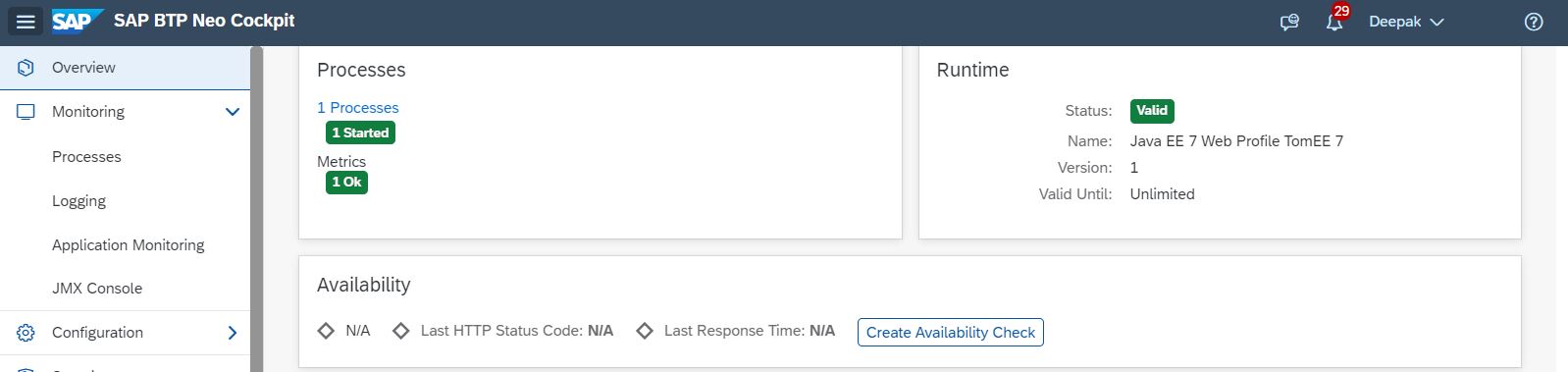
Deploy the web App in Java EE 7 Web Profile TomEE 7
-
Subscribe the app in the Subscriber account using the rest endpoint Method: PUT Cred: Basic cred with admin rights in provider account https://services.int.sap.eu2.hana.ondemand.com/services/v1/instances/[subaccount technical Name]/subscriptions/v1/provider/[provideraccount technical Name]/application/[web app name in provider account]
-
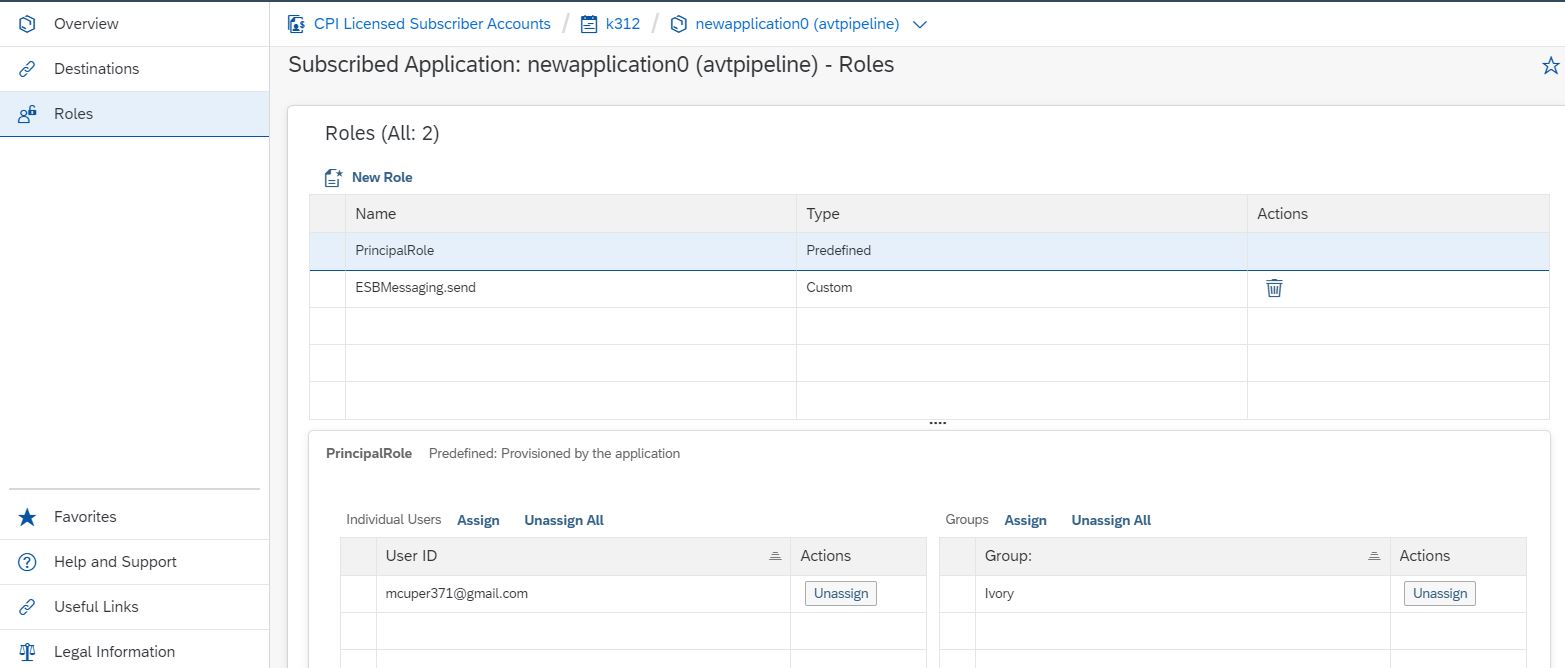
In the subaccount go to subscription and select the web app in the list. click on Roles on the left panel. create a Role ESBMessaging.send to the web application in the sub account. assign thiis role to the user mcuper371@gmail.com
-
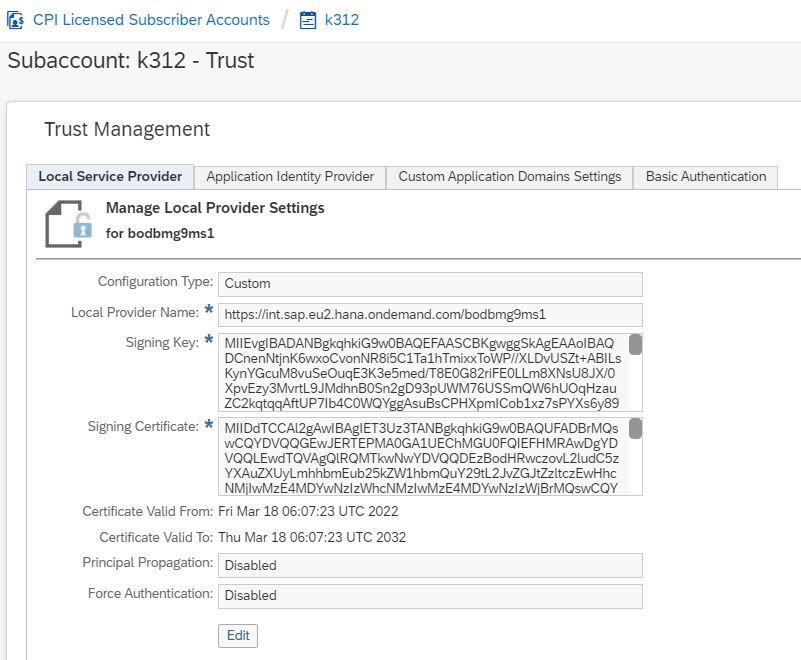
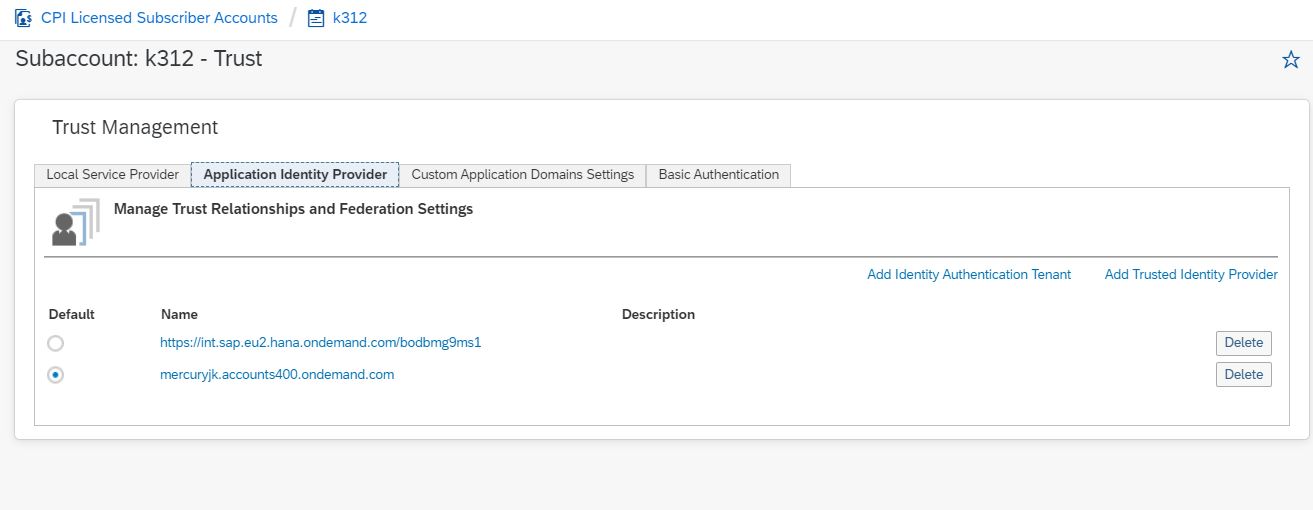
Do the Trust configuration between the IDP and Neo subaccount
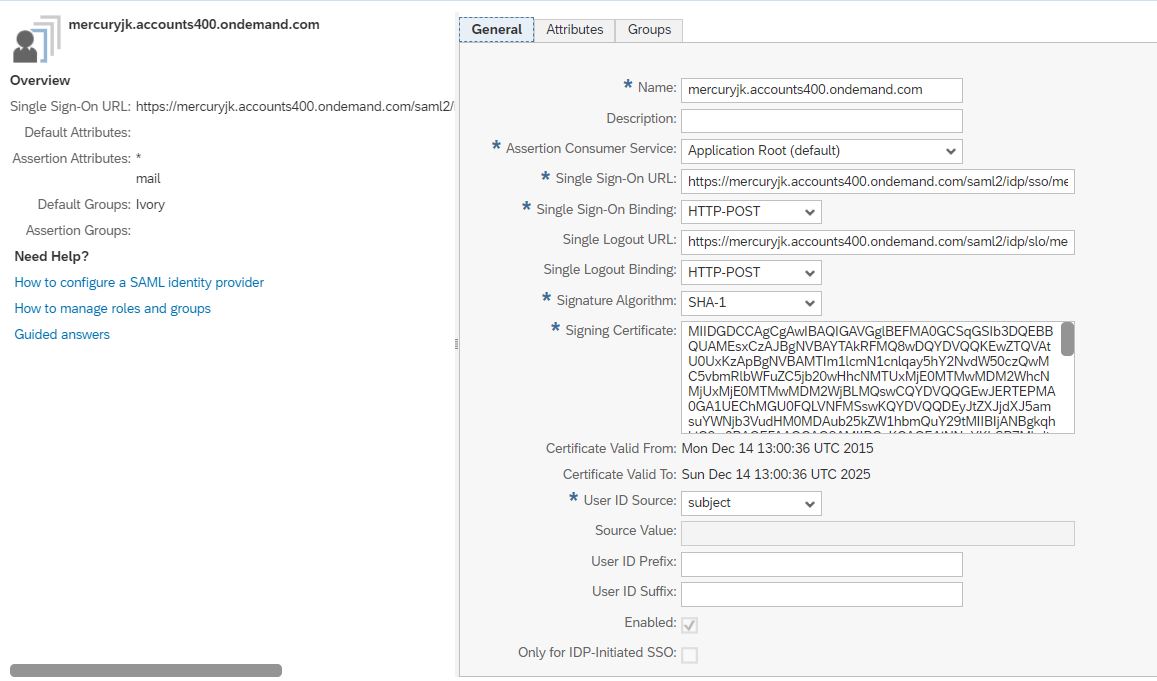
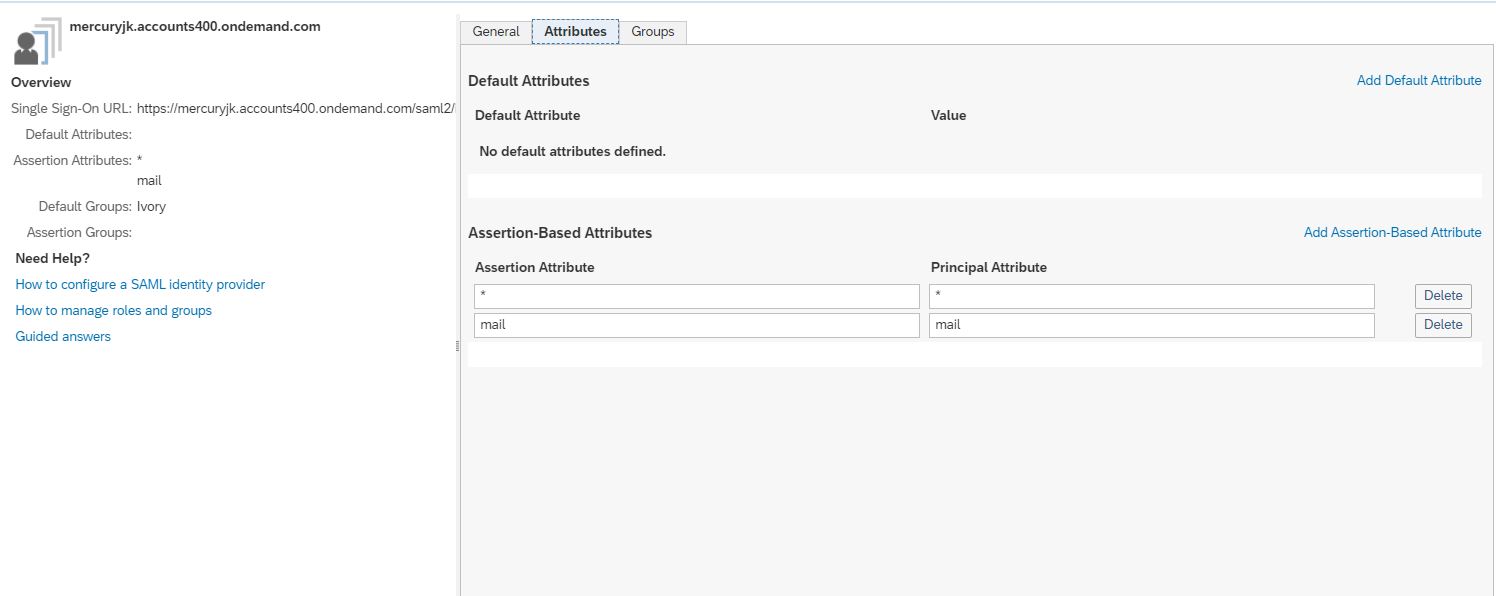
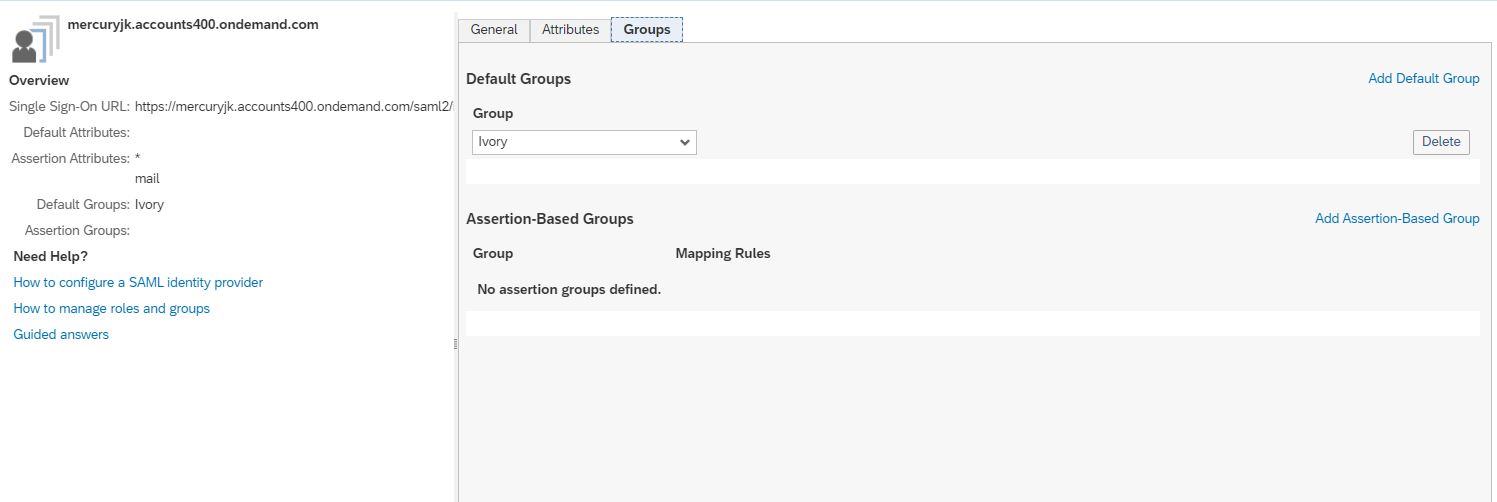
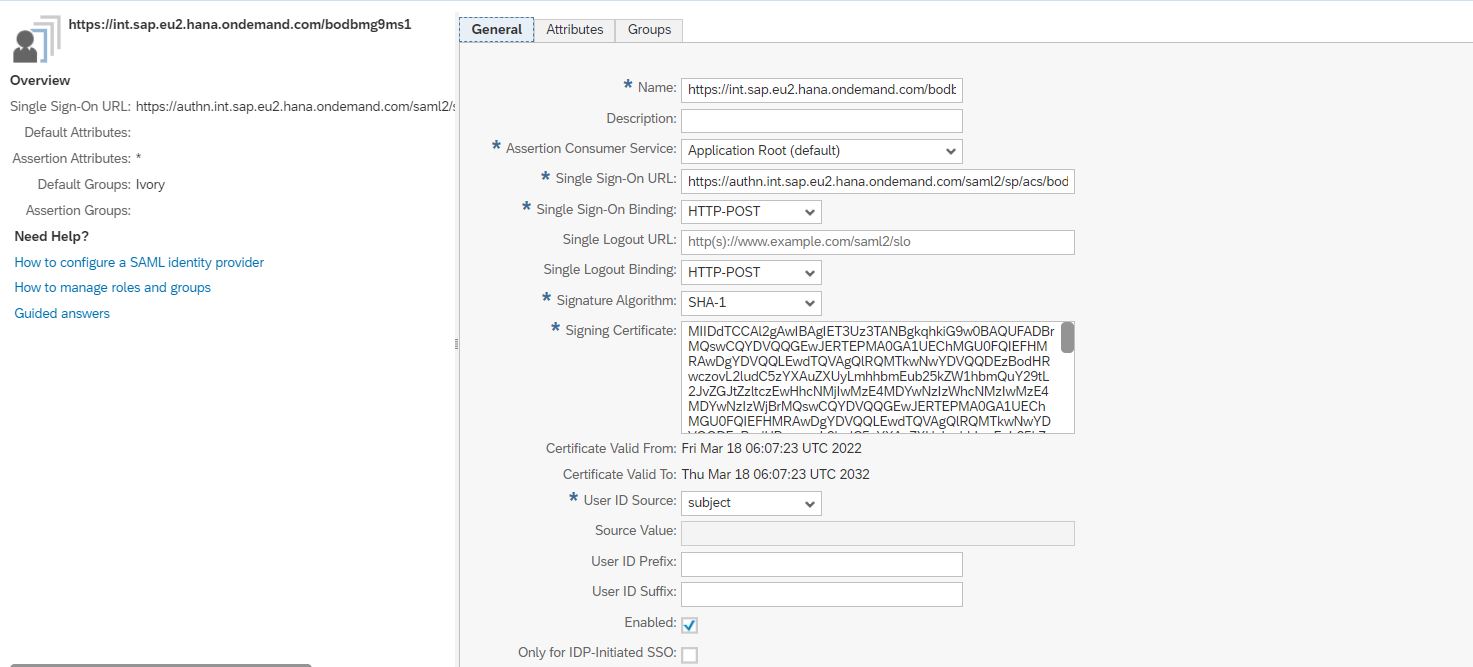
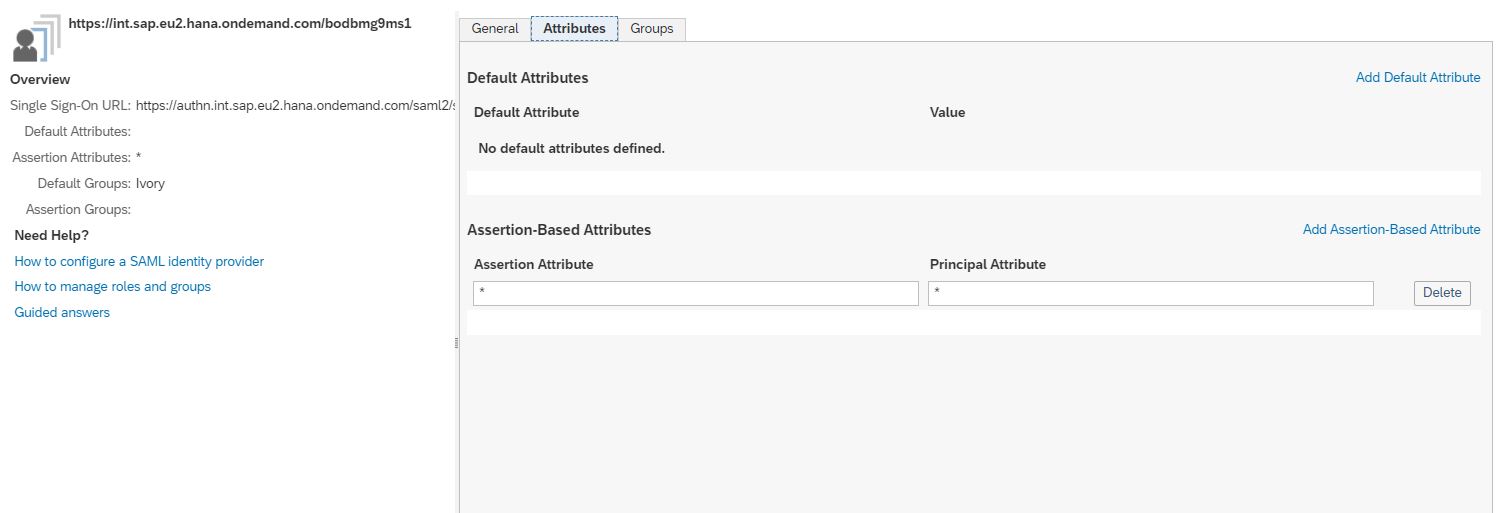
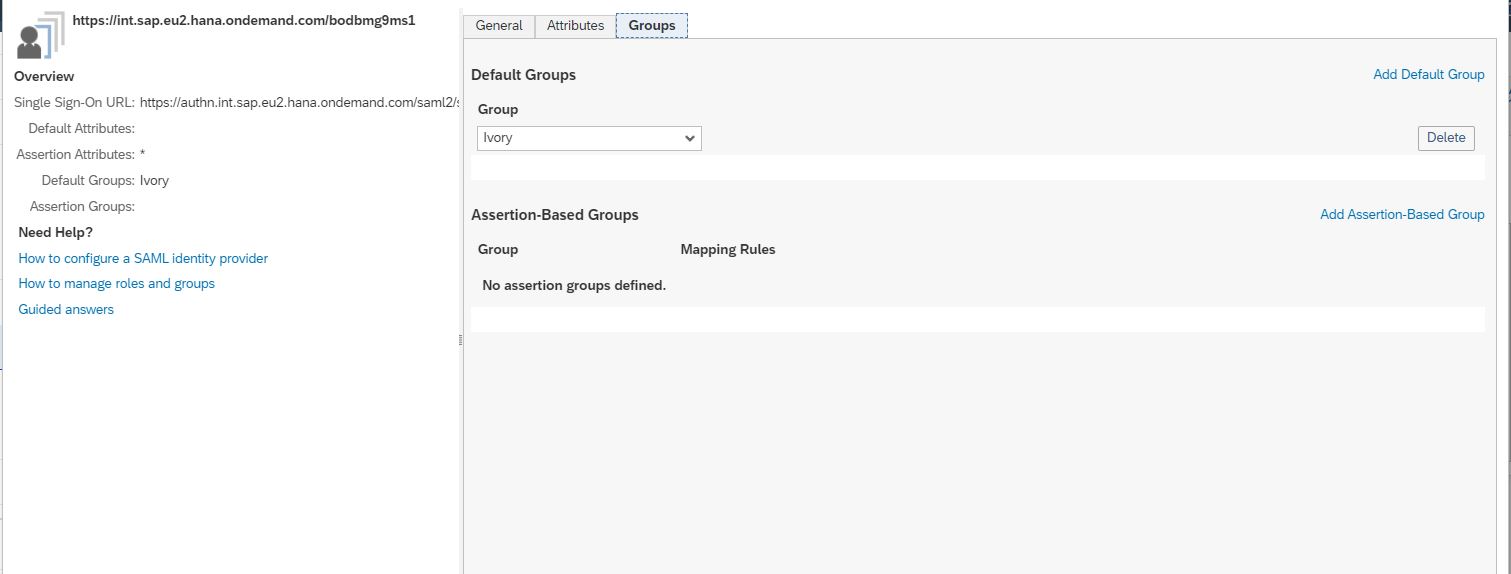
-
Deploy the iflow that trigger the Principal propagation in the Neo subaccount
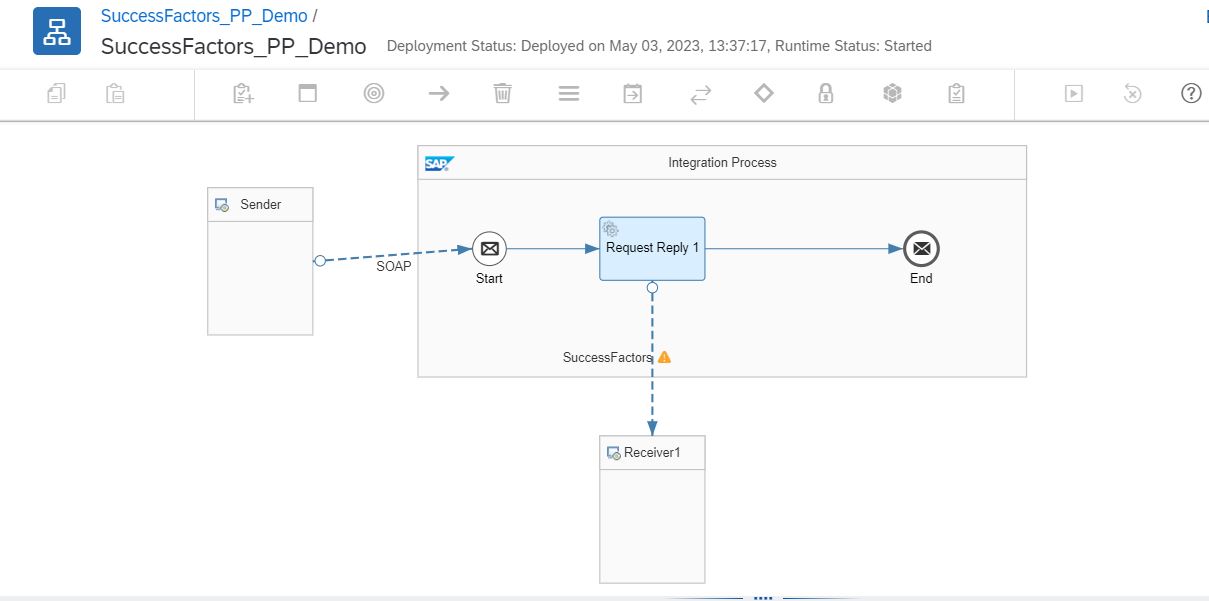
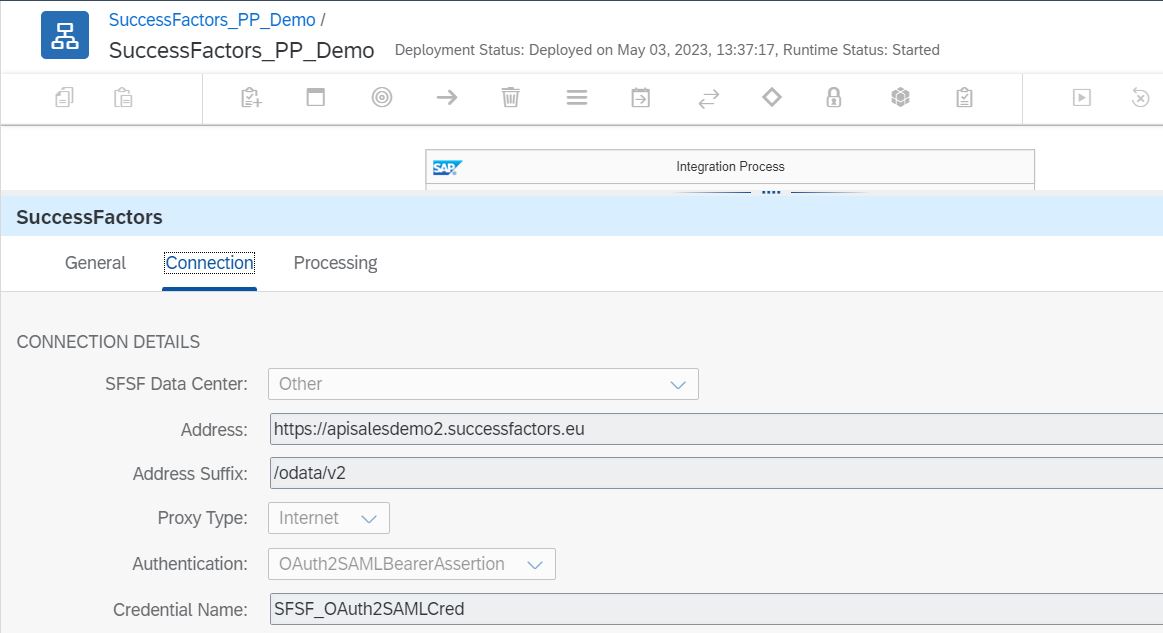
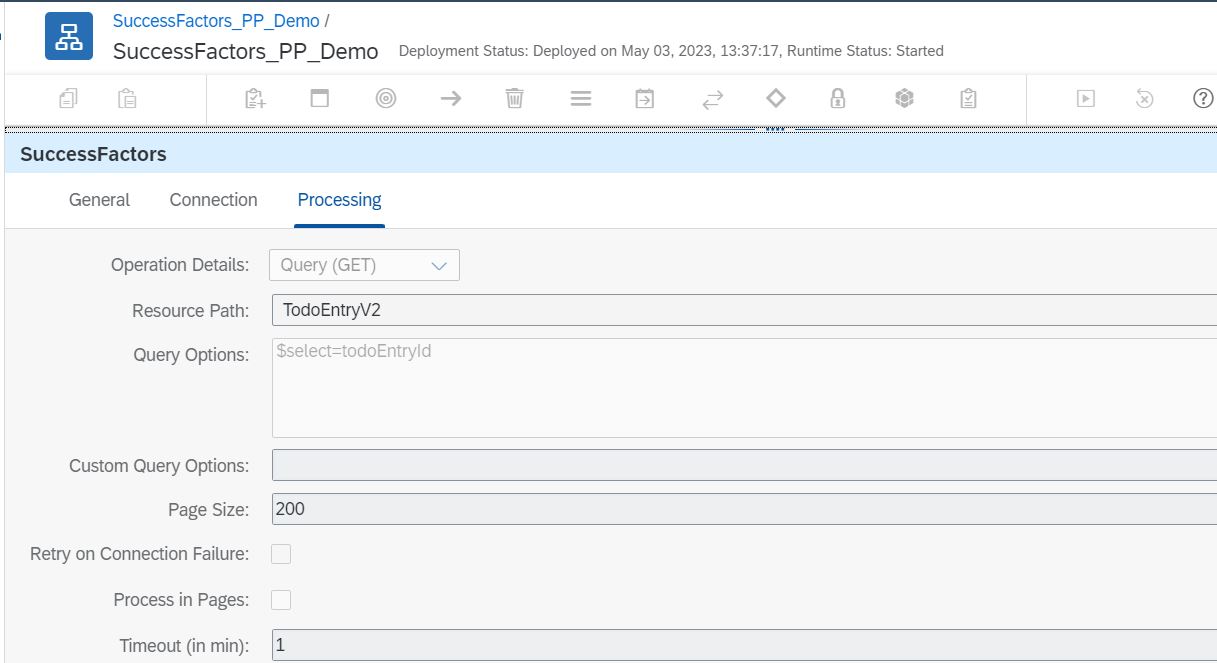
-
Register Oauth client in Successfactors. then copy the client id from Oauth registration and use it in next step
-
Deploy Oauth Saml Bearer Credential in Neo subaccount
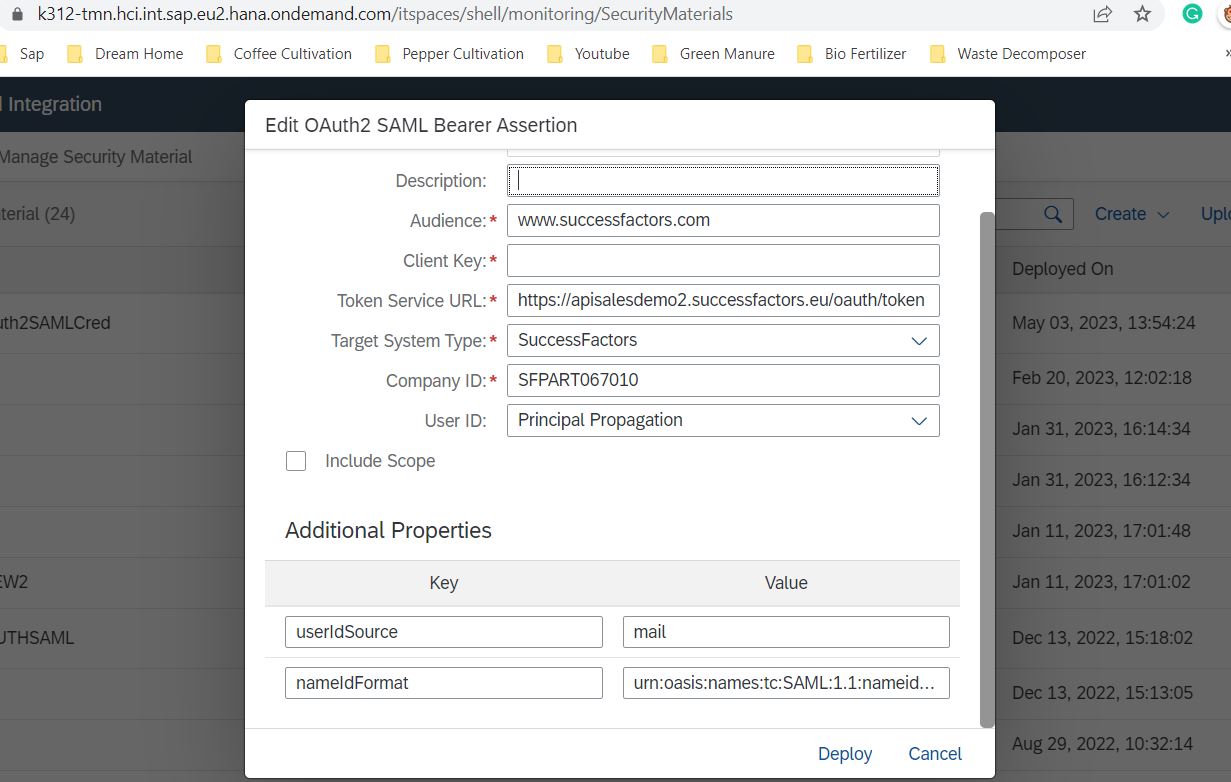
Reference Doc