An intelligent research assistant that helps developers find and compare alternative tools and technologies. Using AI-powered web scraping and analysis, Dev_Assist provides comprehensive comparisons with pricing, features, and personalized recommendations.
- 🔍 Smart Tool Discovery: Automatically finds relevant alternatives to any developer tool
- 📊 Comprehensive Analysis: Extracts pricing, tech stack, language support, and API availability
- 🤖 AI-Powered Recommendations: Provides personalized suggestions based on your needs
- 🌐 Real-time Web Scraping: Uses Firecrawl to get up-to-date information
- 💡 Interactive CLI: Easy-to-use command-line interface with emoji-rich output
- Python 3.8+
- uv package manager
- Google Gemini API key
- Firecrawl API key
-
Clone the repository
git clone https://github.com/debasmitaas/Dev_Assist.git cd Dev_Assist/docs -
Create virtual environment
uv init
-
Install dependencies
uv add
-
Create
.envfile in thedocsdirectory:touch .env
-
Add your API keys to
.env:GEMINI_API_KEY=your_gemini_api_key_here FIRECRAWL_API_KEY=your_firecrawl_api_key_here
- Go to Google AI Studio
- Sign in with your Google account
- Click "Get API Key" and create a new key
- Copy the API key to your
.envfile
- Visit Firecrawl
- Sign up for an account
- Go to your dashboard and get your API key
- Copy the API key to your
.envfile
-
Run the application
cd F:\Coding-Research-Assistant-Agent\docs
uv run main.py
-
Enter your query when prompted:
Developer Tools Query: React Native alternatives -
Get comprehensive results:
- Tool discovery and extraction
- Detailed analysis of each alternative
- AI-powered recommendations
- "Firebase alternatives"
- "React Native alternatives"
- "MongoDB alternatives"
- "Docker alternatives"
- "VS Code alternatives"
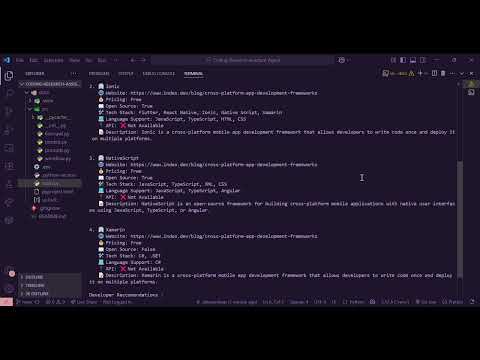
##📽️ Watch this demo video to see the Output :