Online demo:https://dcsoft-yyf.github.io/DCWriterApp/index.html
Site: http://dcsoftcn.com/.
Email: 28348092@qq.com or yyf9989@hotmail.com
2025-12-4 Add knowledge How to Migrate WinForm.NET Code to Blazor WASM Platform?|如何将WinForm.NET代码迁移到Blazor WASM平台上?
2025-9-17 First upload
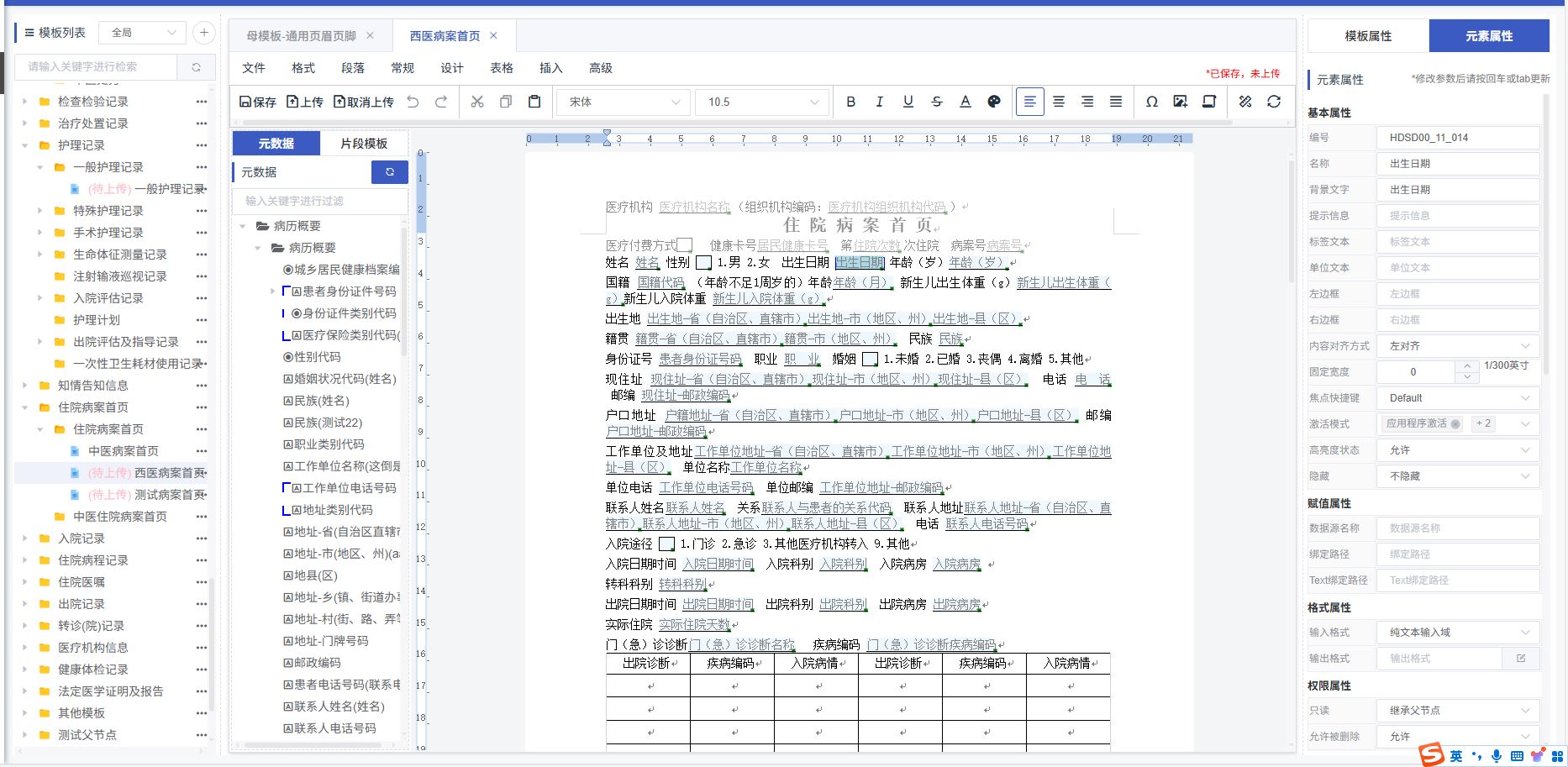
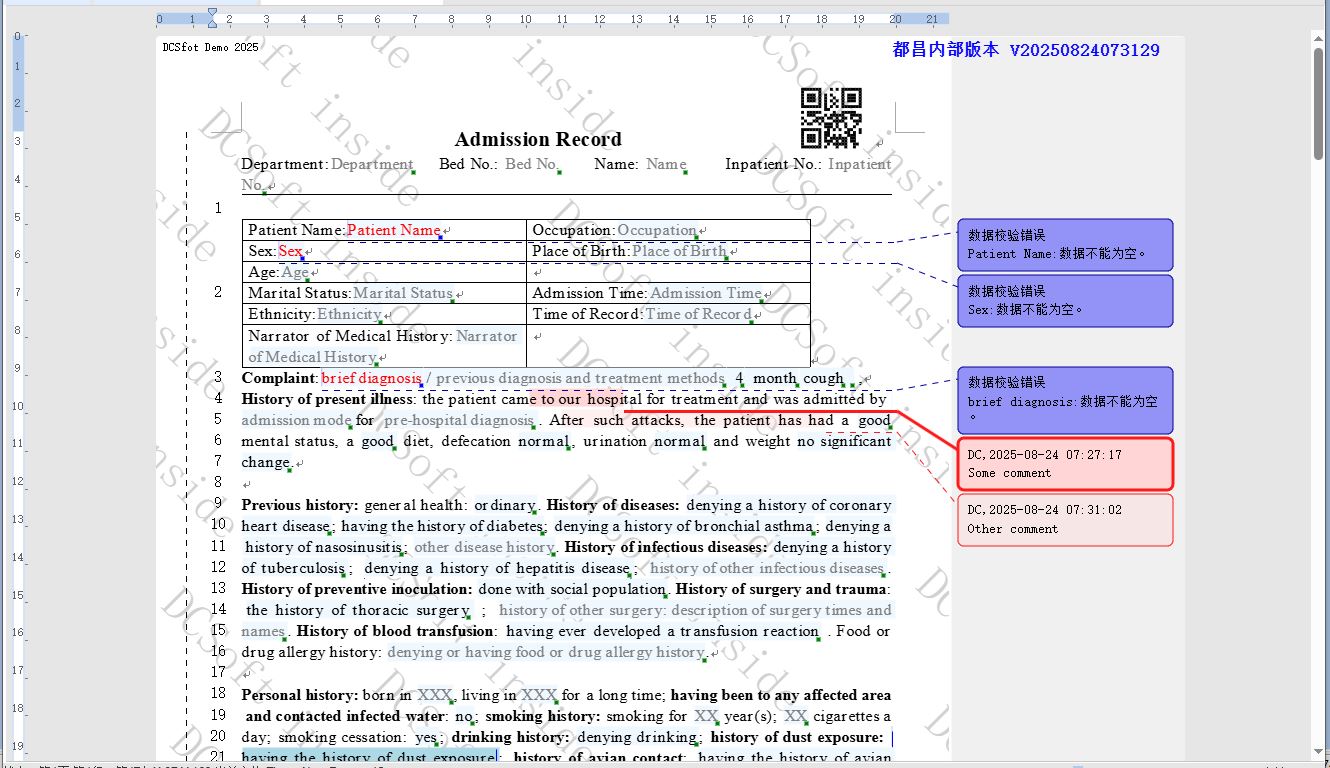

DCWriter is a professional rich text editor based on front-end technology, dedicated to providing an editing experience consistent with MS Word, and fully supports various text formats and style settings. The product supports drag-and-drop insertion of structured elements, maintaining the flexibility of flow layout while enabling rapid construction of structured templates. With its powerful features, excellent performance, and convenient integration, DCWriter has become an industry-leading document editing solution and holds three related invention patents. DCWriter can benefit the following types of users:
- DCWriter provides unique structured document features. It offers free text input as well as form areas to restrict input methods in specific regions.
- DCWriter implements a custom DOM model, providing unlimited extensibility. Developers can create new document element types to better fit specific business needs. For example, it can be used to develop template design tools for dynamically defining various complex form interfaces required by user businesses.
- DCWriter is not based on the HTML DOM but implements its own document layout algorithm, overcoming some technical limitations of the HTML DOM. For example, it achieves reliable Undo/Redo functionality and maintains completely consistent layout results across different browsers.
- DCWriter uses XML format for storage, which is simple in structure. This allows developers to easily develop backend programs to process millions of documents in batches without calling DCWriter software modules.
- It is a pure front-end component, does not rely on third-party components, and supports mainstream browsers such as Chrome and Firefox.
- Supports real-time pagination, true WYSIWYG, consistent layout across browsers, and reliable Undo/Redo operations.
- Supports Windows, Linux, Mac, Android, iOS, and other operating systems.
- Provides a simple API programming interface, making it easy to implement multi-document tabbed mode.
- This version of DCWriter is built on Blazor WebAssembly 9.0. We also offer a version based on Blazor WebAssembly 7.0 to support older web browsers.
DCWriter provides highly professional clinical medical document features:
- Structured medical record document functionality.
- Can be used for medical record editing in doctor workstations, nursing record entry in nurse workstations, case editing in regional medical clients, PASC/LIS/RIS report editing and printing, front page of medical records, discharge summaries, progress notes, operation records, various consent forms, rehabilitation and psychiatric scales, clinical pathway forms, etc.
- The commercial version also provides writing trace retention, multi-level permission control, various medical expressions such as dental charts, menstrual history, etc., and can automatically calculate scale scores.
- In China, at least 50,000 hospitals are running this editor software, with an estimated 500,000 doctors using it daily to write over 10 million pages of medical records.
- Meets the highest level (Level 8) of the National Electronic Medical Record System Function Application Level Evaluation, and has been running stably at Beijing Fuwai Hospital.
- Fully supports the hospital information interconnection standardization maturity assessment, and hospital information systems built on DCWriter have passed the Class 5B interconnection certification.
- The DCWriter template design tool is compatible with domestic middleware (Tongfang), as well as domestic databases such as Dameng and Renmin Jincang.
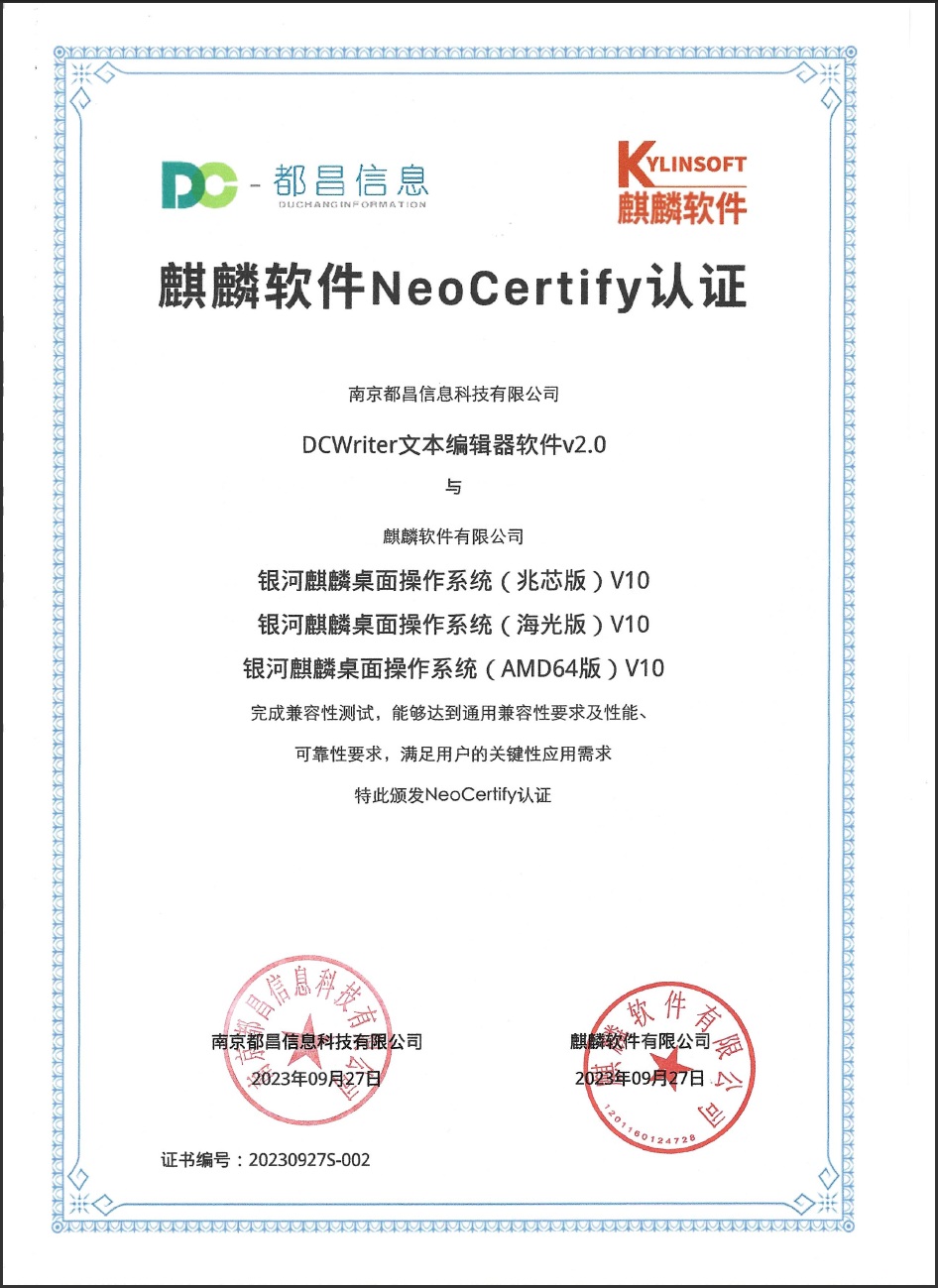
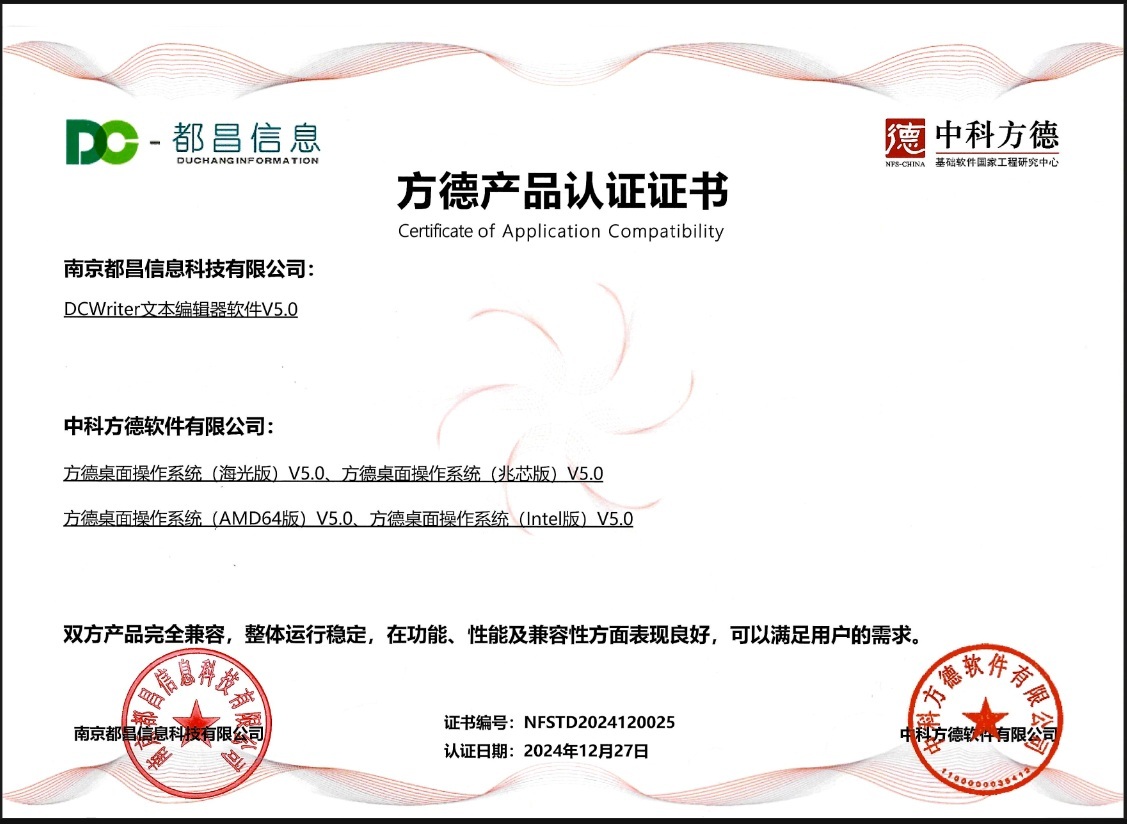
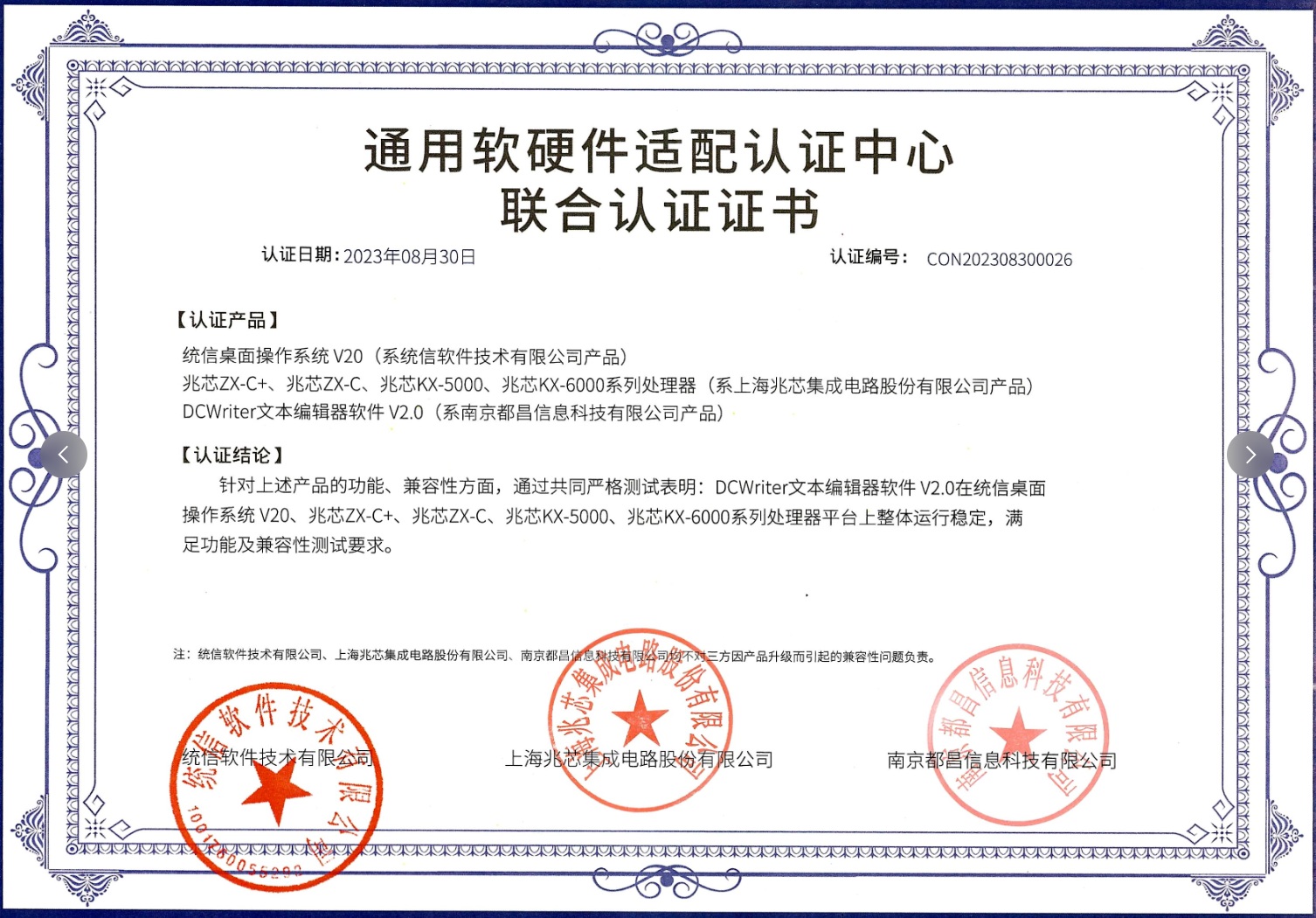
DCWriter has passed original manufacturer certification for domestic operating systems such as Kylin, NeoKylin, and UnionTech; supports loading and saving OFD files; and complies with Xinchuang requirements.
DCWriter provides a WinForm.NET version of the editor, maintaining the same functionality and file format, and can be used for WinForm.NET and WPF development. Supports MS .NET Framework 2.0SP2 and above.
DCWriter provides an ActiveX control version, maintaining the same functionality and file format. Can be used in PB, Delphi, VB, C++, and other development environments.
DCWriter provides simple yet powerful document editing features:
- Offers a user experience similar to MS Word, allowing users to get started without learning.
- Enables precise real-time pagination, true WYSIWYG, unlimited Undo/Redo operations, helping users achieve their goals quickly.
- Provides tables, header table rows, and other features for quickly creating complex layout documents.
- Structured Electronic Medical Record Systems: Helps doctors write outpatient and emergency records, front pages, admission records, progress notes, test and inspection reports, nursing records, patient consent forms, discharge records, scales, assessment forms, etc.
- Government Electronic Document Systems: Supports various document template definitions, approval process control, version trace tracking, and dynamic adjustment of document content and status according to business processes.
- Financial Compliance Documents: Uses structured document technology to facilitate extraction of key data from contracts, reports, assessment forms, etc., for compliance checks and risk control.
- Manufacturing Form Systems: Quickly define production process forms, quality inspection records, equipment maintenance records, etc., supporting complex node data entry and backend analysis.
- Education and Training Management: Exam paper creation, student file management, lesson plan template design, transcript generation, training record forms, course evaluation forms, and other educational applications.
- Legal Service Agencies: Contract template creation, legal document editing, case file management, court record keeping, lawyer letter templates, legal opinion documents, and other professional document processing.
- Insurance Industry Applications: Policy management, claims document processing, risk assessment reports, customer information forms, insurance product brochures, underwriting review forms, etc.
- Human Resource Management: Employee file management, resume template design, performance evaluation forms, payroll calculation sheets, training records, resignation procedure forms, and other HR documents.
- Logistics and Transportation Industry: Waybill management, cargo lists, delivery records, warehouse management forms, vehicle maintenance records, customer service forms, and other logistics documents.
- Real Estate Development: Purchase contracts, lease agreements, project progress reports, customer files, property management forms, property information sheets, and other real estate documents.
- Scientific Research Institutes: Experiment record forms, research report templates, data collection forms, project applications, academic paper templates, research achievement files, etc.
- Audit and Consulting Services: Audit report templates, financial checklists, compliance check records, consulting plan templates, risk assessment reports, and other professional documents.
- Construction Project Management: Construction record forms, project progress reports, safety checklists, material lists, acceptance reports, change orders, and other engineering documents.
- Retail Chain Management: Product information sheets, inventory management forms, sales reports, customer information management, promotional activity forms, store operation records, etc.
- Other Business Scenarios: Any document processing scenario involving structured data entry, complex layout, precise printing, and process control can be applied.
-
Why not use MS Word directly? Why use DCWriter? Answer: Although Word is a powerful general-purpose document editing tool, it has many limitations in professional business scenarios:
- Limited Customization: Cannot deeply customize features for specific industry needs
- Difficult Integration: Does not support secondary development and integration, making seamless integration with existing business systems difficult
- Insufficient Structured Capability: Weak support for structured data, unable to meet complex business form requirements
- Cross-Platform Compatibility: Unstable performance in web environments, difficult to ensure consistent experience
DCWriter is designed to solve these pain points: it excels at structured document editing, supports deep customization, provides rich API interfaces, and ensures cross-browser consistency, making it the best choice for professional business scenarios.
-
Which is better, HTML5-based or Canvas-based technology? Answer: In most business scenarios faced by DCWriter, Canvas-based technology has more advantages, mainly in the following aspects:
- Excellent Performance: Enables smooth editing of ultra-large documents (hundreds of pages) without lag
- Strong Browser Compatibility: More friendly compatibility with different browser versions, avoiding display issues caused by browser differences
- Consistent Rendering: Ensures completely consistent layout effects in various browser environments
- Advanced Architecture: WASM + Canvas architecture design, breaking through the technical limitations of traditional HTML DOM
- Complete Feature Implementation: Supports precise pagination, complex layout, real-time preview, and other advanced features
-
What are DCWriter's advantages over other editors? Answer: DCWriter has significant comprehensive advantages in the competitive editor market:
- Strong Technical Foundation: Underlying architecture design started in 2008, first released in 2012, with over 15 years of technical accumulation and market validation, strong product vitality
- High Market Recognition: Leading position in the medical industry, most self-developed hospitals choose DCWriter as the core document editing solution
- Outstanding Performance: More stable and controllable memory usage, continuous performance optimization, able to handle large-scale document editing scenarios
- Complete Feature Ecosystem: Rich and comprehensive features, successfully serving over 300 medical IT vendors, accumulating extensive industry application experience
- Continuous Investment Guarantee: As the core product and key development direction of Duchang Company, it enjoys sufficient R&D resources and long-term technical evolution guarantee
- Industry Specialization: Deeply focused on vertical industry needs, understands industry pain points and business scenarios better than general-purpose editors
-
Does DCWriter support AI integration? Answer: DCWriter adopts an open AI integration strategy, providing users with flexible AI application capabilities:
- Clear Product Positioning: We focus on core editor feature development and do not directly develop AI-related products, ensuring product focus and professionalism
- Rich API Interfaces: Provides a complete API system for AI and DCWriter interaction, supporting seamless integration of various AI application scenarios
- Comprehensive Integration Examples: Offers numerous practical interaction examples and best practices to help developers quickly get started with AI feature integration
- Wide Application Scenarios: Supports intelligent document generation, content intelligent proofreading, structured data extraction, automatic layout optimization, and other AI applications
- Developer Friendly: Through standardized interface design, integrators can easily build powerful AI document processing applications based on DCWriter
- Supports Windows, Linux, MacOS, iOS, Android, UnionTech, Kylin, NeoKylin, and other operating systems.
- Supports Chrome, Firefox, and other browsers.
- Pure front-end component, does not rely on server-side or any third-party components.
- Uses XML or JSON as the basic structured format,
- Supports exporting to PDF, OFD, and other layout formats, as well as HTML, RTF, TXT, images, and other formats.
- Supports A4, A3, B5, B4, and other paper types.
- Supports landscape and portrait printing.
- Supports setting top, bottom, left, and right margins.
- Supports global document grid lines.
- Supports header and footer settings.
- Supports page number settings.
- Supports print preview.
- Text and image watermarks.
- Document background images.
- Supports different headers and footers for the first page.
- Supports document end markers (text [such as "Blank Below"], slash, or S-line).
- Supports top, left, and right binding lines.
- Supports print preview;
- Supports out-of-order printing, printing specified pages, etc.;
- Supports continuous printing, offset printing, selective printing, etc.;
- Supports printing text and lines in pure black to suit black-and-white printers;
- Supports generating HTML for developers to customize printing functions;
- Provides local printing services, supporting silent printing, local cache backup, and other functions.
- Supports copying and pasting plain text, HTML, and private format document content;
- Supports permission control for copy and paste actions within the editor.
- Supports unlimited redo and undo operations
- Supports bold, italic, underline, and strikethrough font styles.
- Supports double underline, wavy underline, and other underline styles.
- Supports setting underline color separately.
- Supports setting font name and size.
- Supports font color and background color settings.
- Supports text highlighting.
- Supports emphasis marks below text.
- Supports text circles, including round and square frames.
- Supports superscript and subscript.
- Supports horizontal and vertical rulers.
- Supports dragging ruler ticks to set page margins.
- Supports dragging ruler ticks to set paragraph margins.
- Form view mode. Can be set to form view mode, restricting user operations to text fields only. Content outside input fields cannot be selected or edited.
- Read view mode. Document content is read-only, similar to print preview, but allows text selection and copying.
- Long document view mode. No pagination display, but shows pagination dashed lines, and the document body is displayed and edited without interruption.
- Multi-column display mode. Automatically adjusts the number of columns according to screen width.
- Horizontal scroll mode. Document content is arranged horizontally, suitable for widescreen displays.
- Design view mode. Special mode for template design.
- Supports line spacing and paragraph spacing.
- Supports spacing before and after paragraphs.
- Supports user login operations, with more than three permission levels.
- High-permission users can modify or delete content entered by lower-permission users.
- Low-permission users cannot modify content entered by higher-permission users.
- Supports logical deletion.
- Different permission levels can set different trace styles, including strikethrough color, underline color for input content, number of strikethroughs and underlines, etc.
- Can show or hide logically deleted content.
- Can display document content in trace mode.
- Can display document content in clean mode.
- Supports adding and deleting document comments.
- Supports user-programmable custom document comments to meet reply and mark-as-resolved functions.
- Supports right-to-left languages such as Arabic and Hebrew.
- Supports Tibetan.
- Supports rare Chinese characters.
- Supports right-to-left layout.
- Input fields support single-line font auto-shrink to fit.
- Table cells support single-line or multi-line font auto-shrink to fit.
- Can use HTML code to customize the display and behavior of document comments.
- Supports data source binding, with data sources in JSON, XML, and other formats.
- Supports dynamic updates of data sources.
- Supports dynamic expansion of rows and columns in table-like data.
- Supports numeric calculation formulas, allowing calculations in input field elements.
- Supports formula calculation, with formulas ranging from simple arithmetic to complex mathematical formulas. Formula syntax refers to EXCEL.
- Formulas can set the text content and visibility of document elements.
- Can set part of the content in a text segment as read-only, prohibiting editing and deletion.
- Can set tables, table rows, cells, input fields, checkboxes, etc., as read-only. Read-only status can be inherited in the DOM tree.
DCWriter implements its own DOM model, using programmable DOM objects to represent all information in the document, breaking through some limitations of the HTML DOM and meeting more application scenarios. Currently, DCWriter supports the following DOM element types:
- XTextDocument Document Element
- Represents the document root node and is the entry point for DOM tree operations.
- XTextContainerElement Container Element, an abstract class and the base class for all container elements.
- Can contain other elements.
- XTextImageElement Image Element
- Can freely drag to set image size
- Supports only JPG\PNG\BMP formats.
- XTextInputFieldElement Input Field Element (core element)
- High-brightness display for input fields
- Set background text
- Content validation, including required fields, max/min values, regex, length, etc.
- Encrypted display
- Left/right borders, labels, units, etc.
- Fixed width
- Multiple input methods: direct input, dropdown selection, multi-select, date, time, etc.; supports custom output formats
- Extensible custom attributes
- XTextLineBreakElement Line Break Element
- Soft carriage return in text, but does not apply paragraph spacing settings.
- XTextPageBreakElement Page Break Element
- Forces pagination
- XTextPageInfoElement Page Number Element
- Can display page number or total pages
- XTextParagraphFlagElement Paragraph Flag Element
- Can set first-line indent for paragraphs
- Can set hanging indent for paragraphs
- Can set paragraph alignment (left, center, right, justified)
- Can set line spacing and paragraph spacing
- Can set numbered and bulleted lists
- XTextTableElement Table Element
- Table header row
- Merge and split cells
- Drag mouse to set row height and column width
- Set forced pagination for table rows
- Set table rows as non-breakable (cannot be split by page breaks)
- XTextCheckBoxElement/XTextRadioElement Checkbox/Radio Button Element
- Can be set as checked
- Can be set as non-editable
- Can be set as required
- Multi-line text
- XTextImageElement Image Element
- Can set image to float above or below text.
- Can set text wrapping around image.
- XTextLabelElement Text Label Element
- Can set auto-size
- Can set multi-line text
- Text alignment (left, center, right)
- XTextButtonElement Button Element
- Can set button text
- Can set button color
- Can set button size
- XTextHorizontalLineElement Horizontal Line Element
- Can set line thickness and color
- XTextContainerElement Container Element
- Can set maximum allowed text length.
- Can set allowed character set (e.g., only numbers, letters, etc.).
- XTextInputFieldElement Input Field Element
- Set border text
- Set prefix label text and suffix unit text
- Set background text color
- Set text color
- Show small button based on data type
- Show small square in the lower right corner to indicate status
- XTextButtonElement Button Element
- Can set different images for mouse down and mouse up
- XTextPageInfoElement Page Number Element
- Can set page number format (Arabic, Roman, uppercase Roman)
- Can set starting value for page number
- Can set format string to display page number and total pages in one element
- XTextCheckBoxElement/XTextRadioElement Checkbox/Radio Button Element
- Can set text as flow layout
- Text can be placed to the left or right of the checkbox
- Can bind to data source
- Can record check history.
- XTextImageElement Image Element
- Supports more image formats
- Supports loading images from URL.
- XTextNewBarcodeElement 1D Barcode Element
- Can display text below the barcode
- XTextSectionElement Section Element
- XTextSubDocumentElement Subdocument Element
- XTextTDBarcodeElement 2D Barcode Element
- Can set QR code content
- Can set QR code size
- Can set QR code error correction level (L, M, Q, H)
- XTextChartElement Chart Element
- Can set chart type (bar, line, pie, etc.)
- Can set chart data source
- Can set chart style and color
- XTextPieElement Pie Chart Element
- Can set sector color
- Can set label text
- XTextDirectoryFieldElement Directory Field Element
- Can set directory title text
- Can set directory hierarchy depth
- XTextControlHostElement Control Host Element
- Can embed user-defined HTML elements
- XTextMediaElement Media Element
- Can embed video and audio files
- XTextNewBarcodeElement 1D Barcode Element
- Can set barcode type (Code128, Code39, EAN13, UPC, etc.)
- Can set barcode content
- Can set barcode size Note: All the above elements support insertion via DCWriter built-in dialogs and direct insertion via user API.
DCWriter is copyrighted by Nanjing Duchang Information Technology Co., Ltd. The code of this demo program can be used freely, but the editor itself requires authorization. Please contact Nanjing Duchang Information Technology Co., Ltd. for authorization.
Nanjing Duchang Information Technology Co., Ltd.
Focused on document editor technology R&D and innovation
- Business Cooperation Hotline: 13382028281
- Technical Support Hotline: 13382022594
- Official Email: dcwriter@zohomail.cn
- Product Licensing: The editor itself requires commercial licensing. Please contact us for official authorization.
- Technical Integration: Complete technical support and integration guidance services provided
- Custom Development: Supports feature customization and deep integration according to customer needs
DCWriter is copyrighted by Nanjing Duchang Information Technology Co., Ltd. The code of this demo program can be used freely, but the core editor component can only be used in production environments after obtaining official commercial authorization.
We welcome partners from all industries to contact us and explore the infinite possibilities of document editing technology together!
Site : http://dcsoftcn.com/.
2025-9-17 首次上传
DCWriter 是一款基于前端技术的专业富文本编辑器,致力于提供与MSWord一致的编辑体验,全面支持多种文本格式和样式设置。产品支持拖拽式插入结构化元素,既保持流式排版的灵活性,又实现结构化模板的快速构建。凭借强大的功能特性、卓越的运行性能和便捷的集成方式,DCWriter已成为业界领先的文档编辑解决方案,并拥有3项相关发明专利。 DCWriter 能为以下类型的人群带来帮助:
- DCWriter提供了特色的结构化文书功能。它提供自由文本录入的功能,同时还能提供表单区域来限制特定区域的录入方式。
- DCWriter实现了自定义的DOM模型,这就提供了无限的扩展能力。开发者可以据此创建新的文档元素类型,使得软件更符合具体业务需求。比如开发者可以用它来开发模板制作工具,来动态定义用户业务所需的各种复杂的表单界面。
- DCWriter不是基于HTML DOM,而是自行实现了文档排版算法,这就突破了HTML DOM的一些技术限制。比如实现了可靠的Undo/Redo功能,而且在不同的浏览器间保持完全一致的排版结果。
- DCWriter采用XML格式进行存储,结构简单。这就使得开发者可以很容易开发出后台程序来批量处理数百万份文档而不必调用DCWriter软件模块。
- 它是一个纯前端的组件,不依赖于第三方组件,支持Chrome和Firefox等主流浏览器。
- 支持实时分页,完全的所见即所得,在不同的浏览器呈现完全一致的排版效果,可靠的Undo/Redo操作。
- 支持Windows、Linux、Mac、安卓、iOS等多种操作系统。
- 它提供很简洁的API编程接口,可以很方便的实现分页标签多文档模式。
DCWriter提供非常专业的临床医疗文书的相关功能:
- 结构化病历文书功能。
- 可应用于医生工作站的病历编辑、护士工作站的护理记录录入、区域医疗客户端病例编辑、PASC/LIS/RIS报告编辑打印、病案首页、出院小结、病程记录、手术记录、各种知情书、康复及精神学科用的量表、临床路径用表单界面等等等。
- 商业版还提供书写痕迹保留,多级权限控制,多种医学表达式,比如牙位图,月经史等等。并能自动计算评分量表分值。
- 在中国,已经有至少5万家医院运行着这个编辑器软件,估计每天有50万个医生使用该软件书写了超过1000万页的病历文档。
- 满足国家电子病历系统功能应用水平分级评价8级(最高级别)要求,已在北京阜外医院稳定运行。
- 全面支持医院信息互联互通标准化成熟度测评,基于DCWriter构建的医院信息系统已通过互联互通五乙级认证。
- DCWriter配套模板设计工具兼容国产中间件(东方通),兼容达梦、人大金仓等国产数据库。
DCWriter通过了国产的麒麟、方德、统信操作系统的原厂认证;支持加载和保存OFD文件;符合信创规则。
DCWriter提供WinForm.NET版本的编辑器,保持相同的功能和相同的文件格式,可用于WinForm.NET和WPF开发。最低支持MS .NET Framework 2.0SP2。
DCWriter提供ActiveX控件的版本,保持相同的功能和相同的文件格式。可用于PB、Delphi、VB、C++等开发环境。
DCWriter提供了简约而不简单的文档编辑功能:
- 它提供类似MS Word的用户体验,用户无需学习即可上手使用。
- 它能进行精确的实时分页,实现了所见即所得的功能,无限制的Undo/Redo操作,帮助用户快速达成目标。
- 提供表格、标题表格行等多项功能,可以快速创建复杂排版的文档。
- 结构化电子病历系统:帮助医生书写门急诊病历、病案首页、入院记录、病程记录、检查检验报告单、护理记录、患者知情同意书、出院记录、量表、评估单等。
- 政府电子公文系统:支持各类公文模板定义、审批流程管控、版本痕迹追踪,并可根据业务流程动态调整公文内容和状态。
- 金融业务合规文档:利用结构化文档技术,便于从合同、报告、评估单等文档中抽取关键数据进行合规检查和风险管控。
- 制造业表单系统:快速定义生产流程表单、质检记录单、设备维护记录等,支持复杂节点数据录入和后台分析。
- 教育培训管理:试卷制作、学生档案管理、教案模板设计、成绩单生成、培训记录表、课程评估表等教育场景应用。
- 法律服务机构:合同模板制作、法律文书编辑、案件档案管理、庭审记录、律师函模板、法律意见书等专业文档处理。
- 保险行业应用:保单管理、理赔单据处理、风险评估报告、客户信息表、保险产品说明书、核保审核表等。
- 人力资源管理:员工档案管理、简历模板设计、绩效评估表、薪酬核算单、培训记录、离职手续表等HR文档。
- 物流运输行业:运单管理、货物清单、配送记录、仓储管理表单、车辆维护记录、客户服务单等物流文档。
- 房地产开发:购房合同、租赁协议、项目进度报告、客户档案、物业管理表单、房源信息表等地产文档。
- 科研院所机构:实验记录表单、研究报告模板、数据采集表、项目申请书、学术论文模板、科研成果档案等。
- 审计咨询服务:审计报告模板、财务核查表单、合规检查记录、咨询方案模板、风险评估报告等专业文档。
- 建筑工程管理:施工记录表、工程进度报告、安全检查表、材料清单、验收报告、变更单等工程文档。
- 零售连锁管理:商品信息表、库存管理单、销售报告、客户信息管理、促销活动表单、门店运营记录等。
- 其他业务场景:凡是涉及结构化数据录入、复杂排版、精准打印、流程管控的文档处理场景均可应用。
-
为什么不直接使用MS Word?而需要使用DCWriter? 答:Word作为通用文书编辑工具,虽然功能强大,但在专业业务场景中存在诸多限制:
- 功能定制局限性:无法针对特定行业需求进行深度功能定制
- 集成开发困难:不支持二次开发集成,难以与现有业务系统无缝对接
- 结构化能力不足:对结构化数据的支持相对薄弱,无法满足复杂业务表单需求
- 跨平台兼容性:在Web环境下的表现不够稳定,难以保证一致性体验
而DCWriter专为解决这些痛点而设计:擅长结构化文档编辑、支持深度定制开发、提供丰富的API接口、确保跨浏览器一致性,是专业业务场景的最佳选择。
-
基于HTML5与基于Canvas技术路线哪个更好? 答:在DCWriter面临的绝大多数业务场景下,Canvas技术路线更具优势,主要体现在以下几个方面:
- 性能表现卓越:能够实现超大文档(百页级别)的流畅编辑,无卡顿现象
- 浏览器兼容性强:对不同版本浏览器的兼容性更加友好,避免因浏览器差异导致的显示问题
- 渲染一致性:确保在各种浏览器环境下都能呈现完全一致的排版效果
- 技术架构先进:基于WASM + Canvas的架构设计,突破了传统HTML DOM的技术限制
- 功能实现完整:支持精确分页、复杂排版、实时预览等高级功能
-
DCWriter与其他编辑器相比优势在哪? 答:DCWriter在竞争激烈的编辑器市场中具有显著的综合优势:
- 技术底蕴深厚:从2008年开始底层架构设计,2012年首版发布,经过15年以上的技术积累和市场验证,产品生命力强劲
- 市场认可度高:在医疗行业具有领先地位,大部分自研型医院都选择采购DCWriter作为核心文档编辑解决方案
- 性能优势突出:内存占用更加稳定可控,持续进行性能优化,能够处理大规模文档编辑场景
- 功能生态完善:功能特性丰富全面,已成功服务超过300家医疗信息化厂商,积累了丰富的行业应用经验
- 持续投入保障:作为都昌公司的核心产品和重点发展方向,享有充足的研发资源投入和长期技术演进保障
- 行业专业化:深度聚焦垂直领域需求,相比通用编辑器更懂行业痛点和业务场景
-
DCWriter支持AI集成吗? 答:DCWriter采用开放式AI集成策略,为用户提供灵活的人工智能应用能力:
- 产品定位清晰:我们专注于核心编辑器功能开发,不直接开发AI相关产品,确保产品聚焦性和专业性
- API接口丰富:提供基于AI与DCWriter交互的完整API体系,支持多种AI应用场景的无缝集成
- 集成示例完善:提供大量实际应用的交互示例和最佳实践,帮助开发者快速上手AI功能集成
- 应用场景广泛:支持智能文档生成、内容智能校对、结构化数据提取、自动排版优化等多种AI应用
- 开发友好:通过标准化接口设计,让集成者能够轻松在DCWriter基础上构建强大的AI文档处理应用
- 支持Windows、Linux、MacOS、iOS、安卓、统信、麒麟、方德等操作系统。
- 支持Chrome、Firefox等浏览器。
- 纯前端组件,不依赖服务器端,不依赖任何第三方组件。
- 使用xml或json作为基础结构化格式,
- 支持导出PDF、OFD等版式格式,支持导出HTML、RTF、TXT、图片等其他格式。
- 支持A4、A3、B5、B4等多种纸张类型。
- 支持横向和纵向打印。
- 支持上下左右的边距设置。
- 支持全局性文档网格线。
- 支持页眉页脚的设置。
- 支持页码的设置。
- 支持打印预览功能。
- 文字水印和图片水印。
- 文档背景图片。
- 支持首页页眉页脚不同。
- 支持文档结尾终结标记(文本[比如"以下空白"]、斜线或者S线)。
- 支持上、左、右装订线。
- 支持打印预览;
- 支持乱序打印、打印指定页等;
- 支持续打、偏移续打、选择打印等;
- 支持以纯黑色打印文字和线条,以适应黑白打印机;
- 支持生成html供开发者自定义打印功能;
- 提供本地打印服务,支持实现静默打印、本地缓存备份等功能。
- 支持纯文本、HTML、私有格式的文档内容的复制粘贴;
- 支持编辑器内的复制、粘贴行为的权限控制。
- 支持不限制次数的重做和撤销操作
- 支持粗体、斜体、下划线、删除线的字体样式设置。
- 支持双下划线、波浪线等多种下划线样式。
- 支持单独设置下划线的颜色。
- 支持设置字体名称和字体大小。
- 支持字体颜色和背景色的设置。
- 支持文字高亮显示。
- 支持文字下方的着重符号。
- 支持文字套圈,包括圆形框和方形框。
- 支持文字上标和下标。
- 支持横向和纵向标尺。
- 支持拖拽标尺的刻度来设置页边距。
- 支持拖拽标尺的刻度来设置段落边距。
- 表单视图模式。可以设置为表单视图模式,用户操作只能限制在文本域内。输入域之外的内容不能被选中和编辑。
- 阅读视图模式。文档内容只读,和打印预览类似,但可以进行文本选择和复制。
- 长文档视图模式。不进行分页显示,但显示分页虚线,文档正文不中断的显示和编辑。
- 多栏显示模式。根据屏幕的宽度,自动调整显示的栏数。
- 横向滚动模式。文档内容横向排列,适合宽屏显示器。
- 设计视图模式。专用于模板设计的模式。
- 支持行间距和段落间距。
- 支持段前段后间距。
- 可以进行用户登录操作,用户具有超过3个权限等级设置。
- 高用户权限可以修改删除低用户权限的内容。
- 低用户权限不能修改高权限用户输入的内容。
- 支持逻辑删除。
- 不同的权限等级可以设置不同的痕迹样式。包括删除线的颜色,输入内容的下划线颜色,删除线和下划线的数量等。
- 可以显示和隐藏逻辑删除的内容。
- 可以用留痕模式显示文档内容。
- 可以用清洁模式显示文档内容。
- 支持添加和删除文档批注。
- 支持用户编程自定义文档批注,以满足回复和标记解决等功能。
- 支持阿拉伯语、希伯来语等从右到左的语言。
- 支持藏文。
- 支持生僻字。
- 支持从右到左排版。
- 输入域支持单行缩小字体自动填充。
- 表格单元格支持单行或多行缩小字体自动填充。
- 可以使用HTML代码来自定义文档批注的显示和行为。
- 支持数据源绑定,数据源可以是JSON、XML等格式。
- 支持数据源的动态更新。
- 支持表格类的动态扩展行、列的数据更新。
- 支持数值运算公式,可以在输入域元素中进行数值计算。
- 支持公式计算,公式可以是简单的加减乘除,也可以是复杂的数学公式。公式语法参考EXCEL。
- 公式可以设置文档元素的文本内容和可见性。
- 可以在一段文本中设置部分内容为只读状态,禁止编辑和删除。
- 可以设置表格、表格行、单元格、输入域元素、勾选框等为只读状态。只读状态可以在DOM树中进行继承判断。
DCWriter实现了自己的DOM模型,使用了可编程的DOM对象表示文档中的所有的信息,这突破了HTML DOM的一些限制,可以满足更多的应用场景。目前DCWriter支持一下的DOM元素类型:
- XTextDocument 文档元素
- 表示文档根节点,是DOM树的操作的入口点。
- XTextContainerElement 容器元素,是一个抽象类,是所有容器元素的基类。
- 可以包含其他元素。
- XTextImageElement 图片元素
- 可以自由拖拽设置图片的大小
- 只支持JPG\PNG\BMP格式。
- XTextInputFieldElement 输入域元素(核心元素)
- 输入域高亮度显示
- 设置背景文本
- 内容校验,包括必填项、最大值、最小值、正则表达式、长度等
- 加密显示
- 左右边框、标签、单位等
- 固定宽度
- 多种录入方式:直接录入、下拉选择、多选、日期、时间等;支持自定义输出格式
- 可扩展自定义属性
- XTextLineBreakElement 换行元素
- 文本进行软回车,但不应用段落间距的设置。
- XTextPageBreakElement 分页元素
- 可以导致强制分页
- XTextPageInfoElement 页码元素
- 可以显示页码或者总页数
- XTextParagraphFlagElement 段落标记元素
- 可以设置为段落的首行缩进
- 可以设置为段落的悬挂缩进
- 可以设置为段落的对齐方式(靠左、居中、靠右、两端对齐)
- 可以设置段落的行间距和段落间距
- 可以设置数字列表和项目符号列表
- XTextTableElement表格元素
- 表格标题行
- 合并拆分单元格
- 鼠标拖拽来设置表格行的高度和表格列的宽度
- 表格行设置强制分页
- 表格行设置为不可跨页(不能被分页线分割)
- XTextCheckBoxElement/XTextRadioElement 单选框/单选按钮元素
- 可以设置为选中状态
- 可以设置为不可编辑状态
- 可以设置为必填状态
- 文本多行
- XTextImageElement 图片元素
- 可以设置图片悬浮在文本上面或者下面。
- 可以设置文字环绕图片。
- XTextLabelElement 文本标签元素
- 可以设置为自动计算大小
- 可以设置为多行文本
- 文本对齐方式(靠左、居中、靠右)
- XTextButtonElement 按钮元素
- 可以设置按钮的文本
- 可以设置按钮的颜色
- 可以设置按钮的大小
- XTextHorizontalLineElement 横线元素
- 可以设置横线的粗细和颜色
- XTextContainerElement 容器元素
- 可以设置最大允许的输入的文本长度。
- 可以设置允许输入的字符集(如仅允许输入数字、字母等)。
- XTextInputFieldElement 输入域元素
- 设置边框文本
- 设置前置的标签文本和后置的单位文本
- 设置背景文本的颜色
- 设置文本颜色
- 根据数据类型显示小按钮
- 右小角显示表示状态的小方块
- XTextButtonElement 按钮元素
- 可以设置鼠标按下和鼠标松开时显示不同的图片
- XTextPageInfoElement 页码元素
- 可以设置页码的格式(阿拉伯数字、罗马数字、大写罗马数字)
- 可以设置页码的起始值
- 可以设置格式化字符串,在一个页码元素中显示页码和总页数
- XTextCheckBoxElement/XTextRadioElement 单选框/单选按钮元素
- 可以将文本设置为流式排版
- 文本可以设置为放在勾选框的左边或者右边
- 可以数据源绑定
- 可以记录勾选历史记录。
- XTextImageElement 图片元素
- 支持更多的图片格式
- 支持从URL加载图片。
- XTextNewBarcodeElement 一维码元素
- 可以在条码下面显示文本内容
- XTextSectionElement 文档节元素
- XTextSubDocumentElement 子文档元素
- XTextTDBarcodeElement 二维码元素
- 可以设置二维码的内容
- 可以设置二维码的大小
- 可以设置二维码的纠错级别(L、M、Q、H)
- XTextChartElement 图表元素
- 可以设置图表的类型(柱状图、折线图、饼图等)
- 可以设置图表的数据源
- 可以设置图表的样式和颜色
- XTextPieElement 饼图元素
- 可以设置饼图的扇区颜色
- 可以设置饼图的标签文本
- XTextDirectoryFieldElement 目录域元素
- 可以设置目录的标题文本
- 可以设置目录的层级深度
- XTextControlHostElement 控件宿主元素
- 可以嵌入用户自定义的HTML元素
- XTextMediaElement 媒体元素
- 可以嵌入视频和音频文件
- XTextNewBarcodeElement 一维码元素
- 可以设置条形码的类型(Code128、Code39、EAN13、UPC等)
- 可以设置条形码的内容
- 可以设置条形码的大小 注:上述所有元素,支持DCWriter内置对话框插入,也支持用户通过API直接插入。
DCWriter是南京都昌信息科技有限公司版权所有,本演示程序的代码可以任意使用,编辑器本身需要被授权,请联系南京都昌信息科技有限公司获取授权。
南京都昌信息科技有限公司
专注于文档编辑器技术研发与创新
- 商务合作热线:13382028281
- 技术支持热线:13382022594
- 官方邮箱:dcwriter@zohomail.cn
- 产品授权:编辑器本身需要商业授权,请联系我们获取正式授权
- 技术集成:提供完整的技术支持和集成指导服务
- 定制开发:支持根据客户需求进行功能定制和深度集成
DCWriter是南京都昌信息科技有限公司版权所有。本演示程序代码可任意使用,但编辑器核心组件需要获得正式商业授权后方可用于生产环境。
欢迎各行业合作伙伴与我们联系,共同探索文档编辑技术的无限可能!