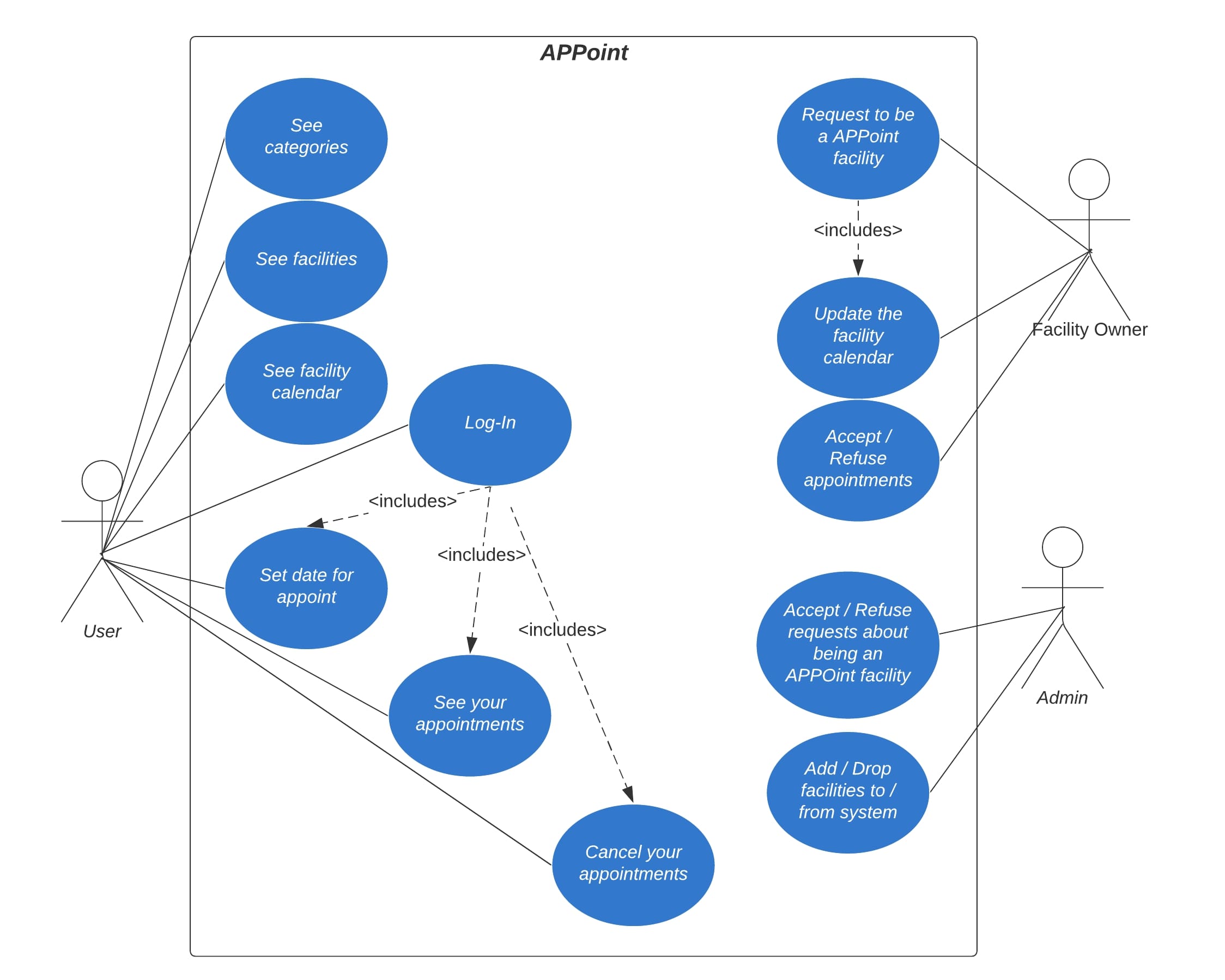
APPoint developed as a web-app where you can get appointments from registered coiffeurs, barber shops, restaurants, health clinics, car washers, personal trainers. After you make an appointment request from a facility, facility can see the request, after that the faciltiy can accept or refuse the appointment. User can see their appointments from their Profile. A related user story defined below.
The COVID-19 pandemic makes our lifes harder in many ways. Doruk lives in a pretty crowded neighbourhood in Maltepe. Since the lockdown started, barbers accept customers in a very short time intervals. One day Doruk goes to barber shop and sees there is a 5 man queue in a small shop! When Doruk asks the shop owner how long will it take for turn to come to him, shop owner responds and suggest that he use APPoint to take appointments as he would not have to wait in line, he would just basicly come in his time and get the job done. Doruk creates an APPoint account, selects the neighbourhood barber shop and selects the date and time and then makes an appointment. He will not wait in line next time.
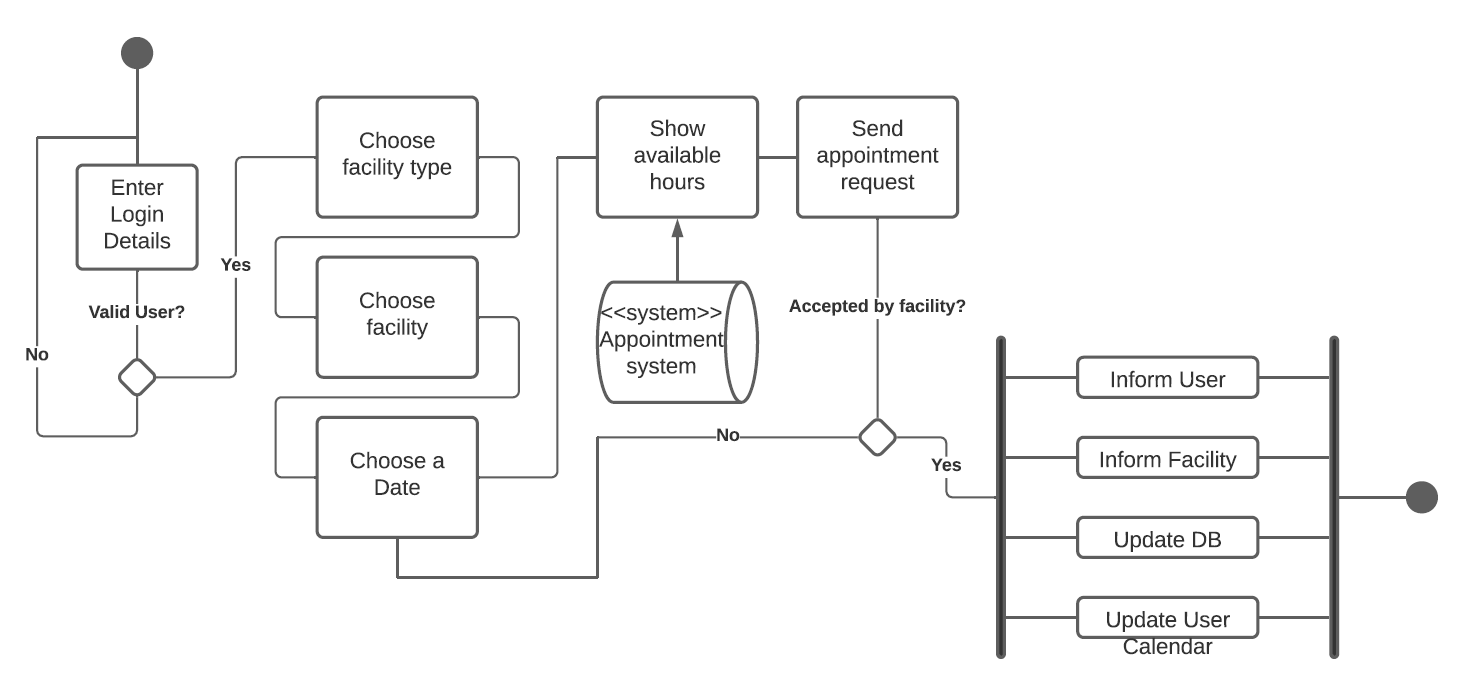
Initial assumption: Facility owners want to automise their facilities by working with appointments, people want to get appointments from facilities in order to lose less time on waiting. Normal: User selects the category, facilities that belong to that category showed to user. And then user selects the facility, facility information and their calendar is showed to user. User selects a date with hour in order to get an appointment date from the facility, by clicking submit, a notification is sent to facility owner. Facility may or may not accept that appointment date, the result of whether the request was accepted or not accepted, sent to user. Facility calendar is updated if the request was accepted. What can go wrong: The facility owner did not see the appointment request. The user should be informed about their request result as soon as possible. System should make sure that facility owner sees the request by sending them and email. If the respond time exceeded, request should considered not accepted and the information should be sent to user. What can go wrong: The user should log-in to website before trying to get an appointment. System state on completion: User logged-in, appointment request sent, which is recieved by facility owner and the result of appointment request sent back to user, facility calendar is updated.


For front end, besides basic HTML, CSS and JS, Bootstrap 4 framework and JQuery was used. For the backend parts, Node.js, Express.js was used. MongoDB used as a database service.