Question Answering over PDFs using Nougat-OCR and GPT-4.
- Python 3.9 or later
- a NVIDIA GPU with CUDA support
- environment variable
OPENAI_API_KEYset to your OpenAI API key
pip install pdf-chatterpdf-chatter path/to/pdfwhich opens a REPL where you can ask questions, and GPT-4 will answer them based on the content of the PDF.
Note: pdf-chatter will save a .mmd (multi-markdown) next to the target pdf. This contains the extracted text from the PDF, and is used as a cache so the same PDF doesn't need to be re-processed every time you run pdf-chatter.
Additionally you can run the summarize command to get a summary of the PDF before entering the REPL.
pdf-summarize path/to/pdf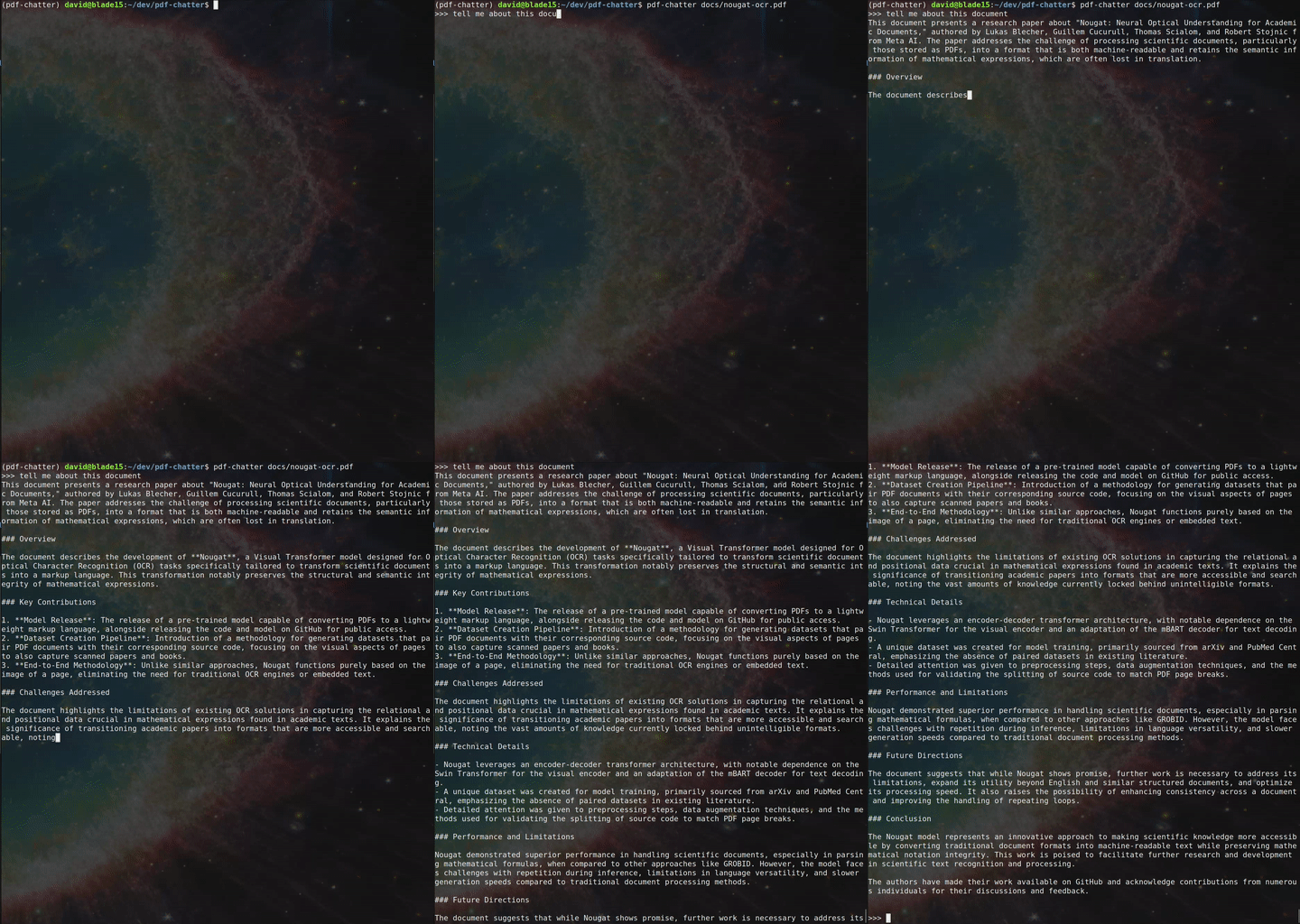
- Nougat-OCR doesn't extract images, so any questions about images in the document will not be answered
- Nougart-OCR works best on documents similar to scientific papers, reports, etc.
- Extract text from the PDF using Nougat-OCR
- The entire document is fed to GPT-4 as part of its chat history via the OpenAI API
- A simple REPL collects the user's questions and feeds them to GPT-4, which streams the answer back.