Generate SVG card images from Apple Music tracks, albums, and playlists — embed them in Markdown, READMEs, or profile pages.

|

|
|
|
|
|
|
|
|
|
|
Japanese — 日本語版はこちら
- Track card — 520×130px SVG with track name, artist, album, and artwork
- Album card — 600×280px SVG with album art, tracklist (up to 7 tracks), genre, and duration
- Playlist card — 600px-wide SVG with cover, curator, description, and tracklist. Two layouts (New / Classic) and a selectable track count
- Dark / Light theme support
- Artwork and metadata fetched automatically from the iTunes Search API
- Artwork embedded as Base64 — no external requests from the viewer's browser
- In-memory cache for fast repeated requests
- Web UI for instant preview and Markdown generation
Full reference, including
badge/country/suffix, the/api/lookupproxy, and the/api/openapp-launch redirect: docs/API.md.
GET /api/card
| Parameter | Required | Description |
|---|---|---|
title |
✅ | Track name |
artist |
✅ | Artist name |
album |
✅ | Album name |
artwork |
✅ | Artwork URL (mzstatic.com only) |
year |
— | Release year |
dur |
— | Duration (e.g. 3:33) |
theme |
— | dark (default) or light |
Example:
[](https://music.apple.com/...)GET /api/album
| Parameter | Required | Description |
|---|---|---|
id |
✅ | iTunes collectionId (the number at the end of the Apple Music album URL) |
theme |
— | dark (default) or light |
Finding the ID:
https://music.apple.com/jp/album/alxd/1440785663
                                      ^^^^^^^^^^
                                      this is the id
Example:
[](https://music.apple.com/jp/album/alxd/1440785663)GET /api/playlist
Playlist data is scraped from the playlist's music.apple.com page (the iTunes
API does not cover playlists).
| Parameter | Required | Description |
|---|---|---|
id |
✅¹ | Playlist id (pl.*), the part at the end of the Apple Music playlist URL |
url |
✅¹ | A music.apple.com/…/playlist/…/{id} URL (derives id + storefront) |
theme |
— | dark (default) or light |
ui |
— | classic renders with the album-card layout instead of the wide New list |
limit |
— | Number of tracks to list in the New layout (default 7; all for every track) |
¹ Supply either id or a url. See docs/API.md for country, badge, desc.
Example:
[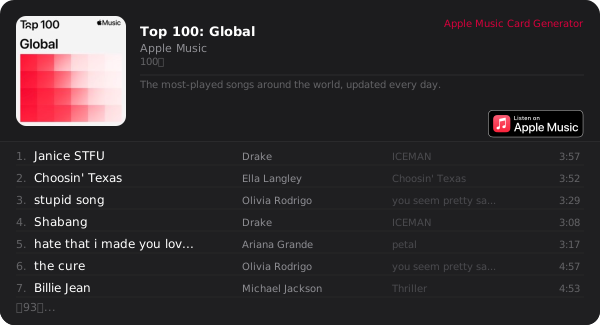](https://music.apple.com/us/playlist/top-100-global/pl.d25f5d1181894928af76c85c967f8f31)Visit https://amcg.daruks.com to generate cards interactively.
- Track tab — paste an Apple Music track URL (with
?i=) to auto-fill all fields via the iTunes API - Album tab — paste an Apple Music album URL to detect the ID and preview instantly
- Playlist tab — paste an Apple Music playlist URL to scrape it; toggle New / Classic layout and the track count
- Go 1.25+
- Node.js / pnpm (for Tailwind CSS build)
git clone https://github.com/darui3018823/AppleMusic-CardGen.git
cd AppleMusic-CardGen

# Build Tailwind CSS
pnpm install
pnpm run build

# Start the server
go run server.go
Default port is 8086. Override with the PORT environment variable:
PORT=3000 go run server.go- Backend — Go (stdlib +
golang.org/x/image) - Frontend — Vanilla JS + Tailwind CSS v4
- Data source — iTunes Search API (tracks / albums);
music.apple.compage scraping (playlists)
BSD 2-Clause License — © 2026 darui3018823
See License for details.
This project uses the iTunes Search API and Apple Music branding under Apple's guidelines.
See NOTICE for third-party notices.