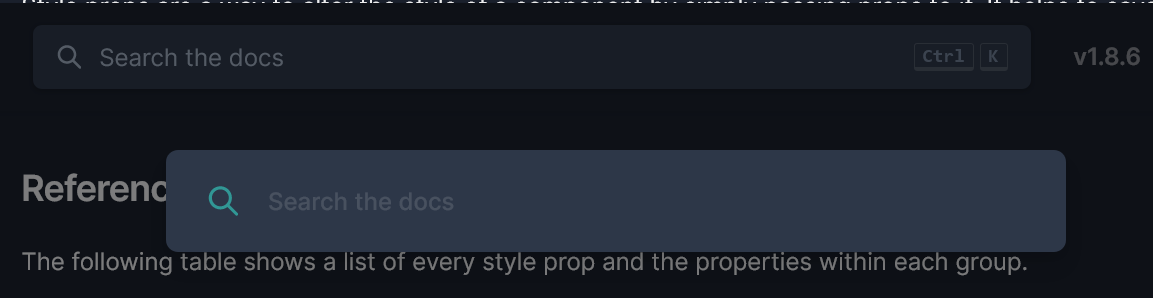
Make search bar operate as expected on website/docs. #466

Description

Description
Replace dummy search bar with functioning one and drop floating search bar on desktop.
Problem Statement/Justification
The search bar for the documentation implies it is an input field but is actually a button. Clicking it opens a functioning, floating input field slightly below it. This is not expected behavior and is technically wrong from a UX perspective. I wouldn't ordinarily mention that, but given that this is for a UI library catered to UI developers, it kind of feels warranted.
Proposed Solution or API
Replace dummy search bar with actual search bar.
Alternatives
I still think there is a place for the floating search bar however. It would be more appropriate for mobile (which currently doesn't even have search available) where a search button icon would open a floating/focused search bar. This would be within the realms of a reasonable expectation on mobile.
Additional Information