Skip to content

Conversation

@akhil-rana
Copy link
Contributor

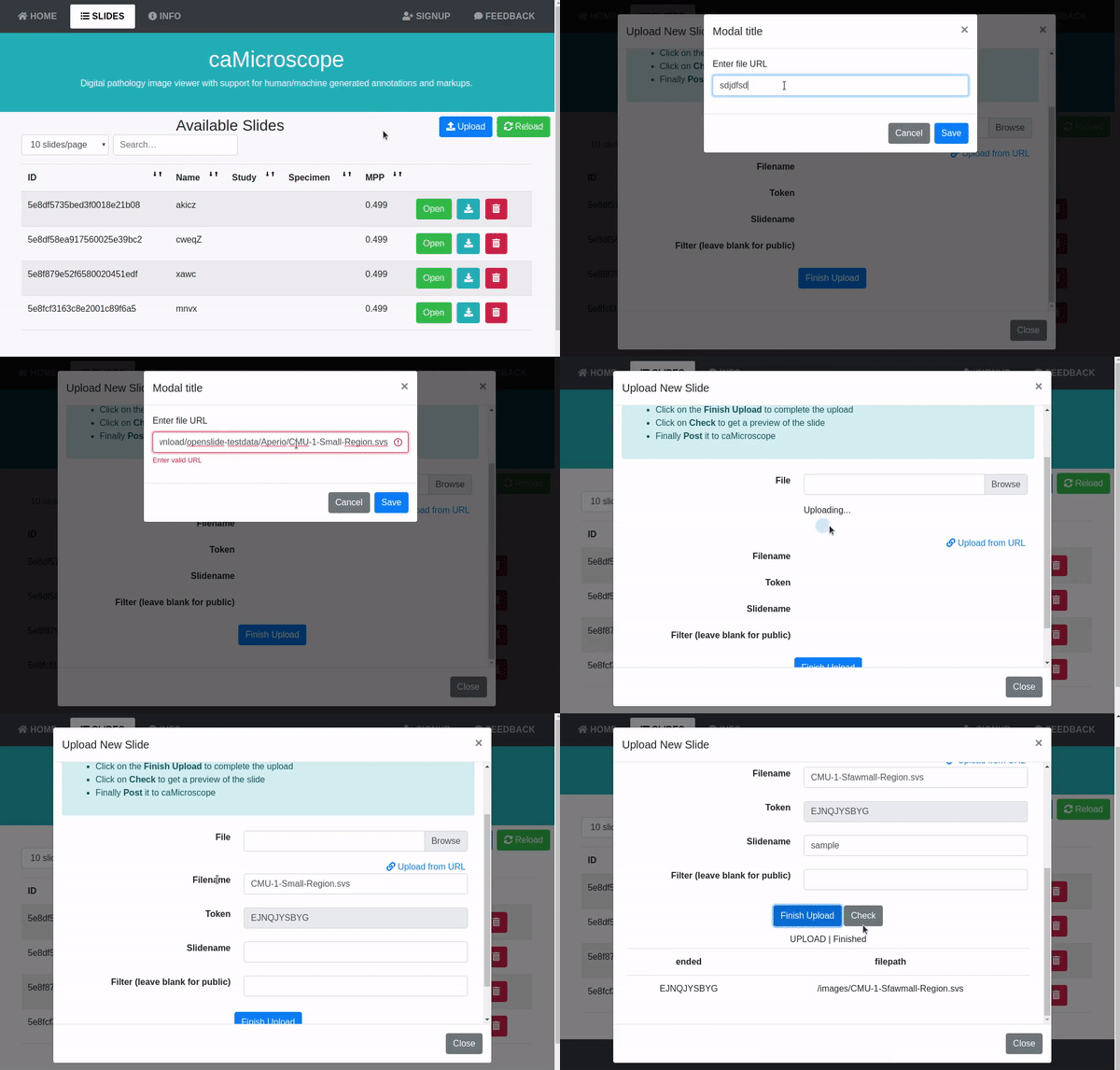
An option to upload the slide image from URL has been added.
This feature works with SildeLoader #28

Note that the speed of upload depends on both the source and the destination.
ezgif-6-7e4b2cbb6db9

Copy link
Contributor

@cjchirag7 cjchirag7 left a comment

Choose a reason for hiding this comment

The reason will be displayed to describe this comment to others. Learn more.

Overall , it seems to be a cool feature. I would recommend to make the changes suggested in the comments.

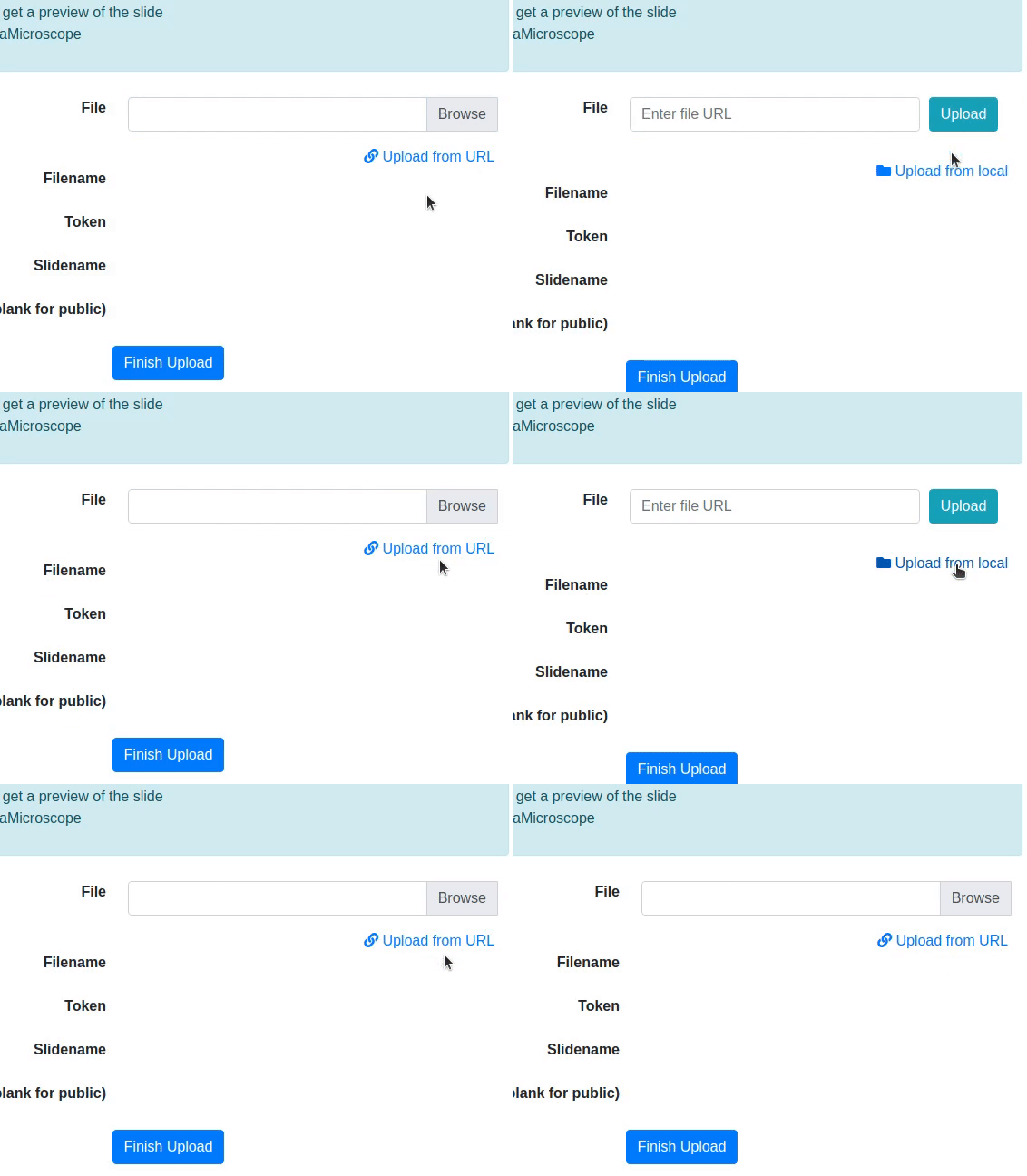
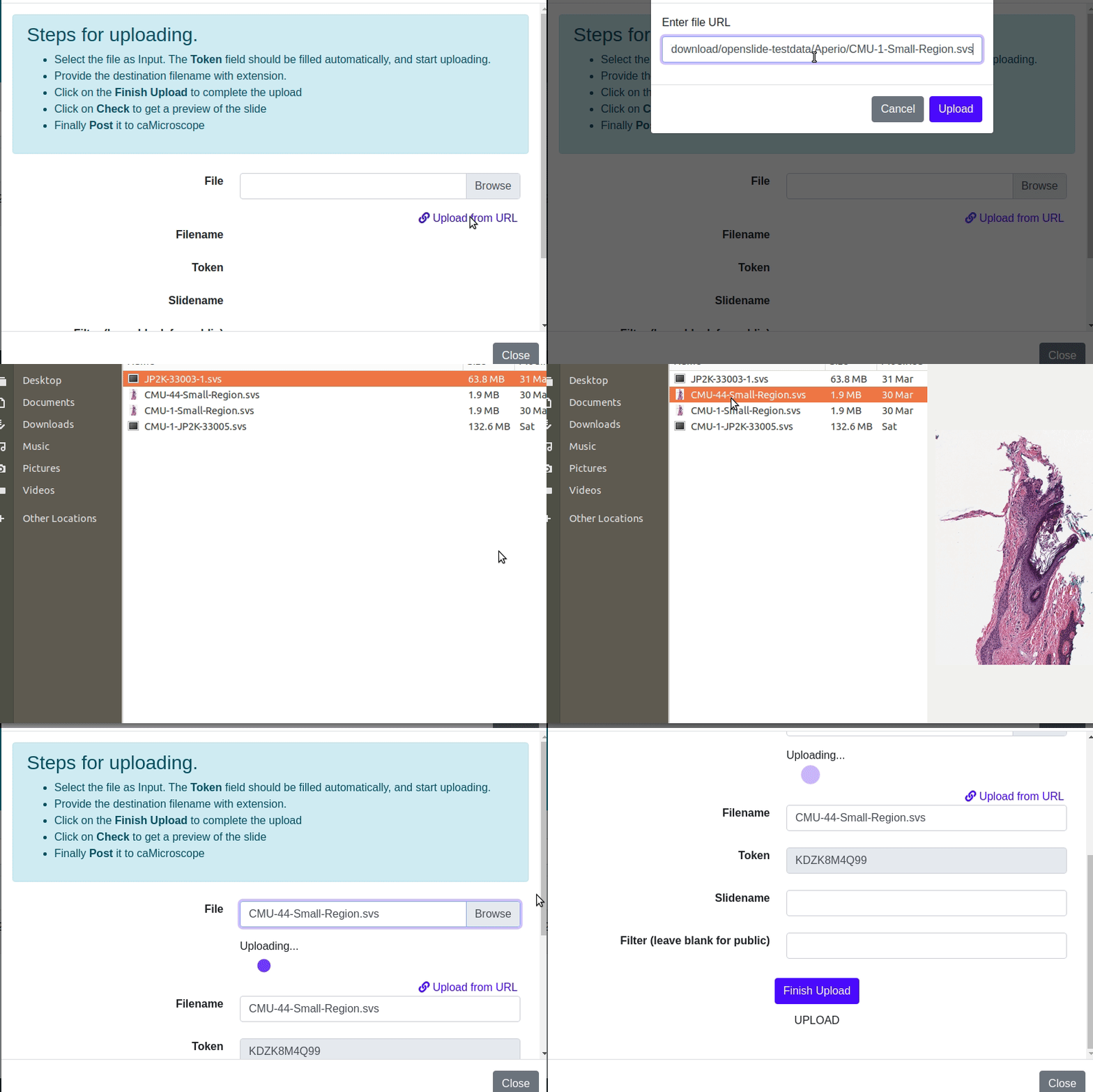
Also, from the UI/UX point of view, I would suggest that instead of creating a Modal inside another Modal, it should be better to replace the File Browse row by Enter file URL row, when user clicks on 'Upload via URL', in the same modal. And now, an option must be shown , saying 'Upload file from system' , clicking on which will again replace the Enter file URL row by File Browse row. The need for this shall be clear in this screencast, when user tries to upload a file from URL, but then wants to upload the file by browsing, instead -
bug

So, with this approach, also it must stop the upload via the first process, when the user shifts to the other process . For eg., when user is uploading the file through URL, and suddenly shifts to browsing from system, then the upload through URL must stop, without any wait , and vice-verca.

akhil-rana and others added 3 commits April 10, 2020 11:44
Co-Authored-By: Chirag Jain <cjchirag7@gmail.com>
@akhil-rana
Copy link
Contributor Author

Overall , it seems to be a cool feature. I would recommend to make the changes suggested in the comments.

Also, from the UI/UX point of view, I would suggest that instead of creating a Modal inside another Modal, it should be better to replace the File Browse row by Enter file URL row, when user clicks on 'Upload via URL', in the same modal. And now, an option must be shown , saying 'Upload file from system' , clicking on which will again replace the Enter file URL row by File Browse row. The need for this shall be clear in this screencast, when user tries to upload a file from URL, but then wants to upload the file by browsing, instead -
bug

So, with this approach, also it must stop the upload via the first process, when the user shifts to the other process . For eg., when user is uploading the file through URL, and suddenly shifts to browsing from system, then the upload through URL must stop, without any wait , and vice-verca.

Oh yes, I missed that.
I can remove the file browsing input while the url is uploading. That should fix this

@cjchirag7
Copy link
Contributor

Oh yes, I missed that.
I can remove the file browsing input while the url is uploading. That should fix this

@akhil-rana , I would suggest removing this modal and instead, replacing the Browse field by Enter URL field and replacing upload using URL by upload from system option.

@akhil-rana
Copy link
Contributor Author

Oh yes, I missed that.
I can remove the file browsing input while the url is uploading. That should fix this

@akhil-rana , I would suggest removing this modal and instead, replacing the Browse field by Enter URL field and replacing upload using URL by upload from system option.

Okay. Nice.
I'm on it. Thanks for all the suggestions.

@akhil-rana
Copy link
Contributor Author

ezgif-4-01dc0f6b2e41

Copy link
Contributor

@cjchirag7 cjchirag7 left a comment

Choose a reason for hiding this comment

The reason will be displayed to describe this comment to others. Learn more.

Looks fine! But I wonder if the loading spinner can also be shown when the file is being uploaded from the local system, as the upload mechanism seems to be the same there also.

@akhil-rana
Copy link
Contributor Author

akhil-rana commented Apr 10, 2020

Looks fine! But I wonder if the loading spinner can also be shown when the file is being uploaded from the local system, as the upload mechanism seems to be the same there also.

It can be done but won't be visible for long in case of local hosting and small files though.

@birm birm self-requested a review April 10, 2020 18:06
@birm
Copy link
Member

birm commented Apr 11, 2020

There's a semi-related case that may/may not be worth adding; existing files. This is mostly used when files are introduced through some unknown means (e.g. mounting an images dir with existing slides). We'd know the slidename, and we wouldn't have to upload/finish in that case, since the file would already be ready.
Does it make sense to add this onto this PR/app, or more towards the still-conceptual bulk loader, do you think?

@akhil-rana
Copy link
Contributor Author

This 'upload from URL' feature just adds the file into the /images/uploading/ temp directory and the rest of the work is completely done by the previous implementations of finish uploads and such.

Now, according to current workflow file with same name is not allowed to be shifted to /images/ folder from images/uploading/ folder. But the same files with different names can exist anyway.

Maybe we can add a feature like:
Giving an option to use the pre existing image file or replacing it with new file if same file name is encountered.

But I don't think it is a part of this.

@birm birm merged commit a7c39c6 into camicroscope:develop Apr 12, 2020
@akhil-rana akhil-rana deleted the uploadFromURL branch June 18, 2020 21:12
Sign up for free to join this conversation on GitHub. Already have an account? Sign in to comment

Labels

None yet

Projects

None yet

Development

Successfully merging this pull request may close these issues.

3 participants