fix: tooltips not working as expected#3765
Conversation


 pac-guerreiro
requested review from
brunohkbx,
lukewalczak,
satya164 and
tjaniczek
pac-guerreiro
requested review from
brunohkbx,
lukewalczak,
satya164 and
tjaniczek
 lukewalczak
changed the title
lukewalczak
changed the title

|
The mobile version of example app from this branch is ready! You can see it here. |


|
Any chance we can implement immediate tooltip hiding on something like
|
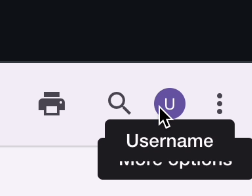
There's already a 'leaveTouchDelay' prop but it has a default value of 1500. I can change the value to 0 when Platform.OS === 'web', what do you think? |

|

| {React.cloneElement(children, { | ||
| ...rest, | ||
| ref: childrenWrapperRef, | ||
| ...(isWeb ? webPressProps : mobilePressProps), | ||
| })} |

There was a problem hiding this comment.
-          {React.cloneElement(children, {
-            ...rest,
-            ...(isWeb ? webPressProps : mobilePressProps),
-          })}
+          {children}
If the container has the press handlers the child doesn't need them.
There was a problem hiding this comment.
In case the child is a button, it is needed, otherwise the tooltip wont be triggered
Wow these are very good valid points! Thank you for mentioning these @DimitarNestorov! I can apply these changes you suggested 😄 |

|
Hey @pac-guerreiro, thank you for your pull request 🤗. The documentation from this branch can be viewed here. |
pac-guerreiro
force-pushed
the
fix/tooltips-not-working-as-expected
branch
from
4e7faa0 to
ce32750
Compare
pac-guerreiro
force-pushed
the
fix/tooltips-not-working-as-expected
branch
from
ce32750 to
92b5b3a
Compare


|
Closes #3729 |


src/react-navigation/types.tsx
Outdated
| > | ||
| >; | ||
|
|
||
| export type NavigationParams = { |

There was a problem hiding this comment.
✂️ as @lukewalczak pointed out previously there's no need to touch react navigation.
testSetup.js
Outdated
| jest.mock('@react-navigation/native', () => ({ | ||
| ...jest.requireActual('@react-navigation/native'), | ||
| useRoute: () => ({}), | ||
| useNavigation: () => ({ setParams: jest.fn() }), | ||
| })); |
There was a problem hiding this comment.
✂️ same
| jest.mock('@react-navigation/native', () => ({ | |
| ...jest.requireActual('@react-navigation/native'), | |
| useRoute: () => ({}), | |
| useNavigation: () => ({ setParams: jest.fn() }), | |
| })); |
| describe('Unmount', () => { | ||
| beforeAll(() => jest.spyOn(global, 'clearTimeout')); | ||
| afterEach(() => jest.clearAllMocks()); | ||
| describe('Mobile', () => { |
There was a problem hiding this comment.
What do you think about splitting this file in two since there's a lot here already? One test file for mobile and another for web?
Also, can we have a test where the children component has absolute position?
There was a problem hiding this comment.
Yeah absolute positioning is still a bit wonky at the moment. I think in the interest of time we'll merge this piece now and create an issue to rework the positioning. We can address the tests files as well there.
| accessibilityState={newAccessibilityState} | ||
| testID={testID} | ||
| style={{ borderRadius }} | ||
| {...rest} |
There was a problem hiding this comment.
@pac-guerreiro remember why it was added there?

There was a problem hiding this comment.
Looks like without added {...rest}, Tooltip is not displayed over the FAB on the web.
|
|
||
| showTooltipTimer.current = setTimeout(() => { | ||
| if (isWeb) { | ||
| showTooltipTimer.current = setTimeout(() => { |
There was a problem hiding this comment.
What if I want to have an enterTouchDelay on mobile? Since the base component is a Pressable now, would it be possible to replace this prop enterTouchDelay with delayLongPress?
There was a problem hiding this comment.
Changing prop would be a breaking change and require releasing new version. enterTouchDelay is translated to delayLongPress on mobile:
src/components/Tooltip/utils.ts
Outdated
| childrenHeight: number, | ||
| tooltipHeight: number | ||
| tooltipHeight: number, | ||
| headerHeight: number = 0 |
There was a problem hiding this comment.
This one isn't being used
| headerHeight: number = 0 |
7 participants


Summary
This PR fixes issues related to the tooltip component not working correctly on web and native, as reported on #3729.
The changes are as follows:
Fixed console warnings when using tooltip component with components that didn't forward refs. I introduced changes to how the tooltip component handles hovering/pressing events, so now there's no need to pass refs to wrapped components.
Fixed tooltip not working with non-pressable components, like avatar text, on both web and native.
Fixed tooltip not working with FAB component. First part of the problem was that FAB didn't use handlers for hover/press events, so the tooltip would not be triggered to show. Second part of the problem was that when using tooltip with a component that has a
position: 'absolute'the tooltip isn't placed correctly on the screen. The solution was to take the component styling into account when calculating the right placement for the tooltip.Added reproducibility sample from Not all componetns can receive ref #3729 to Tooltips screen/page on the example app.
Changed how tooltips are triggered:
Test plan
These changes can be tested on the Tooltips screen/page of the example app.
Screen recordings
Web:
Screen.Recording.2023-03-20.at.10.29.44.mov
Native:
Screen.Recording.2023-03-20.at.10.34.55.mov