




A simple library based on PopupWindow to create Tooltips on Android.
- Converted Java classes to Kotlin.
- Replaced Builder classes with Kotlin named params
- Added safe null handling
- Added a new param
useActivityRootViewwhich allows overlays to be drawn on top of the activity. This is useful when you have a deeply nested anchor view, but you want the overlay to be display like a dialog's overlay would, on top of the activity. - Added a new param
anchorBiaswhich indicates the positioning of the arrow on the anchor view.0.0fis far left,0.5fis center, and1.0fis far right. - Added a new param
overlayHighlightAnchorViewwhich determines whether to highlight the anchor view or not. If this is set to false, you can mimic a "dialog" like experience. - Added an
elevationoption for drop shadow. If you want to use high values, you should adjust thewindowPaddingsaccordingly. - Updated
build.gradleto modern standards
- Working from Android 2.1 (API 7) Note: animation above 3.0 (API 11)
- Simple to use: few parameters in a single line of code
- Animation with speed and size control
- Option to close with touch inside or outside of the tooltip.
- Modal mode (prevents touch in the background)
- Overlay (darkens the background highlighting the anchor)
- Customizable arrow
- Inflatable content from a
VieworXMLlayout. - Colors and dimensions customized by
BuilderorXMLresources
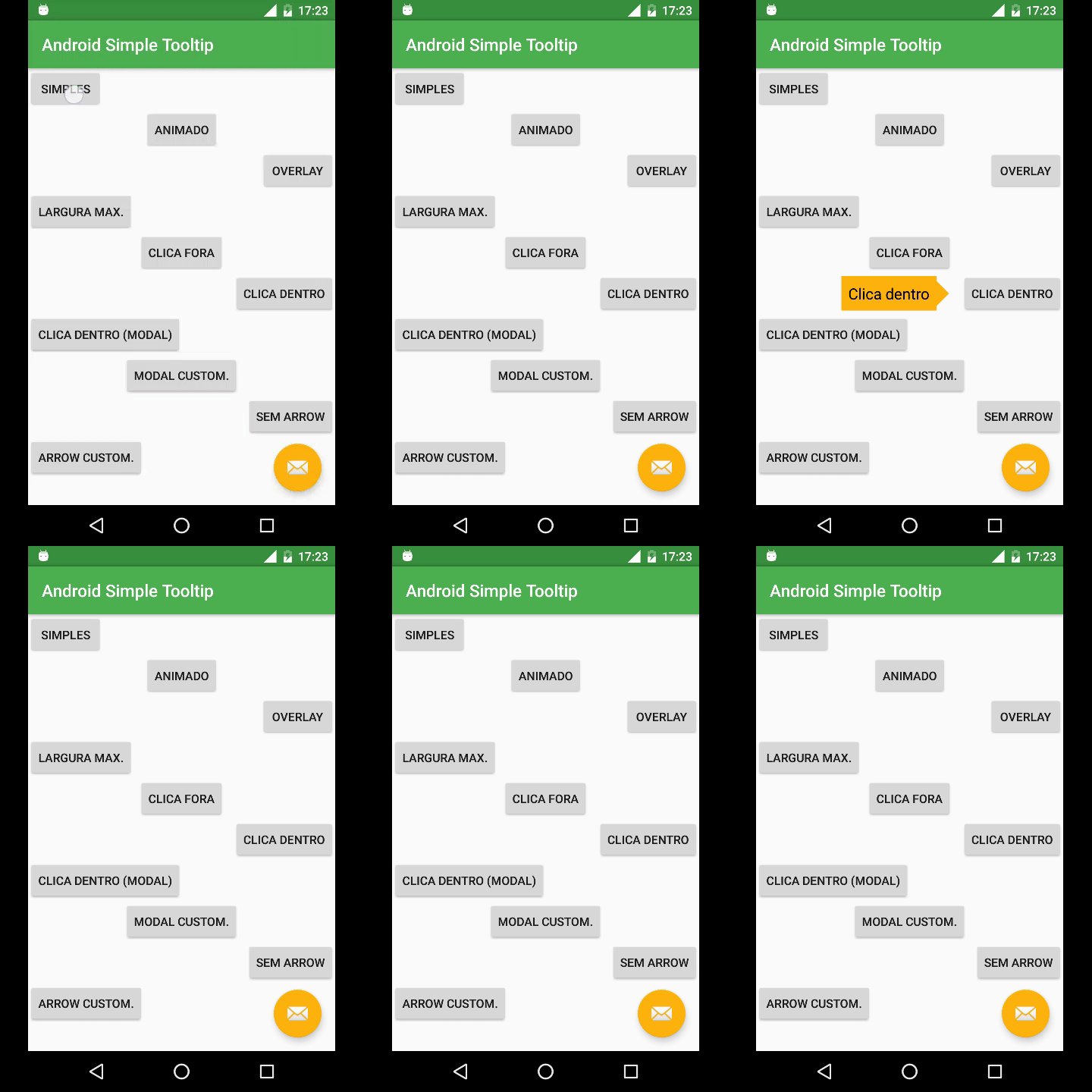
val yourView = findViewById(R.id.your_view)

SimpleTooltip(
       context = this,
       anchorView = yourView,
       text = "This is a tooltip",
       gravity = Gravity.END
       animated = true,
       transparentOverlay = false
).show()View yourView = findViewById(R.id.your_view);
new SimpleTooltip.Builder(this)
.anchorView(yourView)
.text("Texto do Tooltip")
.gravity(Gravity.END)
.animated(true)
.transparentOverlay(false)
.build()
.show();<color name="simpletooltip_background">@color/colorAccent</color>
<color name="simpletooltip_text">@android:color/primary_text_light</color>
<color name="simpletooltip_arrow">@color/colorAccent</color><dimen name="simpletooltip_max_width">150dp</dimen>
<dimen name="simpletooltip_overlay_offset">10dp</dimen>
<dimen name="simpletooltip_margin">10dp</dimen>
<dimen name="simpletooltip_padding">8dp</dimen>
<dimen name="simpletooltip_arrow_width">30dp</dimen>
<dimen name="simpletooltip_arrow_height">15dp</dimen>
<dimen name="simpletooltip_animation_padding">4dp</dimen><integer name="simpletooltip_overlay_alpha">120</integer>
<integer name="simpletooltip_animation_duration">800</integer><style name="simpletooltip_default" parent="@android:style/TextAppearance.Medium"></style>More info on the sample project and javadoc.
-
Add it in your root
build.gradleat the end of repositories:allprojects { repositories { ... maven { url "https://jitpack.io" } } }
-
Add the dependency
dependencies {
    implementation 'com.github.douglasjunior:android-simple-tooltip:0.2.2'
}
dependencies {
    implementation('com.github.douglasjunior:android-simple-tooltip:master-SNAPSHOT') {
        changing = true // Gradle will then check for updates every 24 hours
    }
}New features, bug fixes and improvements in the translation are welcome! For questions and suggestions use the issues.
Before submit your PR, run the gradle check.
./gradlew build connectedCheck

-
If you close the
Dialog/Activitywithout the Tooltip is closed, there may be the exceptionjava.lang.IllegalArgumentException: Could not lock surface. This error occurs because the animation continue for a while after closing theDialog/Activity. (This error does not impact the execution of the app) -
If you call
tooltip.show()afterActivity/Dialogis closed, there may be the exceptionandroid.view.WindowLeaked: Activity has leaked window android.widget.PopupWindow$PopupViewContainer that was originally added here. Read more. (This error does not impact the execution of the app) -
From API 24, Android has changed the behavior of
PopupWindowin relation to thesetClippingEnabledproperty, which causes the Popup to be cut off. Read more.
The MIT License (MIT)

Copyright (c) 2016 Douglas Nassif Roma Junior
See the full licence file.