Easily build Docker images with different versions/combinations of common languages/dependencies, for use on CircleCI.
- CircleCI account
- Docker Hub account (Docker itself does not need to be installed on your computer)
- Make & Perl (included in most macOS & Linux installations)
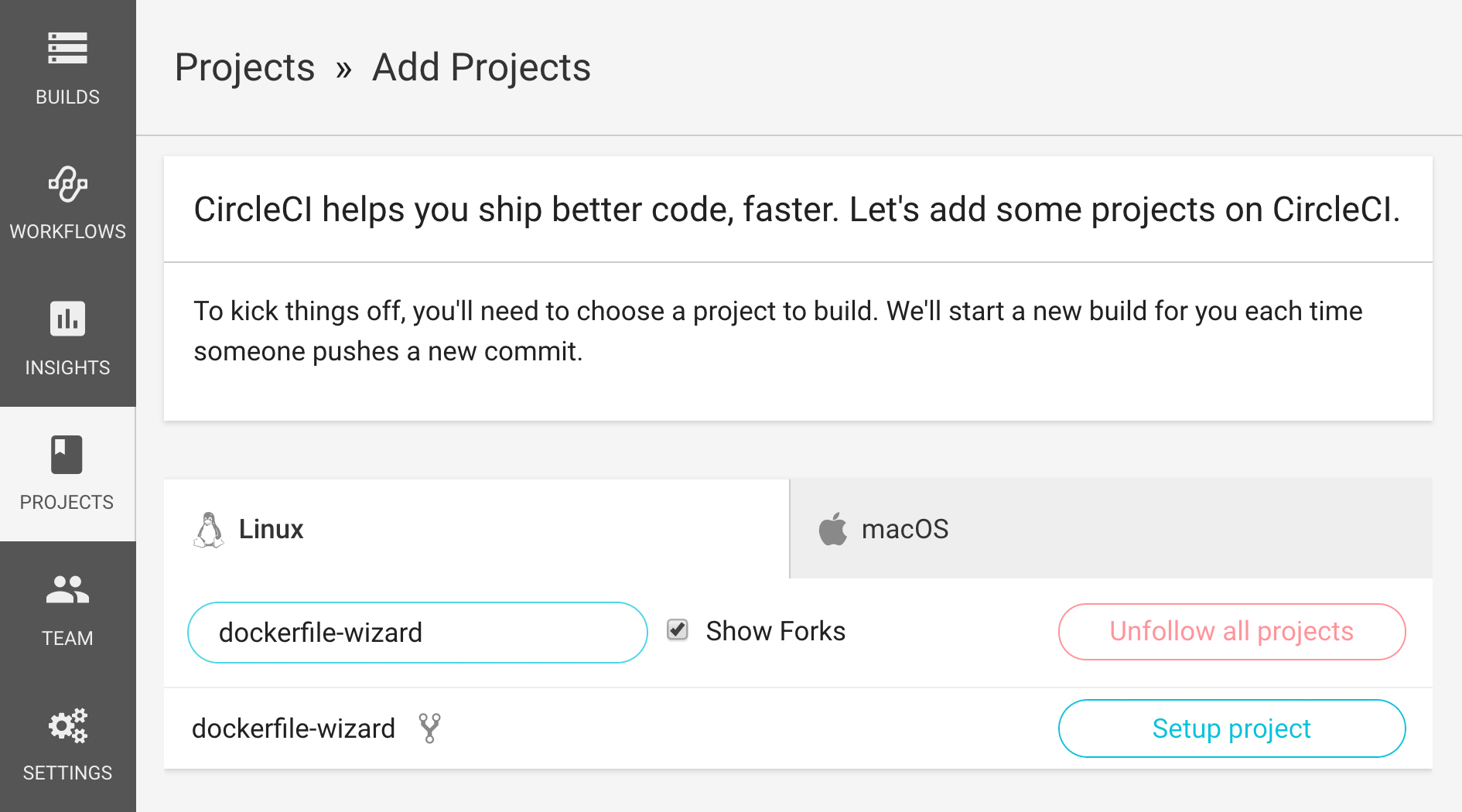
1. Fork this repository and start building it on CircleCI:
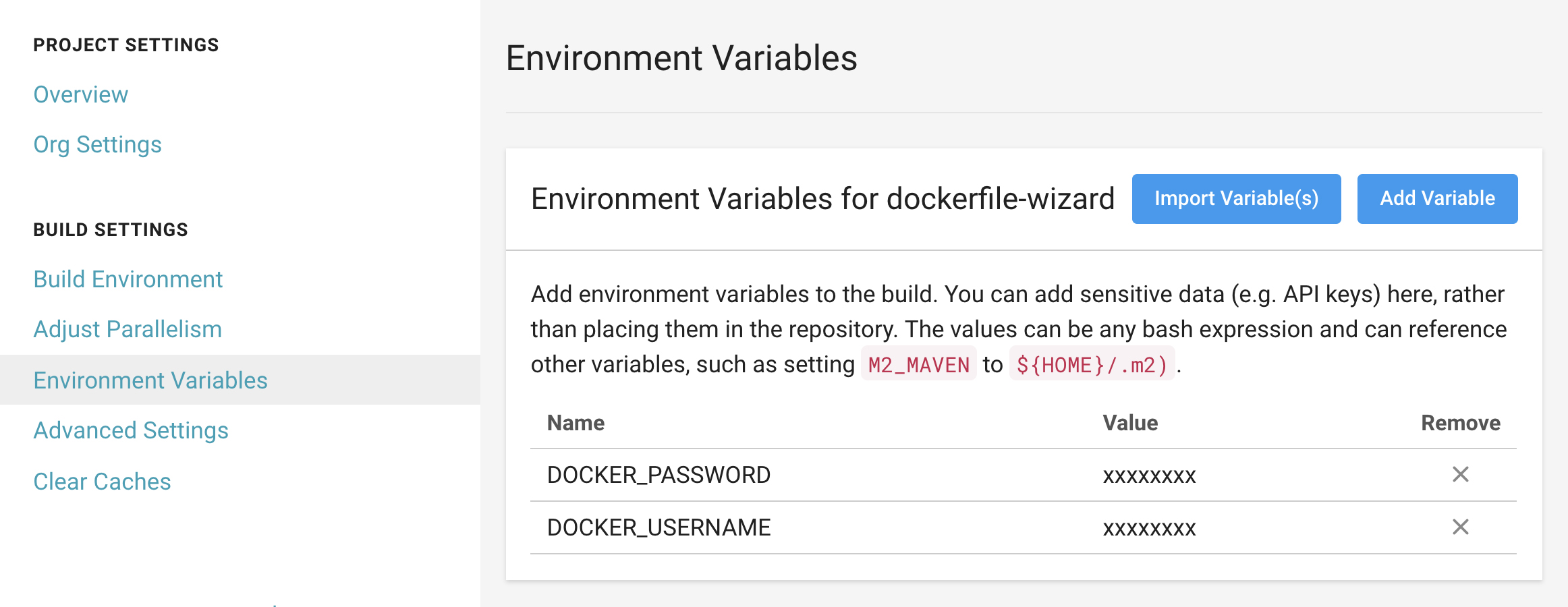
2. Add your Docker Hub username (DOCKER_USERNAME) and password (DOCKER_PASSWORD) to CircleCI, either as project-specific environment variables (shown below), or as resources in your org-global (default) Context
3. Clone your fork of the project onto your computer
4. Enter the cloned dockerfile-wizard directory and run make ready to prepare the config.yml file for building Docker images on CircleCI
5. Run ./setup in the cloned directory, or else manually add the versions/dependencies that you need to .circleci/config.yml as specified in the image_config section
6. Commit and push your changes
Once the build has finished, your image will be available at http://hub.docker.com/r/DOCKER_USERNAME/IMAGE_NAME and can be used in other projects building on CircleCI (or anywhere else!). The Dockerfile for your image will be stored as an artifact in this project's build job.
To use the Docker Wizard again, run make reset in the cloned directory, then repeat steps 4-6.
- This repository has not been tested with every possible combination of versions/dependencies; you may encounter errors with some legacy versions of various languages/tools
- Feedback/questions/bugs welcome!
- Add PHP support
- Add support for other container registries