



AccessJet is a blazing fast, developer-centric accessibility (a11y) CLI tool built for modern CI/CD pipelines.
Unlike traditional tools that load entire web pages, AccessJet optimizes the auditing process by intercepting network requests and focusing purely on the DOM structure required for accurate analysis. It provides instant, actionable feedback directly in your terminal without the noise.
⚡ Performance First: Achieves sub-second audits by strictly blocking non-essential resources (images, fonts, media) at the network layer.
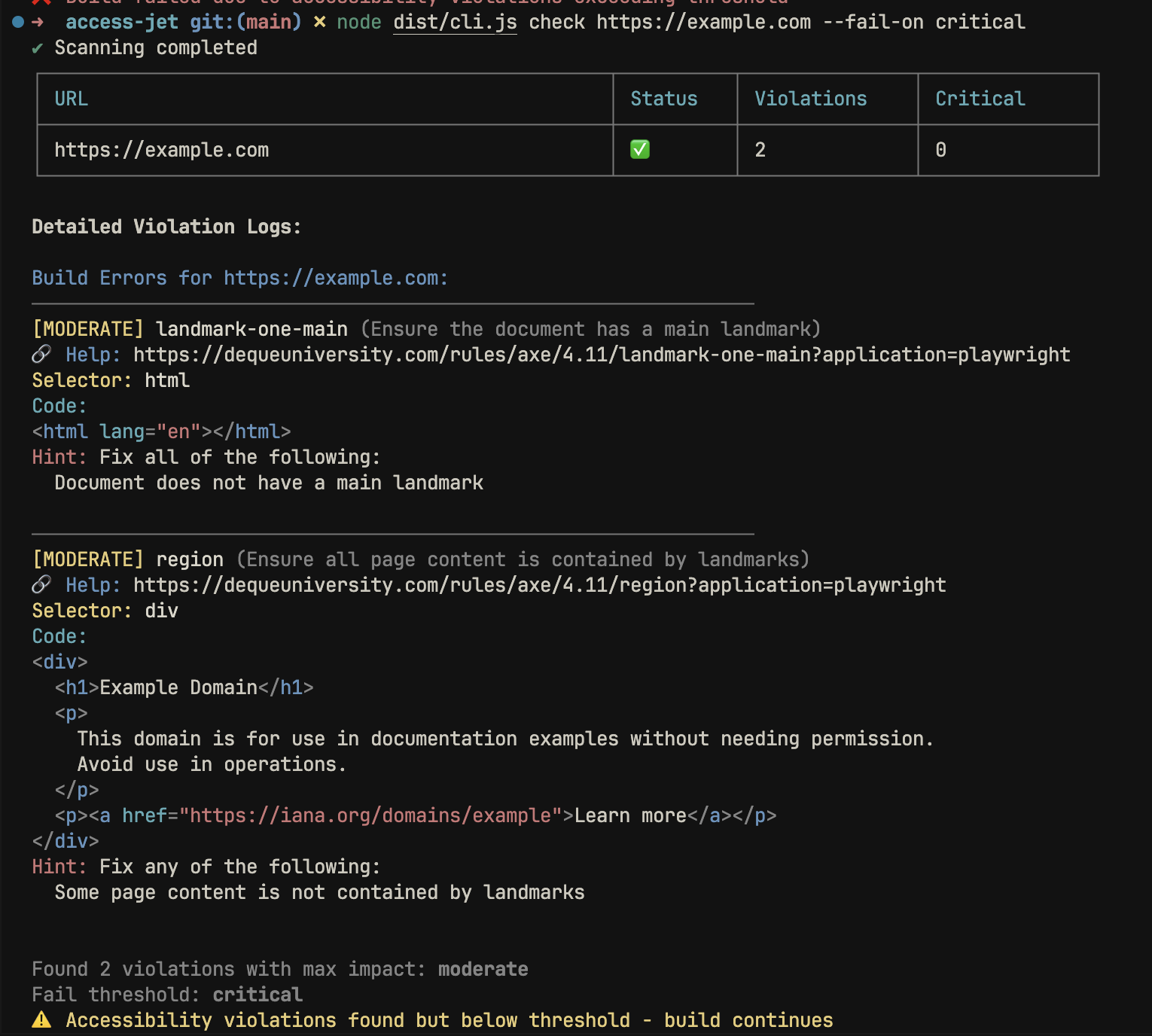
🛠 Developer Experience (DX): No more wall of text. Minified HTML is automatically formatted (Prettier), truncated, and syntax-highlighted in the terminal.
🚦 CI/CD Quality Gates: Define strict failure thresholds (e.g., fail only on critical issues) to integrate safely into existing pipelines.
🔄 Concurrency: Parallel execution engine allows scanning multiple URLs simultaneously without resource exhaustion.
npm install -g accessjetCheck a single URL for accessibility violations:
accessjet check https://example.comScan multiple routes in parallel. The default concurrency is 5, but you can adjust this based on your machine's resources:
accessjet check https://site.com/home https://site.com/about -c 10In a CI environment, you might want to block the build only if Critical issues are found, ignoring Minor or Moderate warnings:
accessjet check https://myapp.com --fail-on critical| Flag | Alias | Description | Default |
|---|---|---|---|
| --concurrency | -c | Number of concurrent browser contexts. | 5 |
| --fail-on | -f | Minimum impact level to trigger exit code 1 (minor, moderate, serious, critical). | moderate |
| --json | -j | Export full report to report.json. | false |
AccessJet is built on Playwright and Axe-core, but utilizes a custom execution pipeline designed for speed.
To minimize scan time, AccessJet hooks into the browser's network layer. It proactively aborts requests for assets that do not affect the accessibility tree (images, fonts, stylesheets, media), ensuring that bandwidth is consumed only by the document structure.
Instead of launching a new browser instance for every URL (which is expensive), AccessJet initializes a single browser instance and utilizes lightweight BrowserContexts for isolation. This significantly reduces memory overhead during batch processing.
Raw HTML from modern SPAs is often minified and unreadable. AccessJet processes the failing nodes through a dedicated formatting pipeline before displaying them:
Raw DOM Node → Prettier (HTML Parser) → Intelligent Truncation → Syntax Highlighting
You can add AccessJet to your PR workflow to prevent accessibility regressions.
.github/workflows/a11y.yml
name: Accessibility Audit

on: [pull_request]

jobs:
  audit:
    runs-on: ubuntu-latest
    steps:
      - uses: actions/checkout@v4
      - uses: actions/setup-node@v4
        with: { node-version: '18' }
      - name: Install Dependencies
        run: |
          npm install -g accessjet
          npx playwright install chromium
      - name: Run Audit
        # Fails only on critical issues
run: accessjet check https://your-staging-url.com --fail-on criticalTo contribute to AccessJet:
git clone https://github.com/berkinduz/access-jet.git
cd access-jet
npm install
npm run build
# Generate the demo SVG seen in this README
npm run generate-demoDistributed under the MIT License. See LICENSE for more information.