Forked from https://github.com/jcroucher/solarmonj By Adam Gray & John Croucher.
This project has been extended to send data from an SUNTWINS 5000TL Series Inverter over USB converter
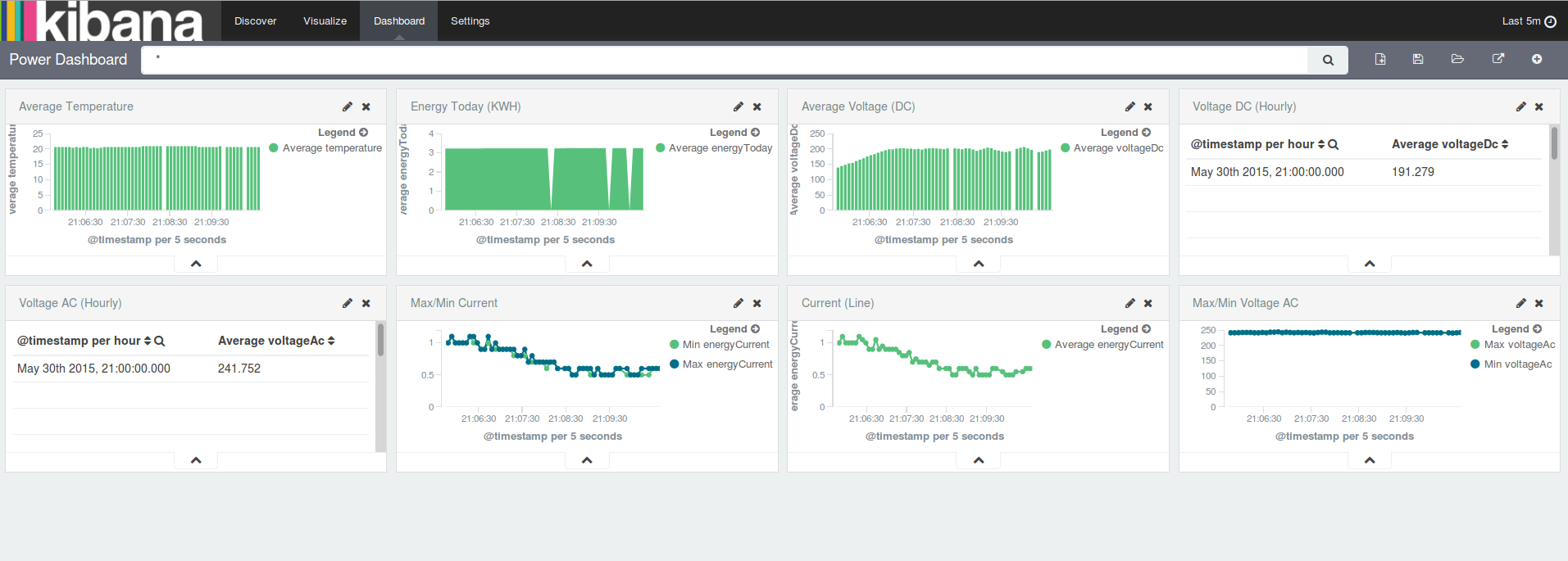
to Logstash, via a TCP/IP socket. This can then be viewed in Kibana.
In addition to this, it can be configured via an ini file and will cache data if Logstash cannot be reached periodically.
To run this project you will need:
- [SUNTWINS 5000TL Series Inverter] (http://jfytech.com.au/service/)
- [RS232 to USB converter] (http://www.comsol.com.au/Products-by-Category/USB-Converters/USB2-DB9M-02)
- Some flavour of Linux (Tested on Raspberry Pi)
In order to build this project you will need:
- build-essentials (or cmake)
- g++
- Run
cmake . - run
make - Install Logstash
- Update /etc/logstash/logstash.conf, placing the contents of conf/logstash/logstash.conf in it.
- Install Elastisearch
- Install Kibana
- Start Logstash, Elastiserch and Kibana.
- Create an ini file called jfyconfig.ini within the project directory. It supports three parameters within a [settings] section
- device - Which is the device the USB converter is connected to
- logstashHost - Hostname or IP address of the logstash instance
- logstashPort - Port of the logstash instance
- Ensure that the time on the device thats running this application is correct (e.g
dpkg-reconfigure tzdata) - Run
bin/jfycronas root to start sending to logstash periodically. - Browse to your logstash (e.g http://localhost:5601) to see your logs.
- An example Kibana dashboard configuration that can be imported is in the repo:
conf/kibana/kibana_dashboard.json
If Logstash cannot be reached, data will be stored in a file named jfy_data_cache.txt. Once Logstash can be reached, they will be sent through and the file will be removed automatically. In order to clear the cache manually, run ./libjfy --flush-cache.