
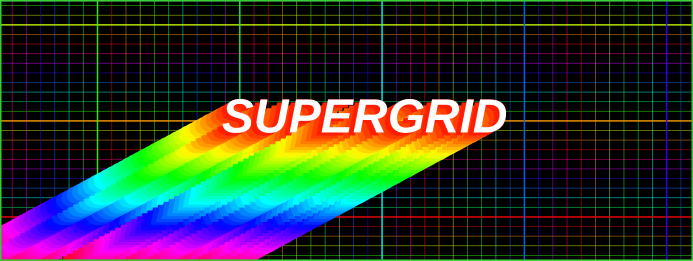
A script to add a customisable grid (including major and minor grid lines) to a plot in R using base graphics.
- Quickly and easily add a grid to almost any plot (base R).
- Fully customisable, change colour, size, position, etc.
- Pseudo theming.
You can load the code directly into R from Github using the following, which will always be the latest version:
# Load supergrid script from Github
source("https://raw.githubusercontent.com/benbell95/supergrid/refs/heads/main/r/supergrid.r")

# Load supergrid themes (optional)
source("https://raw.githubusercontent.com/benbell95/supergrid/refs/heads/main/r/supergrid_themes.r")
It's really simple to use:
x <- 1:10
# Plot
plot(x)
# Add supergrid
supergrid()
In R, when using base graphics, plot order matters. It is not possible to re-arrange the different elements of a plot once it has been drawn (without starting over).
There are different ways you can achieve the desired plot order, but sometimes you may need to repeat a line of code depending on the plot function. An initial call to plot() (or equivalent function) is needed to set up the graphic device and provide information needed by supergrid().
To ensure grid lines appear behind plot elements, use either:
# Panel first (works in most cases)
x <- 1:10
plot(x, panel.first=supergrid())
or:
# Null plot (this always works)
x <- 1:10
plot(x, type="n")
supergrid()
points(x)
This will result in a plot with a grid using the default settings, but these can be customised.

Other plot types may vary in their usage. You can use the panel.first argument with histograms and stripcharts, although it will give you a warning message (which can be ignored).
# Histogram
x <- rnorm(10)
hist(x, panel.first=supergrid())
# Stripchart
x <- rnorm(50)
stripchart(x, panel.first=supergrid())
For barplots and boxplots, you need to repeat the call to the plot function and add the argument add=TRUE in the second call:
# Barplot example
x <- 1:10
barplot(x)
supergrid()
barplot(x, add=TRUE)
# Boxplot
x <- rnorm(10)
boxplot(x)
supergrid()
boxplot(x, add=TRUE)
If you only wish to obtain the position of the grid lines (and not plot), create an object:
sg <- supergrid(plot=FALSE)
This function is designed for use with base graphics. It does not work with ggplot2, or other 'grid' graphics based packages.
Details for the available arguments are shown in the table below.
| Argument | Details |
|---|---|
| x, y | Specify the major tick mark positions when not using default plot values. Use x=NULL or y=NULL to suppress either axis. |
| minor | Logical. Whether to create minor grid lines (default = TRUE). |
| d | Number of minor grid divisions (default = 10). |
| plot | Logical. Whether to plot the grid or not (default = TRUE). If you only wish to obtain the position of the grid lines, create an object: e.g. sg <- supergrid(plot=FALSE). |
| col | Colour for grid lines (default = "blue"). If one colour specified, it will apply to both major and minor grid lines. If two colours are specified, the first colour will apply to major, and second to minor. If more than two colours specified, they will apply across both major and minor grid lines. |
| alp | Alpha channel value for major and minor grid lines, values between 0 and 1 (default = c(0.5, 0.1)). First value applies to major, and second value applies to minor. If only one value specified, will apply to both major and minor. |
| bg | Background colour. If specified, a rectangle is drawn to match the size of the plot region, then the grid lines are plotted on top. |
| alp.bg | Alpha channel value for background colour, values between 0 and 1 (default = 1). |
| lwd | Line width for major and minor grid lines (default = c(1, 1)). First value applies to major, and second value applies to minor. If only one value specified, will apply to both major and minor. |
| lty | Line type for major and minor grid lines (default = c(1, 1)). First value applies to major, and second value applies to minor. If only one value specified, will apply to both major and minor. |
By default the supergrid() grid will be plotted at tick mark positions generated by the axTicks() function. This is the method which plot() and other functions generate tick marks.
However, you can override this, and supply custom x and y positions to draw the grid. This is useful if you using custom axes, or if you only want to draw a partial grid, or only along one axes. Examples:
# Custom axes
x <- 1:100
t <- seq(0, 100, 10)
plot(x, ann=FALSE, axes=FALSE)
supergrid(x=t, y=t)
axis(1, at=t)
axis(2, at=t)
# Partial
x <- 1:10
plot(x)
supergrid(x=c(4,6,8), y=c(6, 8))
# Only one axes
x <- 1:10
# Only draw vertical grid
plot(x)
supergrid(y=NULL)

# Only draw horizontal grid
plot(x)
supergrid(x=NULL)
If you have a log plot, you will likely need to specify the x and y positions to get the desired grid output.
Minor grid lines are added by default, creating 10 divisions between the major tick mark positions. For example, if the x axes major tick marks are located at 2, 4, 6, and 8, supergrid() will calculate the difference between the first two values, then divide by 10. (4 - 2) / 10 = 0.2 Minor grid lines will then appear at intervals of 0.2, and these intervals are calculated separately for x and y axes.
You can disable minor grid lines by adding the argument minor=FALSE, or you can change the number of divisions using d=2 or any other value (except 1 which will disable minor grid lines).
You can change the colour of the grid lines and the alpha channel value, or change the line type or width (thickness), using the col, alp, lty and lwd arguments. If you supply only one value to these arguments, it will apply to both major and minor grid lines.
x <- 1:10
plot(x)
supergrid(col="red", alp=1, lty=1, lwd=3)
If you supply two values to these arguments, the first will apply to the major grid lines, and the second will apply to the minor grid lines
x <- 1:10
plot(x)
supergrid(col=c("red", "blue"), alp=c(1, 0.5), lty=c(1, 2), lwd=c(3, 1))
For colour, you can supply more than two values, and these will be applied across all the grid lines. For example:
# Multiple colours
x <- 1:10
plot(x)
supergrid(col=rainbow(10), alp=1)
# Gradients
x <- 1:10
plot(x)
supergrid(col=colorRampPalette(c("white", "black"))(10), alp=1)
To change the colour of the x and y grid lines separately, you need to call supergrid() twice, and suppress one of the axis, for example:
# Different x, y colours
x <- 1:10
plot(x)
supergrid(x=NULL, col="red")
supergrid(y=NULL, col="blue")
You can also change the background colour (and alpha channel) of the plot, for example, to use lighter grid lines on a darker background:
# Background colour
x <- 1:10
plot(x)
supergrid(col="white", bg="black", alp.bg=0.75)
With all the options to customise the grid, you can create lots of different styles to use in your plots.
For example, to add a grid similar to the style used by "ggplot2", you could use:
x <- 1:10
plot(x)
supergrid(col="white", bg="grey92", d=2, alp=c(1, 0.5), lwd=c(2, 1))
To make re-use easier, the named arguments and their values could be saved as a list object, then you can use do.call() for adding the grid and these arguments.
You can use some ready-made themes, by loading them into R:
# Load supergrid themes
source("https://raw.githubusercontent.com/benbell95/supergrid/refs/heads/main/r/supergrid_themes.r")
And then plotting using the following code:
# ggplot2 like theme
x <- 1:10
plot(x)
do.call(supergrid, sg_ggplot2)
do.call() works by running the function (specified as first argument), with the arguments specified by the second argument, which should be a list.
Take a look at the supergrid_themes.r script to see the list of ready-made themes and how to use them.
You can create your own theme easily:
# Create own theme
mytheme <- list(col="red", lty=2, lwd=c(2, 1))

# Plot
x <- 1:10
plot(x)
do.call(supergrid, mytheme)
You do not need to specify every argument in your list object, as supergrid() will use default values for those not specified.
You can get extra creative using multiple styles with multiple calls to supergrid(). For example, for a "Tron" like grid, try:
# "Tron" like theme
x <- 1:10
plot(x)
invisible(lapply(1:3, \(x) do.call(supergrid, sg_tron[[x]])))
In this example, the "Tron" theme is a list of 3 lists, each containing named arguments and values, but they differ slightly, in order to create a "neon" effect to the grid lines. supergrid() is called 3 times using lapply() and do.call() to apply the different styles.
R is a powerful tool for creating graphics, and base R graphics provides everything you need to create some stunning plots and figures. You can use multiple calls to graphics functions for pseudo special effects:
x <- 1:10
barplot(x, xlim=c(0,12), ylim=c(0,10), xaxs="i", axes=FALSE, ann=FALSE)
invisible(lapply(1:3, \(x) do.call(supergrid, sg_tron[[x]])))
barplot(x, add=TRUE, col=adjustcolor(colorRampPalette(c("lightblue", "skyblue3"))(10), 0.9), las=1, cex.axis=1.5)

More information and detailed examples on how to use this function are available on my blog: benjaminbell.co.uk.
A gallery of all the built-in themes is also available on my blog: benjaminbell.co.uk.