Link: https://gacha-test-v3.netlify.app
Welcome to the Gacha Test V3 project, a Human-Computer Interaction (HCI) testing environment designed to simulate a gacha game system. This web application allows researchers to manipulate the probabilities associated with the gacha mechanics and collect subjective feedback from participants using a Likert 7-point scale. The primary objective of this platform is to analyze the perceived value and satisfaction derived from different reward structures typically found in gacha games.
- Dynamic Gacha System: Adjust probabilities and simulate different gacha pulling scenarios to understand player satisfaction and reaction.
- Participant Interaction: Users engage with the system by pulling gachas, receiving items of varying rarity, and providing feedback through an intuitive interface.
- Real-time Results: Collect and display feedback immediately through a dashboard, enabling quick analysis and iteration of experiment conditions.
- Extensive Customizability: Set up multiple cases with different configurations to test a range of hypotheses about user behavior and preferences.
- Exportable Data: Automatically generate and download comprehensive logs in CSV format, allowing for detailed data analysis.
This platform serves as a powerful tool for researchers and developers interested in the psychological impacts of reward systems in digital games and applications.
This environment has been set up to adjust the probabilities in a "gacha" game mechanism and collect participant responses using a Likert 7-point scale.
- Pulling: The process of drawing items in the gacha game. Participants perform ten pulls per case study.
- Item: Objects received from each pull. Each item is assigned a rank.
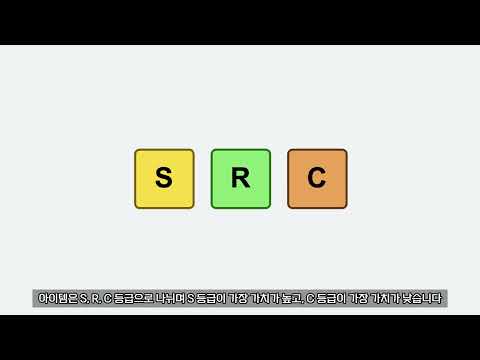
- Rank: Items are categorized into three ranks based on rarity: S (Super), R (Rare), and C (Common).

- S rank: Super
- R rank: Rare
- C rank: Common
 Participants can set their name and choose between a trial run and the main experiment. The trial run allows the selection from one of nine cases, while the main experiment randomly assigns one of the cases.
 Press the 'Start' button once ready.
 Pressing the 'Pull' button decreases the remaining count by one and presents a new array of items.
 Evaluation screen. Participants rate the perceived number of S rank items using a Likert 7-point scale. Results can be viewed on the dashboard.
 Screen displayed upon completing an evaluation session.
 After completing nine trials, results can be viewed on this screen and downloaded as a log file named
 log_피험자명.csv.
 Log table example.