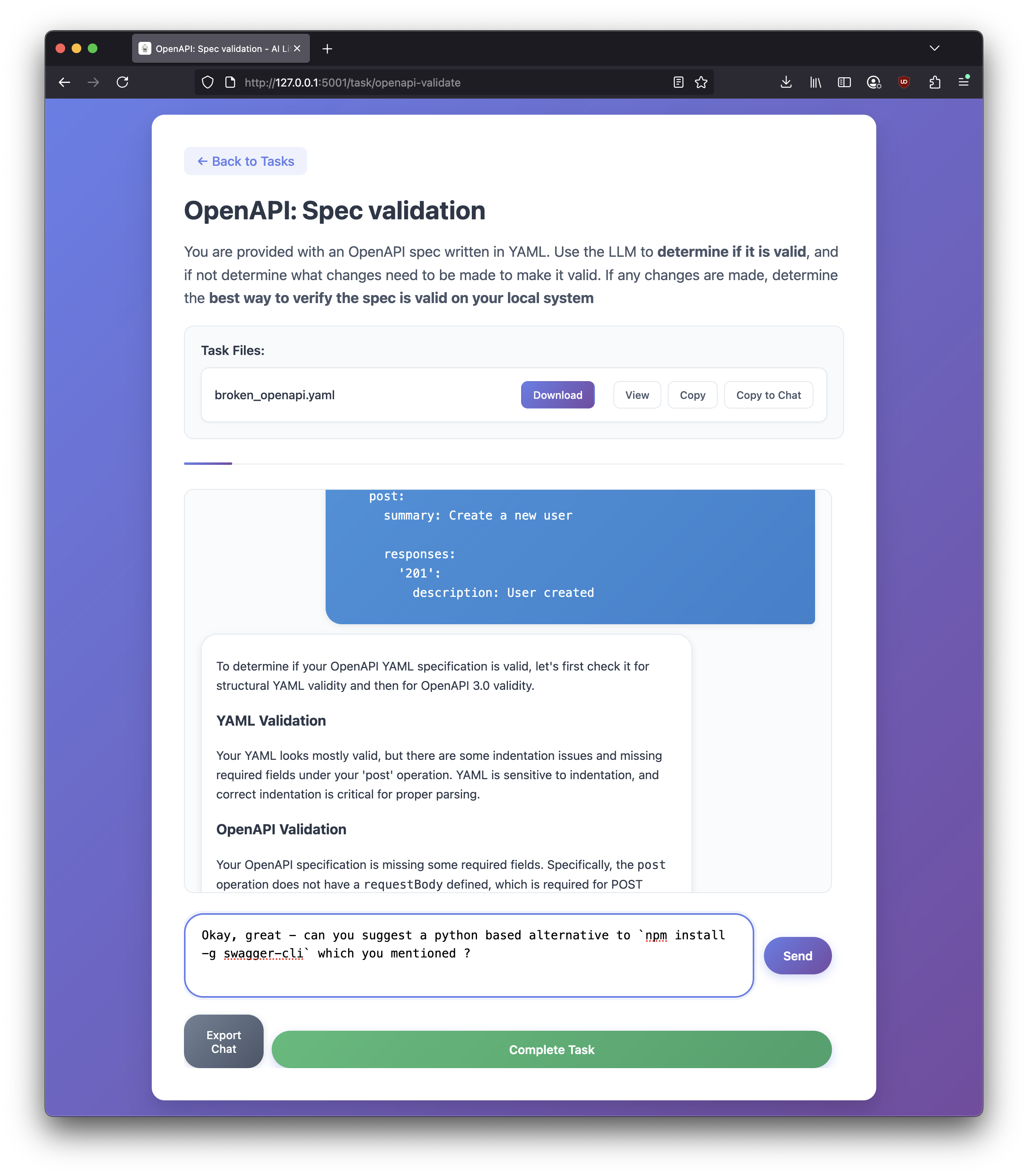
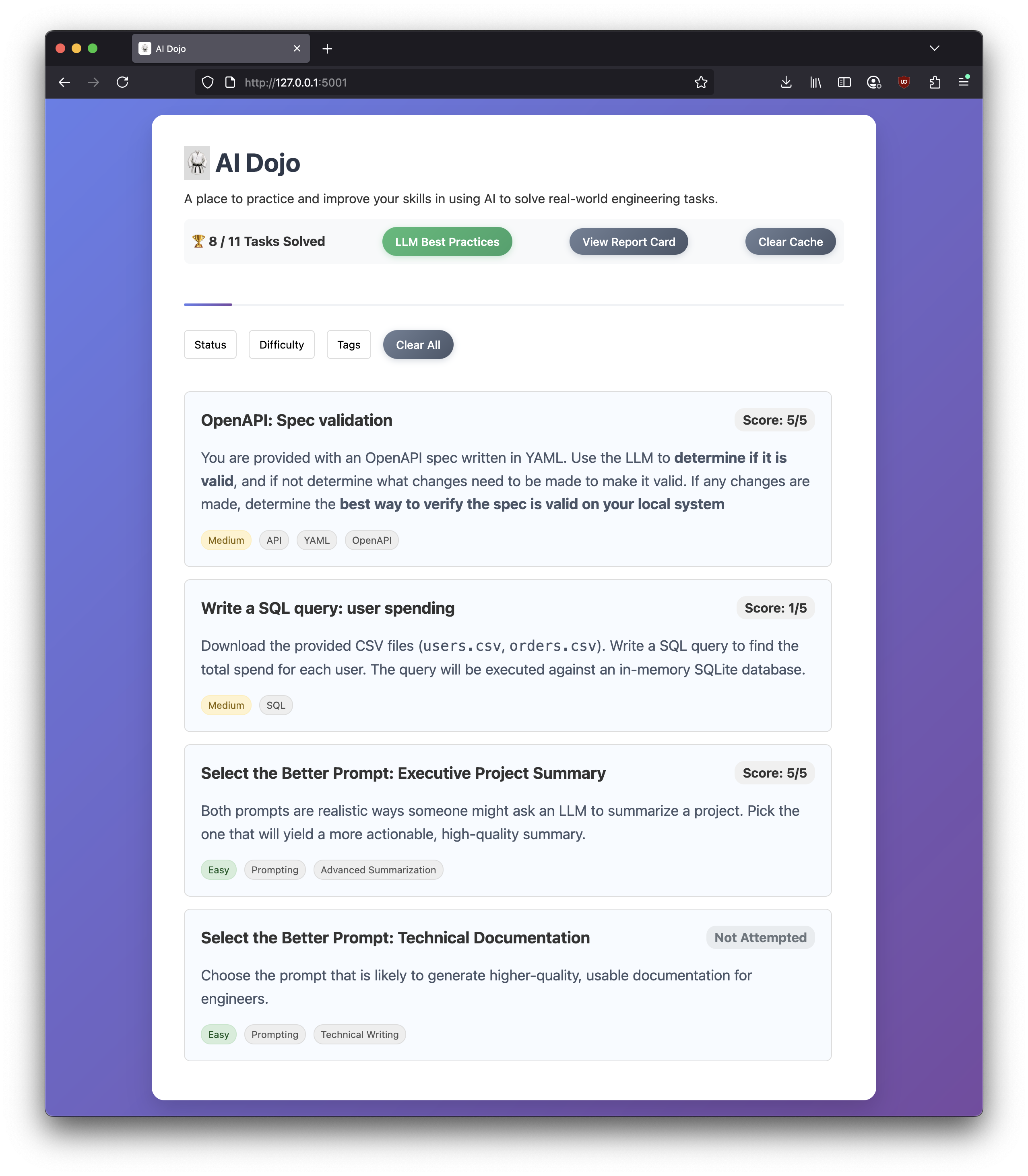
Practice AI literacy skills through hands-on tasks and instant feedback. This app provides small, focused exercises (prompt selection, SQL, OpenAPI/YAML, and chat-driven tasks) with auto-grading and qualitative feedback.
- Task catalog with multiple task types:
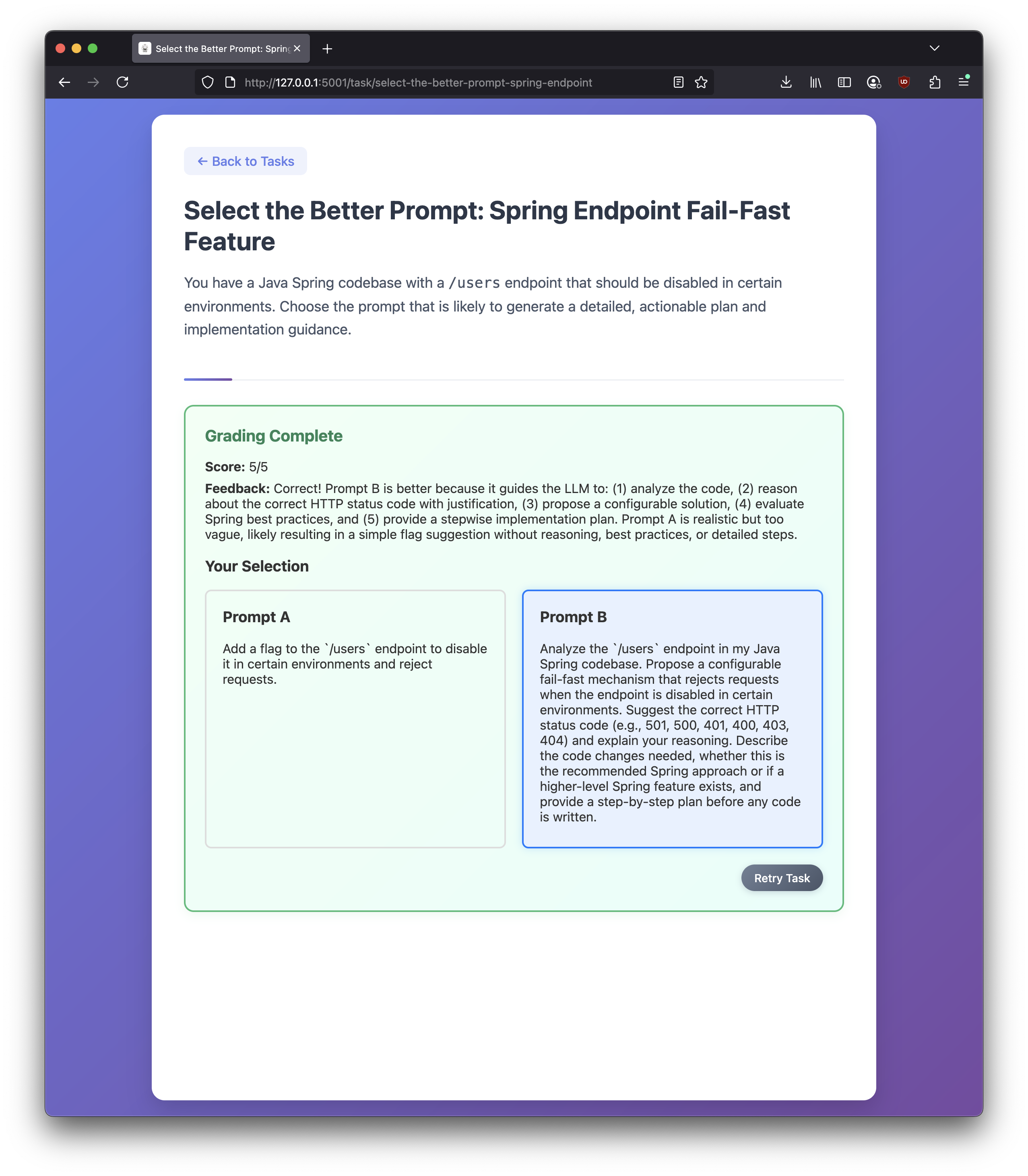
- Select the Better Prompt (A/B prompt reasoning)
- SQL query tasks (auto-graded with SQLite and pandas)
- OpenAPI/YAML spec validation tasks (auto-graded parsing)
- LLM Chat-driven tasks with rubric-based qualitative feedback
- Supports AI Findability: exercises are designed to surface what works (and what doesn’t) when interacting with AI
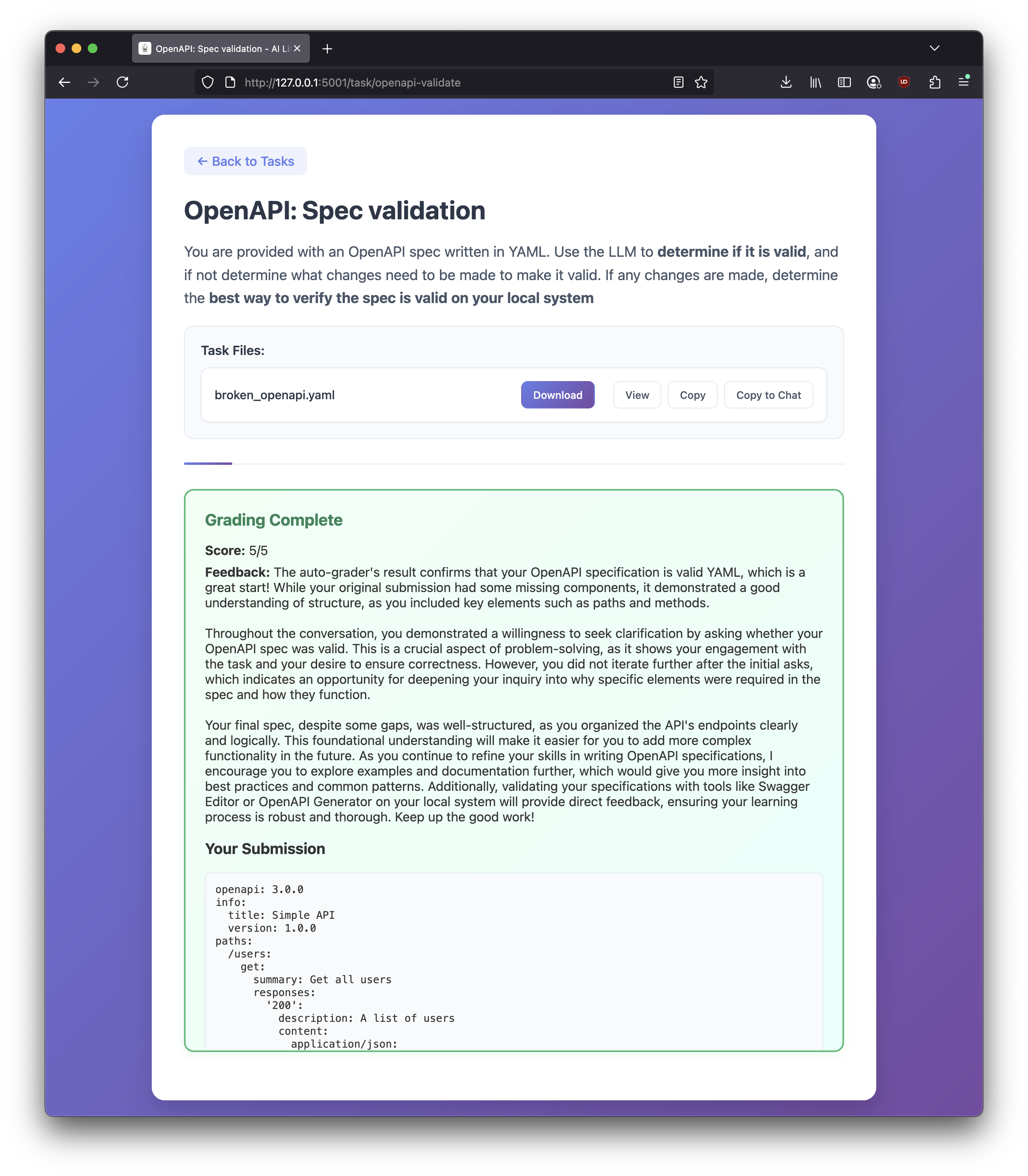
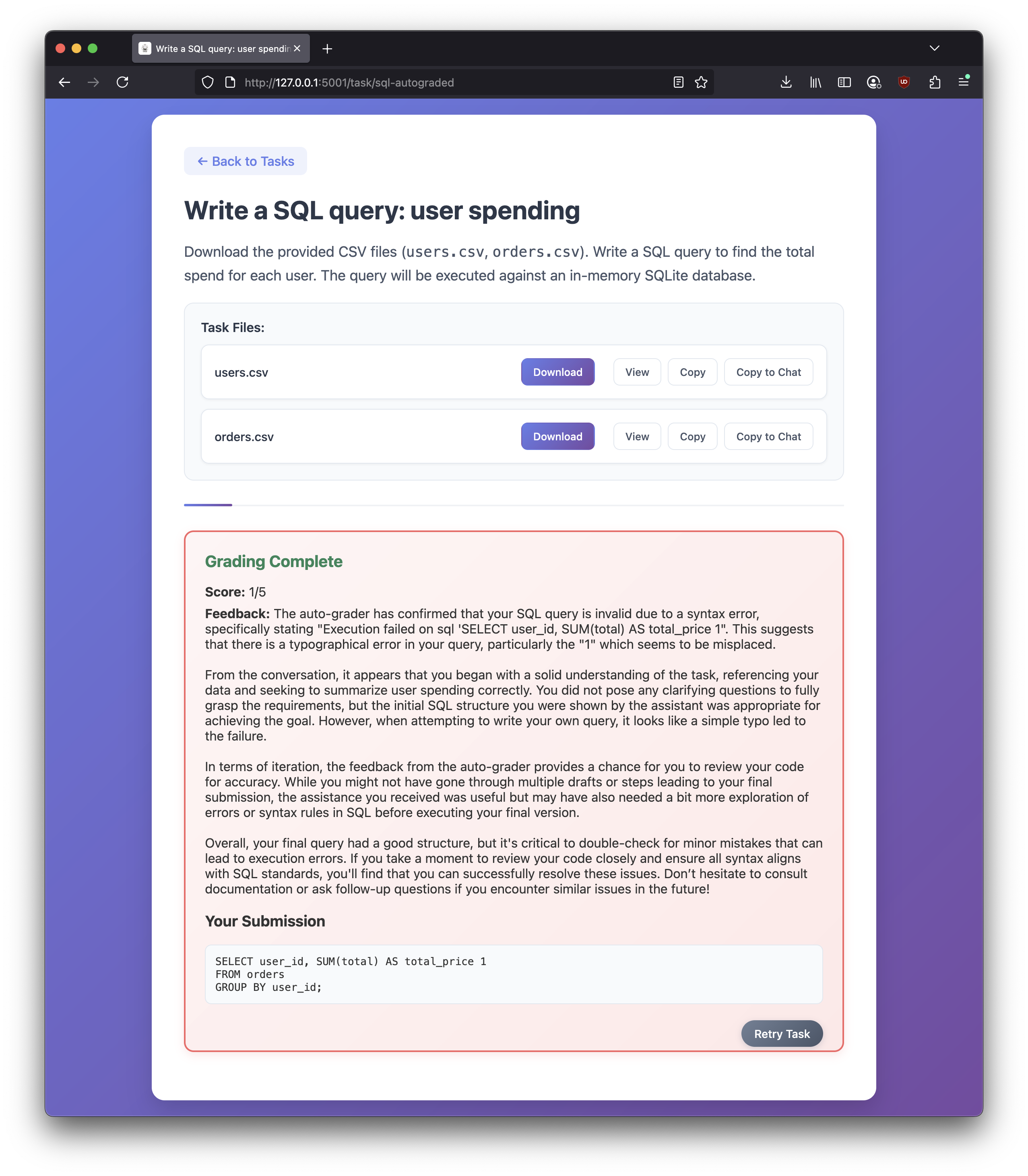
- Grade persistence in browser localStorage so returning to a task shows your previous result and a Retry option
- "Your Submission" persistence in browser localStorage (SQL/YAML/prompt selection/chat) to put grades in context
- Modern UI with chat, file preview, export chat, and modals
Built for simplicity over scalability:
- Backend: Flask (Python)
- Frontend: Vanilla JS + CSS
- Data: YAML task definitions in
tasks.yaml - Grading:
- SQL: executes against in-memory SQLite and compares results
- YAML: validates/loads spec and returns structured feedback
- Qualitative feedback: OpenAI Chat Completions (optional fallback)
- Python 3.9+
- pip
make installOr
python -m venv venv
source venv/bin/activate
pip install -r requirements.txtCopy .env.example to .env and set values as needed. You can use either Azure OpenAI or OpenAI — set one or the other.
cp .env.example .env
# edit .env
Required for qualitative feedback (non auto-graded tasks):
- Option A: OpenAI API
OPENAI_API_KEY
- Option B: Azure OpenAI
AZURE_OPENAI_API_KEYAZURE_OPENAI_ENDPOINT(e.g., https://your-resource-name.openai.azure.com/)AZURE_OPENAI_DEPLOYMENT(the deployment name for the Chat Completions model)
Auto-graded tasks (SQL/YAML) still work without any LLM key.
python app.pyor
make runThe app runs at:
ai-dojo/
├─ app.py                 # Flask app and grading routes
├─ tasks.yaml             # Task definitions (types, prompts, answers, etc.)
├─ templates/
│  ├─ index.html          # Task list and filters
│  ├─ task.html           # General chat/submit task page
│  └─ select_prompt.html  # Specialized template for A/B prompt tasks
├─ static/
│  ├─ style.css           # Global styles
│  ├─ script.js           # Task page logic (chat, YAML/SQL grading, persistence)
│  ├─ select_prompt.js    # A/B selection logic and persistence
│  └─ specs/              # Example/spec files referenced by tasks
├─ .env.example           # Example environment variables
├─ Makefile               # Optional helper commands
└─ README.md
- When you submit a task, the backend returns
{ score, feedback }. - The frontend persists a record per task in
localStorageunderai-dojo-gradeswith:score: number 1–5feedback: stringsubmission:- SQL:
{ type: 'sql', value: '<raw SQL>' } - YAML:
{ type: 'yaml', value: '<raw YAML>' } - Select-prompt:
{ type: 'select-prompt', value: 'a' | 'b' } - Chat:
{ type: 'chat', value: [ { role, content }, ... ] }
- SQL:
- Returning to a task loads your last grade and shows a "Retry Task" button to clear it and start fresh.
If grades appear stuck or malformed, you can clear them via DevTools:
- Application > Local Storage >
ai-dojo-grades> remove the task key
- Server-side persistence of attempts and grades (in addition to localStorage)
- Code sandbox - to run actual code from the browser
More on that here.
A: Yes! 🎉 In this house we vibe code
I learn new things every day about LLM limitations, clever prompting, new tooling, etc. I am collecting some of my thoughts here.
Yes. Though this may not be ideal, it works surprisingly well. The LLM is provided a grade (was the problem solved) along with the conversation chain. It has been able to pick up issues with the user prompts.
In a sense, this is no different than if you ask ChatGPT "Is this a good prompt for accomplishing XYZ?", refining it based on the feedback and then submit the final prompt to ChatGPT for execution.
Great! Consider this repo the output of about 3 hours of work.
There's a YAML file where questions can be modified or added. Please let me know if you have any suggestions! Adding more complex questions, while still focusing on the fundamentals is planned.
Here's a sample to a question we viewed above - easy to modify right in the YAML tempalte
- id: openapi-validate
  title: "OpenAPI: Spec validation"
  description: |
    You are provided with an OpenAPI spec written in YAML.
    Use the LLM to **determine if it is valid**, and if not determine what changes need to be made to make it valid.
    If any changes are made, determine the **best way to verify the spec is valid on your local system**
  files: ["specs/broken_openapi.yaml"]
  grading: "yaml"
  rubric: "Check if the user verified with openapi-cli and explained their process."
  tags: ["API", "YAML", "OpenAPI"]
  difficulty: "Medium"
visible: trueMIT