Perform batch ETL using cloud composer by Google Cloud.
- CSV who stored in Google Cloud Storage
- Bigquery Table
- Python 3.6.9 ( or more )
- Google Cloud Platform
- Composer
- Google Cloud Storage
- BigQuery
- Dataflow
- Enable related API ( Cloud Composer, Cloud Dataflow, etc ) on your GCP
- Create service account for your own access to GCP environment
- Create a new bucket in Google Cloud Storage, so you can put your dependencies resources
- Go to Big Data > Composer, to create new Composer Environtment.
- Name : {Depends on yours, here i used blankspace-cloud-composer as my composer name}
- Location: us-central1
- Node count: 3
- Zone: us-central1a
- Machine Type: n1-standard-1
- Disk size (GB): 20 GB
- Image Version: composer-1.17.0-preview.1-airflow-2.0.1
- Python Version: 3
- Go to Airflow UI through Composer were you created, choose Admin > Variables to import your
variable.jsonwhich containing value and key like in this repodata/variables.json. Dont forget to use your setting - Create table in Big Query same as on what your task need
- To Run your DAG, just put your file in
dags/, then your DAG will appear if there's no issue with your code
Our first task, we need serve Big Query results and find the most keyword from your CSV file. Bellow here, my path progress until the result shown up in Big Query.
First task flow :
- Put your dependencies files into your Google Cloud Storage ( csv file, json file and js file )
- Make your code in your local first, then send your code into your
dags/folder - If there are no issue about your code, your DAG will appear on your Airflow UI
- After success with your DAG, look at your Dataflow as a ETL progress
- You can see the result which stored in your Big Query
Here's some result of first task:

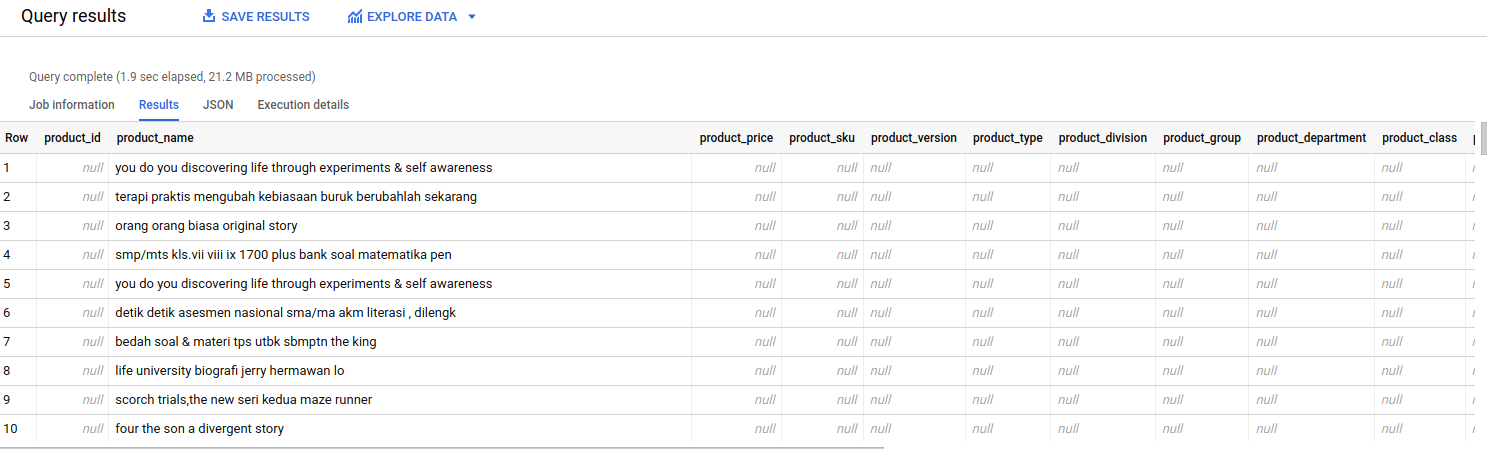
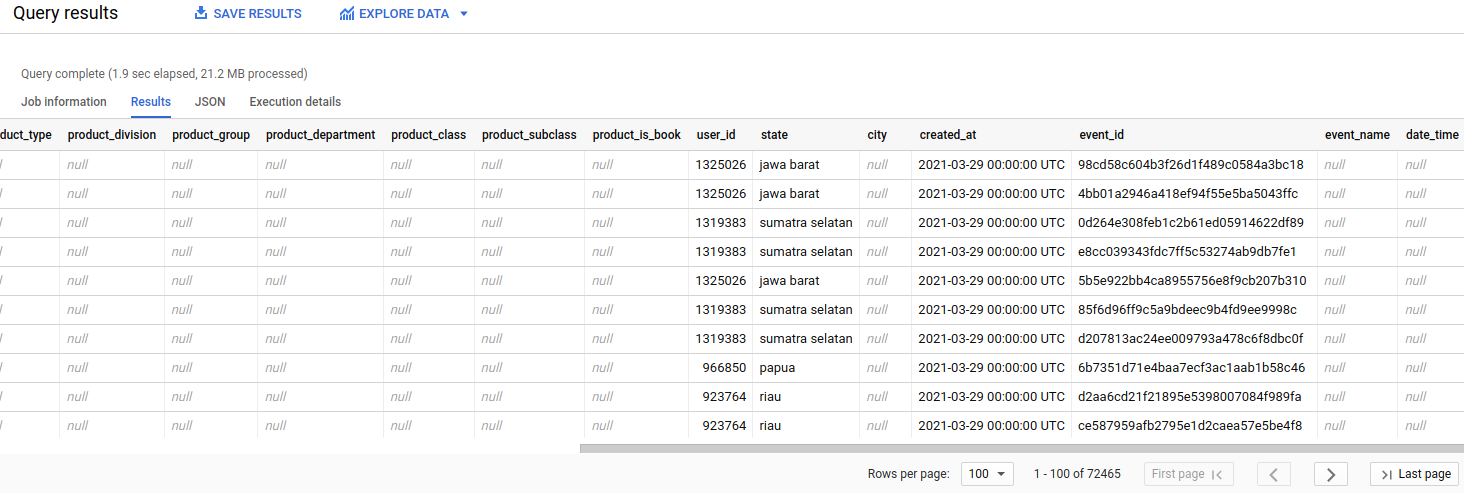
Our second task, we need to Transform product events from the unified user events bigquery table, into a product table in your bigquery. Bellow here, my path progress until the result shown up in Big Query.
Second task flow :
- Get your access into external Big Query Table by asking the Administrator, in my case i got this one {academi-315200:unified_events.event}
- Put your code into
dags/ - If there are no issue about your code, your DAG will appear on your Airflow UI
- After success with your DAG, the result will stored in your Big Query
Here's some result of second task: