
This component implements a selectbox that allows free text input. It is based on React-Select's 'Select' component.
pip install streamlit-smart-text-inputimport streamlit as st
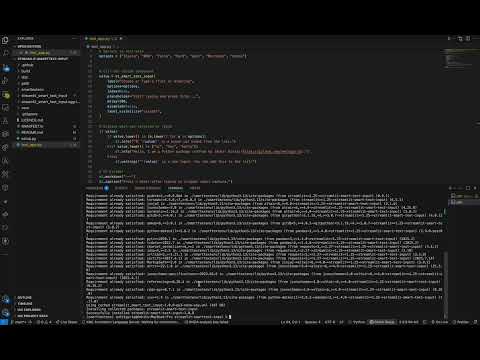
from streamlit_smart_text_input import st_smart_text_input
st.set_page_config(page_title="SmartText Input Demo", layout="centered")
st.title("Streamlit SmartText Input Test")
# Options to test with
options = ["Toyota", "BMW", "Tesla", "Ford", "Audi", "Mercedes", "Honda"]
# Call the custom component
value = st_smart_text_input(
label="Choose or Type a Fruit or Greeting",
options=options,
index=None,
placeholder="Start typing and press Enter...",
delay=200,
disabled=False,
label_visibility="visible",
)
# Display what was selected or typed
if value:
if value.lower() in [o.lower() for o in options]:
st.info(f"'{value}' is a known car brand from the list.")
elif value.lower() in ["hi", "hey", "hello"]:
st.info("Hello, I am a Python package crafted by [Ankit Guria](https://github.com/ankitguria).")
else:
st.warning(f"'{value}' is a new input. You can add this to the list!")
# UI Divider
st.markdown("---")
st.caption("Press ⏎ Enter after typing to trigger input capture.")import streamlit as st
from streamlit_smart_text_input import st_smart_text_input
st.set_page_config(page_title="SmartText Chat Thread", layout="centered")
st.title("Streamlit SmartText Chat")
# Initialize chat history
if "chat_history" not in st.session_state:
st.session_state.chat_history = []
# Options (can be dynamic)
options = ["hi", "hello", "help", "bye", "thanks", "how are you?"]
# Display existing chat
st.markdown("### Conversation")
for i, msg in enumerate(st.session_state.chat_history):
is_user = msg["sender"] == "user"
with st.chat_message("user" if is_user else "assistant"):
st.markdown(msg["text"])
# User input (free-form or from options)
user_input = st_smart_text_input(
label="Type your message",
options=options,
placeholder="Ask something or say hello...",
delay=100,
disabled=False,
label_visibility="collapsed",
key=f"chat_input_{len(st.session_state.chat_history)}"
)
# When user submits a message
if user_input:
# Add user message to history
st.session_state.chat_history.append({
"sender": "user",
"text": user_input,
})
# Simple bot logic (replace with your own model later)
if user_input.lower() in ["hi", "hello", "hey"]:
bot_reply = " Hello, I am a Python package crafted by [Ankit Guria](https://github.com/ankit142)! How can I help you today?"
elif "help" in user_input.lower():
bot_reply = "Sure! I'm here to assist. Ask me anything."
elif user_input.lower() in ["bye", "goodbye"]:
bot_reply = " Goodbye! Have a great day."
else:
bot_reply = f"I heard you say: '{user_input}'"
# Add bot reply to history
st.session_state.chat_history.append({
"sender": "bot",
"text": bot_reply,
})
# Force rerun to refresh chat display and clear input
st.rerun()

Parameters
label: str A short label explaining to the user what this input is for.options: list A list of predefined options to choose from.index: int An optional index to select an option by default, defaults to None.format_func: callable A callable function to format the options, defaults to None.placeholder: str A string to display when the input is empty, defaults to None.disabled: bool Whether the input is disabled, defaults to False.delay: int The time in milliseconds to wait before updating the component, defaults to 300.key: str An optional string to use as the unique key for the widget, defaults to None.label_visibility: str The visibility of the label, defaults to "visible". Options are "visible", "hidden", "collapsed".
Returns str or None The value of the free text select input.

Ankit Guria |
- 1.0.9: Current release.