🧠 Smart, AI-Enhanced Git Commit Message Generator


Gitmit is a high-performance CLI tool that takes the guesswork out of commit messages. It analyzes your staged changes and generates professional, context-aware messages following the Conventional Commits specification.
Whether you prefer deterministic heuristic rules or powerful local LLMs, Gitmit provides a seamless, offline-first experience to keep your project history clean and meaningful.
- Hybrid Intelligence: Combines fast, deterministic heuristics with optional Local AI (Ollama) for deep semantic understanding.
- Privacy First: Operates 100% locally. No API keys, no data leaving your machine.
- Project Aware: Automatically detects your project type (Go, Node.js, Python, Rust, etc.) and tailors suggestions accordingly.
- Seamless Workflow: Integrated interactive mode allows you to accept, edit, or regenerate suggestions instantly.
go install github.com/andev0x/gitmit@latestgit clone https://github.com/andev0x/gitmit.git
cd gitmit
make build
sudo make install-
Stage your changes:
git add . -
Run Gitmit:
gitmit
-
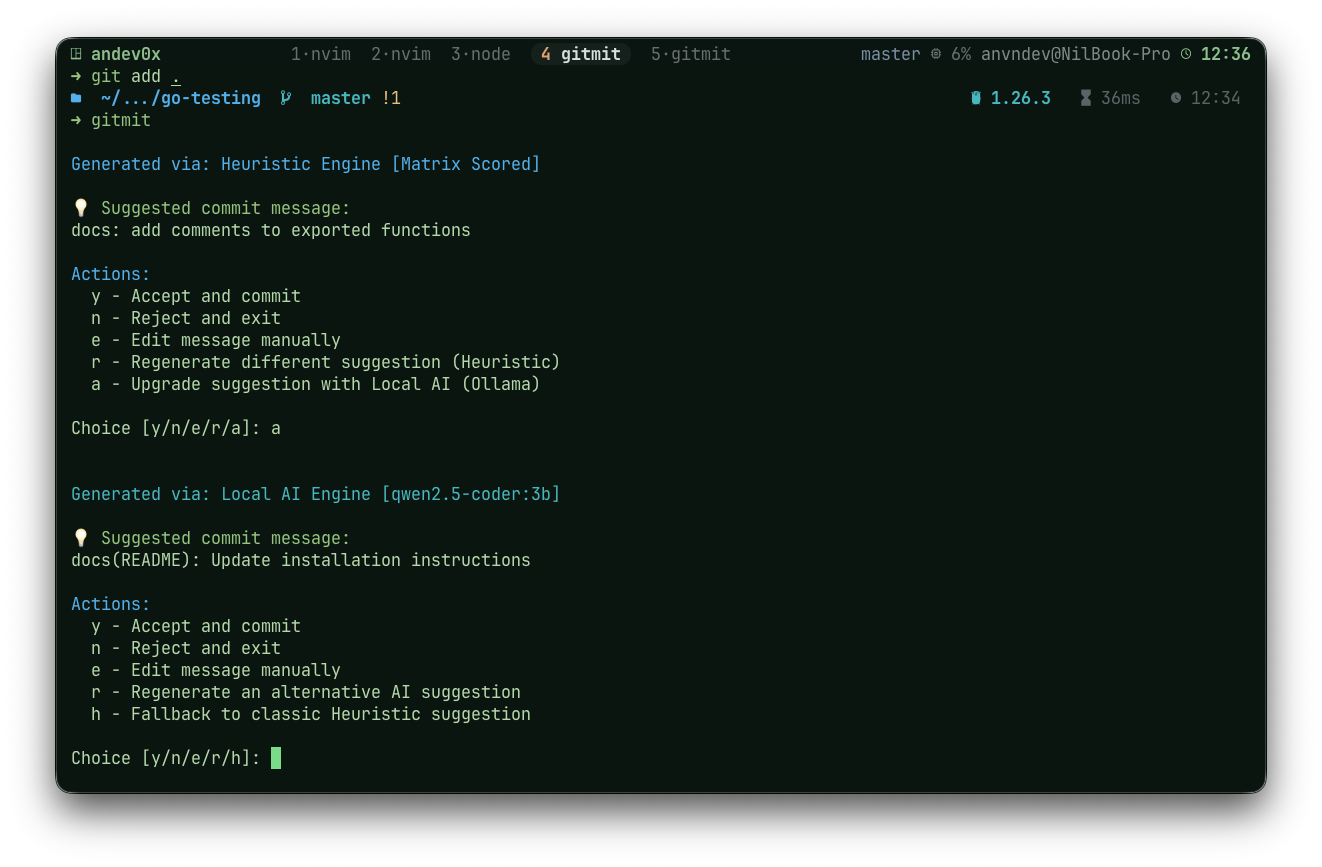
Profit! Accept the suggestion or interactively refine it.
Uses git status --porcelain and git diff to understand exactly what changed. It's not just looking at filenames; it understands additions, deletions, and modifications at a structural level.
Optionally use models like qwen2.5-coder via Ollama for human-like commit quality. If the AI is unavailable, Gitmit instantly falls back to its robust heuristic engine.
Supports feat, fix, refactor, chore, test, docs, style, perf, ci, build, security, and more, ensuring your team stays aligned with industry standards.
An advanced algorithm that aggregates signals from:
- Branch Names: Extracts intent from
feature/authorfix/bug-123. - Keywords: Weighted analysis of code changes.
- Diff Stats: Understands the ratio of added/deleted lines to distinguish between features and refactors.
- Symbol Extraction: Detects function, class, and variable names in Go, JS/TS, Python, and Java.
- Dependency Watcher: Identifies when you add or update libraries in
go.mod,package.json,requirements.txt, etc.
To leverage the power of LLMs offline:
- Install Ollama from ollama.com.
- Pull a model:
ollama pull qwen2.5-coder:7b - Initialize Gitmit config:
gitmit init - Enable AI in
.gitmit.json:{ "engine": "ollama", "ollama": { "model": "qwen2.5-coder:7b" } }
| Command | Description |
|---|---|
gitmit |
Analyze changes and suggest a message interactively. |
gitmit init |
Create a local .gitmit.json configuration. |
gitmit init --global |
Create a global ~/.gitmit.json configuration. |
gitmit propose --auto |
Automatically commit with the best suggestion. |
gitmit propose -s |
Show multiple ranked suggestions. |
gitmit --version |
Show version information. |
y: Accept and commit.n: Exit without committing.e: Edit the message manually.r: Regenerate a new suggestion.a: Upgrade to AI suggestion on-the-fly.
Gitmit works out of the box with zero configuration. For advanced users, it offers deep customization via a tiered config system (Local → Global → Default).
gitmit init --globalKey configuration options include topicMappings, keywordWeights, and diffStatThreshold. For a full deep dive, see docs/CONFIGURATION.md.
Contributions are what make the open-source community such an amazing place to learn, inspire, and create. Any contributions you make are greatly appreciated.
- Fork the Project
- Create your Feature Branch (
git checkout -b feature/AmazingFeature) - Commit your Changes (
gitmit) - Push to the Branch (
git push origin feature/AmazingFeature) - Open a Pull Request
Check out our CONTRIBUTING.md for more details.
Distributed under the MIT License. See LICENSE for more information.
Built with ❤️ by andev0x