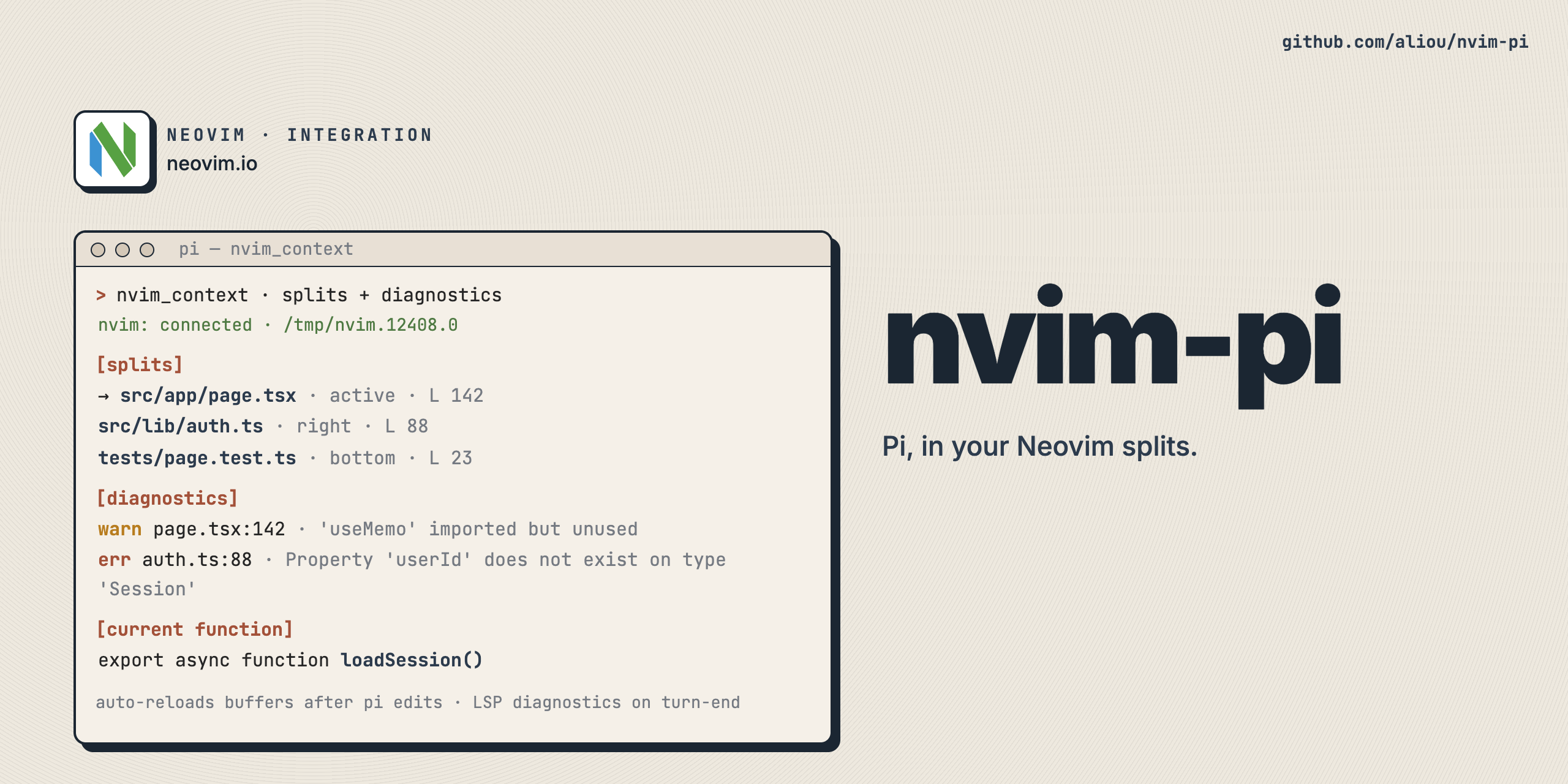
Run Pi from Neovim and let Pi understand the editor you are working in.
@aliou/nvim-pi is both:
- a Neovim plugin that opens Pi in a split or float and exposes editor state over RPC
- a Pi extension that discovers Neovim, reads context, reloads files, and reports diagnostics
This package works in two modes:
- install it as a Neovim plugin and let it launch Pi with the bundled extension
- install it as a Pi package and use the extension directly in terminal Pi sessions
When Neovim is not running, the extension still loads cleanly and degrades gracefully.
- Open, close, and toggle Pi from Neovim.
- Query focused buffer, visible splits, diagnostics, and the current Treesitter symbol from Pi.
- Autocomplete visible Neovim split paths with
@vim:in Pi. - Reload files in Neovim after Pi writes or edits them.
- Optionally inject current editor state into each Pi turn.
- Optionally preserve Neovim persistent undo history for Pi edits.
The Neovim plugin opens Pi in a terminal split or float, passes through selected Pi CLI flags, and keeps Neovim file state fresh while Pi is open.
Related Neovim API:
require("pi-nvim").open()require("pi-nvim").close()require("pi-nvim").toggle()require("pi-nvim").is_open():PiNvimStatus
The nvim_context tool queries the connected Neovim instance.
Supported actions:
focused_buffer- focused file, cursor position, selection, and filetypesplits- all visible splits with file metadata, visible ranges, and focus statediagnostics- LSP diagnostics for the current buffercurrent_function- Treesitter symbol under the cursor
Type @vim: in Pi's input to complete file paths from visible Neovim splits. Focused and recently accessed splits are ranked first.
Run /neovim:settings to configure the Pi extension.
Available settings:
| Setting | Default | Description |
|---|---|---|
Connection status messages |
on |
Show nvim: connected / no instance found style messages in the Pi session |
Editor state injection |
off |
Inject current Neovim editor state into each prompt automatically |
@vim: autocomplete |
enabled |
Enable autocomplete for open Neovim splits |
Persistent undo tools |
disabled |
Update Neovim persistent undo files after successful Pi edit and write tool calls |
Run /neovim:undotree [file] to inspect a Neovim persistent undo tree. When no file is provided, Pi shows a picker if UI is available.
Persistent undo updates are disabled by default. Enable Persistent undo tools in /neovim:settings to update matching Neovim persistent undo files after successful Pi edit and write tool calls.
The Pi extension also:
- discovers and connects to a matching Neovim instance on session start
- reloads files in Neovim after successful
writeandedittool calls - sends LSP diagnostics for modified files after the turn ends
- optionally injects visible editor state into each turn when enabled
By default, persistent-undo updates only wrap the built-in edit and write
tools. Other Pi extensions can register their own file-writing tools so that
their changes also update Neovim persistent undo files.
Emit the registration event from the extension that defines the tool:
pi.events.emit("neovim:undo:register-tool", "my_path_based_tool");For tools that do not use input.path, provide a resolver:
pi.events.emit("neovim:undo:register-tool", {
  toolName: "apply_patch",
  resolvePaths: ({ input }) => {
    const { hunks } = parsePatch(input as string);
    return hunks.map((h) =>
      h.type === "update" && h.movePath ? h.movePath : h.path,
    );
  },
});
The resolver receives the tool name, call ID, tool input, and working directory, and returns the affected file path or paths. Paths are resolved relative to the Pi working directory. Files that do not exist before the tool runs or are deleted by the tool are skipped, matching Neovim's default behavior.
nvim-pi emits neovim:undo:request-tools on startup; extensions loaded before
nvim-pi should listen for this event and re-emit their registrations.
Install this repo as a Neovim plugin. The lua/ directory is runtimepath-compatible.
Example with vim.pack:
vim.pack.add({ { name = "nvim-pi", src = "https://github.com/aliou/nvim-pi" } })
require("pi-nvim").setup()
Example with lazy.nvim:
{
  "aliou/nvim-pi",
  config = function()
    require("pi-nvim").setup()
  end,
}
Use an existing Pi git install as a Neovim plugin:
pi install git:github.com/aliou/nvim-pivim.opt.runtimepath:append(vim.fn.expand("~/.pi/agent/git/github.com/aliou/nvim-pi"))
require("pi-nvim").setup()If you installed it into project settings with pi install -l, use that project's .pi/git/github.com/aliou/nvim-pi path instead.
Local checkout setup for development:
vim.opt.runtimepath:append(vim.fn.expand("/absolute/path/to/nvim-pi"))
require("pi-nvim").setup()
Requirements:
pimust be onPATHnvimmust supportserverstart()and--remote-expr
When you open Pi through pi-nvim, the plugin launches:
pi --extension /absolute/path/to/nvim-piThe extension then injects runtime editor state through hooks. By default (load_extension = "auto"), the plugin checks whether nvim-pi is installed globally in Pi and skips --extension if so — this avoids loading the extension twice when you already installed it with pi install.
You can also install it directly in Pi:
pi install npm:@aliou/nvim-pior from GitHub:
pi install git:github.com/aliou/nvim-piThis is useful if you want the extension available in terminal Pi sessions too. If no Neovim instance is running, the extension still loads and simply reports that no instance was found when needed.
Run /neovim:settings in Pi to configure the settings listed in Feature demos. Feature toggles are shown as unavailable if Pi did not load that extension entry point.
require("pi-nvim").setup({
  auto_start = true,
  data_dir = nil,

  -- Pi CLI flags
  models = nil,
  provider = nil,
  model = nil,
  thinking = nil,
  load_extension = "auto", -- "auto": skip --extension if installed globally; true: always pass; false: never pass
  extra_args = nil,

  -- Window configuration
  win = {
    layout = "auto",
    width_threshold = 150,
    width = 80,
    height = 20,
    focus_source_on_stopinsert = true, -- switch to source window on exiting terminal mode
    keys = {
      close = { "<C-q>", mode = "n", desc = "Close Pi" },
      stopinsert = { "<C-q>", mode = "t", desc = "Exit terminal mode" },
      suspend = { "<C-z>", mode = "t", desc = "Suspend Neovim" },
      picker = { "<C-Space>", mode = "t", desc = "Open context picker" },
    },
  },
})The plugin does not create global leader mappings by default.
Example mappings:
vim.keymap.set("n", "<leader>po", require("pi-nvim").open, { desc = "Open Pi" })
vim.keymap.set("n", "<leader>pc", require("pi-nvim").close, { desc = "Close Pi" })
vim.keymap.set("n", "<leader>pp", require("pi-nvim").toggle, { desc = "Toggle Pi" })
Terminal/window-local keys are configured under setup({ win = { keys = ... } }).
The nvim_context tool supports these actions:
focused_buffer- focused file, cursor position, selection, filetypesplits- all visible splits with metadatadiagnostics- diagnostics for the current buffercurrent_function- treesitter info for the symbol at the cursor
If multiple matching Neovim instances are found, Pi prompts you to choose one when UI is available.
Commands and API:
:PiNvimStatus- show RPC and terminal staterequire("pi-nvim").open()- open the Pi terminalrequire("pi-nvim").close()- close the Pi terminalrequire("pi-nvim").toggle()- toggle the Pi terminalrequire("pi-nvim").start()- start the RPC server manuallyrequire("pi-nvim").stop()- stop the RPC server manuallyrequire("pi-nvim").status()- get the current RPC staterequire("pi-nvim").is_open()- check if the Pi terminal is open
Pi extension commands:
/neovim:settings- configure connection messages,@vim:autocomplete, and persistent undo integration/neovim:undotree [file]- open a persistent undo tree overlay for a file; when no file is provided, Pi shows a picker if UI is available
:help pi-nvimCheck:
:PiNvimStatusshows the RPC server as runningpiandnvimare both onPATH- lockfiles exist under Neovim's data dir, usually
~/.local/share/nvim/pi-nvim/
Discovery prefers:
- exact cwd matches
- Neovim instances whose cwd is a child of Pi's cwd
Pi will prompt for selection in interactive mode. In non-interactive mode, the tool returns an error instead of guessing.
Check:
<stdpath('log')>/pi-nvim/rpc.log(typically~/.local/state/nvim/pi-nvim/rpc.log):PiNvimStatus
:checkhealth pi-nvimNeovim plugin (Lua) Pi package / extension (TypeScript)
------------------- -----------------------------------
require("pi-nvim").setup() package.json pi.extensions loads:
| - extensions/nvim/index.ts
v - extensions/splits-autocomplete/index.ts
rpc.start() - extensions/undo/index.ts
| |
v v
serverstart(<socket>) extensions/nvim/index.ts registers:
lockfile.create() - hooks (editor state, reloads, diagnostics)
| - tool: nvim_context
v - command: /neovim:settings
<stdpath('data')>/pi-nvim/ - renderers (connection, diagnostics)
<cwd-hash>-<pid>.json - shared config/events for optional features
| |
| session_start discovers/selects lockfile
| before_agent_start queries splits when
| editor state injection is enabled
| tool_result reloads edit/write files
| turn_end requests diagnostics for modified files
v |
nvim --server <socket> --remote-expr <luaeval(...)> <------+
Core (src/) has zero Pi dependencies:
nvim.ts lockfile discovery + RPC
types.ts domain types + type guards
format.ts shared formatting helpers
Additional extensions:
extensions/splits-autocomplete/ @vim: autocomplete for open splits
extensions/undo/ /neovim:undotree plus disabled-by-default persistent undo update hooks
Additional Lua features:
cli/terminal open/close/toggle Pi in a split or float
cli/picker <C-Space> context picker to send info to Pi
cli/watch periodic checktime timer while Pi is open
The TypeScript extension discovers Neovim instances through lockfiles, then queries the running editor through nvim --remote-expr, which evaluates require("pi-nvim").query(...) inside Neovim.
pnpm install
pnpm typecheck
pnpm lint
pnpm test
Use pnpm format to apply Biome fixes. Package releases use Changesets:
pnpm changeset
pnpm version
pnpm release