This project is a Proof of Concept (PoC) that implements a small portion of the Discord OAuth2.
The integration process of this PoC operates based on the following standard flow:
- Proceed with the Standard OAuth2 flow to authenticate the user.
- Obtain a Bearer Token from the authorization process.
- Use this token to connect directly to the Discord WebSocket to maintain the connection and send state payloads (Presence, Activities, etc.).
Note
This demo is designed to be minimalistic to prove feasibility. Therefore, it does not focus on security aspects or the long-term storage of Tokens. In a real-world application, you would need to implement token encryption mechanisms, secure storage (like Keychain/Keystore), and handle Refresh Tokens properly.
Here is a summary of how to set up and run this source code:
Go to the Discord Developer Portal and create a new Application.
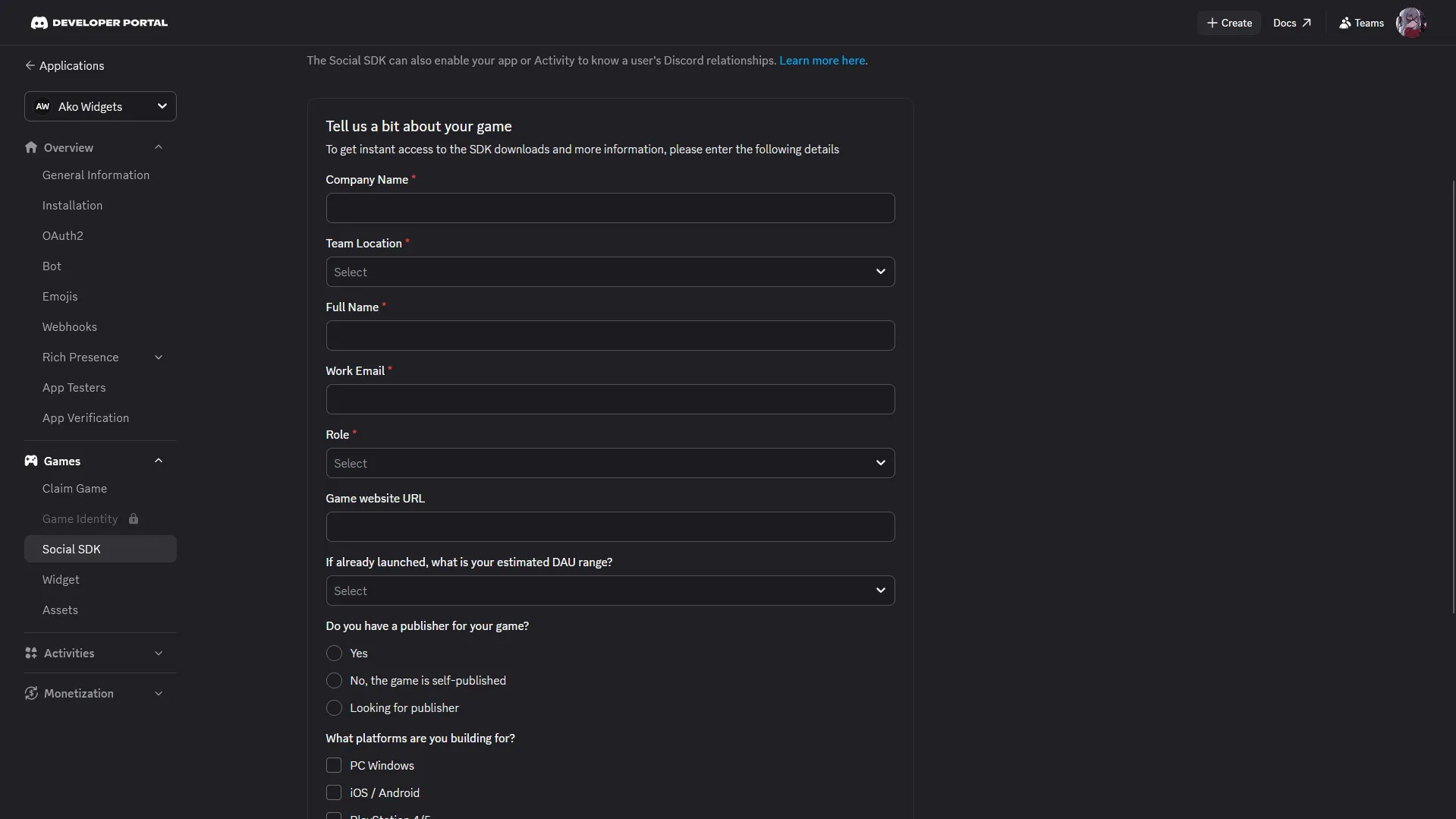
You need to fill out the Social SDK registration form (Games > Social SDK) to unlock this feature for your Application.
Note: The information in the form does not require absolute accuracy; you can fill it with dummy data to pass the review.
- Go to the newly created Application > Select the OAuth2 tab.
- Enable the "Public Client" setting.
- Add your Redirects URL to the list (
http://127.0.0.1/callback).
- Update your
CLIENT_ID,REDIRECT_URI, and other required variables inconfig.tsor via environment variables. - Install dependencies
$ npm install- Finally:
$ npm run start-
Proceed with the OAuth2 flow just like authorizing a bot. After a short while, the RPC will appear on the user's account. Basically, it's quite similar to a selfbot, except there is no high-level API provided.
-
The bearer token remains valid for up to 7 days. You can use the refresh flow to renew its expiration and continue using the token.
-
The images used in this README are sourced from @chirina's Discord Widget tutorial.
-
This README was written with the assistance of AI.