Subject of the issue/enhancement/features
In RTL content, the DOM order of the components is changed in a way that doesn't seem right. This seems to be do with the fix for #1670
Your environment
- FW 4.0.1
(Should be possible to replicate in any FW version since v2.2.0)
Steps to reproduce
Using the out-of-the-box content, either set _defaultDirection to "rtl" in config.json or use the language picker extension to add an RTL language. Launch the course and go to the presentation components topic
Expected behaviour
The order of the components should change to match the RTL layout i.e. the text component should be on the right and the graphic component on the left. Furthermore, in mobile layout the order should remain the same as for the LTR layout i.e. the text component should be shown before the graphic component .
Actual behaviour
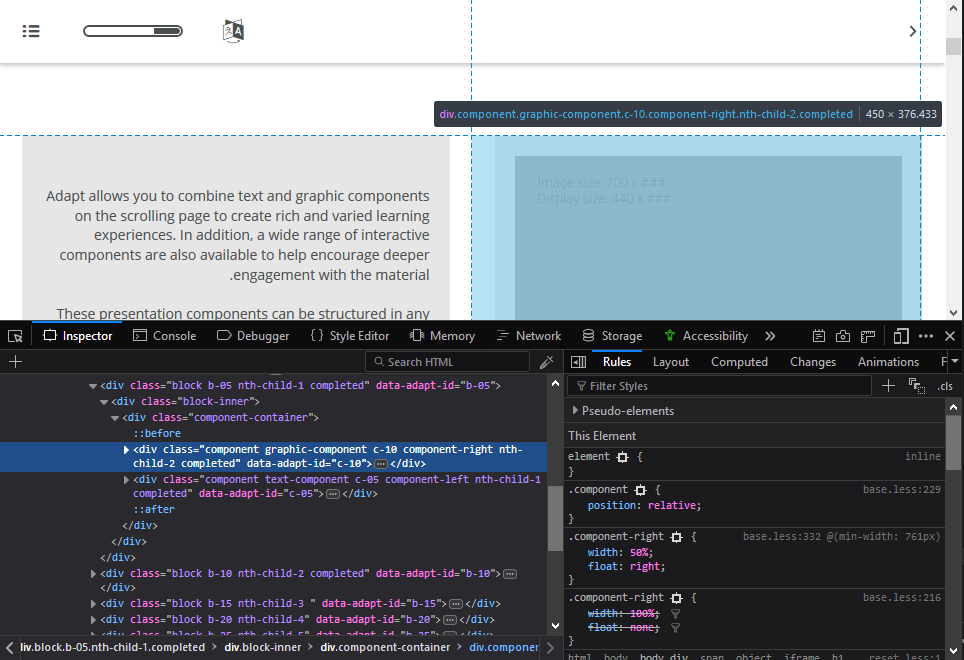
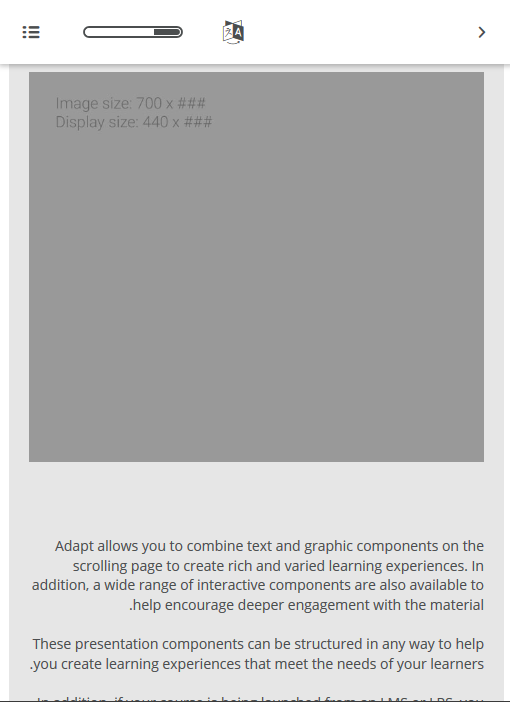
Although the order of the component in the DOM has changed, the visual layout has not: the text component is still on the left and the graphic component is still on the right. In mobile layout the graphic component is shown above the text component.
Screenshots (if you can)
Subject of the issue/enhancement/features
In RTL content, the DOM order of the components is changed in a way that doesn't seem right. This seems to be do with the fix for #1670
Your environment
(Should be possible to replicate in any FW version since v2.2.0)
Steps to reproduce
Using the out-of-the-box content, either set
_defaultDirectionto"rtl"in config.json or use the language picker extension to add an RTL language. Launch the course and go to the presentation components topicExpected behaviour
The order of the components should change to match the RTL layout i.e. the text component should be on the right and the graphic component on the left. Furthermore, in mobile layout the order should remain the same as for the LTR layout i.e. the text component should be shown before the graphic component .
Actual behaviour
Although the order of the component in the DOM has changed, the visual layout has not: the text component is still on the left and the graphic component is still on the right. In mobile layout the graphic component is shown above the text component.
Screenshots (if you can)