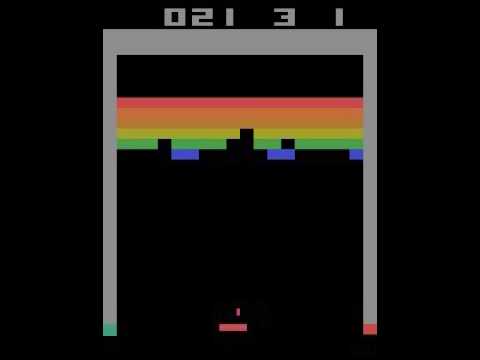
This is an implementation of the Double DQN algorithm. Apart from some smaller differences the implementation is in line with the following two article:
Human-level control through deep reinforcement learning
Deep Reinforcement Learning with Double Q-learning.
The outline of this overview is:
- Brief description of the whole algorithm
- Requirements for using the current algoithm
- Results, conclusions
In this section the most important parts of the algorithm are covered in details: (1) preprocessing, (2) neural network input, (3) loss function, (4) used paramters and (5) some further notes.
OpenAI gym gives the frame as an observation. This is a concrete screenshot from the game. The frame-skipping is automatically handled by the environment but it use random frame-skipping parameter (k) each time (k can be 2,3,4). The preprocessing means the following:
- Map to the Y channel to create a gray scale image. The applied transformation on the RGB values: Y = (2R+5G+B)/8.
- Crop the playing area to avoid the confusing parts like the counter at the top. The applied cropping area: as a numpy array the height goes from 16 to 201. The width is not changed.
- Rescale the image to size 84x84.
The neural network gets an input image with the size 84x84x4. So it has 4 channels because the 4 most recent frame should be stacked to gather in order to see the motions. Each channel is a preporcessed frame.
An experience consists of the following four elements: state, action, reward and next state. The neural network has as many output units as actions possible. This makes possible to find the best action with one forward pass through the network. The eytimation for the real action-value is always given for only one action when an expereince is used during training. The loss is calculated by calculating the difference for that action and for the others it is zero. But in Keras one should define training sample and target sample pairs. Therefore the target is calculated in two steps:
- Forward pass through the network and calculate action-values for each action.
- Modify the action-value which corresponds to the actual experience by applying the update rule of double DQN.
- learning rate: 0.00025
- forzen neural network update frequency: 10,000 (C in the article)
- number of iteration: 10,000,000
- experience replay memory size: 120,000
- initial experience replay size: 120,000
- epsilon value at the very beginning (in epsilon-greedy): 1.0 (initial exploration in the article)
- smallest epsilon value: 0.1 (final exploration)
- the number of steps to achieve the smallest epsilon: 1000,000 (final exploration frame)
- gamma: 0.99 (discount factor)
- evaluation frequency to measure the current performance: 100,000 steps
- number of episodes in one evaluation: 30
- Optimizer: Adam in Keras
python run.py --atari-env 'Breakout-v0' --lr 0.00025 --C 10000 --max-iter 10000000 --mem-size 120000 --exp-start 1.0 --exp-end 0.1 --last-fm 1000000 --gamma 0.99 --eval-freq 100000 --eval-num 30 --init-replay-size 120000- The current code uses normalized inputs for the neural network.
- The reward was set to 0 (if it was zero) or 1 (otherwise). This had significant impact on the learning.
In order to run the algorithm you should create a python environment and then install the required packages by typing pip install -r requirements.txt. You can find the txt file among the source files. This will use Tensorflow with GPU.
If you have already had all the requierements just run the run.py file. The start.txt shows examples how to set the parameters. In order to record videos at the end, the recorder.py script can do it. It uses the saved file from the files folder with the extension hdf5. It imports the environemnt.py, agent.py and tf.py scripts as well. Learning curves can be plotted by statistics.py scrtipt. The easiest way to run it if you put it inside the files folder and start it there. It takes three arguments:(1) evaluation frequency during training, (2) the total number of evaluations during training and (3) the number of episodes per evaluation. Example usage:
python statistics.py --eval-freq 100000 --eval-num 100 --episode-num 30.