We have open sourced the boilerplate of chrome extension with ReactJs using inject page strategy. Read detailed blog
The boilerplate is to quickly create a chrome extension using ReactJs, The motivation behind creating a boilerplate was:
-
Instead of chrome's ready-made popup, We wanted our own page injected into DOM as a sidebar for better UX.
-
We wanted to use ReactJs for the Component-based approach, Routing, and its build mechanism.
-
We need to make sure that the extension CSS should not conflict with the host page styles in any case.
- Used ReactJs to write chrome extension
- Injecting extension to host page as content script
- Utilized the Chrome messaging API
- Isolated extension CSS using Iframe
Make sure you have latest NodeJs version installed
Clone repo
git clone https://github.com/satendra02/react-chrome-extension.git
Go to react-chrome-extension directory run
yarn install
Now build the extension using
yarn build
You will see a build folder generated inside [PROJECT_HOME]
To avoid running yarn build after updating any file, you can run
yarn watch
which listens to any local file changes, and rebuilds automatically.
In Chrome browser, go to chrome://extensions page and switch on developer mode. This enables the ability to locally install a Chrome extension.

Now click on the LOAD UNPACKED and browse to [PROJECT_HOME]\build ,This will install the React app as a Chrome extension.
When you go to any website and click on extension icon, injected page will toggle.
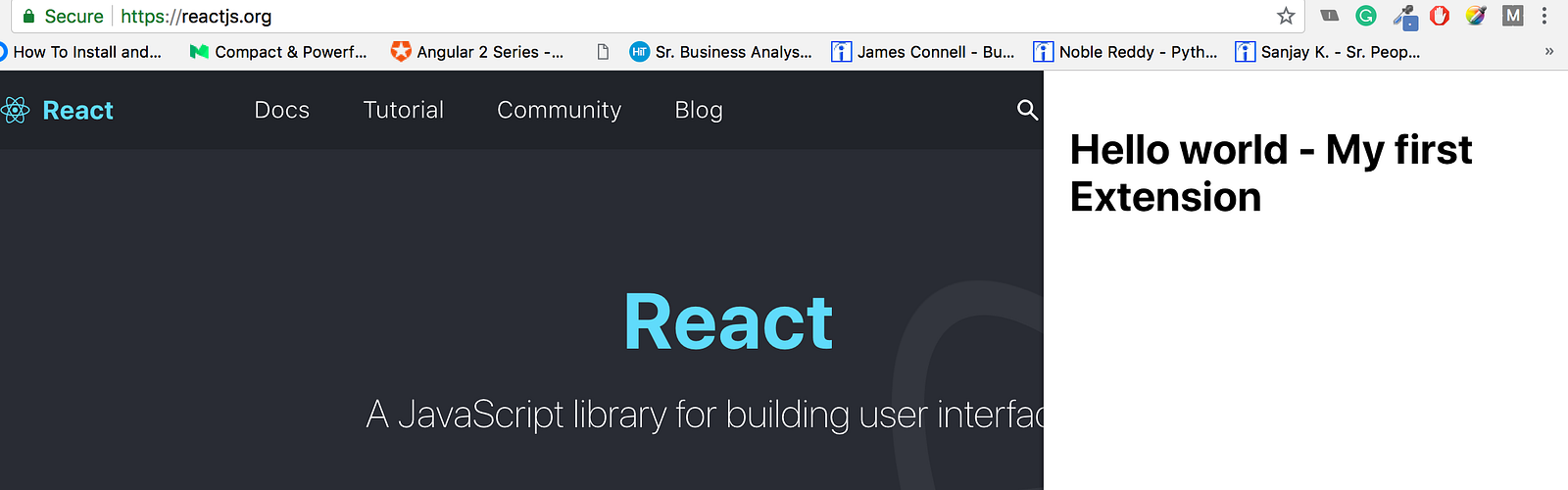
Boilerplate contains sass-loader, so you can use SASS instead of pure CSS in your project. To do so:
- Rename
src/App.cssfile tosrc/App.scss - Change import line in
src/app.jsfromimport './App.css';toimport './App.scss';
Bug reports and pull requests are welcome on GitHub at https://github.com/satendra02/react-chrome-extension/. This project is intended to be a safe, welcoming space for collaboration, and contributors are expected to adhere to the Contributor Covenant code of conduct.
The repo is available as open source under the terms of the MIT License.
Issue 1:
Original CSP "content_security_policy": "script-src 'self' sha256-GgRxrVOKNdB4LrRsVPDSbzvfdV4UqglmviH9GoBJ5jk= https://www.gstatic.com/ https://*.firebaseio.com https://www.googleapis.com; object-src 'self'"
New CSP (ignores sha) "content_security_policy": "script-src 'self' https://www.gstatic.com/ https://*.firebaseio.com https://www.googleapis.com; object-src 'self'"
Any external javascript calls within the content script does not need to be mentioned in CSP. It will just be ignored. That's why we use the new CSP.
Issue 2: Non-persistent background scripts get unloaded when they are not being used. For our purpose, this is a bad thing because we have global variables that get deleted when the background script is unloaded, mainly the activeTabId variable.
To solve this, we use a persistent background script. This has it's disadvantages, mainly scripts that remain active when they are not used consume a lot of memory and affect the entire browser.
The other option is to use local storage to store global variables. But this requires permissions which may make the review process of publishing longer. This might be the option we have to go with later on.
The other option is to use webrequest with firebase (https://developer.chrome.com/extensions/webRequest)
useful sources: