This web app is to crawl nearby place data in a target area with Google Places API and visualize them quickly. You can crawl place data with Road-based Method (Proposed Method) and Grid-based Method (Baseline Method), and then compare their efficiency.
The proposed method updated. Please check dev branch to new version.

This app is designed to run on your Heroku environment.
You need Heroku account before quick start.
# 1. Clone to your local
$ git clone https://github.com/YokoyamaLab/efficient-geo-crawler.git

# 2. Deploy the app with Heroku CLI
$ heroku create
$ git push heroku prod:master

# 3. Run
$ heroku open
- Crawl&Visualize:
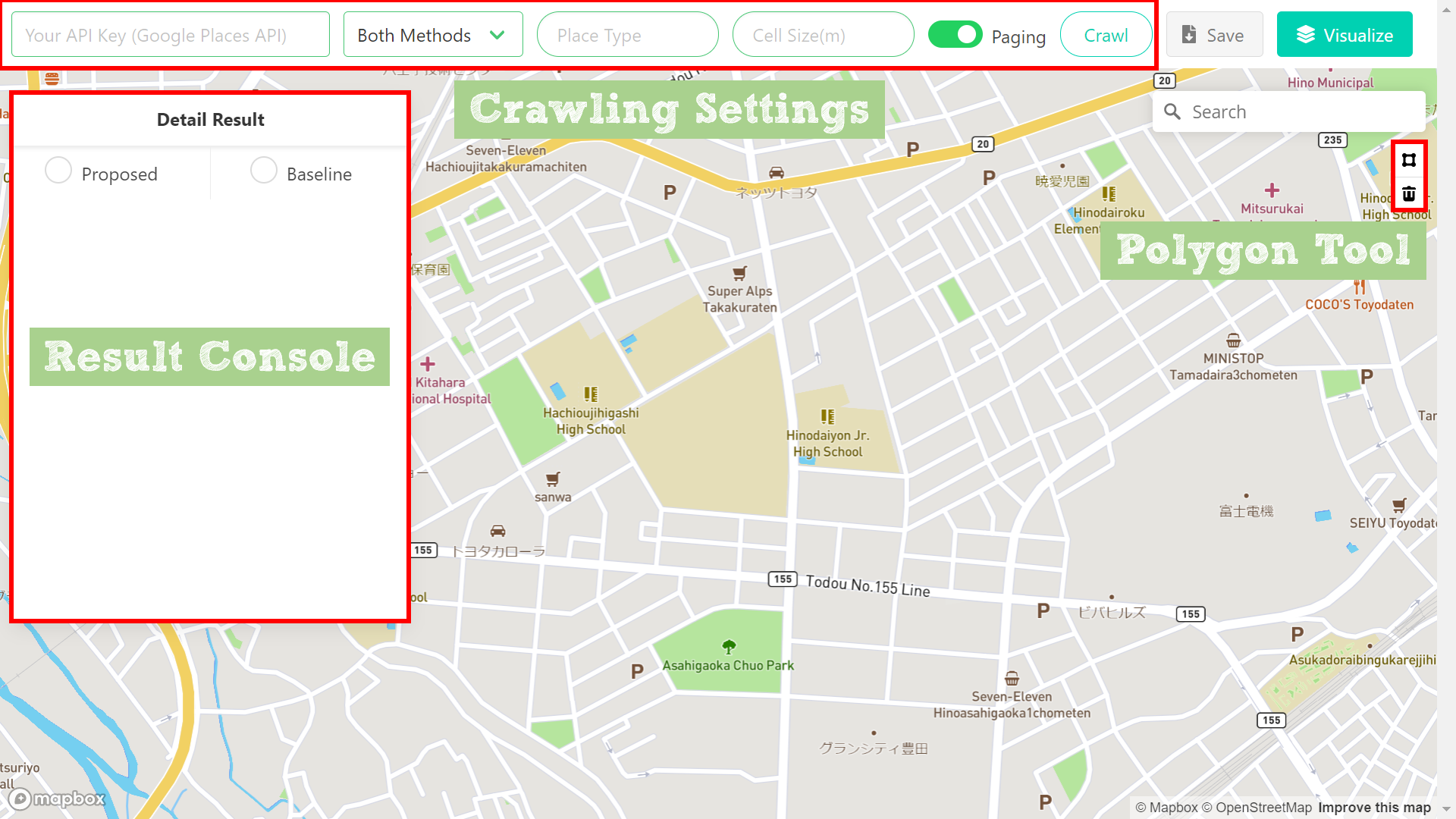
Execute crawling when you click the button. After finishing crawling, you get the detail result in the Result Console and the visualization result on the map.
-
Target Area - Required:
You draw a target area freely with the polygon tool. -
API Key (Google Places API) - Required:
Get your API Key. -
Method Type - Required:
Choose both methods or either Proposed Method or Baseline Method. -
Place Type - Required:
Select a place type that you want to crawl. (Place Type List)
example: restaurant, lodging, store... -
Cell Size(m) - Required only when using Proposed Method:
This parameter is needed to decide the size of the grid cells in Baseline method. The smaller this parameter, the more data you can crawl. -
Paging - Optional:
When this is enabled, you can crawl max 60 place data for a single point. (Detail)
- Save:
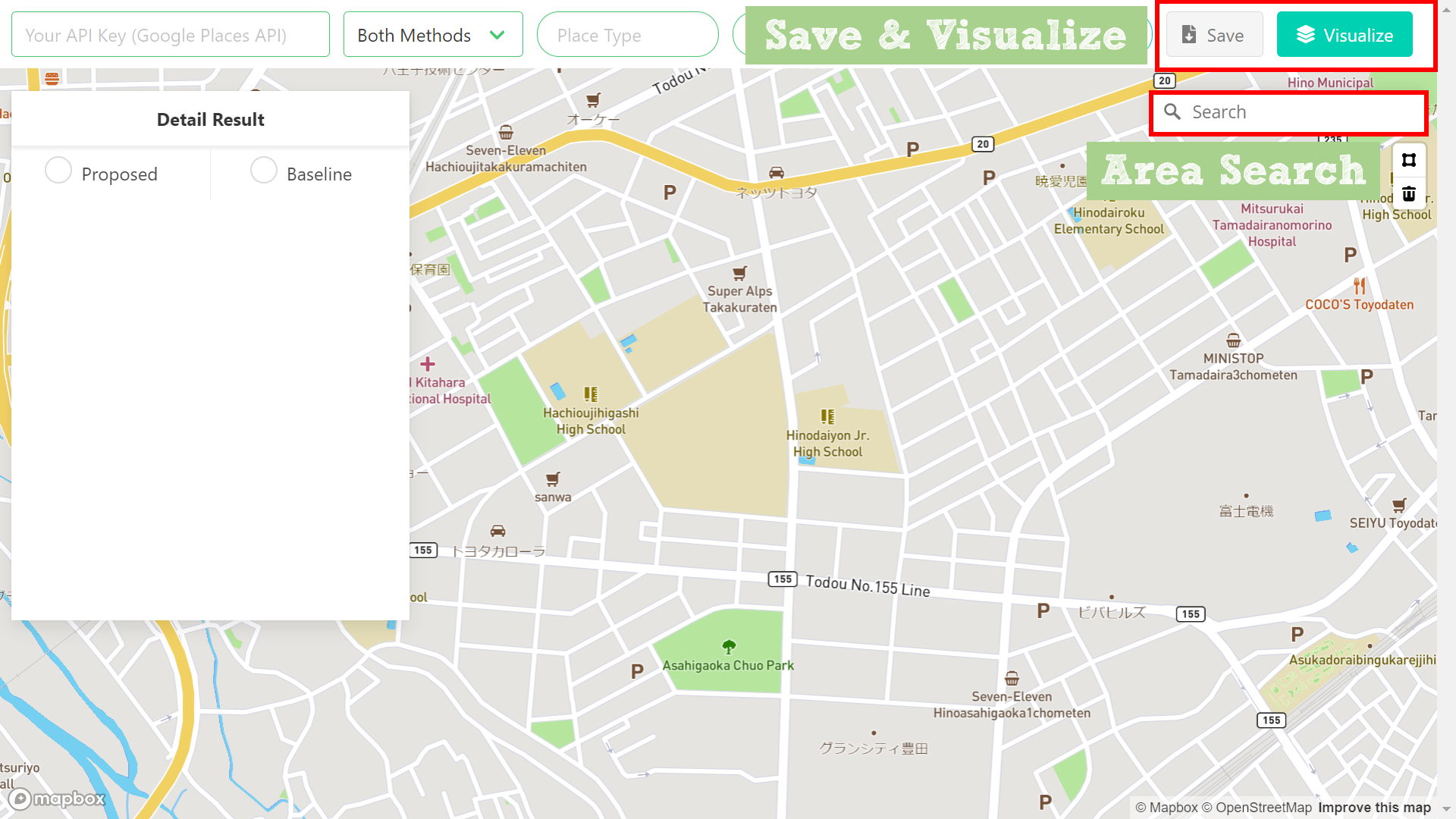
You can save the result with JSON file to your local. - Only Visualize:
You can visualize the saved result without crawling. - Area Search:
You can search for the area where you want to crawl data.
example: Paris, Seattle, Tokyo...
MIT