This is a Amateur Radio (HAM Radio) tool for the UV-Pro, UV-50Pro, GA-5WB, VR-N75, VR-N76, VR-N7500, VR-N7600 radios that works on Windows x64 with Bluetooth support. It allows for easy control over the radio with range of feature including channel programming, speech-to-text, text-to-speech, WinLink, APRS, terminal, torrent file transfer, BBS and more.
 An Amateur radio license is required to transmit using this software. You can get information on a license here.
Download: Windows x64 MSI Installer
The following radios should work with this application:
- BTech UV-Pro
- BTech UV-50Pro (untested)
- RadioOddity GA-5WB (untested)
- Radtel RT-660 (Contact Developers)
- Vero VR-N75
- Vero VR-N76 (untested)
- Vero VR-N7500 (untested)
- Vero VR-N7600
Handi-Talky Commander is starting to have a lot of features.
- Bluetooth Audio. Uses audio connectivity to listen and transmit with your computer speakers, microphone or headset.
- Speech-to-Text. Open AI Whisper integration will convert audio to text, a Windows Speech API will convert text to speech.
- Channel Programming. Configure, import, export and drag & drop channels to create the perfect configuration for your usages.
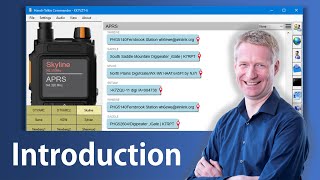
- APRS support. You can receive and sent APRS messages, set APRS routes, send SMS message to normal phones, request weather reports, send authenticated messages, get details on each APRS message.
- APRS map. With Open Street Map support, you can see all the APRS stations at a glance.
- Winlink mail support. Send and receive email on the Winlink network, this includes support to attachments.
- Torrent file exchange. Many-to-many file exchange with a torrent file transfer system over 1200 Baud FM-AFSK.
- Address book. Store your APRS contacts and Terminal profiles in the address book to quick access.
- Terminal support. Use the terminal to communicate in packet modes with other stations, users or BBS'es.
- BBS support. Built-in support for a BBS. Right now it's basic with WInLink and a text adventure game. Route emails and challenge your friends to get a high score over packet radio.
- Packet Capture. Use this application to capture and decode packets with the built-in packet capture feature.
- GPS Support. Support for the radio's built in GPS if you have radio firmware that supports it.
- AGWPE Protocol. Supports routing other application's traffic over the radio using the AGWPE protocol.
- APSK 1200 Software modem with ECC/CRC error correction support.
- Audio Clips record and playback short voice clips on demand.
Download the MSI Installer. Except for Open Street Map data, and checking for updates on GitHub, this tool does not sent data on the Internet. Pair your radio to your computer and run the application. If your computer does not have Bluetooth, you can get a inexpensive Bluetooth USB dongle. Make sure Bluetooth LE is supported. Pairing can be a bit tricky, you have to pair TWO Bluetooth devices in quick succession, Bluetooth pairing instructions here.
This tool is based on the decoding work done by Kyle Husmann, KC3SLD and this BenLink project which decoded the Bluetooth commands for these radios. Also APRS-Parser by Lee, K0QED.