Inline style "min-width: 1px" breaks layout in the editor when using large font sizes in group blocks. #45141


Description

Description
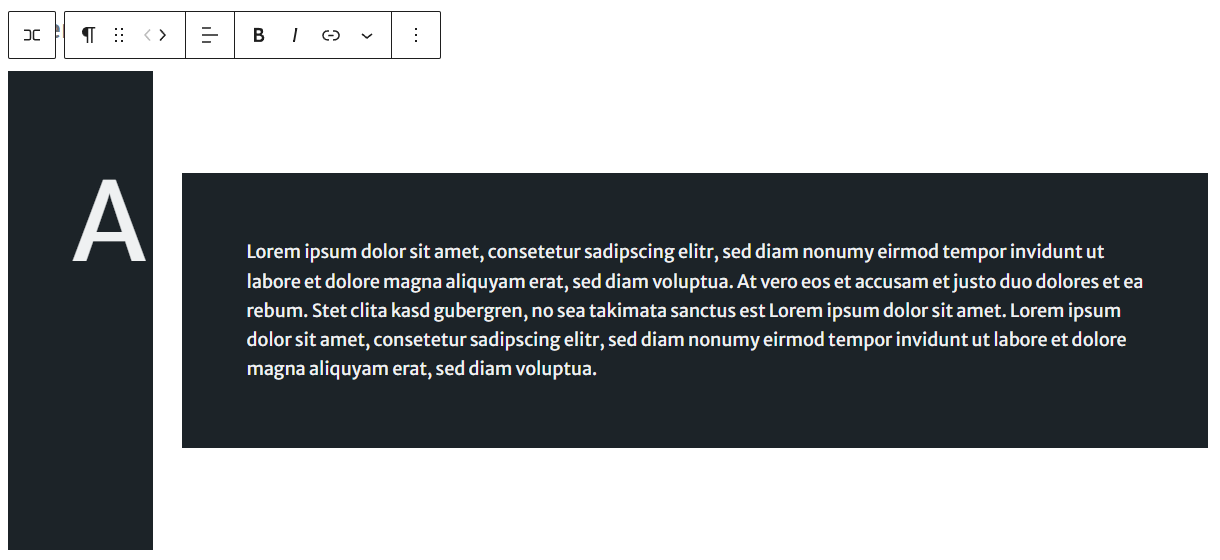
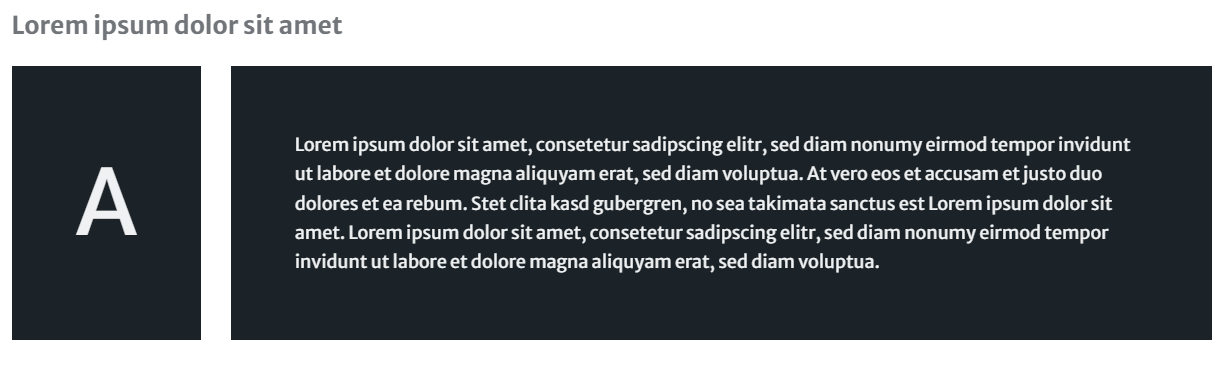
When I group two paragraphs with an inner padding (whether it is a fixed value or a variable from the new spacing presets), the inline style min-width: 1px; is applied to both. The problem with this is when I try to display a large letter with font-size: 5em; on the left and a full paragraph on the right, the paragraph with the large letter doesn't take up all its space / stretches awkwardly (see screenshots).
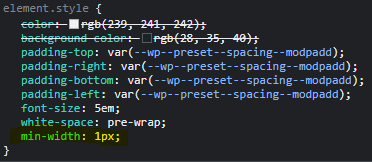
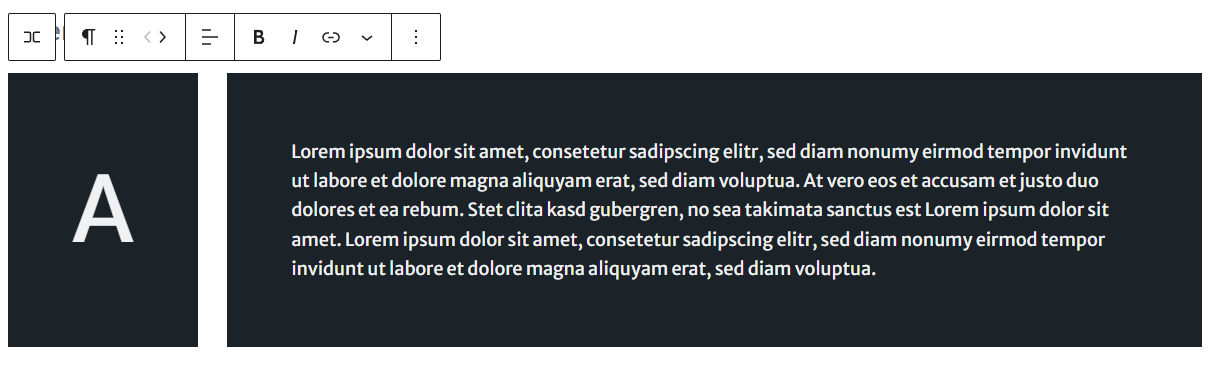
When I comment out the min-width, it works as expected.
Step-by-step reproduction instructions
- add some spacing presets
- add 2 paragraphs, one with one big letter (like 5em or sth), and another one with default font size
- add a padding from the presets to both
- group the paragraphs (don't allow wrapping on mobile)
- notice the difference in the editor and frontend
Screenshots, screen recording, code snippet
Editor:
Frontend:
The one Line of CSS to remove to fix the preview (applied inline to the paragraphs):
After commenting out:
Environment info
Gutenberg v14.3.1
WordPress v6.0.3
Please confirm that you have searched existing issues in the repo.
Yes
Please confirm that you have tested with all plugins deactivated except Gutenberg.
No