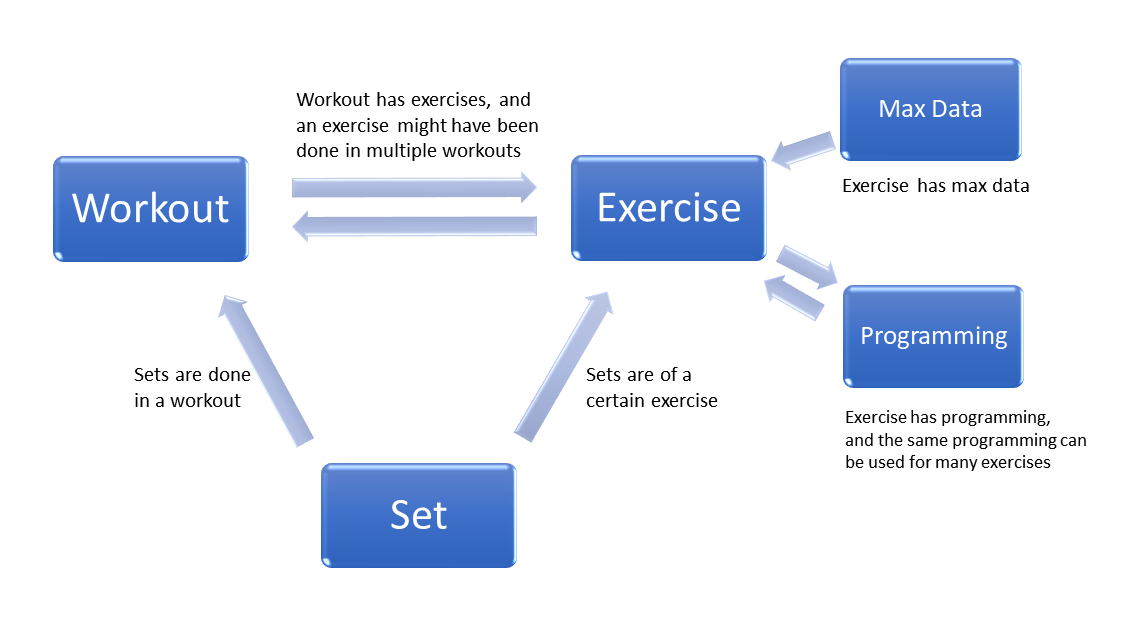
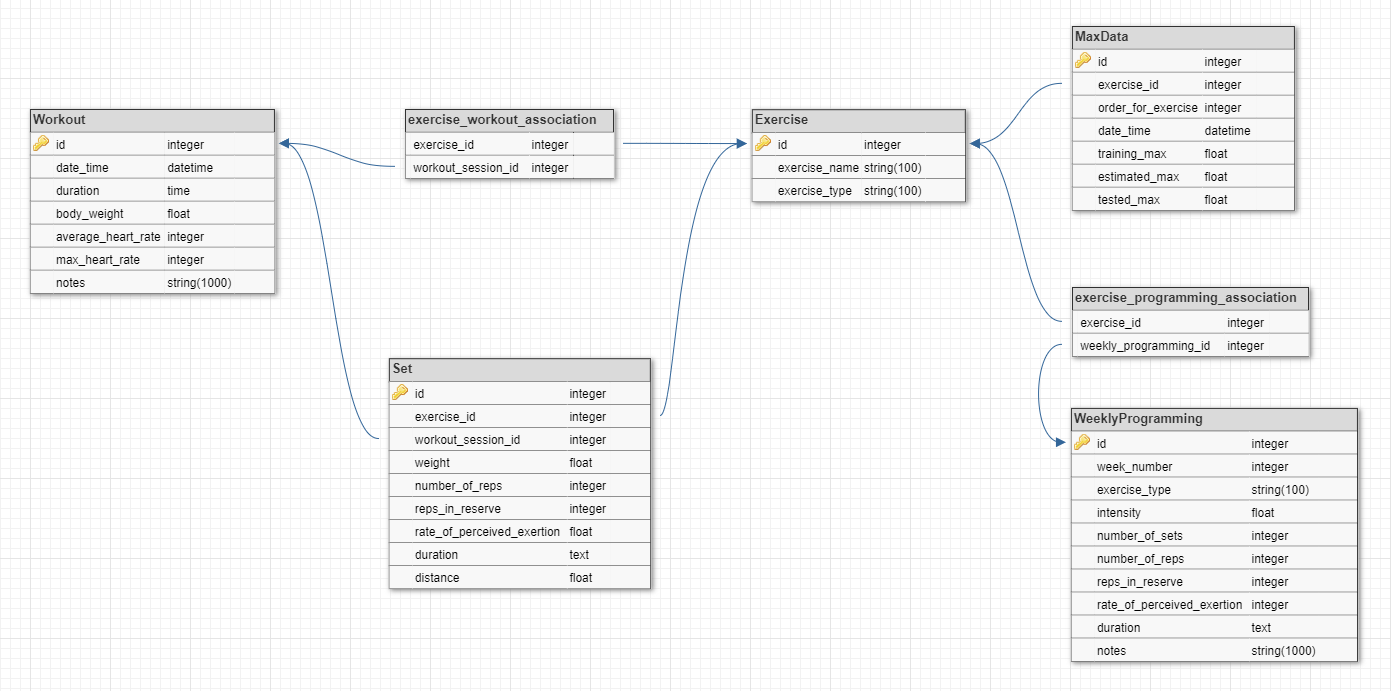
This project is a RESTful Web API (backend) designed to provide functionalities to build many kinds of workout logs. It offers a robust database structure to store all the useful data from workouts. The API is built with flexibility in mind and so most data columns are nullable so that the client can choose which ones to utilize. It can be used to build workout log applications for either strength/hypertrophy training or cardio training, or both.
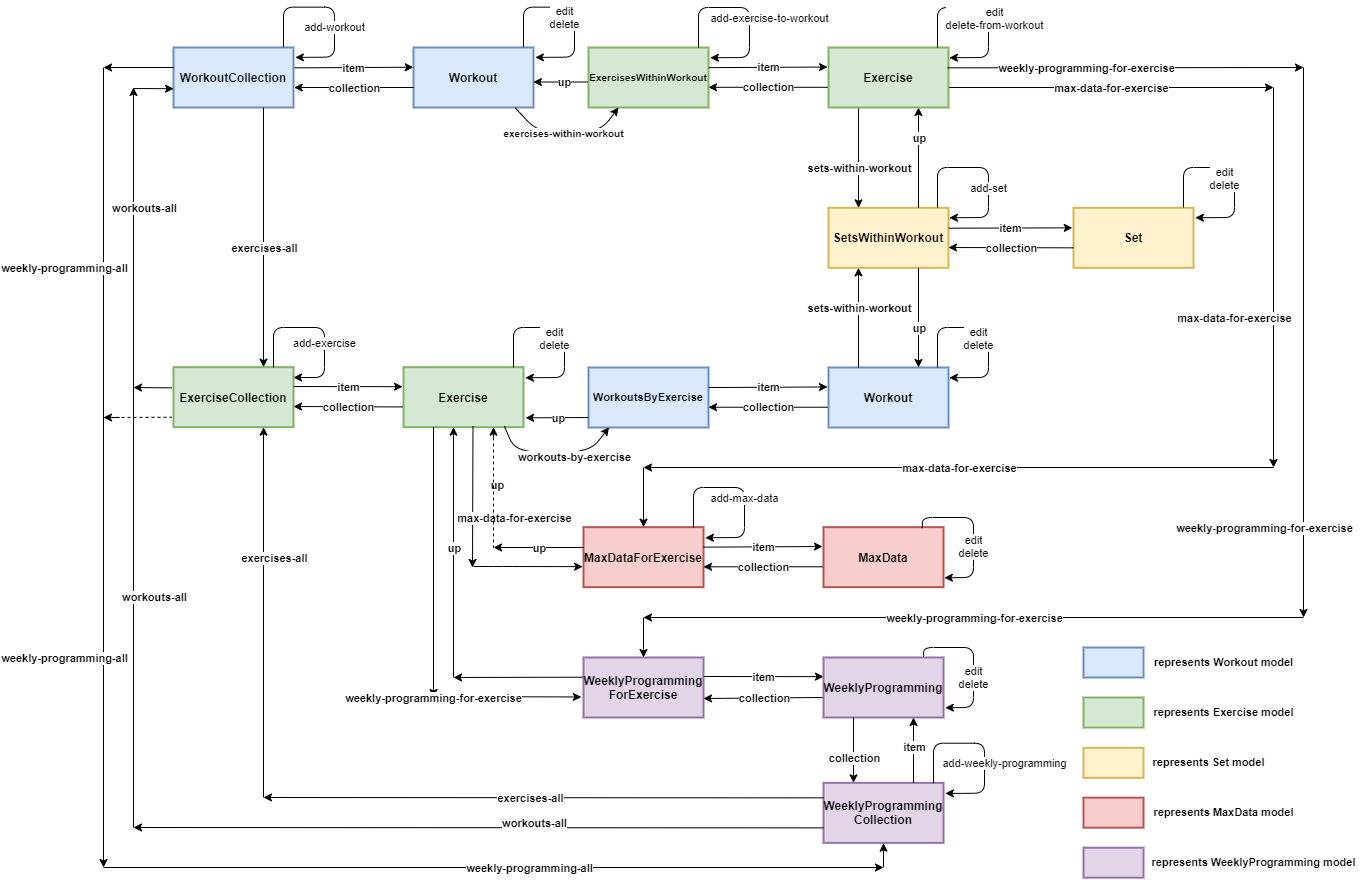
The API follows REST architecture and is implemented with Flask, is a micro web framework written in Python. The database is implemented with SQLite utilizing the SQLAlchemy database toolkit for Python. The API is designed with hypermedia as the engine of application state (HATEOAS) and a client can discover all the available resources it needs through the links provided by the API.
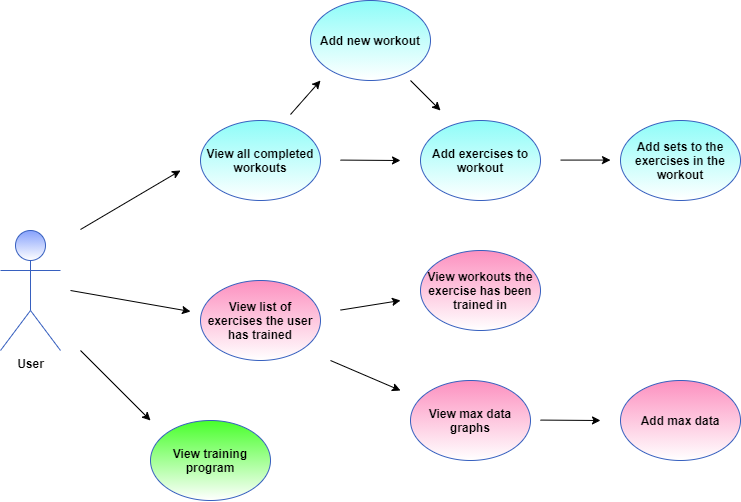
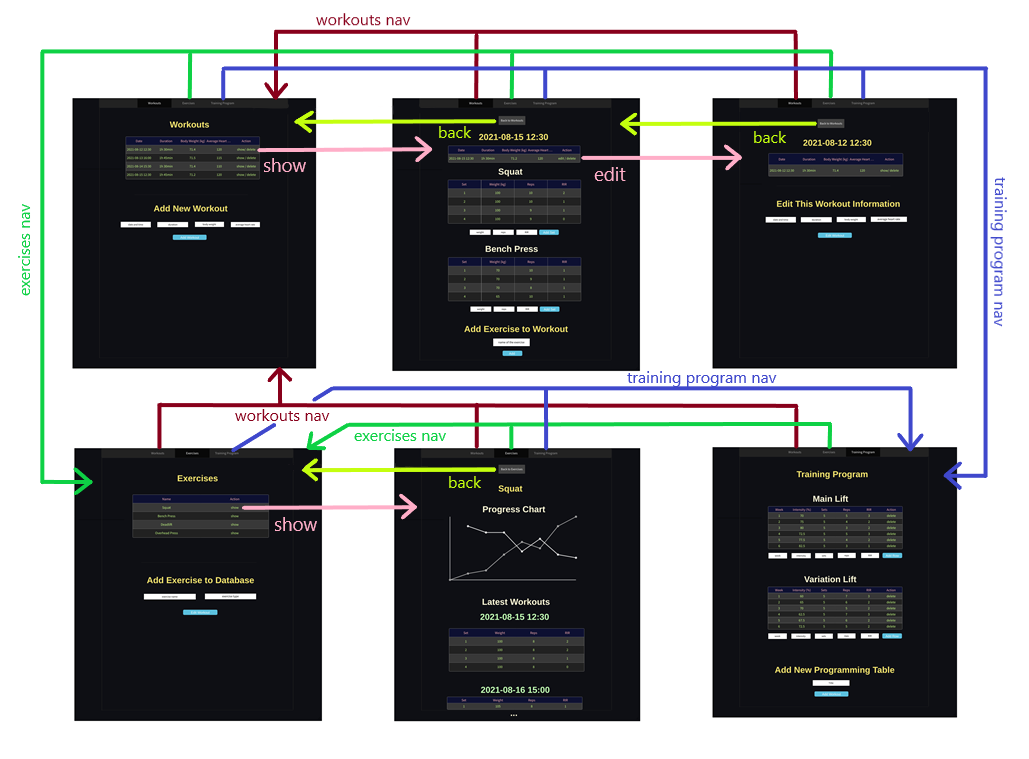
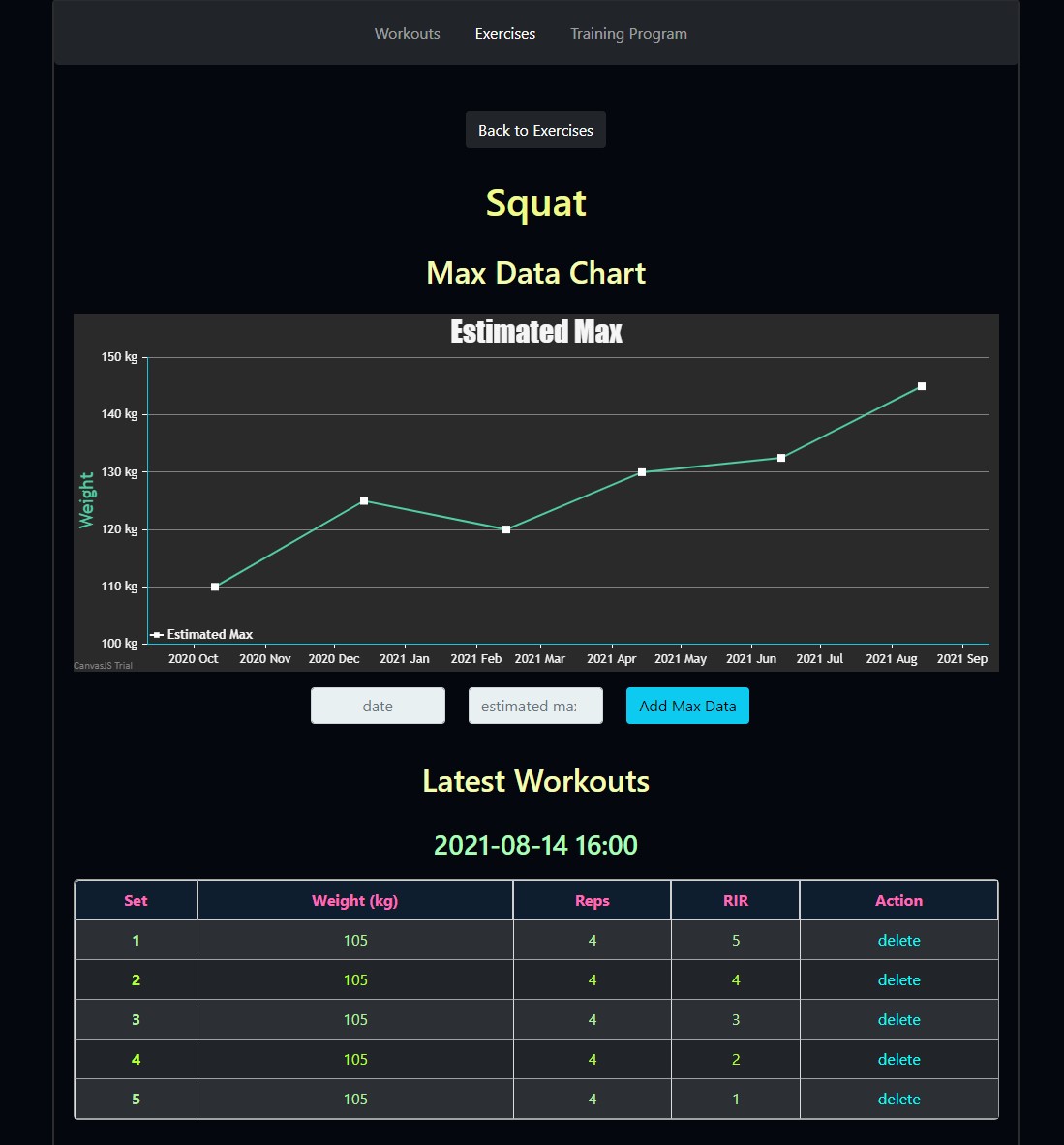
The project also contains a workout log client (frontend) utilizing the API. The client uses the hypermedia links to find the URLs to the needed resources. It is implemented with HTML, CSS, JavaScript and jQuery.
1. If not already installed, install the newest version of Python and Pip.
2. (Optional) Use virtual environment.
A virtual environment is a private copy of the Python interpreter onto which you can install packages privately, without affecting the global Python interpreter installed in your system. In the root folder, to create the virtual environment, run the command:
python -m venv venv
Then start using the virtual enviroment with the command:
in Windows:
venv\Scripts\activate.bat
in Mac or Linux:
source venv/bin/activate
3. Install the project and required libraries (Flask, Flask-RESTful, SQLAlchemy, Flask-SQLAlchemy, etc.).
In the root folder, where the setup.py and requirements.txt files are located, run the following command prompt commands:
pip install -r requirements.txt
This alone should also install the project through setup.py. If not, try updating pip to the newest version.
4. To run the API in localhost run the bat file:
start-server.bat
or run the following commands in the root folder:
set FLASK_APP=workoutlog
set FLASK_ENV=development
flask run
Note that the start-server.bat file doesn't open virtual environment.
5. To populate the database run the bat file:
reset-db.bat
or run the following commands in the root folder:
set FLASK_APP=workoutlog
flask init-db
flask testgen
Note that the reset-db.bat file also resets the database, i.e. removes all data entries and repopulates it with test data. Useful for testing.
6. The API is now running in localhost:5000.
For the API, go to URL:
For the client, go to URL:
-
Project and the required libraries should be installed. If not, see above in the installment section.
-
To run the tests for the database and the API, in the root folder, either run the bat file:
run-tests.bat
or run command:
pytest --cov-report term-missing --cov=workoutlog
To run db tests individually, add in tests\db_test, or add in tests\api_test.py for api tests.
This project was completed as a solo project for the Master's course "Programmable Web Project" in University of Oulu during Summer 2021.
Apiary documentation for the API:
https://workoutlogapi.docs.apiary.io/
The Github Wiki contains extensive documentation which served as a course report, note the wiki pages in the Report Index:
https://github.com/VilleKylmamaa/WorkoutLogAPI/wiki