Repository navigation
Not able to see the Labeling Configuration option #48
Description

I was following the instructions given here : https://github.com/Unity-Technologies/com.unity.perception/blob/master/com.unity.perception/Documentation~/GettingStarted.md
However am stuck at Step 4: Create labeled objects, point 4 In the Project panel right click -> Perception -> Labeling Configuration
I see only the following options when i right click the Perception:
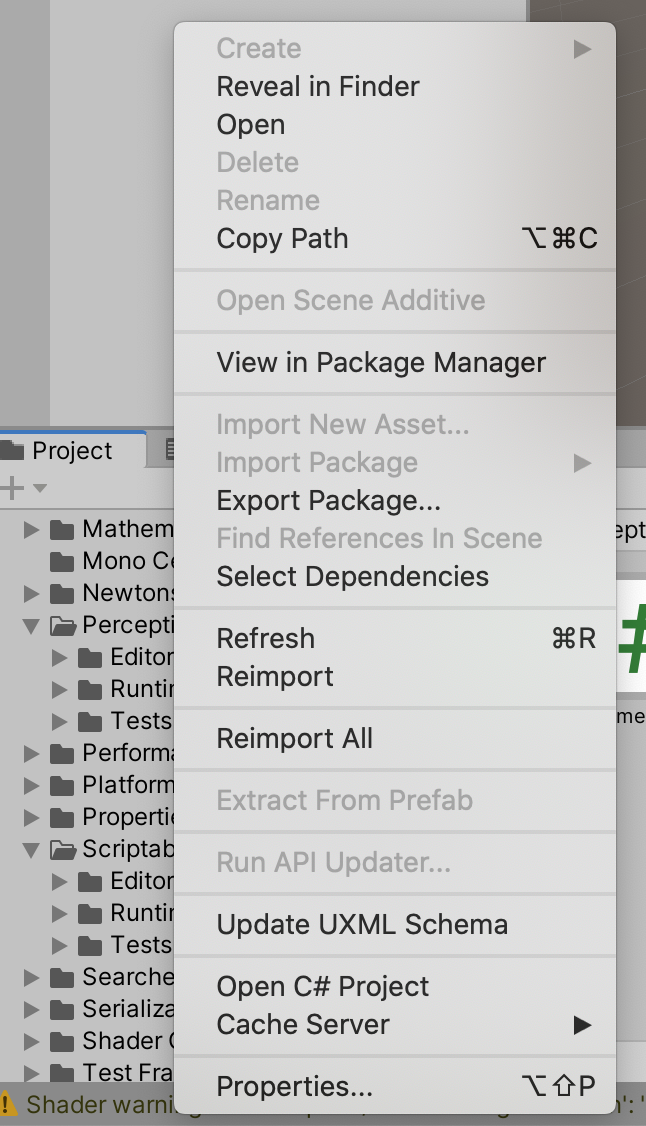
Following are the environment details:
- MacOS Catalina 10.15.5 (19F101)
- Unity 2020.1.0f1
- Perception Version 0.2.0-preview.2 - July 16, 2020
Hope I did not miss anything obvious. Would appreciate any help. Thanks!
Activity
gautamborad commentedon Aug 3, 2020
The option is available by clicking on the + button just below the Project tab. Closing this.
#48: Final touches on 0.9.0.preview.1 release