



The Separate Code is a powerful Visual Studio Code extension designed to streamline your coding workflow by simplifying the process of extracting and editing code portions. It provides a dedicated, synchronized tab where you can effortlessly work on extracted code segments, all while maintaining real-time synchronization with their original sources. This extension is ideal for code manipulation, refactoring, and enhancing your overall coding efficiency.
- Effortless Code Extraction: Select and extract code sections from your source code effortlessly with a single click.
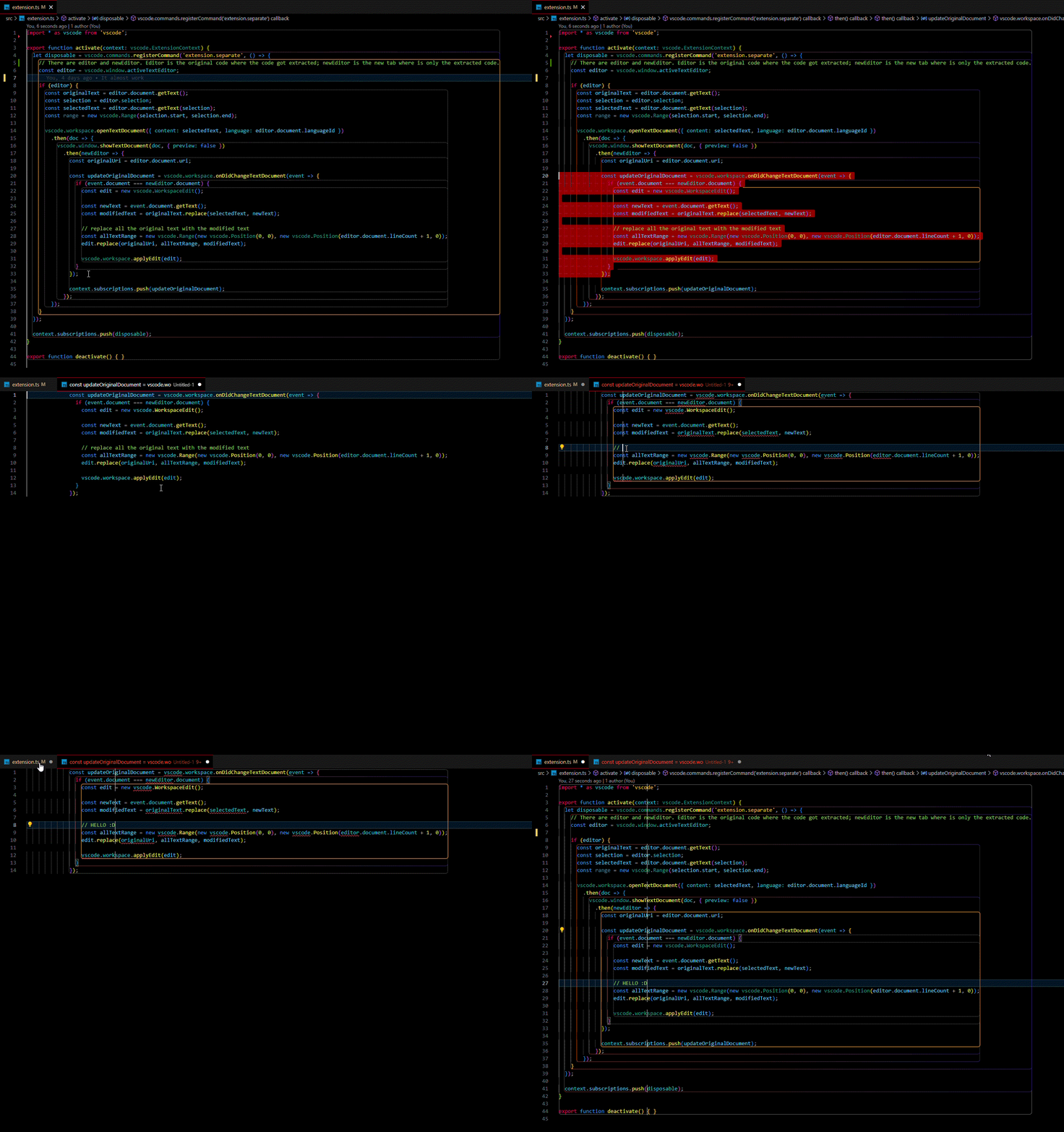
- Synchronized Editing: Experience real-time synchronization between the extracted code and its original source. Any changes made in the extracted code tab are immediately reflected in the source file.
- Enhanced Refactoring: Easily refactor your code by extracting methods, functions, or classes into separate tabs for focused editing.
- Improved Code Management: Keep your code organized by isolating and working on specific code segments.
- Install the Separate Code extension from the Visual Studio Code Marketplace.
- Open your desired project in Visual Studio Code.
- Select the code portion you want to extract.
- Right-click and choose "Separate Code" from the context menu, or use the predefined keyboard shortcut.
- A synchronized tab will open with the extracted code. Make your edits, and they will instantly reflect in the source file.
We value your feedback! If you encounter any issues, have suggestions, or want to report a bug, please don't hesitate to submit an issue on my GitHub repository.
- Special thanks to ChatGPT & ClaudeAI for making this extension. :P
- Icons made by DALL·E 3 from OpenAI.
Separate Code is not affiliated with or endorsed by Visual Studio Code or Microsoft Corporation.