Welcome to our Flutter Project! We're thrilled to have you here. This guide will walk you through the steps to contribute to our project. Whether you're reporting bugs, suggesting new features, or submitting pull requests, your contributions are valuable.
- Prerequisites
- Fork the Repository
- Clone Your Fork
- Set Upstream Remote
- Create a Branch
- Make Changes
- Commit Changes
- Push Changes
- Create a Pull Request
- Syncing with Upstream
- Code of Conduct
Before you start, make sure you have the following tools installed on your machine:
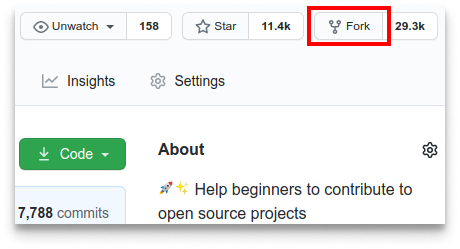
- Go to the project's GitHub page.
- Click on the
Forkbutton at the top right of the page to create a copy of the repository under your GitHub account.
Clone your forked repository to your local machine:
git clone https://github.com/YOUR-USERNAME/REPOSITORY-NAME.git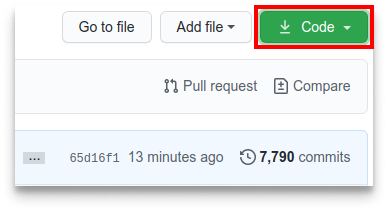
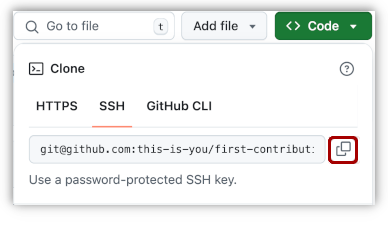
Replace YOUR-USERNAME with your GitHub username and REPOSITORY-NAME with the name of the repository.
Navigate to your repository’s directory:
cd REPOSITORY-NAMEAdd the original repository as a remote named upstream:
git remote add upstream https://github.com/ORIGINAL-OWNER/REPOSITORY-NAME.gitVerify the new remote named upstream:
git remote -vCreate a new branch for your changes:
git checkout -b feature/your-feature-nameMake your changes to the project using your preferred code editor. Follow the project's coding guidelines and ensure all changes are tested.
After making your changes, commit them with a descriptive message:
git add .
git commit -m "Add your detailed description of changes"
Push your changes to your forked repository:
git push origin feature/your-feature-name- Go to your forked repository on GitHub.
- Click the
Compare & pull requestbutton.
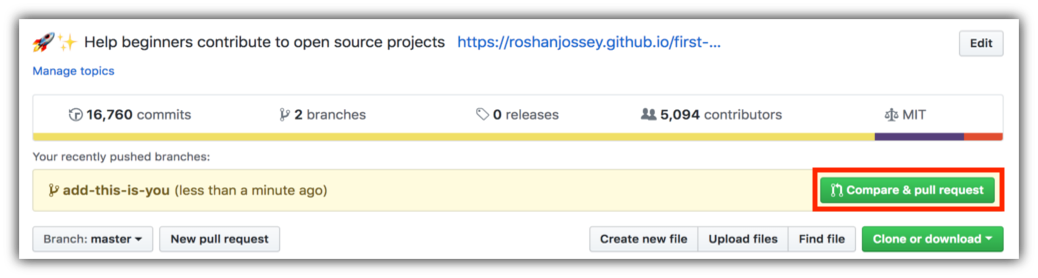
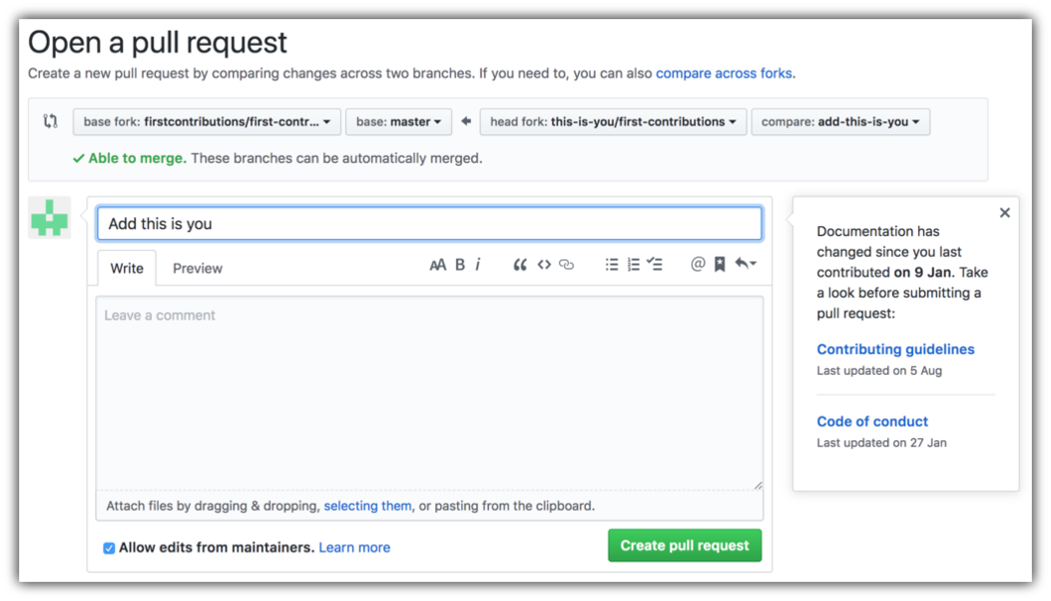
- Ensure the base repository is the original repository, and the base branch is
main(ormaster). - Add a title and description for your pull request.
- Click
Create pull request.
To keep your forked repository up to date with the original repository, you need to sync it regularly:
git fetch upstream
git checkout main
git merge upstream/mainPlease read our Code of Conduct before contributing to ensure a positive experience for everyone.
Thank you for contributing to our Flutter Project! Your help is appreciated, and we look forward to working with you.
For any questions or further assistance, feel free to open an issue or contact the maintainers.
Happy coding! 🚀