The agentic frontend framework that even humans can use.
🚧 Don't panic. Prefab is under extremely active development. You probably shouldn't use it yet. 🚧



Docs · Playground · GitHub
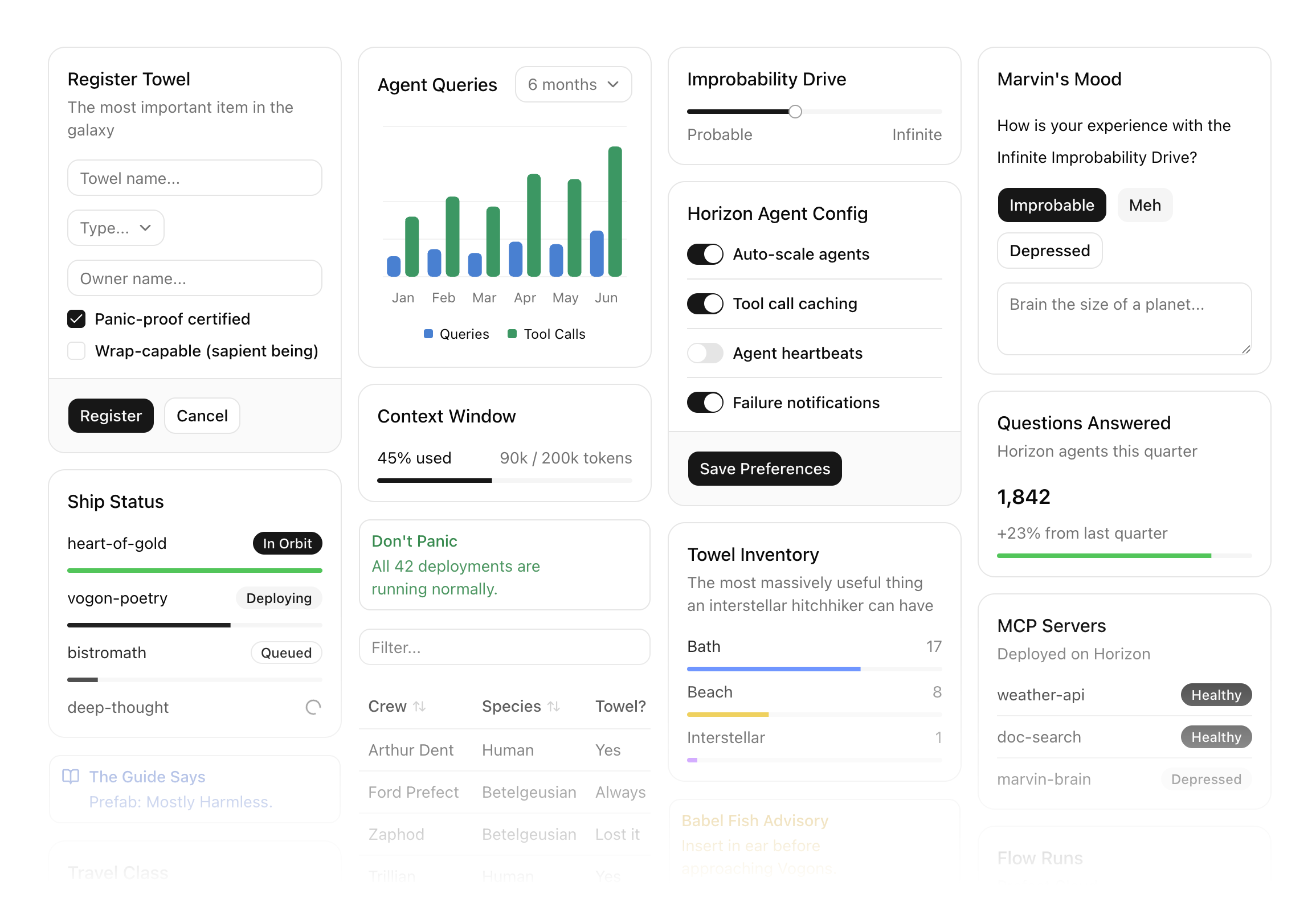
Prefab is a frontend framework with a Python DSL that compiles to JSON. Describe a UI — layouts, forms, charts, data tables, full interactivity — and a bundled React renderer turns that JSON into a self-contained application.
Composing frontends in Python is blasphemous surprisingly natural. And because it's a JSON protocol, any source can produce a Prefab UI. Write one in Python, serve one as an MCP App, or let an agent generate one dynamically — no templates or predefined views required.
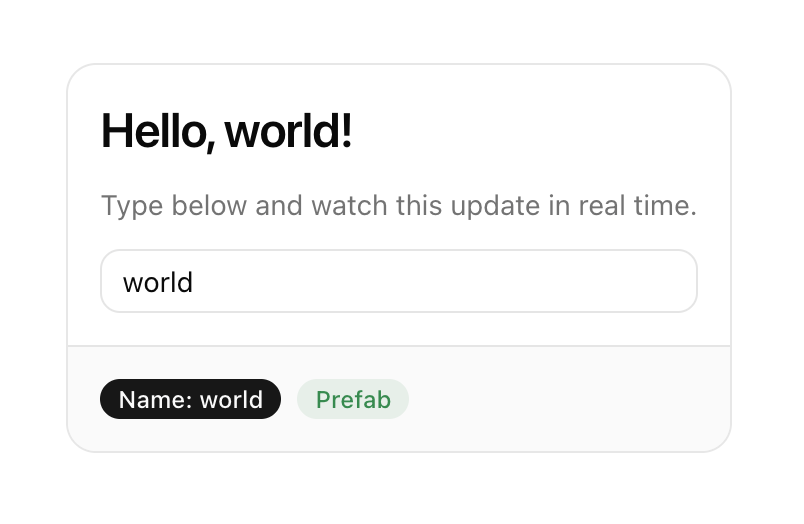
This card has a live-updating heading, a text input bound to client-side state, and badges — all from a few lines of Python. You can try an interactive version in the Prefab docs. In fact, every example in the Prefab docs is rendered with Prefab itself.
from prefab_ui.components import Card, CardContent, CardFooter, Column, H3, Muted, Input, Badge, Row

with Card():
    with CardContent():
        with Column(gap=3):
            H3("Hello, {{ name }}!")
            Muted("Type below and watch this update in real time.")
            Input(name="name", placeholder="Your name...")
    with CardFooter():
        with Row(gap=2):
            Badge("Name: {{ name }}", variant="default")
            Badge("Prefab", variant="success")
Since everything compiles to JSON, you can author a UI from a Python script, have an agent generate one on the fly, or serve one from any MCP server or REST API.
Made with 💙 by Prefect
pip install prefab-uiRequires Python 3.10+.
- Build a component tree in Python (or raw JSON from any source)
- The tree compiles to Prefab's JSON format
- A bundled React renderer turns the JSON into a live interface
State flows through {{ templates }}. When you write {{ query }}, the renderer interpolates the current value from client-side state. Named form controls sync automatically — Input(name="city") keeps {{ city }} up to date on every keystroke. Actions like CallTool and SetState drive interactivity without custom JavaScript.
35+ components covering layout, typography, forms, data display, and interactive elements. Containers nest with Python context managers:
from prefab_ui.components import Card, CardHeader, CardTitle, CardContent, Column, Text, Badge

with Card():
    with CardHeader():
        CardTitle("User Profile")
    with CardContent():
        with Column():
            Text("{{ user.name }}")
            Badge("{{ user.role }}", variant="secondary")
Pydantic models generate forms automatically — constraints like min_length and ge become client-side validation:
from pydantic import BaseModel, Field
from prefab_ui.components import Form
from prefab_ui.actions.mcp import CallTool

class SignupForm(BaseModel):
    email: str = Field(description="Your email address")
    name: str = Field(min_length=2, max_length=50)
    age: int = Field(ge=18, le=120)

Form.from_model(SignupForm, on_submit=CallTool("create_user"))
Actions define what happens on interaction — state updates, server calls, navigation, notifications:
from prefab_ui.components import Button
from prefab_ui.actions import SetState, ShowToast
from prefab_ui.actions.mcp import CallTool

Button("Save", on_click=[
    SetState("saving", True),
    CallTool(
        "save_data",
        arguments={"item": "{{ item }}"},
        on_success=ShowToast(title="Saved"),
        on_error=ShowToast(title="Failed", variant="destructive"),
    ),
    SetState("saving", False),
])Full documentation at prefab.prefect.io, including an interactive playground where you can try components live.


![@github-actions[bot]](https://avatars.githubusercontent.com/in/15368?s=64&v=4)
