

This program turns the Ti-84 CE into a working keyboard by emulating a HID device over USB. No extra software required!
- Install TI-Connect CE.
- Connect your calculator to your computer.
- Send clibs.8xg to your calculator
- Send HIDeous.8xp to your calculator.
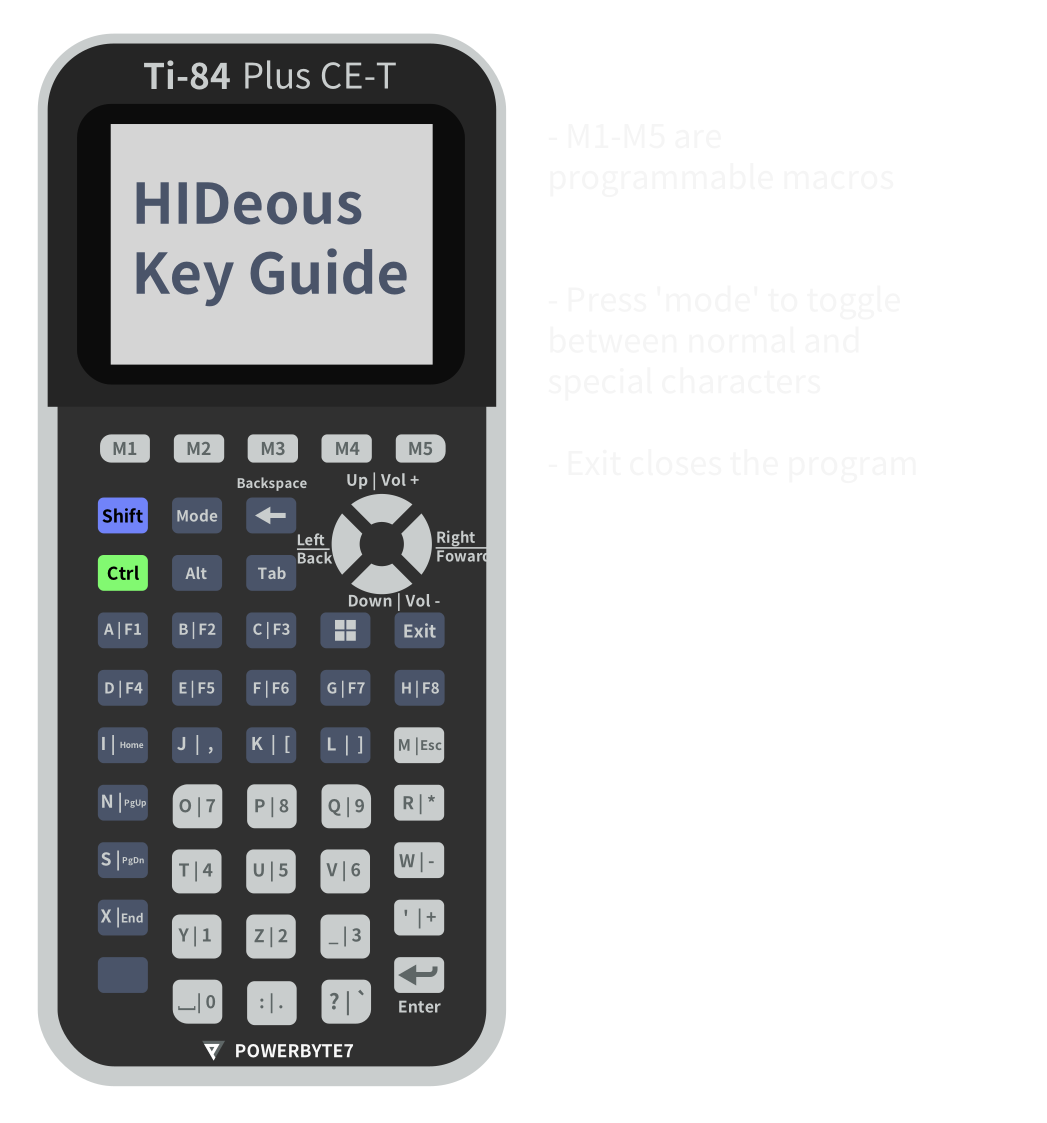
To change the key layout you'll need to compile HIDeous yourself. Don't worry, it's a fairly straightfoward process.
- Install the CE toolchain
- Download the source code
- In hid.c, change the keycodes in the map[] and/or special_map[] arrays. You can find the keycodes in usb_hid_keys.h
- Build the program and send the resulting 8xp file to your calculator.