Authorization error #317

Description

Hi,
I went through other related issues for this repo but none seems to solve my problem.
I am unable to authenticate and get access token.
These are the steps I followed in command-line:
from O365 import Account
credentials = (XXXX, YYYY)
scopes=['basic', 'message_all']
account = Account(credentials)
account.authenticate(scopes=scopes)
Visit the following url to give consent:
https://login.microsoftonline.com/common/oauth2/v2.0/authorize?response_type=code&client_id=XXXX&redirect_uri=https%3A%2F%2Flogin.microsoftonline.com%2Fcommon%2Foauth2%2Fnativeclient&scope=https%3A%2F%2Fgraph.microsoft.com%2FMail.ReadWrite+https%3A%2F%2Fgraph.microsoft.com%2FUser.Read+https%3A%2F%2Fgraph.microsoft.com%2FMail.Send&state=8uYYgVKgZVdyAAB9wJYo4dCcPte2N6&access_type=offline
Paste the authenticated url here:
`https://login.microsoftonline.com/common/oauth2/nativeclient?code=Xxxx&state=xxx&session_state=Xxx
The pasted URL was received after logging into the account. But I receive the following error:
ERROR:O365.connection:Unable to fetch auth token. Error: (invalid_client) AADSTS700025: Client is public so neither 'client_assertion' nor 'client_secret' should be presented.
Trace ID: a3c24393-576f-4884-980a-32ef582d1a00
Correlation ID: 2ef0ceaf-6968-4884-9d75-5ac4151be4eb
Timestamp: 2019-09-19 10:51:30Z
Something go wrong. Please try again.
The following are some screenshots of my Azure App Registration portal:
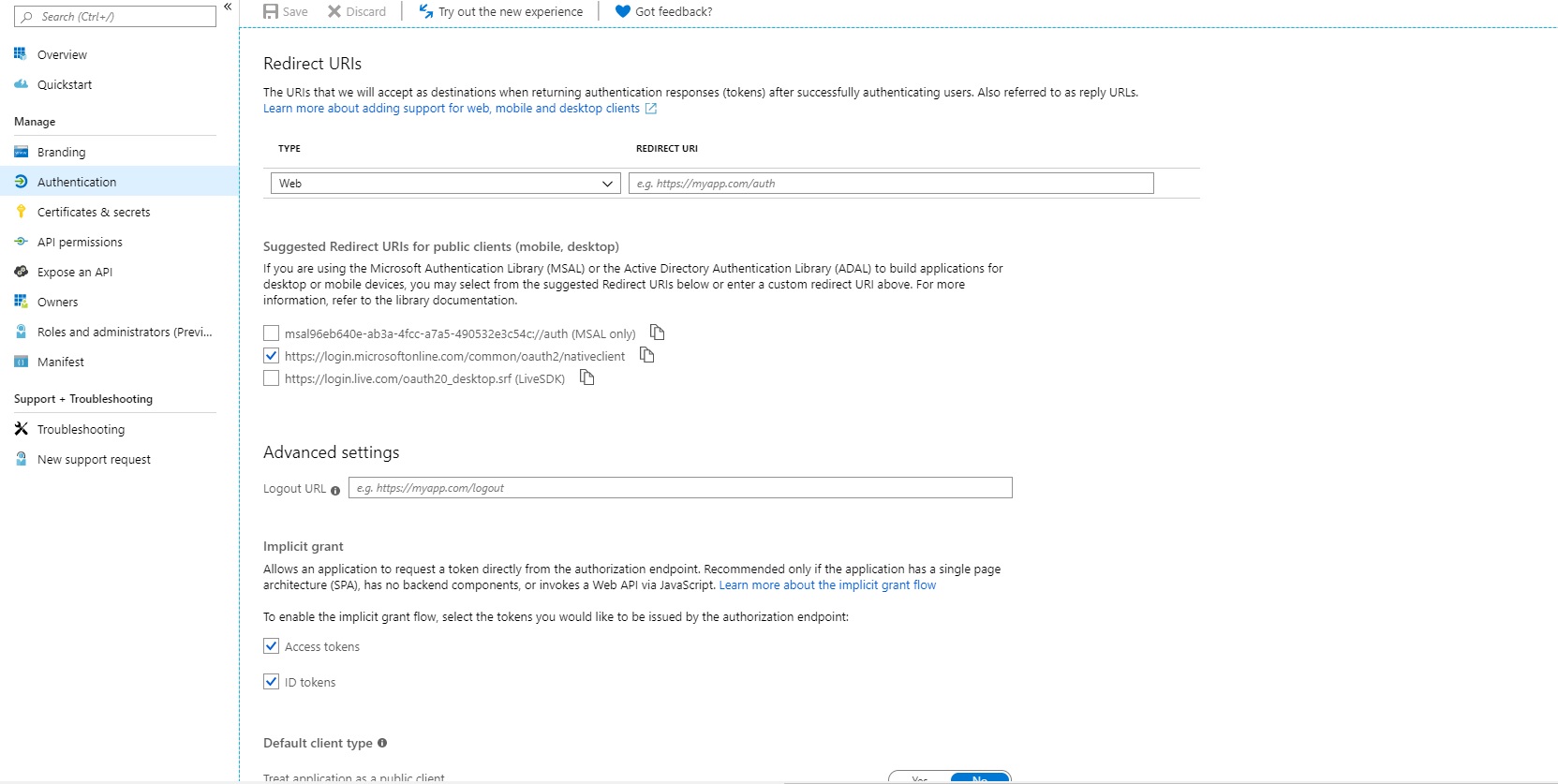


Please help.
Thanks.