A simple plugin for a 3D-Damager (Based on AMX Mod X)
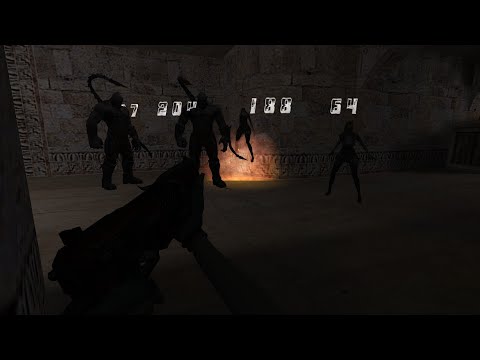
This plugin adds a 3D-Damager to your server, which is similar to the one in the game Counter-Strike Online / Counter-Strike Nexon: Studio
The plugin uses only 1 model to create 3D damage and also creates only 1 entity for this. The advantage of this plugin over others is that it does not use sprites, and the limit of digits is from 0 to 9999, when similar plugins using sprites used up to 512.
About this system: CSO Wikia
- Nexon Studio - For this system in their game (Game)
- Reega! - For help in creating a model and animation for the model (YouTube Channel) (His Server)
- Ruby - For some help in implementing the plugin (Dev-CS)
- shel - For a special
stockfor the correct calculation ofbody(Dev-CS)
Plugin tested on:
- Windows: ReHLDS 3.11.0.788-dev & ReGameDLL 5.21.0.556-dev & ReAPI 5.21.0.252 & Metamod-r v1.3.0.86 & AMX Mod X 1.9.0.5294
- Linux: HLDS 5787 & Metamod 1.21p v37 & AMX Mod X 1.8.2
- Put all files from
extrain thecstrikefolder- In order for everything to work correctly, you need to change the
delta.lstfile, I attached this file too, but if you have already changed it in some other way, it is enough to find all the values ofbodyin this file and if it has a value of8, it is worth changing this value to16or more
- In order for everything to work correctly, you need to change the
- The
sourcefolder contains the plugin and include for compiling the plugin (If your server does not support Re modules)- NB! If your server does not support Re modules, find the line
#include <reapi>and you should delete it or turn it off (using //)
// #include <reapi> - NB! If your server does not support Re modules, find the line
- Compiled plugin, put it in the
pluginsfolder - In the
configsfolder, find anyplugins-*.iniand add a lineaddon_floating_damage.amxx
- After installing the plugin correctly, you can already see the result on your server, it is enough to damage your enemy
- This plugin has settings, to open the settings menu, write one of these commands:
damagersay /damagersay damagersay_team /damagersay_team damager- Where is
say- works in all chat (Default buttom: [Y]) - Where is
say_team- works in team chat (Default button: [U])
- Where is
- The damager itself has 10 skins of your choice, switch them using the menu
- You can also disable the damager altogether if it bothers you
- The 3D-Damager itself is only seen by you, the other players only see their 3D-Damagers
/**
 * Gets whether the player has 3D-Damager enabled
 *
 * @param		Player Index
 * @return		Returns 'true' if damager is enabled, otherwise 'false'
 */
native bool: get_user_damager_status( const pPlayer );

/**
 * Sets the player's 3D-Damager status
 *
 * @param pPlayer	Player Index
 * @param bSet		true - Enable / false - Disable
 * @return		Returns 'true' if the value is changed, otherwise 'false'
 */
native bool: set_user_damager_status( const pPlayer, bool: bSet );

/**
 * Gets the 3D-Damager skin number
 *
 * @param pPlayer	Player Index
 * @return		Returns the skin number, if it could not return the value, it will return -1
 */
native get_user_damager_skin( const pPlayer );

/**
 * Sets the 3D-Damager skin for the player
 *
 * @param pPlayer	Player Index
 * @param iValue	Skin number (0-9 available), if the value is different,
 * 			it will set 0 (if the specified value is less than 0)
 * 			or 9 (if the specified value is greater than 9)
 * @return		Returns 'true' if the value is changed, otherwise 'false'
 */
native bool: set_user_damager_skin( const pPlayer, const iValue );