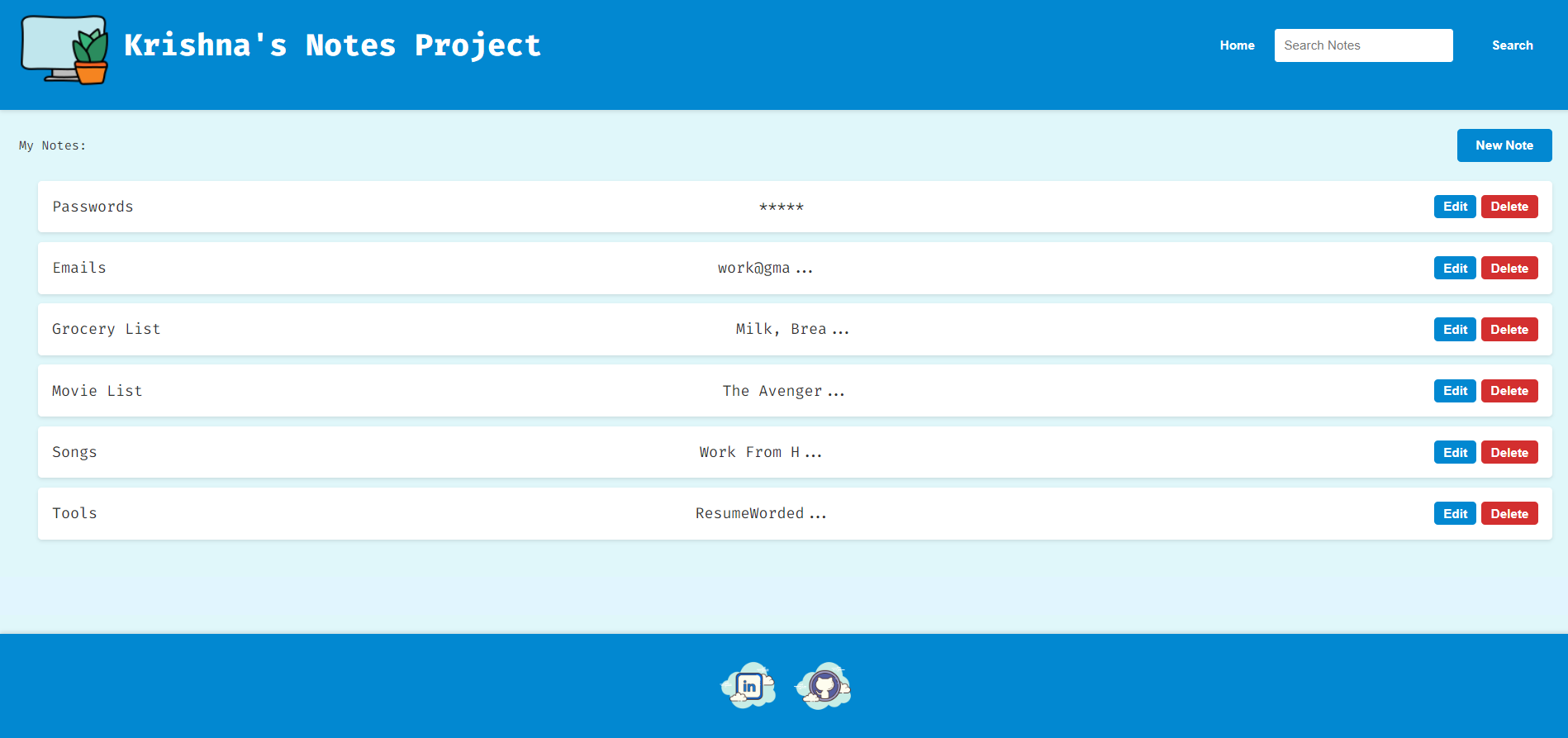
This Notes Project is a comprehensive web application designed for managing personal notes efficiently. This project provides users with a robust platform to create, edit, and organize their notes seamlessly. Developed using HTML, CSS, and JavaScript, It is built with a focus on usability, responsiveness, and elegance.
To experience the live project, visit Krishna's Notes Project.
- Note Management: Create, edit, and delete notes effortlessly.
- Search Functionality: Quickly find specific notes using the search feature.
- Responsive Design: Enjoy a seamless experience across various devices.
- Persistent Storage: Notes are securely stored locally for data persistence.
- HTML5
- CSS3
- JavaScript
- Clone the repository:
git clone https://github.com/N0AH-14/Notes-Project
- Open
index.htmlin your preferred web browser.
Krishna's Notes Project
│
├── src
│   ├── css
│   │   ├── base.css
│   │   ├── components.css
│   │   ├── layout.css
│   │   └── style.css
│   ├── index.html
│   └── script.js
│
└── res
    ├── images
    │   ├── icon.png
    │   ├── logo.png
    │   ├── linkedin.png
    │   └── github.png
    └── fonts
        └── FiraCode-Regular.ttf
The architecture of the Notes Project follows a client-server model, although in this case, the server-side functionality is simulated using client-side JavaScript and local storage. This choice simplifies deployment and eliminates the need for a backend server, making the application lightweight and easy to maintain.
The HTML structure of the project is well-organized and adheres to best practices for semantics and accessibility. Key components include:
-
Header Section: The header contains essential elements such as the logo, project title, navigation buttons, and a search box for filtering notes. The use of semantic tags like
<header>and<h1>enhances readability and SEO. -
Main Section: The main section displays the list of notes and provides functionalities for creating new notes or searching existing ones. It utilizes ordered lists (
<ol>) for note listing, ensuring proper numbering and sequential display. -
Aside Section: This section houses forms for adding new notes or editing existing ones. It's structured using
<div>elements with appropriate IDs and hidden attributes for dynamic display based on user actions. -
Footer Section: The footer includes links to the developer's LinkedIn and GitHub profiles, enhancing project transparency and credibility.
The CSS files in the project are organized into separate categories, following a modular approach for better maintainability and scalability. Key styling features include:
-
Responsive Design: Media queries are used to ensure responsiveness across different screen sizes, enhancing user experience on various devices.
-
Custom Fonts: The project integrates the Fira Code font family from Google Fonts, which enhances readability and gives the application a modern look.
-
Color Scheme: CSS variables are employed to define a consistent color scheme throughout the application, promoting visual harmony and brand identity.
JavaScript serves as the backbone of the application, enabling dynamic interactions and data management. Key functionalities include:
-
Note Management: The JavaScript code facilitates CRUD (Create, Read, Update, Delete) operations for notes, allowing users to perform actions like creating new notes, editing existing ones, and deleting unwanted notes.
-
Data Persistence: Local storage is leveraged to store note data persistently on the client-side. This approach ensures that notes remain accessible even after page reloads or browser sessions, providing a seamless user experience.
-
Search Functionality: The project implements a search feature that allows users to filter notes based on keywords. This feature enhances usability, especially for users with a large number of notes.
-
Event Handling: Event listeners are employed to capture user interactions such as form submissions, button clicks, and input changes. This enables real-time updates and ensures smooth interaction between the user interface and underlying logic.
As the project evolves, potential enhancements may include:
- User Authentication: Implement secure user authentication to protect sensitive note data.
- Collaborative Editing: Introduce collaborative editing features for teamwork and productivity.
- Advanced Search Filters: Enhance the search functionality with advanced filters and sorting options.
Join the journey of innovation and collaboration by contributing to Krishna's Notes Project on GitHub. Your insights, feedback, and contributions are invaluable in shaping the future of this project and empowering users worldwide with a superior note-taking experience.
This project is open-source and available under the MIT License.