
Haylxon 🔥🦀
SHOOT BEFORE THE BLINK || Haylxon, A tool embodying the K1SS philosophy that allows you to take screenshots of webpages/URLs at lightning-fast speeds using chromes Headless feature, means, you'd be needing a chromium based browser for it to work.
Built from the ground up for ease of use, performance, beautiful ui and portability in mind. 💖






- Fast:
Hxnis designed to be fast, all credits goes to therustlang. 🦀 - Portable: You can use
haylxonon both*nix&windows. - Ease: This tool is designed to be very user friendly as there are very few options but does all the required works that one expects.👨🎨
- Simple: As always
Keeping It Simple and Stupid💋
🪄 Binary
- You can directly download the binary of your arch and run it.
🌼 Source
git clone --depth=1 https://github.com/pwnwriter/haylxon --branch=main
cd haylxon
cargo build --release
Then go to release dir and ./hxn or move the binary to your any $PATH for instant access from anywhere.
🎠 Cargo
🚩 METIS Linux
sudo/doas pacman -Syyy hxn
-
Taking screenshots of one/many urls.🖇️- single url
I'm using brave browser for all the demonstration. You can use any chromium based browsers.
hxn -b $(which brave) -u https://example.com
- a file containing multiple urls
hxn -b $(which brave) -f urls.txt
-
Silent option for automation ⚙️hxn -b $(which brave) -u https://example.com --silent
-
Read urls from stdin ⚓cat urls.txt | hxn -b $(which brave) --stdin

-
Define x/y dimentions 🐀cat urls.txt | hxn -b $(which brave) -x 144 -y 400 --stdin

-
Help pls 🐤If your internet is slow, you may need to increase the timeout value for hxn to work properly
cat urls.txt | hxn -b $(which brave) --timeout 60

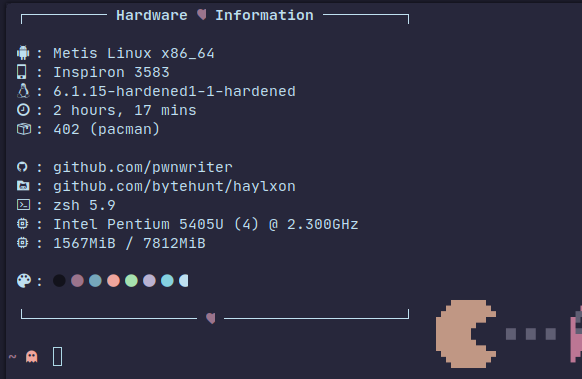
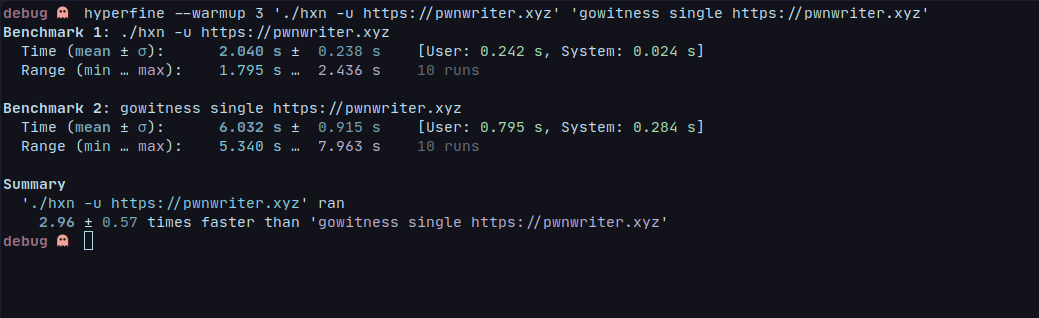
The below is a comparison between similar project gowitness, tested on my pentium processor.
There is always scope for improvements and bugs to be fixed as contributors can make a valuable impact by addressing improvements and bugs through issue submissions or pull requests.
- Still, here are the ways to contribute,
- Suggest a feature
- Report a bug
- Fix something and open a pull request
- Help me document the code and more speed pleaseeeeeee.
- Spread the word
HAYLXON(hxn)😎
As always, this project is also Licensed under the MIT LICENSE
Kanha:- A web-app pentesting suite written in rust 🦀gowitness:- A golang, web screenshot utility using Chrome Headless

Copyright © 2023 pwnwriter xyz ☘️