-
Mapsim Assistance Bot is an innovative solution designed to enhance your trading experience in MetaTrader 5. It combines hardware and software to provide seamless and efficient market interactions.
-
This product consists of three main components:
Mapsim Device (Hardware)
Mapsim Device Software
Mapsim Assistance Bot Expert (Expert Advisor for MetaTrader 5)
-
Mapsim Device :

-
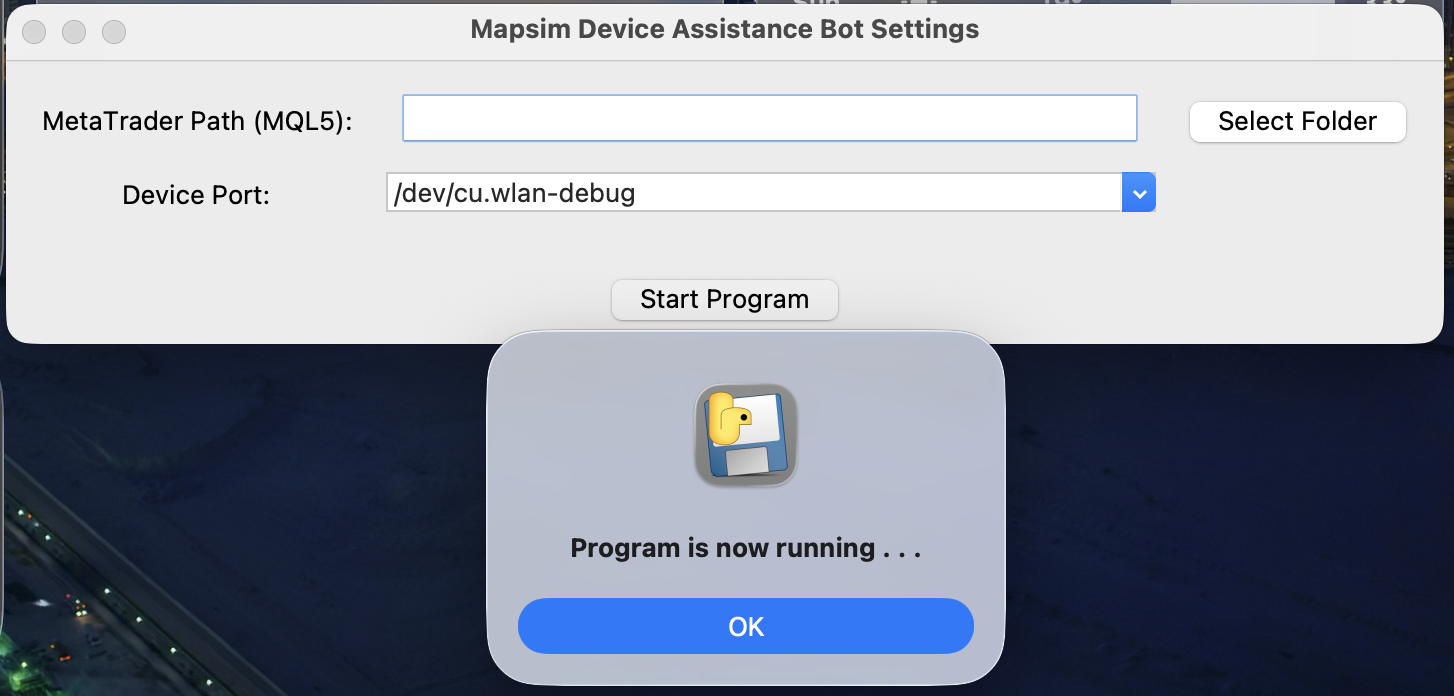
Mapsim Device Software :
-
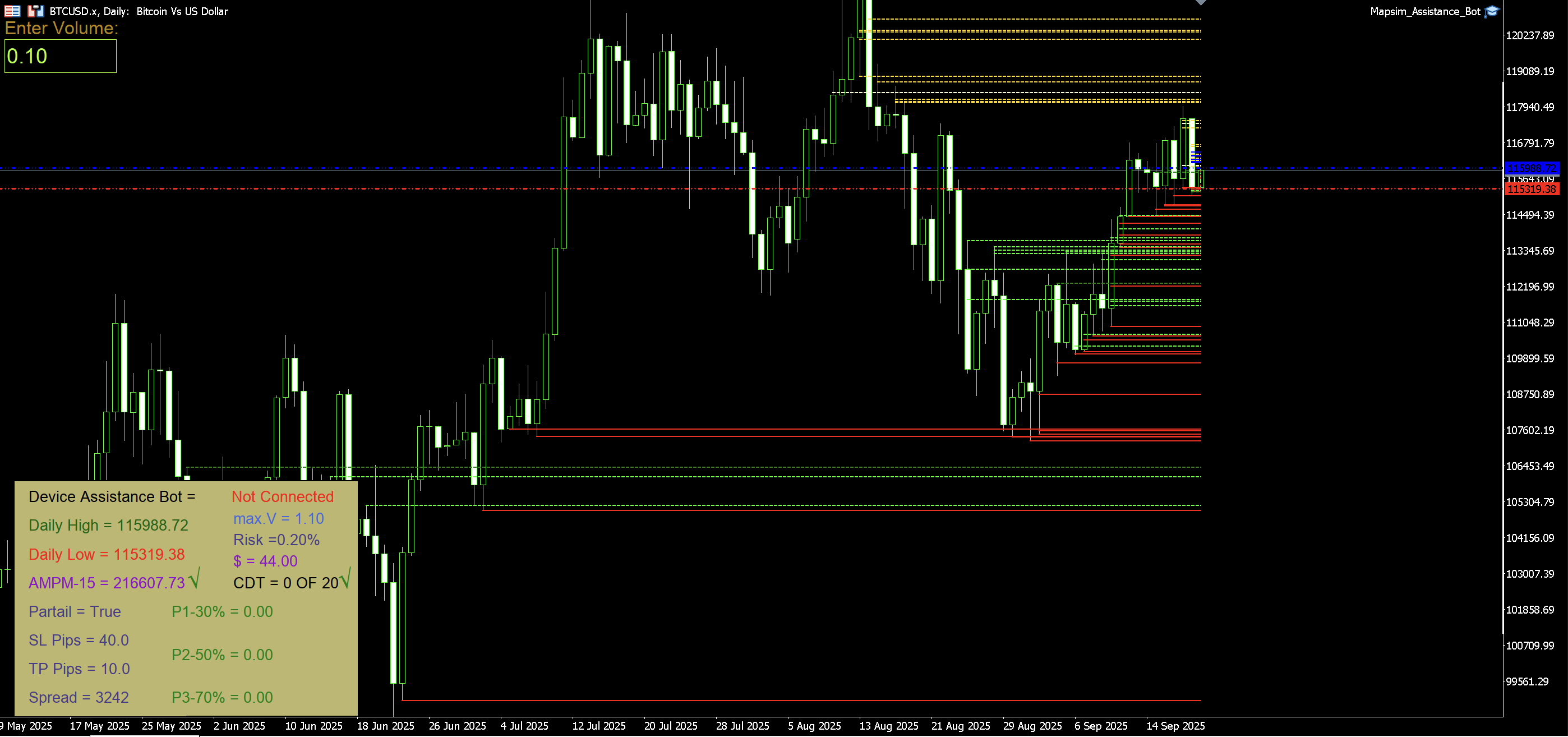
Mapsim Assistance Bot Expert :
-
Mapsim Device A hardware device that connects to your computer. Enables direct interaction with MetaTrader 5 through dedicated software.
-
Mapsim Device Software A companion application that bridges the hardware with MetaTrader 5. Must be running on your computer to use the Mapsim Device.
-
Mapsim Assistance Bot Expert An Expert Advisor (EA) for MetaTrader 5. Helps automate and streamline trading actions using the Mapsim Device.
Step 1: Download the Expert Advisor
Navigate to the File section on this repository. Download the latest version of the Mapsim Assistance Bot Expert file.
OR
- Download Zip File Expert
Step 2: Install the Expert Advisor
-
Open MetaTrader 5.
-
Go to File → Open Data Folder.
-
Navigate to :
Metatrader5/MQL5
Now copy the files from the downloaded package into the correct folders:
-
📂 Experts → copy file inside Experts → to → MQL5/Experts/
-
⚠️ Important:(maCOS / Windows Folders)If you are on Windows (32/64 bit) or macOS, make sure to copy the Expert file that matches your operating system into the MQL5/Experts/File.
-
-
📂 Include → Extract and copy folder (Mapsim_Assistance_Bot_lnclude) inside this → to → MQL5/Include/
-
📂 Libraries → copy file inside Libraries → to → MQL5/Libraries/
-
📂 Sounds → copy (Mapsim_Assistance_Bot) folder inside this → to → MetaTrader 5/Sounds/
-
Restart MetaTrader 5 to load the Expert Advisor.
- If you Not Install Meta Trader 5 In Your OS , You Can Download Free Meta Trader 5 From here
Step 3: Set Up the Mapsim Device Software Setting
Download and install the Mapsim Device Software Setting from here:
Connect the Mapsim Device to your computer via USB.
- Installation USB Driver For Windows 32 or 64 Bit In The Zip File
Launch the software before starting MetaTrader 5.
Step 4: Get The License Expert
- Go to Mapsim Bot
-
Go to Account Status Menu
- Follow Bot Commands
-
Insert Your SERIAL NUMBER in The Your Mapsim Device (QR Code & Barcod & Text)
-
Add you Account Number from the your Broker
- (🚨 You Can ONLY Get 2 Licenses Per Device On Your Broker Account Number 🚨)
-
Send your Request
-
[Receive Your License]
-
[Insert your License To Expert In MetaTrader 5]
- Activation Mapsim Assistance Bot
You Can After Make your License,Go to This Link for watch Active License:
- You can Entery From Site By Your User Name And Password From Bot
Connect: Plug in the Mapsim Device and launch the Mapsim Device Software.
Run MetaTrader 5: Open your trading terminal and attach the Mapsim Assistance Bot Expert to your desired chart.
Interact: Use the hardware device to execute trading actions like Buy, Sell,Partial Position,or Close with precision.
-
Operating System: Windows 32/64 Bit or later And macOS
-
Driver Mapsim Device For Windows 32/64 Bit
-
Mapsim Device Assistance Bot (213-*) Version
-
License Activation Key
-
MetaTrader Version: MetaTrader 5
-
Hardware Interface: USB
This Expert Advisor is a highly customizable Forex Trading EA that provides advanced risk management, partial close features,momentum control, and visual feedback on the chart.
-
Version 213-26.4 is Run ...
- TP/SL Management
- Set Stop Loss (SL) and Take Profit (TP) in pips
- Enable or disable automatic SL/TP
- Risk & Volume Management
- Default lot/contract size
- Automatic calculation of allowed trade volume based on account risk
- Display allowed volume according to your risk settings
- Partial Close Management
- Enable/disable partial close for Step 1, Step 2, Step 3
- Option to use Trial SL with partial steps
- Configure percentage of volume for each partial step and manual partial
- Daily Trade Control
- Limit number of trades per day (MaxDailyTrades)
- Daily profit limit (MaxDailyProfitUSD)
- Optional display of trade calculations in the output
- Momentum Management
- Market momentum calculation for trade eligibility
- Trade allowed or blocked based on momentum value
- Chart Information Display
- Information Box and Volume Box with customizable size, position, font, and color
- Daily High & Low lines
- OB+ / OB- (Order Block) lines with adjustable style, width, and color
- Delivery price lines (High, Low, Open)
- Auto Break-Even Mode
- Automatic close at break-even
- Spread buffer for safe exit
- Popup Message Management
- Error, warning, and daily P/L popup messages
- Fully customizable box size, position, color, font, sound, and display duration
For technical support or inquiries, please contact:
Email: support@mapsimco.sbs
Website: www.mapsimco.sbs
Telegram: Mapsim Bot
MIT License: MIT