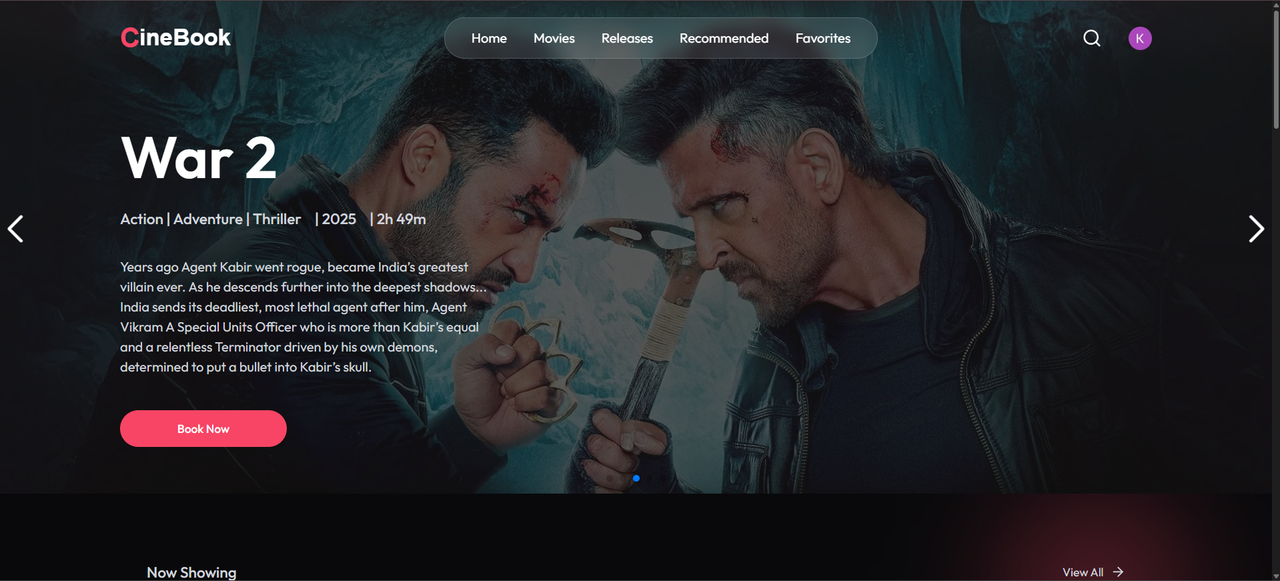
CineBook is a full-stack movie ticket booking platform that enables users to explore movies, select seats, and make secure online payments. Designed with a modern UI and smart backend logic, it ensures a seamless booking experience while also empowering admins with full control over listings and analytics.
Built using MERN Stack, Clerk Auth, Stripe, and Inngest, it features real-time email alerts, seat-hold logic, and a clean, responsive UI.
- 🎬 Movie Listings – Explore current and upcoming movies.
- 🪑 Live Seat Selection – Reserve seats per show with real-time updates.
- 💳 Stripe Payments – Secure online booking with webhook confirmations.
- 🔐 Clerk Auth – Login with Google, GitHub, or email/password.
- 📧 Email Confirmations – Sent via Inngest-powered background jobs.
- ⏱ Smart Seat Hold – 8-minute seat holds auto-expire if payment fails.
- 🛠 Admin Dashboard – Add/edit movies, shows, and view analytics.
- 📱 Responsive Design – Mobile-friendly and desktop-ready.
- 🚀 Production Optimized – Scalable and ready to deploy.
🟢 Live Demo
💻 Source Code
| Category | Technologies |
|---|---|
| 🖥️ Frontend | React.js, Tailwind CSS, Clerk |
| 🧠 Backend | Node.js, Express.js, Inngest |
| 🗄 Database | MongoDB |
| 💳 Payments | Stripe (with webhooks) |
| 🔐 Auth | Clerk |
| 📬 Emails | Inngest (background jobs + notifications) |
| 🧪 Testing | Postman, Manual UI testing |
| ☁️ Deployment | Vercel (frontend) + Render (backend) |
Admins can :
- View Total bookings
- View Revenue stats
- Add Latest Movie Shows
- Delete Any Movie Show
- Manage everthing related to Movie Ticket Booking

CineBook/
├── client/              # React Frontend
│   ├── src/
│   └── public/
├── server/              # Node.js Backend
│   ├── controllers/
│   ├── models/
│   ├── routes/
│   ├── utils/
│   └── config/
├── .env
├── package.json
└── README.md- Implementing secure and scalable payment flows with Stripe
- Managing real-time seat availability logic
- Sending email notifications using background jobs (Inngest)
- Deep dive into authentication flows with Clerk
- Deploying frontend/backend in production with environment configs
Clone the project
git clone https://link-to-projectGo to the project directory
cd my-projectInstall dependencies
npm installStart the server
npm run startCreate two .env files:
# server/.env
MONGO_URI=your_mongodb_url
CLERK_SECRET_KEY=your_clerk_secret
STRIPE_SECRET_KEY=your_stripe_secret
STRIPE_WEBHOOK_SECRET=your_webhook_secret
CLIENT_URL=http://localhost:3000
# client/.env
VITE_CLERK_PUBLISHABLE_KEY=your_clerk_publishable_key
VITE_API_URL=http://localhost:5000Contributions are welcome!
If you want to improve something or fix bugs, feel free to:
- Fork the repo
- Create a branch (
git checkout -b feature/your-feature) - Commit your changes (
git commit -m "Add your feature") - Push and create a PR
Please follow the Code of Conduct and Contributing Guide.
Krishna Gupta
🌐 Portfolio
💼 LinkedIn
📧 guptakrish1947@gmail.com
This project is licensed under the MIT License.
Feel free to use, modify, and distribute.
If you liked the project, please ⭐ the repository to show your support!
Clerk.dev – Auth
Stripe – Payments
Inngest – Background jobs
Vercel – Frontend Hosting
Render – Backend Hosting