This Python script utilizes computer vision techniques to automate interactions with a live screen. It identifies predefined regions using template matching, reads configuration data from "order.txt," and performs mouse movements and clicks based on the specified conditions. The script is designed for scenarios where manual interactions with specific screen elements are repetitive and can be automated.
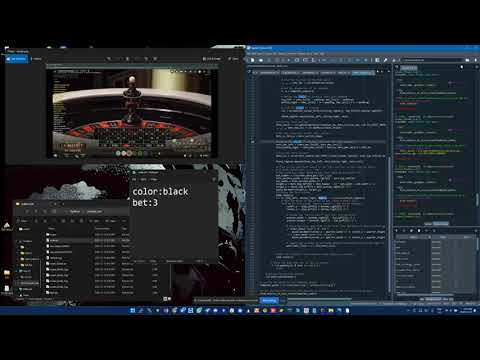
- Template Matching: Utilizes OpenCV for template matching to identify specific regions on the screen.
- Configuration File: Reads input parameters from the "order.txt" configuration file for dynamic control.
- Mouse Automation: Performs mouse movements and clicks based on the identified regions and configuration.
-
Clone the Repository:
git clone https://github.com/your-username/screen-automation-script.git cd screen-automation-script -
Install Dependencies: Ensure that you have the necessary dependencies installed.
pip install opencv-python pyautogui
-
Customize Configuration:
- Replace template images in the
screendirectory. - Adjust parameters in the "order.txt" file according to your requirements.
- Replace template images in the
-
Run the Script:
python main_script.py
The script employs OpenCV's template matching technique to locate predefined regions on the screen. The template images are stored in the screen directory.
# Example code snippet
result = cv2.matchTemplate(screenshot_np, template_rgb, cv2.TM_CCOEFF_NORMED)
_, _, _, max_loc = cv2.minMaxLoc(result)

## Configuration File Reading

The configuration file, "order.txt," is used to provide dynamic input parameters for the script, such as color and bet values.
```python
# Example code snippet
def read_order_file(file_path):
    try:
        with open(file_path, 'r') as file:
            lines = file.readlines()
            order_data = {line.split(':')[0].strip(): line.split(':')[1].strip() for line in lines}
            return order_data
    except FileNotFoundError:
        print(f'File not found: {file_path}')
return NoneThe script uses PyAutoGUI for mouse automation, moving the mouse to specific coordinates based on identified regions and configuration data.
# Example code snippet
def mouse_movement(center_x, center_y):
    pyautogui.moveTo(center_x, center_y)
Contributions and improvements are welcome! If you have ideas for additional features, optimizations, or bug fixes, feel free to submit a pull request.
This project is licensed under the MIT License.