Videocap Software (Can Take Photos)
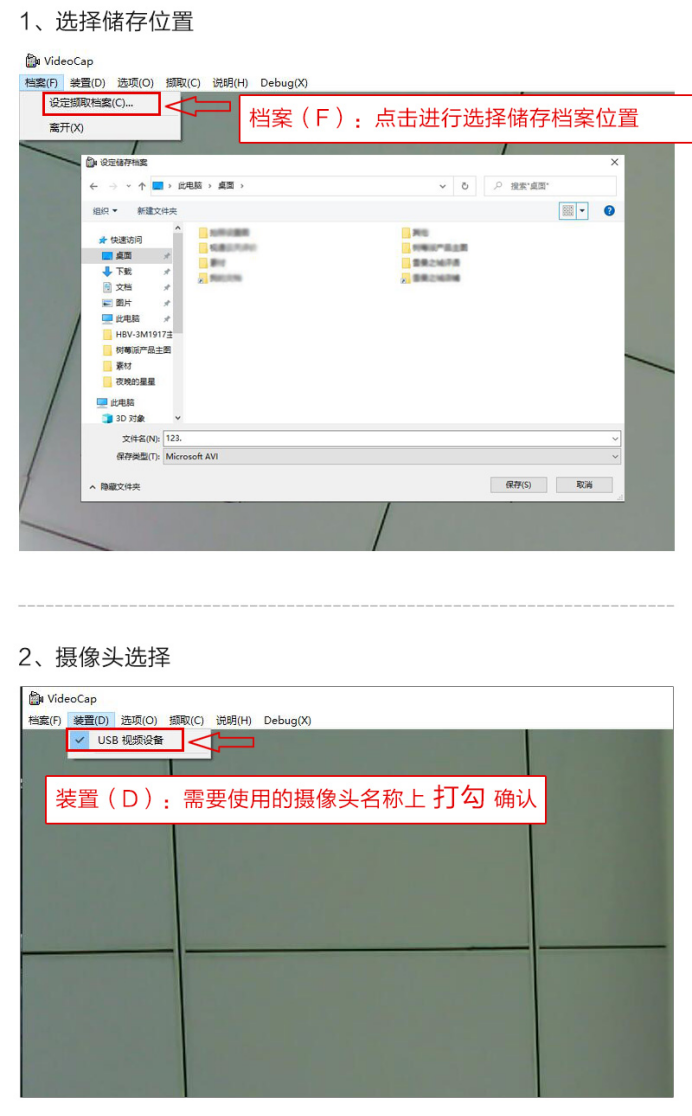
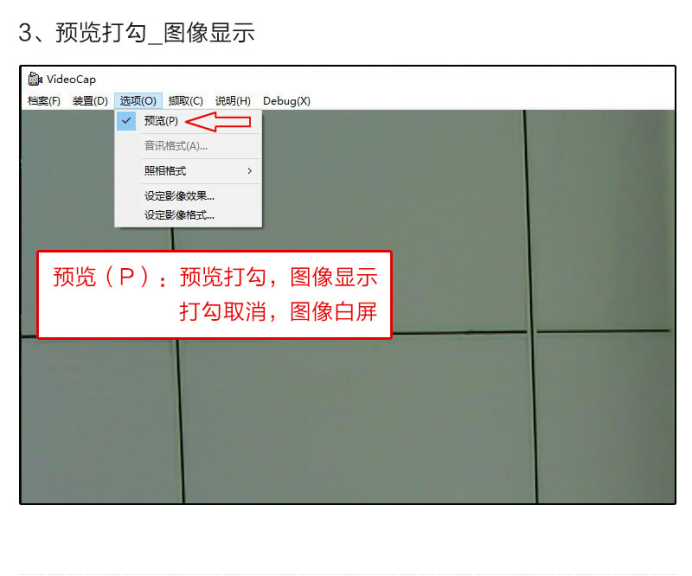
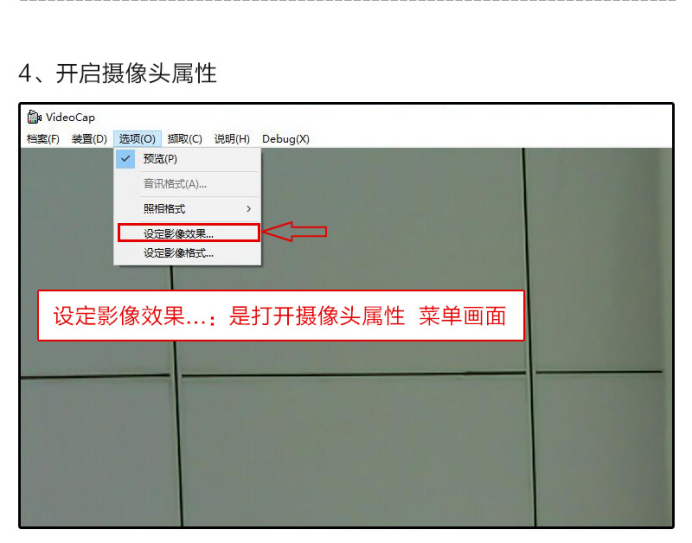
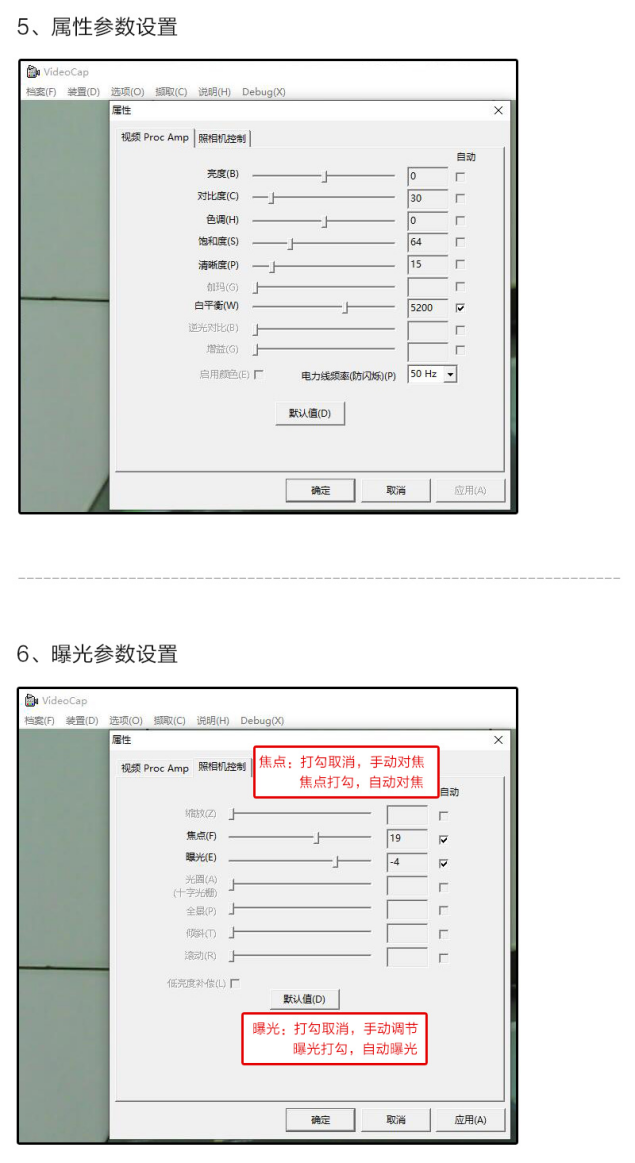
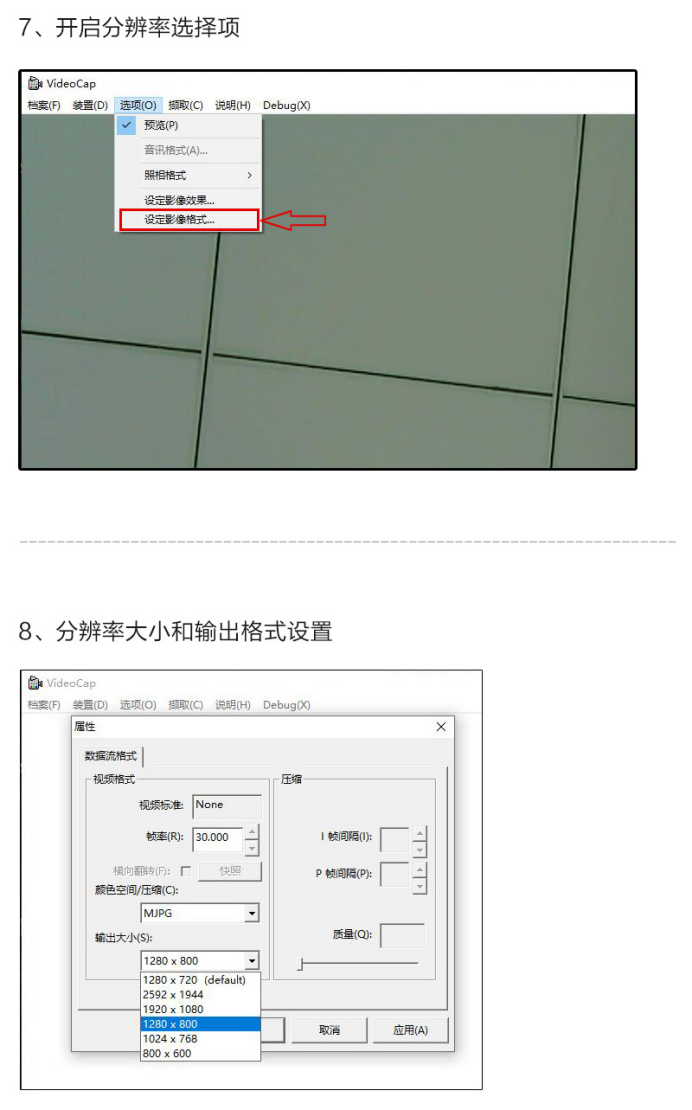
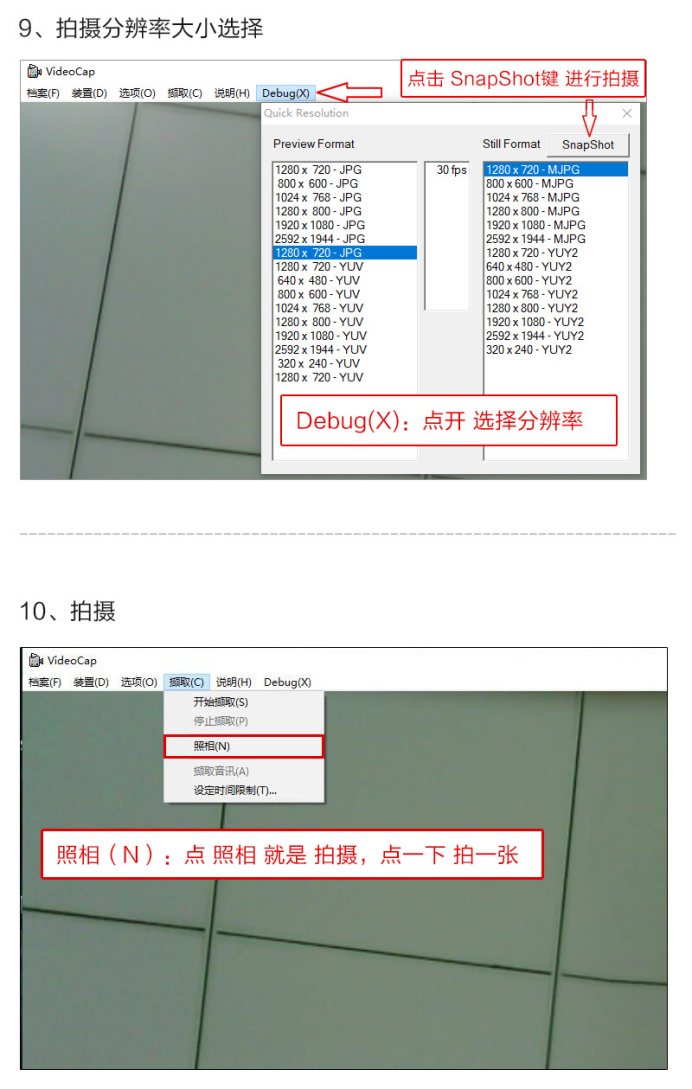
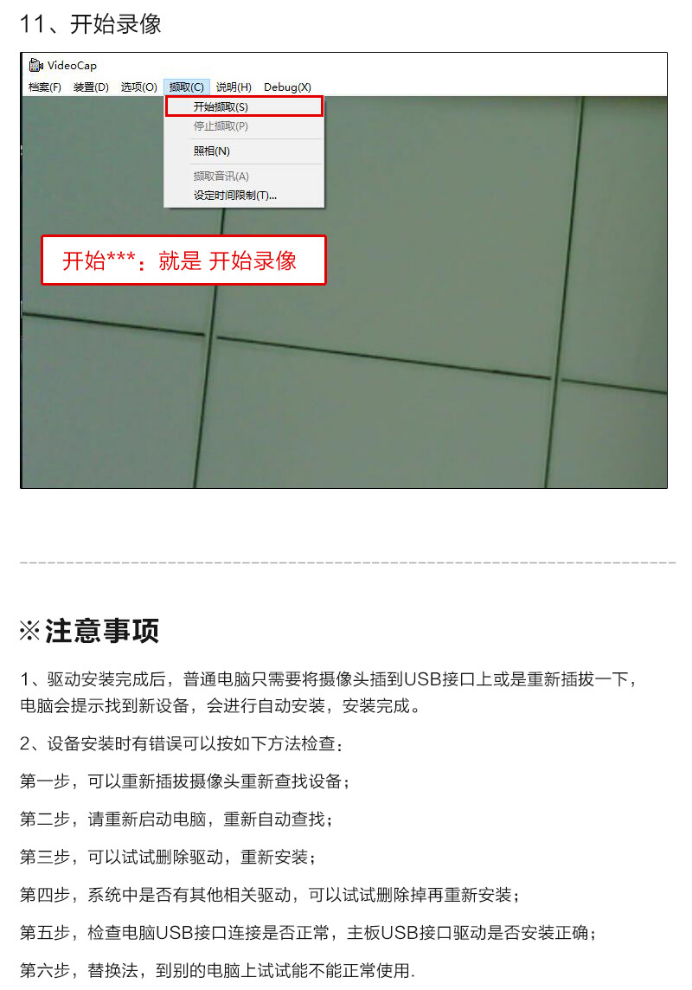
sudo apt-get install guvcview
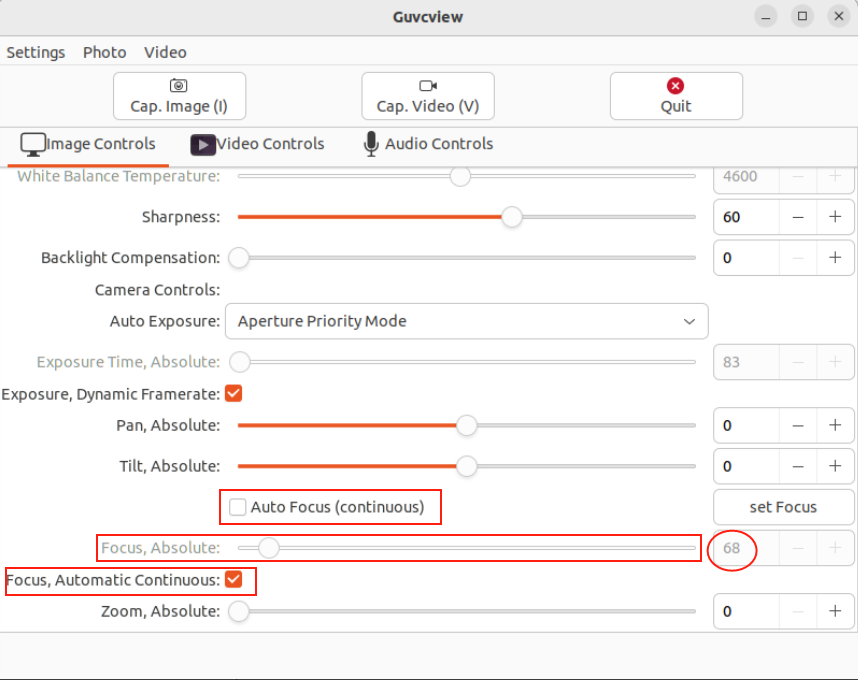
- Open the
guvcviewsoftware - Find
Auto Focus(continuous)andFocus,Automatic Continuousand uncheck them - Set the focus by dragging or entering a value (0-1023) in
Focus,Absolute
- Install the
v4l-utilstoolkit, which provides thev4l2-ctlcommand for controlling camera parameters: Check camera device
sudo apt install v4l-utils
-
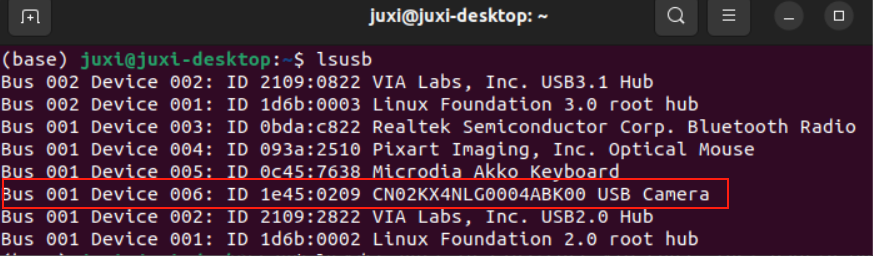
Check the camera device, use the
lsusbcommand to confirm the camera is connected and recognized:Example output:
Bus 001 Device 006: ID 1e45:0209 CN02KX4NLG0004AK00 USB CameraThis indicates the camera has been recognized. -
Check focus mode parameters Use
v4l2-ctlto view the supported focus mode parameters of the camera:
v4l2-ctl -d /dev/video0 --list-ctrls
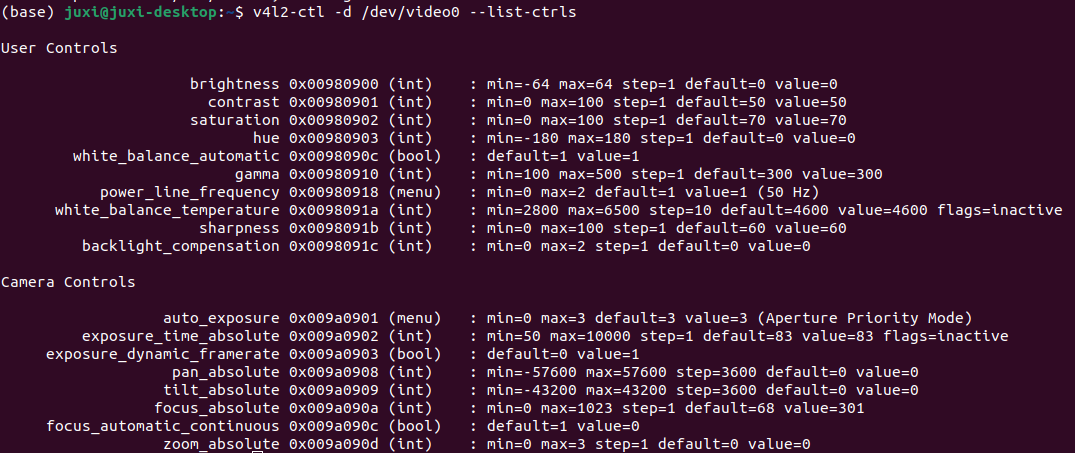
- focus_absolute: Absolute focus value (0-1023)
- focus_automatic_continuous: Continuous auto-focus mode (0=off, 1=on)
- Switch focus mode
- Manual focus: Turn off auto-focus and set the absolute focus value
 v4l2-ctl -d /dev/video0 --set-ctrl=focus_auto=0
v4l2-ctl -d /dev/video0 --set-ctrl=focus_absolute=500  # Set focus value (0-1000)
- Auto-focus: Turn on auto-focus
v4l2-ctl -d /dev/video0 --set-ctrl=focus_auto=1
- Verify focus mode Check the parameters again to confirm the switch result:
v4l2-ctl -d /dev/video0 --get-ctrl=focus_auto,focus_absolute
1. Auto-focus not working Check if the focus option is checked. If the focus is not clear, you can also use pliers to twist the lens. The lens is threaded and can be rotated for focusing. 2. Low frame rate Set the format to MJPG AVC H.264