AI-Powered Multi-Agent Twitch Chat Analytics Platform
Built for the Google Cloud Run Hackathon 2025 - AI Agents Category
IShowStream helps streamers understand their chat in real-time using a 5-agent AI system powered by Gemini AI and deployed on Google Cloud Run.
See IShowStream in action:
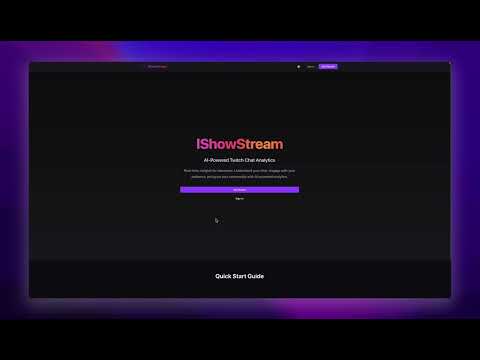
- Shows how IShowStream connects to live Twitch chat
- Demonstrates real-time message filtering and emotion detection
- Displays how insights are generated by the multi-agent AI system
- Walks through the dashboard with trends, engagement, and chat analytics
IShowStream uses 5 specialized AI agents that work together to analyze Twitch chat in real-time:
📨 Message → 🔍 SpamFilter → 🎯 Priority → 💬 Engagement → 📊 Dashboard
             (every message)  (every message) (every message)

📊 Batch    → 📈 TrendAgent → Trends/Memes → 📊 Dashboard
             (every 5 minutes, 50 messages)

⏱️ Periodic → 💡 InsightAgent → AI Insights → 📊 Dashboard
             (every 1 minute, last 60s of messages)
- Role: Spam Detection & Content Filtering
- Model: Gemini 2.0 Flash
- Capabilities: Spam detection, bot detection, pattern matching
- Output: Spam classification with confidence scores
- Role: Message Prioritization & Ranking
- Model: Gemini 2.0 Flash
- Capabilities: Importance ranking (1-10), category classification
- Depends on: SpamFilterAgent (only processes non-spam)
- Output: Priority scores for important messages
- Role: Engagement Potential Prediction
- Model: Gemini 2.0 Flash
- Capabilities: Predicts conversation potential (1-10), streamer response recommendations
- Output: Engagement scores, should_respond flags
- Role: Trend & Pattern Detection
- Model: Gemini 2.0 Flash
- Capabilities: Trending topics, meme tracking, spam wave detection, chat mood analysis
- Runs: Every 5 minutes on last 50 messages (batch analysis)
- Output: Top words, emotes, trending topics, overall mood
- Role: High-Level Chat Analysis & Insights
- Model: Gemini 2.0 Flash
- Capabilities: Emotion clustering, topic summarization, actionable recommendations
- Runs: Every 1 minute on last 60 seconds of messages
- Output: AI-generated insights with emotion analysis and streamer recommendations
The AgentOrchestrator coordinates all agents:
- Per-Message Pipeline: Spam → Priority → Engagement (real-time)
- Batch Analysis: TrendAgent analyzes patterns across messages (every 5 min)
- Insight Generation: InsightAgent generates high-level insights (every 1 min)
- WebSocket Updates: Real-time agent activity broadcast to dashboard
Multi-Agent Features:
- ✅ Agent specialization (5 distinct roles)
- ✅ Sequential processing pipeline
- ✅ Batch processing patterns
- ✅ Conditional agent invocation
- ✅ State management across agents
- ✅ Real-time communication between agents and frontend

Pipeline overview
- Twitch IRC sends live chat messages to the Chat Ingestion Service
- Messages are saved to Firestore
- The Multi Agent Orchestrator in Python with Gemini AI processes messages and writes insights and trends to Firestore
- The Dashboard API in Go serves REST and WebSocket endpoints
- The React Dashboard subscribes to real time updates and renders insights
- Node.js 18+ and npm
- Go 1.24+
- Python 3.12+
- Google Cloud account with Firestore enabled
- Twitch Developer account
git clone https://github.com/JosephDavisC/streamsense.git
cd streamsensecp config/.env.example config/.envEdit config/.env with your credentials:
# Google Cloud
GOOGLE_CLOUD_PROJECT=your-project-id
GOOGLE_API_KEY=your-gemini-api-key

# Twitch
TWITCH_CLIENT_ID=your-client-id
TWITCH_CLIENT_SECRET=your-client-secret
TWITCH_CHANNEL=xqc # Channel to monitorgcloud auth application-default login# Backend agents (Python)
cd backend/agents
python3 -m venv venv
source venv/bin/activate
pip install -r requirements.txt
cd ../..
# Frontend
cd frontend/dashboard
npm install
cd ../.../start-all.shThen open: http://localhost:3000
./stop-all.shstreamsense/
├── backend/
│ ├── chat-ingestion/ # Go - Twitch IRC ingestion service
│ │ └── main.go
│ ├── dashboard-api/ # Go - REST API + WebSocket
│ │ └── main.go
│ └── agents/ # Python - Multi-Agent System
│ ├── orchestrator.py # Agent coordinator
│ ├── spam_filter_agent.py # Agent 1: Spam detection
│ ├── priority_agent.py # Agent 2: Priority ranking
│ ├── engagement_agent.py # Agent 3: Engagement prediction
│ ├── trend_agent.py # Agent 4: Trend detection
│ ├── insight_agent.py # Agent 5: Insight generation
│ └── requirements.txt
├── frontend/
│ └── dashboard/ # React - Real-time dashboard UI
│ ├── src/
│ │ ├── App.js
│ │ └── components/
│ │ ├── Dashboard.js
│ │ ├── Landing.js
│ │ ├── Blog.js
│ │ ├── History.js
│ │ └── Profile.js
│ └── package.json
├── config/
│ └── .env # Environment variables
├── start-all.sh # Start all services
└── stop-all.sh # Stop all services
- Go (Golang) - High-performance service layer (Chat Ingestion, Dashboard API)
- Python - AI agents with Gemini
- Firestore - Real-time NoSQL database
- Twitch IRC - Live chat streaming
- Google Gemini 2.0 Flash - LLM for all agent analysis
- Multi-Agent Architecture - 5 specialized agents working in parallel
- React 19 - Modern UI framework
- WebSocket - Real-time updates
- Firebase Auth - User authentication
- Google Cloud Run - Serverless container platform
- Docker - Containerization
- Git - Version control
Deploy all services to Google Cloud Run:
# Set your project ID
export PROJECT_ID=your-project-id

# Deploy Chat Ingestion
cd backend/chat-ingestion
gcloud run deploy chat-ingestion \
  --source . \
  --region us-central1 \
  --allow-unauthenticated \
  --project=$PROJECT_ID

# Deploy Dashboard API
cd ../dashboard-api
gcloud run deploy dashboard-api \
  --source . \
  --region us-central1 \
  --allow-unauthenticated \
  --project=$PROJECT_ID

# Deploy AI Agents
cd ../agents
gcloud run deploy agents \
  --source . \
  --region us-central1 \
  --set-env-vars GOOGLE_API_KEY=your-key \
  --project=$PROJECT_ID

# Deploy Frontend
cd ../../frontend/dashboard
gcloud run deploy ishowstream \
  --source . \
  --region us-central1 \
  --allow-unauthenticated \
  --set-env-vars="REACT_APP_API_URL=https://dashboard-api-xxx.run.app,REACT_APP_WS_URL=wss://dashboard-api-xxx.run.app/ws" \
--project=$PROJECT_ID- ✅ Real-time chat monitoring - See all messages as they happen
- ✅ Automatic spam filtering - AI removes spam/scams/bots
- ✅ Priority highlighting - Important messages stand out
- ✅ AI-generated insights - Understand chat emotion and topics every minute
- ✅ Trend detection - See what's trending in your chat
- ✅ Pause/Resume monitoring - Save API credits when not streaming
- ✅ Dynamic channel switching - Change Twitch channel without restart
- ✅ Real-time dashboard - Live stats and metrics
- ✅ History view - Review past insights
- ✅ Dark/Light mode - Customizable theme
- ✅ WebSocket updates - Instant agent activity notifications
- ✅ Responsive design - Works on desktop and mobile
Google Cloud Run Hackathon 2025
- Category: AI Agents
- Technologies: Cloud Run, Gemini AI, Firestore, Go, Python, React
- Team: JJA (Joseph Davis Chamdani, Juwita Jessica Pangestu, Abraham Guan)
MIT License - See LICENSE file for details
Made with ❤️ using Google Cloud Run and Gemini AI