

# 1. Install dependencies
pip install -r requirements.txt

# 2. Start the daemon
pad &

# 3. Validate your setup
pa selftest

# 4. Enable zero-config HTTPS and DNS (optional but recommended)
pa-platform tls trust    # Setup + trust certificates
pa-platform dns install  # Configure DNS resolver for *.pa.local

# 5. Start developing with zero friction
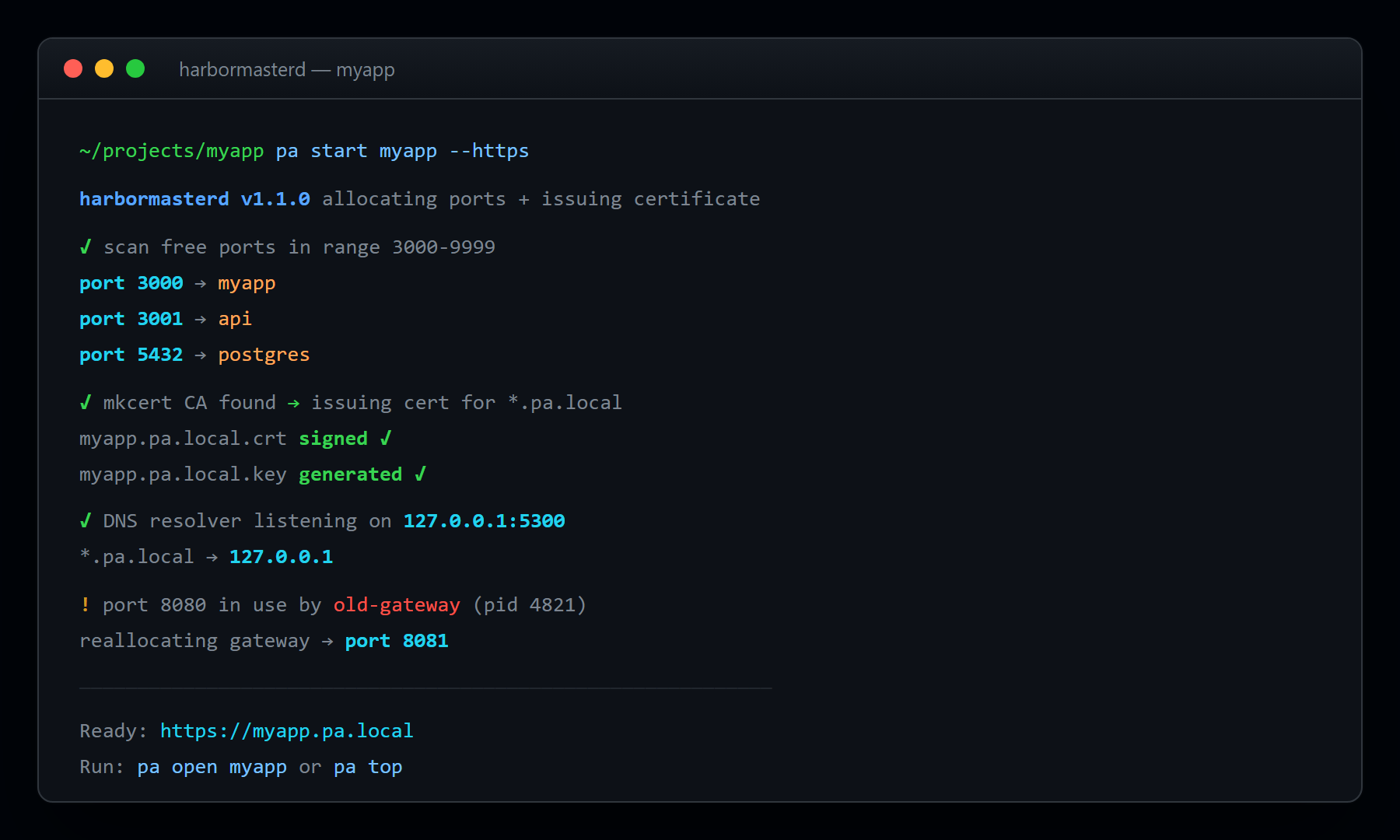
pa run --name=myapp --prefer=3000 python app.py
# → Available at https://myapp.pa.local (automatic HTTPS!)Harbormasterd ships three entry points:
| Command | Module | Purpose |
|---|---|---|
pa |
pa.py |
Developer CLI — pa run, pa reserve, pa release, pa who, pa scan, pa doctor, pa events |
pa-platform |
pa_platform.py |
Platform CLI — pa-platform context, pa-platform dns, pa-platform tls, pa-platform routes, pa-platform top, pa-platform selftest |
pad |
pad.py |
Daemon — long-running background service |
Most users only need pa. Use pa-platform for HTTPS/DNS setup and team-shared contexts.
Harbormasterd is beta software under active development. What works today:
- ✅ Daemon (
pad) — port reservation, process spawning, lease lifecycle (/reserve,/spawn,/bind,/release), inspection (/who,/scan,/leases), policy blocks (/block,/unblock), process kill (/kill), gateway routes (/routes), policy management (/policy), metrics (/metrics), health (/health), and live SSE events (/events). Every endpoint requires the admin token. - ✅ Developer CLI (
pa) —run,reserve,bind,release,who,scan,block,unblock,kill,health,events,doctor,print-token. All wired to the daemon. - ✅ Platform CLI (
pa-platform) — context management, routes (list/add/rm/sync), DNS install/status, TLS trust/issue/list, policy (show/apply/edit), metrics, top, selftest. - ✅ Gateway drivers — Traefik (file provider, default) and Caddy (admin API). Selectable via
data/policy.yamlgateway.driver. - ✅ Cross-platform port detection (Linux /proc, macOS sysctl, Windows netsh).
- ✅ Token-secured API — every daemon endpoint authenticates via
X-API-Key.
Not yet implemented (tracked in #Roadmap): audit-log read endpoint, team-shared daemon mode / tunneling (pa share), VS Code extension, Kubernetes integration.
pa context list                    # List available contexts
pa context create team --daemon-url=https://team.example.com
pa context use team # Switch to team contextpa-platform dns install # Install local DNS resolver for *.pa.local
pa-platform dns status # Check DNS status
pa-platform tls trust # Setup + trust HTTPS certificates
pa-platform tls list # Show available certificatespa-platform policy show # Show the daemon's current policy
pa-platform policy apply p.yaml # Merge a policy fragment
pa-platform policy edit # Open $EDITOR, apply on savepa run --name=api python server.py # Start with auto port
pa-platform open api # Open service URL in browser
pa-platform url api # Print service URL for scripts
pa-platform routes list # Show gateway routes
pa-platform routes sync -f .pa.yaml # Sync routes from project configpa metrics # Show platform metrics
pa top # Live monitoring TUI
pa selftest # Quick health check
pa selftest --comprehensive # Full integration testEvery daemon endpoint requires an admin token. The token is generated automatically on first pad startup and persisted to your OS keyring (fallback: ~/.harbormasterd/daemon.token, mode 0600).
# The CLI reads the token automatically — no setup needed on the same machine.
# To see the current token (e.g. for a remote context):
pa print-token

# To override (CI, remote daemon, etc.):
export PAD_ADMIN_TOKEN="$(pa print-token)"
# or set it directly:
export PAD_ADMIN_TOKEN="<64-char hex token>"
The CLI sends the token via the X-API-Key header on every request.
export PAD_URL="http://127.0.0.1:9999"              # Daemon URL
export PAD_ADMIN_TOKEN="$(pa print-token)" # Admin API key (auto-generated)service: my-app
prefer: [3000, 3001]
routes:
- host: my-app.pa.local
protocols: [http, ws]
gateway:
enabled: true
auto_tls: trueblock_patterns: ["^.*(3000|3001|80|443)$"]
auto_heal: true
max_ttl: 86400 # 24 hours
gateway:
enabled: true
domain: "pa.local"
auto_tls: trueDNS Resolver (dns_resolver.py)
- Cross-platform DNS resolver for
*.pa.local - Windows: Hosts file + DNS cache management
- macOS:
/etc/resolver/+ mDNSResponder integration - Linux: systemd-resolved + dnsmasq fallback
TLS Manager (tls_manager.py)
- Multi-provider certificate management
- mkcert (preferred) → Caddy CA → Self-signed fallback
- Automatic system trust store integration
Platform CLI (pa_platform.py)
- Enhanced CLI with context management
- Gateway routing and service discovery
- Real-time monitoring and metrics
Test Harness (test_integration.py)
- 12 comprehensive test categories
- Cross-platform validation
- Performance benchmarking
# DNS resolver integration
from dns_resolver import CrossPlatformDNSInstaller
dns = CrossPlatformDNSInstaller()
dns.install()

# TLS certificate management
from tls_manager import TLSManager
tls = TLSManager()
tls.setup()

# Platform CLI with enhanced features
python pa_platform.py selftest --comprehensive# Start something on port 3000
node -e "require('http').createServer().listen(3000)"
# Try to use port 3000 - should auto-reassign
pa run --name test -- node -e "require('http').createServer().listen(process.env.PORT)"
# ✅ Gets assigned port 60001 instead# In a Next.js project
pa doctor
# ✅ Detects Next.js, suggests .pa.yaml config
pa run --name web -- npm run dev
# ✅ Injects PORT=60002, shows framework hints# Start a service
pa run --name test -- node -e "require('http').createServer().listen(process.env.PORT)"
# Kill the process externally
kill -9 <pid>
# Port gets auto-guarded within 30 seconds
pa who <port>
# ✅ Shows "RESERVED" with auto-heal# Check if port 9999 is available
pa who 9999
# Start with debug logging
pad --log-level debug# Run as administrator for ports 80/443
# Or configure Windows firewall rules
netsh http add urlacl url=http://+:80/ user=Everyone# pa, pa-platform, and pad are console scripts — ensure your pip install
# location (e.g. ~/.local/bin on Linux, %APPDATA%\Python\Scripts on Windows)
# is on your PATH. Re-run: pip install -e .# Force framework detection
pa doctor
# Manual configuration
echo "service: my-app" > .pa.yamlAfter setup, you should see:
- ✅ Fewer "port already in use" errors —
pa runfinds a free port automatically - ✅ Fast startup with
pa run(port reservation is a single round-trip) - ✅ Automatic conflict resolution — preferred ports fall back to the ephemeral range
- ✅ *Beautiful .pa.local URLs instead of port numbers (with DNS installed)
- ✅ Real-time port monitoring and auto-healing of dead managed processes
# Quick validation (8 core tests, ~30 seconds)
pa selftest

# Comprehensive integration test (~5 minutes)
pa selftest --comprehensive

# CI-friendly JSON output
pa selftest --json- Platform Matrix: Ubuntu, macOS, Windows × Python 3.9–3.12
- Test Coverage: 12 platform combinations
- Runtime: < 10 minutes total
- Validation: import smoke, token storage, full daemon endpoint suite
See TESTING.md for complete testing documentation.
- Port Reservation: < 50ms average
- Conflict Detection: < 25ms
- DNS Resolution: < 5ms local queries
- TLS Setup: < 3s certificate installation
- CI Pipeline: < 10min (12 platforms in parallel)
✅ Daemon endpoint suite passes on every supported platform ✅ Zero-config token auth — generated on first run, persisted to keyring ✅ Zero-config setup for DNS and TLS (optional, with graceful fallbacks) ✅ Graceful fallbacks for optional features
# Install development dependencies
pip install -r requirements.txt

# Run comprehensive tests
python -m pytest test_integration.py -v

# Start development daemon (auto-generates a token; retrieve with `pa print-token`)
pad

# Test specific features
pa-platform dns status
pa-platform tls status
pa selftest --comprehensive- Fork the repository
- Create a feature branch
- Add tests for new functionality
- Ensure all platforms pass:
pa selftest --comprehensive - Update documentation
- Submit a pull request
TESTING.md- Complete testing guide and CI/CD setupDEVELOPMENT_HISTORY.md- Full implementation timeline- GitHub Actions - CI pipeline configuration
- Industry-standard mkcert for local CA
- Automatic system trust store integration
- Secure certificate storage and rotation
- No network exposure by default
- Minimal privilege escalation (UAC/sudo only when needed)
- Local-only DNS resolution
- Secure admin token handling
- Comprehensive input validation
- Audit-log read endpoint (
GET /audit) — the hash chain is written today, just not yet queryable - Gateway health probe (is the configured Traefik/Caddy actually up?)
-
.pa.yamlschema validation inpa doctor - Auto-discovery of development servers
- Docker integration for containerized development
- VS Code extension for seamless IDE integration
- Plugin system for extensibility
- Enhanced observability dashboard
- Team-shared daemon mode +
pa share <service>tunneling (cloudflared/ngrok) - Kubernetes integration
- Multi-cluster management
- Enterprise SSO / RBAC
- Issues: GitHub Issues
- Discussions: GitHub Discussions
- Documentation: Complete guides and API reference
- Community: Discord server for real-time support
MIT © Jordan Newell
Ready to eliminate port management friction from your development workflow?
# One command to rule them all
pa selftest --comprehensive && echo "🚢 Welcome aboard the Harbormasterd platform!"Harbormasterd: Because developers should focus on building, not managing infrastructure.
Developed with ❤️ by the Harbormasterd maintainers
Platform tested on Windows 11, macOS Ventura, Ubuntu 22.04
Comprehensive CI/CD pipeline validates every commit across 12 platform combinations
