


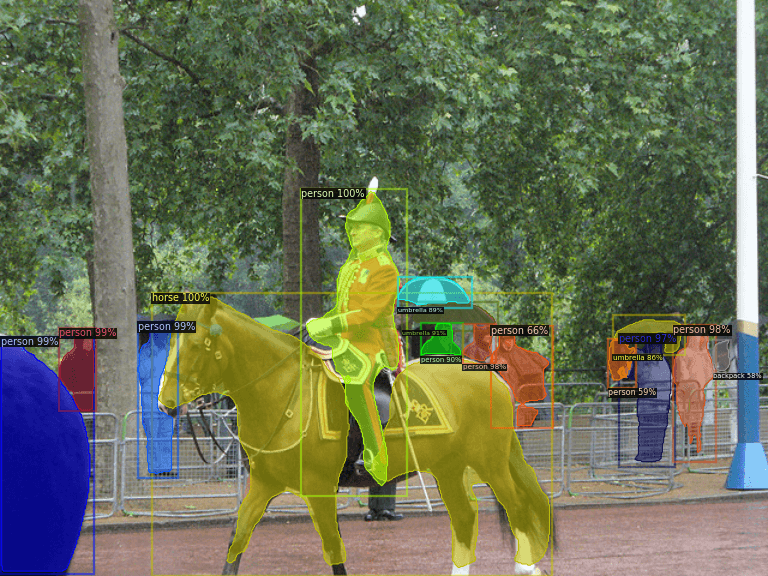
Train your custom Detectron2 instance segmentation models.
We strongly recommend using a virtual environment. If you're not sure where to start, we offer a tutorial here.
pip install ikomiafrom ikomia.dataprocess.workflow import Workflow
# Init your workflow
wf = Workflow()
# Add dataset loader
coco = wf.add_task(name="dataset_coco")
coco.set_parameters({
"json_file": "path/to/annotation/file.json",
"image_folder": "path/to/image/folder",
"task": "instance_segmentation",
})
# Add training algorithm
train = wf.add_task(name="train_detectron2_instance_segmentation", auto_connect=True)
# Launch your training on your data
wf.run()Ikomia Studio offers a friendly UI with the same features as the API.
-
If you haven't started using Ikomia Studio yet, download and install it from this page.
-
For additional guidance on getting started with Ikomia Studio, check out this blog post.
-
model_name (str) - default 'COCO-InstanceSegmentation/mask_rcnn_R_50_FPN_3x': Name of the pre-trained model. Additional model available:
- COCO-InstanceSegmentation\mask_rcnn_R_101_C4_3x
- COCO-InstanceSegmentation\mask_rcnn_R_101_DC5_3x
- COCO-InstanceSegmentation\mask_rcnn_R_101_FPN_3x
- COCO-InstanceSegmentation\mask_rcnn_R_50_C4_1x
- COCO-InstanceSegmentation\mask_rcnn_R_50_C4_3x
- COCO-InstanceSegmentation\mask_rcnn_R_50_DC5_1x
- COCO-InstanceSegmentation\mask_rcnn_R_50_DC5_3x
- COCO-InstanceSegmentation\mask_rcnn_R_50_FPN_1x
- COCO-InstanceSegmentation\mask_rcnn_R_50_FPN_1x_giou
- COCO-InstanceSegmentation\mask_rcnn_R_50_FPN_3x
- COCO-InstanceSegmentation\mask_rcnn_X_101_32x8d_FPN_3x
- LVISv0.5-InstanceSegmentation\mask_rcnn_R_101_FPN_1x
- LVISv0.5-InstanceSegmentation\mask_rcnn_R_50_FPN_1x
- LVISv0.5-InstanceSegmentation\mask_rcnn_X_101_32x8d_FPN_1x
- LVISv1-InstanceSegmentation\mask_rcnn_R_101_FPN_1x
- LVISv1-InstanceSegmentation\mask_rcnn_R_50_FPN_1x
- LVISv1-InstanceSegmentation\mask_rcnn_X_101_32x8d_FPN_1x
-
max_iter (int) - default '100': Maximum number of iterations.
-
batch_size (int) - default '2': Number of samples processed before the model is updated.
-
input_size (int) - default '400': Size of the input image.
-
output_folder (str, optional): path to where the model will be saved.
-
learning_rate (float) - default '0.0025': Step size at which the model's parameters are updated during training.
-
eval_period (int) - default '50': Interval between evalutions.
-
dataset_split_ratio (float) – default '0.8' ]0, 1[: Divide the dataset into train and evaluation sets.
-
config_file(str, optional): Path to config file.
Parameters should be in strings format when added to the dictionary.
from ikomia.dataprocess.workflow import Workflow

# Init your workflow
wf = Workflow()

# Add dataset loader
coco = wf.add_task(name="dataset_coco")

coco.set_parameters({
    "json_file": "path/to/annotation/file.json",
    "image_folder": "path/to/image/folder",
    "task": "instance_segmentation",
})

# Add training algorithm
train = wf.add_task(name="train_detectron2_instance_segmentation", auto_connect=True)
train.set_parameters({
    "model_name": "COCO-InstanceSegmentation/mask_rcnn_R_50_C4_1x",
    "batch_size": "2",
    "input_size": "400",
    "learning_rate": "0.0025",
    "dataset_split_ratio": "0.8",
})

# Launch your training on your data
wf.run()